Web hosting is a service that stores a website's files on a server and keeps that server connected to the internet at all times. A domain name then leads visitors straight to those files, wherever they are hosted. Without hosting, a website exists only on the computer that built it.
This guide breaks down how web hosting works from server to browser, plus the eight main hosting types. It also covers what a plan should include and how hosting differs from a domain name.
How Does Web Hosting Work?
Web hosting works by storing a website's files on a server and keeping that server connected to the internet at all times. Wikipedia's definition is direct: a web host "provides the infrastructure required to host websites and make them accessible on the World Wide Web". A domain name then leads visitors straight to those files, wherever they are hosted.
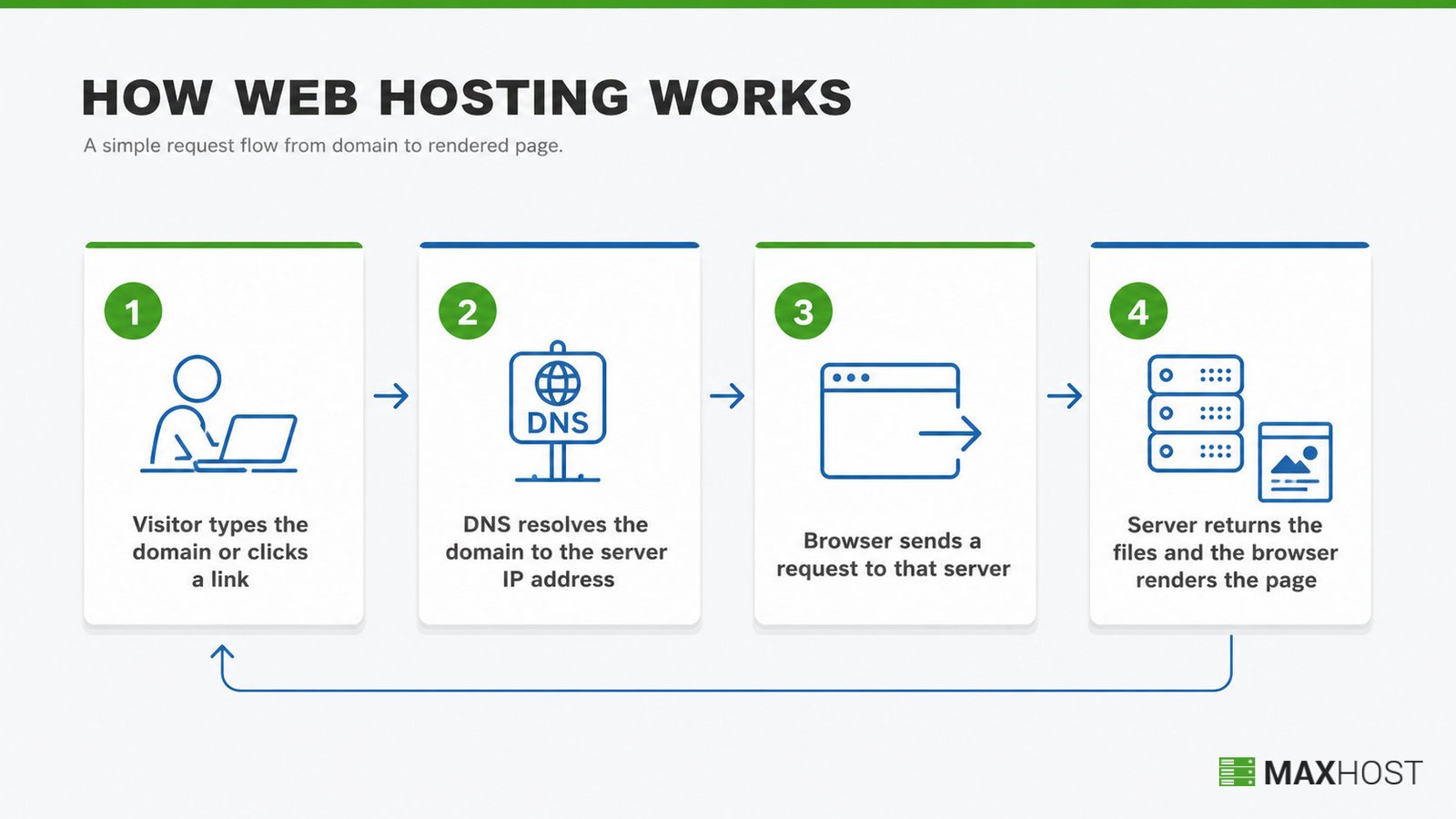
A single page request follows four steps:
- The visitor types the domain or clicks a link.
- DNS resolves the domain to the server's IP address.
- The browser sends a request to that server.
- The server returns the files, and the browser renders the page.
That whole exchange usually completes in a fraction of a second. The server, the data center that houses it, and the DNS lookup all have to work together for the site to load at all.
What Are the Types of Web Hosting?
Web hosting splits into eight common types, and each one trades control, cost, and management effort differently.
| Hosting Type | Best For | Resource Sharing | Typical Cost Tier |
|---|---|---|---|
| Shared Hosting | New blogs and small brochure sites | One server shared across many sites | Low ($3 to $15/month) |
| VPS Hosting | Growing sites that need guaranteed resources | A virtualized slice of one physical server | Mid ($20 to $100/month) |
| Cloud Hosting | Sites with unpredictable or spiking traffic | Distributed across a network of load-balanced servers | Mid to high (usage-based) |
| Dedicated Hosting | High-traffic sites that need full server control | One entire physical server, not shared | High ($80 to $500+/month) |
| WordPress Hosting | WordPress sites needing server settings tuned for WordPress | Shared or VPS resources, WordPress-optimized | Low to mid ($3 to $30/month) |
| Managed WordPress Hosting | WordPress sites that want updates and backups handled for them | Dedicated resources, provider manages WordPress itself | Mid to high ($20 to $100+/month) |
| Reseller Hosting | Agencies and freelancers reselling hosting under their own plans | Wholesale server space split into client accounts | Mid ($20 to $50/month wholesale) |
| White Label Hosting | Hosting businesses that want full brand control over resold service | Reseller hosting rebranded with no trace of the parent provider | Mid to high (varies by provider) |
Shared, VPS, cloud, and dedicated are the four core resource models every host sells. WordPress, managed WordPress, reseller, and white label layer a service model on top of them. One more type, colocation, sits outside this list. You own the physical server and rent only rack space, power, and connectivity in the data center. It suits large enterprises that already own their hardware.
These types overlap once a site starts to grow, so three deeper comparisons help narrow the choice. Shared vs vps vs dedicated vs cloud hosting breaks down the four core resource models side by side. Reseller hosting vs white label hosting settles the branding question between those two reseller models. Vps vs cloud hosting compares the two hosting types buyers confuse most often.
Do You Really Need Web Hosting?
Yes, every live website needs web hosting, but how you get it depends on your platform. You can design a site on your own computer, yet only a hosting server keeps those files online around the clock. A website without hosting exists only on your local machine, invisible to the internet.
How you pay for that hosting depends on the platform you build on.
- All-in-one builders: Wix, Squarespace, and WordPress.com bundle hosting into the subscription, so you never buy it separately.
- Self-hosted platforms: WordPress.org, custom code, and most e-commerce stacks need a separate hosting plan from a provider.
- Static sites: a purely informational site with no database can often run free on a developer platform like GitHub Pages.
Skipping hosting altogether means:
- No public URL that others can visit
- No email addresses tied to your own domain
- No uptime, backups, or security a host would normally handle
Once you know you need hosting, the real decision is which provider and plan fit your site. How to choose a web host walks through that process step by step.
What Should a Web Hosting Plan Include?
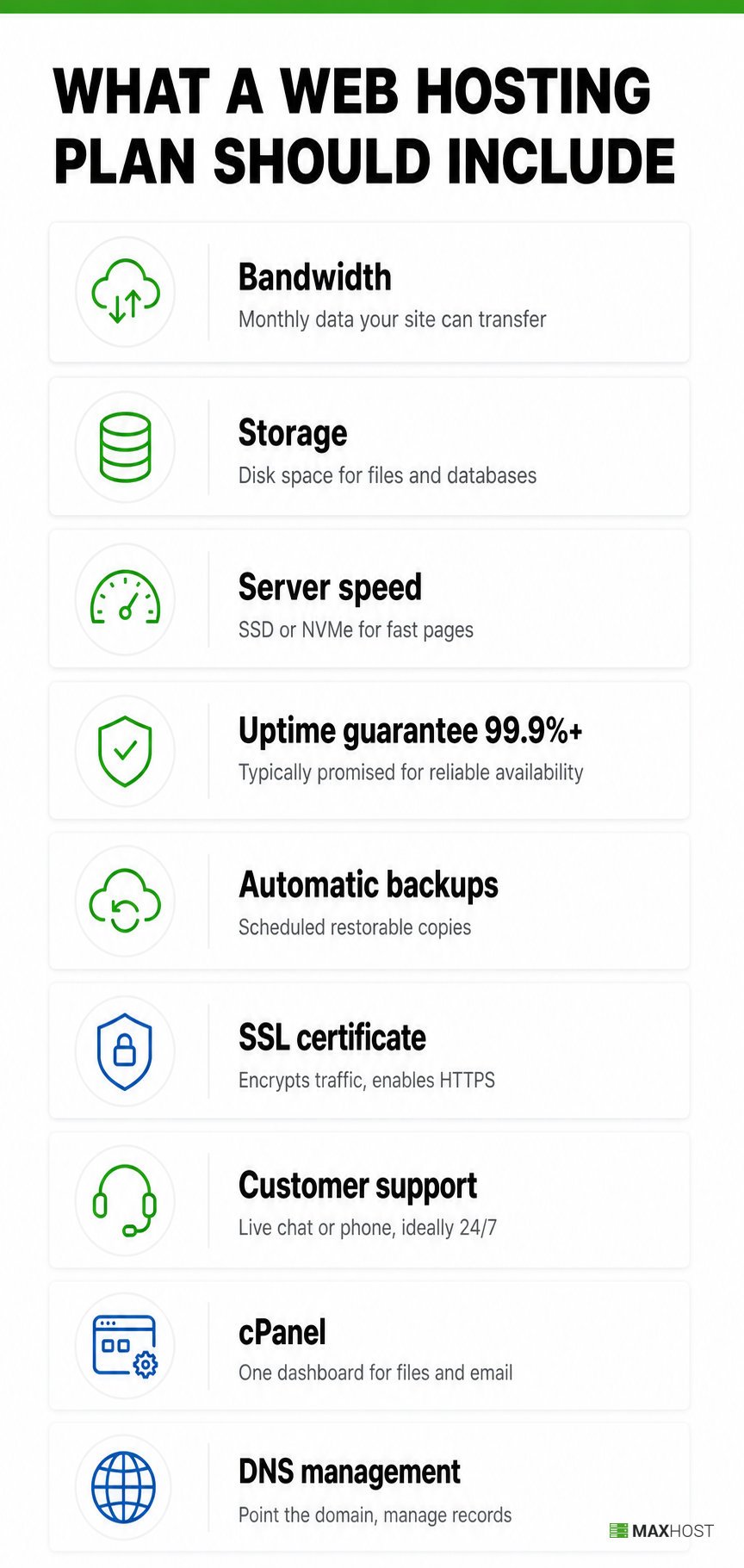
A solid web hosting plan covers the same core features, whatever the hosting type behind it.
- Bandwidth: the amount of data your site can transfer to visitors each month, since low bandwidth throttles a site during traffic spikes.
- Storage: the disk space available for your files, media, and databases.
- Server speed: the storage and caching that keep pages loading fast, with SSD or NVMe drives outperforming older hard disks.
- Uptime guarantee: the percentage of time the host promises your site stays online, typically 99.9 percent or higher.
- Automatic backups: scheduled copies of your site the host can restore after a crash or a bad update.
- SSL certificate: the certificate that encrypts traffic between your site and its visitors and enables HTTPS.
- Customer support: the live chat or phone help you reach when the server, email, or DNS misbehaves, ideally around the clock.
- cPanel: the control panel most hosts use to manage files, databases, and email from one dashboard.
- DNS management: the tools to point your domain at the right server and manage its records.
Watch the renewal price too, since many hosts advertise a low first-term rate that jumps sharply when the plan renews.
What Is the Difference Between Web Hosting and a Domain Name?
A domain name is the address visitors type, while web hosting is the server space that stores your site. Think of the domain as your home address and hosting as the plot of land the house actually sits on. Buyers confuse the two, but they solve different problems.
| Aspect | Domain Name | Web Hosting |
|---|---|---|
| What it is | The human-readable address, such as example.com | The server space that stores your files, databases, and media |
| What you buy | A yearly registration from a domain registrar | A recurring plan from a hosting provider |
| Its job | Points visitors to where your site lives | Serves the actual site content to those visitors |
| Example | google.com | The server holding Google's code and images |
A domain without hosting has nowhere to point. A hosting account without a domain has no memorable address for visitors. Most sites need both, and many providers sell them together as a bundle. You can also buy a domain from one company and host with a completely different one. What is a domain name covers the address side in full.
What Are Some Examples of Web Hosting Companies?
Several widely recognized companies illustrate what a web hosting company actually looks like.
- GoDaddy: a hosting company and domain registrar offering shared, VPS, and dedicated plans, one of the most recognized names in the category.
- Bluehost: a hosting company built around shared and WordPress hosting plans, and one of the hosts WordPress.org officially recommends.
- Hostinger: a budget-focused host known for low-cost shared and cloud plans.
- SiteGround: a host known for strong uptime, speed, and support on managed WordPress plans.
- HostGator: a hosting company offering shared, VPS, dedicated, and reseller hosting plans.
How MaxHost Helps Web Hosting Companies Launch Their Own Site
MaxHost gives a web hosting company or reseller a ready-made WordPress marketing site paired with matching WHMCS templates. The storefront and the billing area share one design from day one.
MaxHost is a WordPress theme built specifically for this situation. Fluent-Themes has maintained it since 2016, tracking current WHMCS and WordPress releases instead of going stale like many hosting themes. Nine hosting-focused demos cover shared, VPS, dedicated, cloud, and agency layouts. A reseller can launch a site that already looks like the hosting they sell.
The theme's WHMCS templates skin the client area and checkout to match the marketing site, with no bridge plugin required. They install directly into what is WHMCS, the billing platform most hosting companies already run. A built-in AJAX domain search module lets visitors check availability without leaving the page. Both pieces ship under the same $49 one-time license, not a recurring subscription.
See the WordPress theme built for a web hosting company to browse the full demo library.

FAQs
These are the questions readers ask most often once they understand what web hosting is.
What is web hosting?
Web hosting is a service that stores a website's files on a server and connects that server to the internet. Providers rent server space so anyone with the domain name can reach the site at any time.
Do I really need web hosting?
Yes, you need web hosting to publish a website that others can visit. You can build a site locally without it, but it stays invisible until a hosting server puts it online.
Is GoDaddy a web hosting company?
Yes, GoDaddy is a web hosting company. It sells shared, VPS, and dedicated hosting plans alongside domain registration, making it one of the most recognized names in the category.
What are some examples of web hosting?
GoDaddy, Bluehost, Hostinger, SiteGround, and HostGator are well known examples of web hosting companies. Each offers shared hosting as an entry point, then VPS, cloud, or dedicated plans for larger sites.
Is cloud hosting the same as cloud computing?
No, cloud hosting is not the same as cloud computing. Cloud hosting specifically hosts websites and applications across a network of load-balanced servers. Cloud computing is the broader term for internet-delivered computing services, including storage, virtualization, and hosting itself.