WordPress hosting is web hosting configured and optimized specifically for WordPress, adding features like automatic updates and caching. It typically adds a staging environment and a WordPress-tuned server stack on top of standard hosting infrastructure. It differs from generic shared hosting mainly in that tuning, not in the underlying hardware.
This guide covers what WordPress hosting includes and its three main types. It also compares WordPress hosting to shared hosting, covers who needs it, and details real 2026 costs. It closes by answering whether the label is worth the extra price.
What Does WordPress Hosting Actually Include?
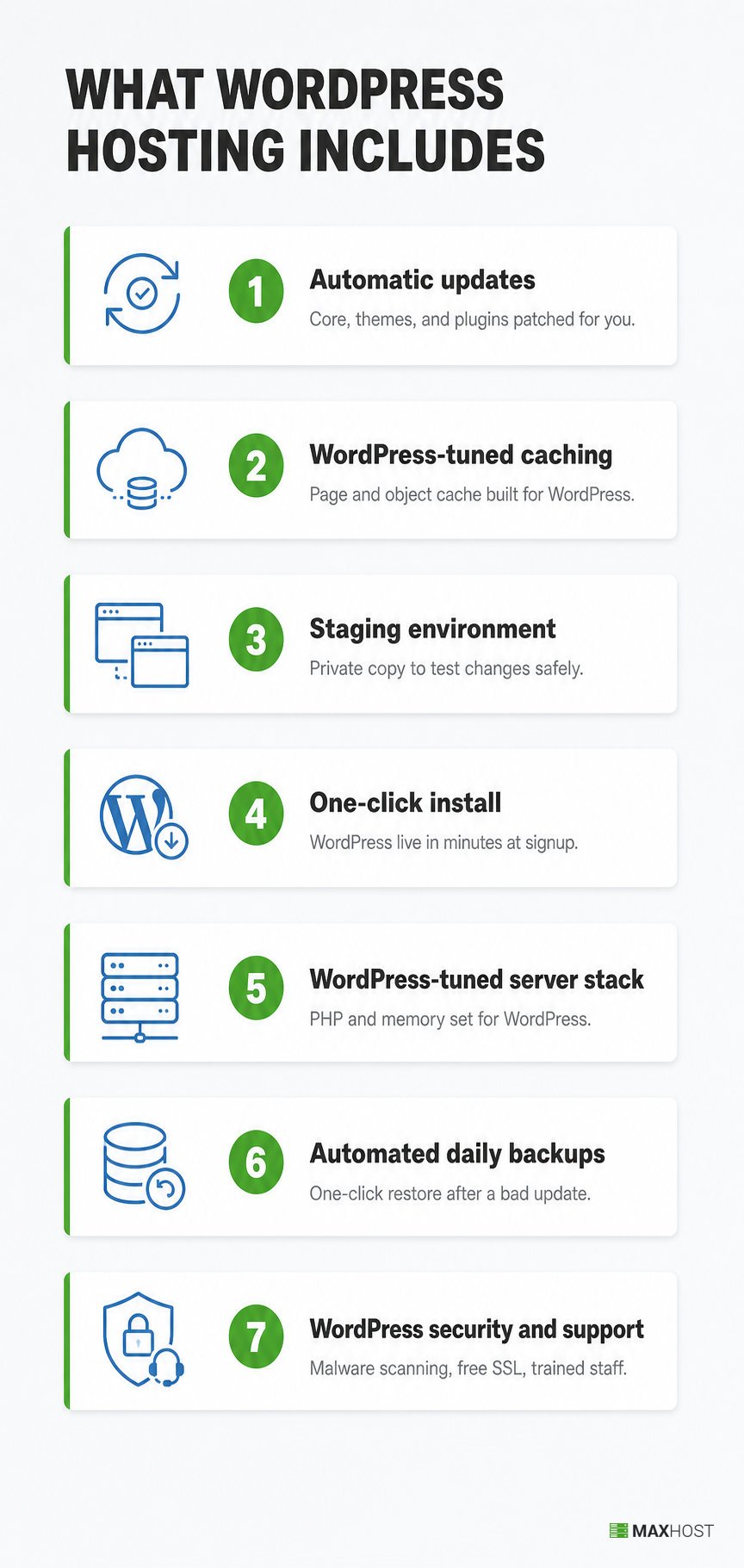
WordPress hosting bundles specific mechanisms on top of ordinary web hosting, according to WordPress.org's own hosting guidance.
- Automatic updates: the WordPress core, and often themes and plugins, update without manual intervention, closing security gaps faster than a self-managed site.
- WordPress-tuned caching: page caching and object caching are configured for WordPress's specific file and database structure, not applied generically.
- A staging environment: a private copy of the live site for testing plugins, updates, or design changes before they go live.
- One-click WordPress install: WordPress installs automatically at signup, skipping the manual database and file setup a self-managed install requires.
- A WordPress-tuned server stack: PHP versions, memory limits, and web server software are set for WordPress's typical resource use, not a generic PHP application.
- Automated daily backups: the host takes daily backups and offers one-click restore, so a broken update or hack is quickly reversible.
- WordPress-specific security and support: malware scanning tuned to known WordPress vulnerabilities, a free SSL certificate, plus support staff trained on WordPress issues, not general hosting tickets.
WordPress.org frames the standard directly: WordPress performs best in what it calls "a rich hosting environment," not just any server labeled for it. Once a site outgrows a shared WordPress tier, the next step up is VPS hosting or, for the highest-traffic sites, dedicated hosting.
What Are the Types of WordPress Hosting?
WordPress hosting comes in three tiers, and each adds more of the mechanisms above as the price rises.
| Type | What It Adds | Typical Monthly Cost | Best For |
|---|---|---|---|
| Shared WordPress hosting | One-click install and light WordPress tuning on a shared server | $3 to $15 | New sites and low-traffic blogs |
| Managed WordPress hosting | Automatic updates, staging, WordPress-tuned caching, malware scanning, and WordPress-trained support | $20 to $130 | Growing sites and small businesses that want maintenance handled |
| VPS or cloud WordPress hosting | Reserved or scalable server resources, plus the managed tier's WordPress tuning | $20 to $100 or more | High-traffic sites and agencies running multiple WordPress installs |
The term "WordPress hosting" most often refers to the managed tier in marketing copy. For the fully managed tier's deeper feature set, see managed WordPress hosting. Businesses with unpredictable traffic often choose cloud hosting instead of a fixed VPS plan at this tier, since capacity scales automatically with demand.
How Does WordPress Hosting Differ From Regular Shared Hosting?
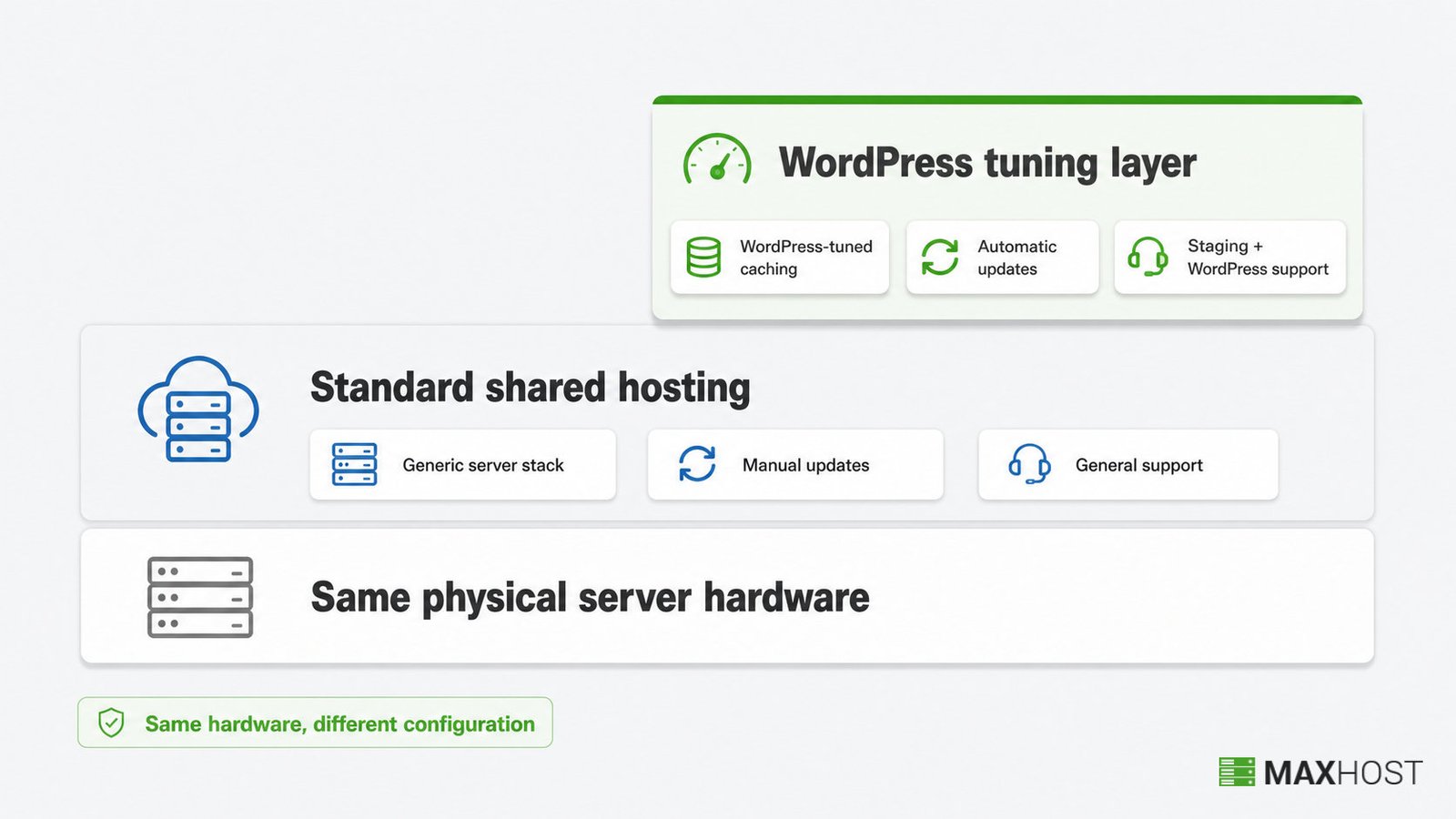
WordPress hosting is usually a tuned version of shared hosting, not a different category of server.
| Attribute | Regular Shared Hosting | WordPress Hosting |
|---|---|---|
| Server-stack tuning | Generic, built for any CMS or script | Configured specifically for WordPress's PHP and database use |
| Updates | Manual, the site owner installs updates | Often automatic for core, themes, and plugins |
| Staging environment | Rarely included | Standard on managed plans |
| Support specialization | General hosting support | WordPress-trained support staff |
| Site flexibility | Runs any CMS, script, or static site | Often limited to WordPress sites only |
| Price premium | Lowest entry price in web hosting | Typically 3 to 10 times the shared entry price |
Both tiers can run on identical physical hardware. The difference is configuration and support, not a separate class of server. That distinction matters most when a plan claims WordPress-specific benefits without actually delivering them, covered under whether the label is worth the cost below.
What Are the Benefits of WordPress Hosting?
WordPress hosting's core benefit is less manual maintenance combined with WordPress-specific performance tuning.
- Removes update management: automatic core, theme, and plugin updates close security gaps you would otherwise have to patch yourself.
- Improves WordPress-specific performance: caching tuned for WordPress's database queries loads pages faster than a generic cache configuration.
- Reduces launch time: one-click install and pre-tuned settings get a new WordPress site live in minutes, not hours.
- Lowers the risk of a broken update: a staging environment lets you test a plugin or theme update before it touches the live site.
- Strengthens security: WordPress-tuned malware scanning and firewalls block exploits aimed at WordPress before they reach your files.
- Protects against data loss: automated daily backups with one-click restore let you roll back a hacked or broken site fast.
Who Is WordPress Hosting For?
WordPress hosting fits site owners who want WordPress-specific maintenance handled without hiring a developer.
- New WordPress site owners who want one-click setup and do not want to manage server updates themselves.
- Small businesses and bloggers whose site is important enough that WordPress-specific security and uptime matter.
- Online stores and e-commerce sites that need secure checkout and steady performance during traffic spikes.
- Agencies and freelancers managing several WordPress client sites who need staging and update automation across every account.
- Hosting companies and resellers packaging a WordPress tier alongside their shared, VPS, and dedicated plans.
What Should You Look for in WordPress Hosting?
Confirm these things before paying extra for a "WordPress hosting" label.
- Automatic updates: does the plan update WordPress core, themes, and plugins automatically, or is that a paid add-on?
- WordPress-tuned caching: is the caching configured specifically for WordPress, not a generic page cache applied to every site?
- Staging environment: does the plan include a one-click staging site for testing changes before they go live?
- Uptime guarantee: does the plan back a 99.9% or higher uptime with a service level agreement?
- Automated daily backups: does the plan take daily backups with one-click restore, or is recovery an add-on?
- Renewal price: what does the plan cost after the introductory term, not just the first-year rate?
How Much Does WordPress Hosting Cost?
WordPress hosting costs $3 to $15 a month for a shared tier. Managed tiers run $20 to $130 a month. A basic VPS starts around $20 to $80 a month, while managed cloud and enterprise plans run $100 or more.
Bluehost's WordPress hosting starts at $3.99 a month for its Starter plan and $6.99 a month for its Business plan. Its eCommerce Essentials plan runs $14.99 a month. All are introductory rates for the first term. Pressable's managed WordPress plans start at $20.83 a month and climb to $562.50 a month for its highest tier. Custom Premium Site Plans start at $350 a month for the highest-traffic sites.
Introductory prices apply only to the first billing term. Bluehost's own pricing page notes that renewal rates are set separately at the time of renewal, so the sticker price is rarely the full-term cost.
The monthly plan is not the only cost. A domain name adds about $10 to $20 a year, though many hosts include it free for the first year. An SSL certificate is free on most modern plans. Premium themes and plugins range from free to $100 or more each.
Is WordPress Hosting Worth the Extra Cost?
WordPress hosting is worth the extra cost when it delivers real WordPress-specific mechanisms, not just the label.
Some hosts sell a "WordPress hosting" tier that is functionally close to their standard shared hosting, tuned only in name. WordPress.org's own standard is that WordPress performs best in a properly configured environment, not just any server marketed for it. The label alone is not proof of that configuration.
Verify that a plan actually includes automatic updates, WordPress-tuned caching, a staging environment, and WordPress-trained support before paying a premium for the name. If a "WordPress hosting" plan skips two or more of those mechanisms, a cheaper generic shared plan does the same job.
Standard shared hosting is the better call in two cases. The first is a tight budget. The second is a technically confident owner who can configure caching, updates, and security alone. For everyone else, the automation is what justifies the premium.
How MaxHost Helps Hosting Companies Sell WordPress Hosting Plans
MaxHost gives hosting companies a marketing site and a matching WHMCS billing area for the WordPress hosting plans they sell. It is not the hosting itself. It is a WordPress hosting theme installed on top of a provider's own servers, at whatever tier of WordPress hosting that provider runs.
A hosting company selling shared, managed, and VPS WordPress tiers still needs pricing pages, plan comparisons, and a checkout that matches its marketing site's design. MaxHost ships nine hosting-focused homepage demos and twenty WHMCS client-area templates that install directly into WHMCS. A reseller's storefront and billing portal share one look without a bridge plugin.
Built-in pricing tables and an AJAX domain search module let a reseller display its WordPress hosting tiers and check domain availability without extra plugins. Once a plan is live, customers still need a theme installed on their own WordPress hosting account. See how to install a WordPress theme for that walkthrough.
See the MaxHost demo to view the WordPress hosting plan pages and pricing tables live.
FAQs
What is WordPress hosting?
WordPress hosting is web hosting configured and optimized for WordPress, typically adding automatic updates, WordPress-tuned caching, and a staging environment beyond standard hosting infrastructure.
Is WordPress hosting the same as normal web hosting?
No, it is not the same. WordPress hosting is a WordPress-tuned version of standard web hosting, running on the same server types: shared, VPS, or cloud. WordPress-specific caching, updates, and support are layered on top.
Do I need WordPress hosting for my site?
Not always. A small site with basic needs runs fine on standard shared hosting. WordPress hosting earns its price once you want automatic updates, WordPress-tuned performance, and staging handled without doing it yourself.
Is WordPress hosting free?
No. The WordPress software is free to download, but hosting is not. You pay a monthly fee for the server that runs your site, starting around $3 for a shared WordPress plan.
Is GoDaddy good for WordPress hosting?
Judge any WordPress hosting plan, including GoDaddy's, on the same four checks: automatic updates, WordPress-tuned caching, a staging environment, and WordPress-trained support. A plan missing two or more of those is WordPress hosting in name only.
For the full weighted checklist that applies across any hosting tier, not just WordPress plans, see how to choose a web host.