WHMCS (Web Host Manager Complete Solution) is billing, automation, and client management software built for web hosting companies. It handles invoicing, provisioning, and support from one dashboard. WHMCS also connects to cPanel and WHM to create hosting accounts the moment a customer orders.
What Does WHMCS Do?
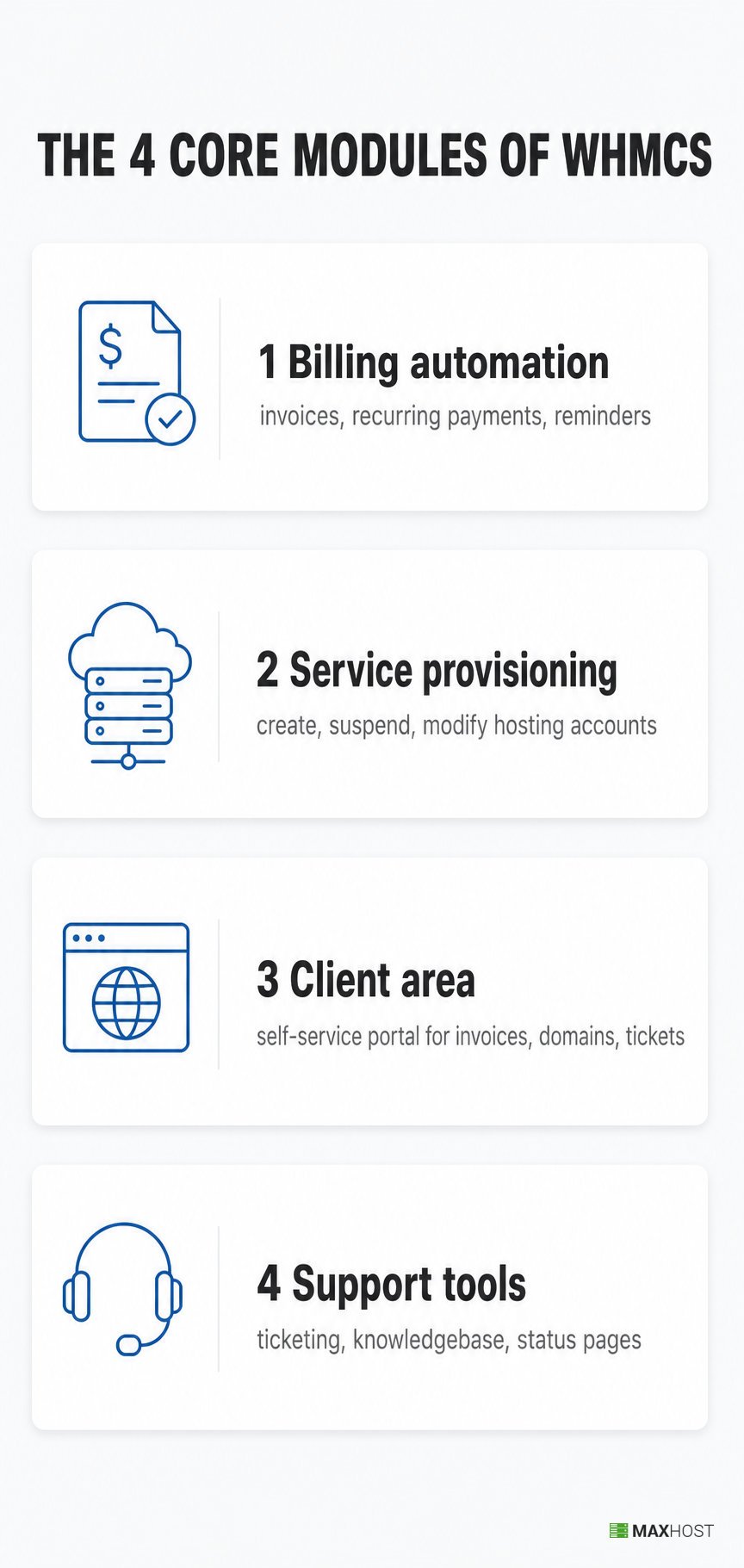
WHMCS runs four core modules that manage a hosting company's entire customer lifecycle, per WHMCS's own platform overview.
- Billing automation: generates invoices, collects recurring payments, and sends reminders.
- Service provisioning: creates, suspends, and modifies hosting accounts on connected servers.
- Client area: gives each customer a self-service portal for invoices, domains, and support tickets.
- Support tools: run a ticketing system, a knowledgebase, and service status pages.
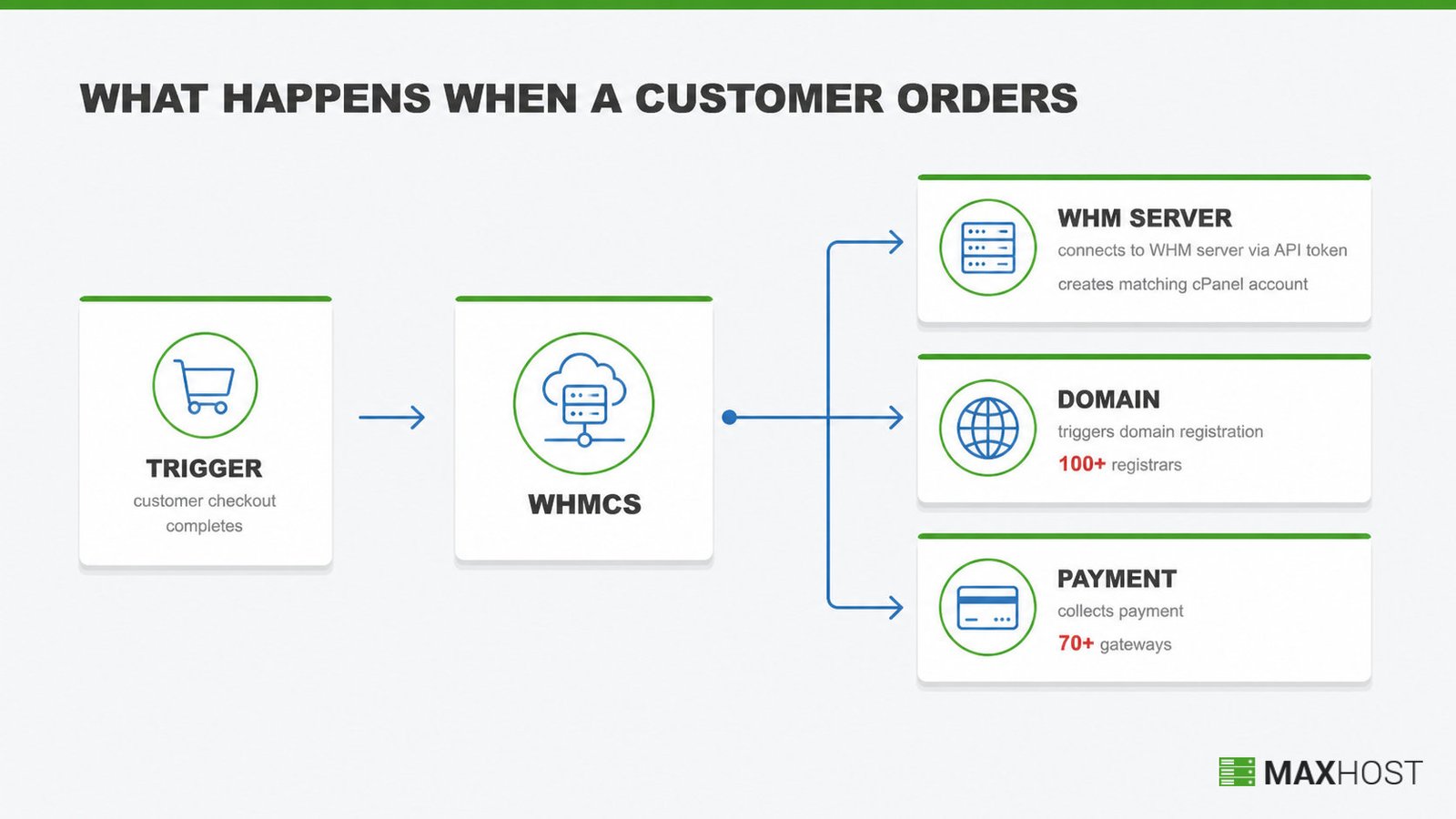
Provisioning is where the automation shows up first for a new customer. WHMCS connects to a WHM server through an API token. It then creates a matching cPanel account the moment checkout completes, per WHMCS's cPanel server-module documentation.
The same order also triggers domain registration and payment collection. WHMCS supports more than 100 domain registrars and more than 70 payment gateways from one checkout.
Setup starts with connecting a server and a payment gateway. See how to set up WHMCS for the full walkthrough.
Who Uses WHMCS?
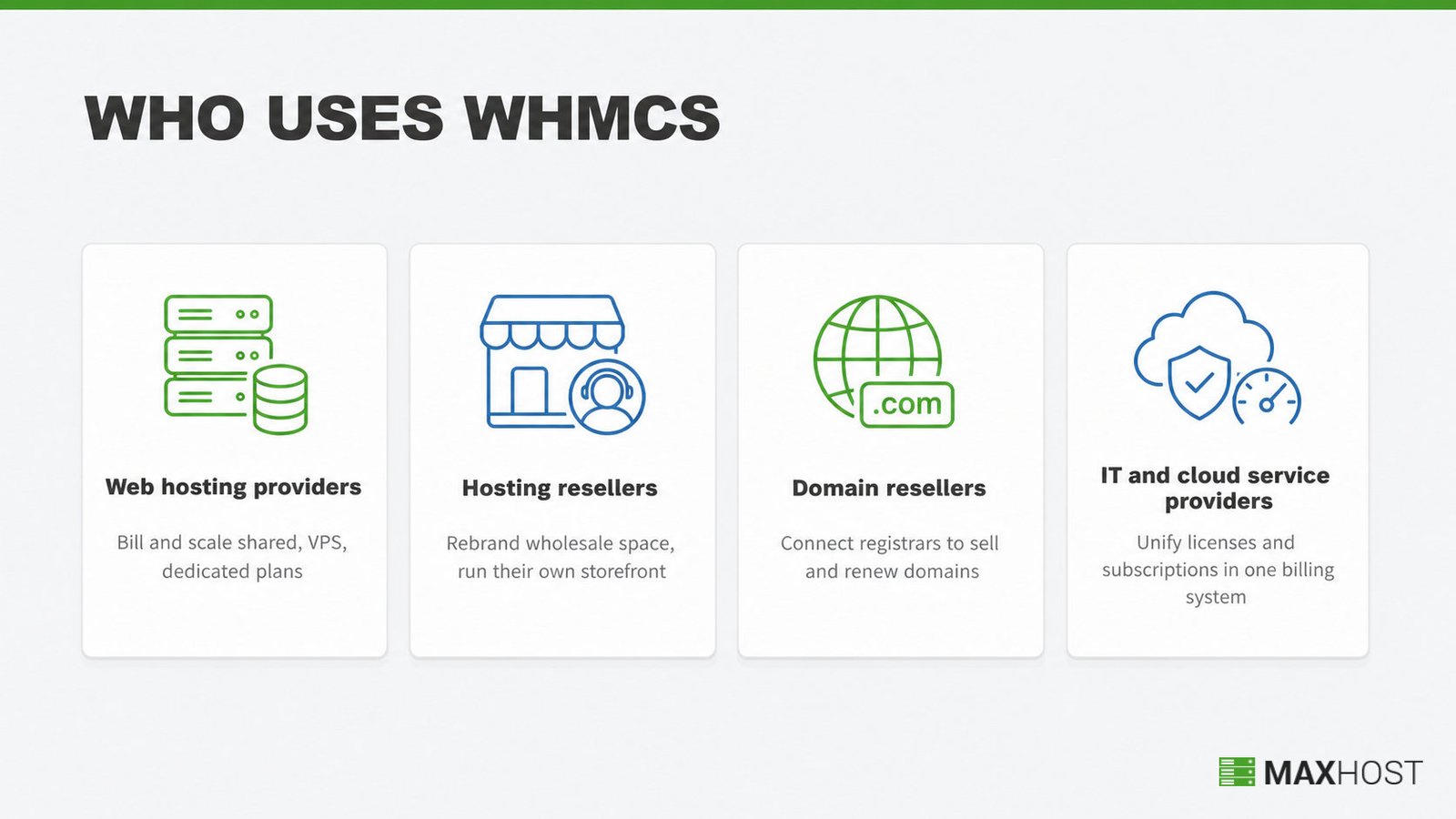
WHMCS serves four main groups across the hosting industry, each automating billing and provisioning for a different business model.
- Web hosting providers: launch, bill, and scale shared, VPS, and dedicated hosting plans from one dashboard.
- Hosting resellers: buy server space wholesale, rebrand it, and run their own storefront and billing on top.
- Domain resellers: connect to registrars like eNom and ResellerClub to sell and renew domains automatically.
- IT and cloud service providers: unify software licenses, cloud subscriptions, and client accounts under one recurring-billing system.
Is WHMCS a CRM?
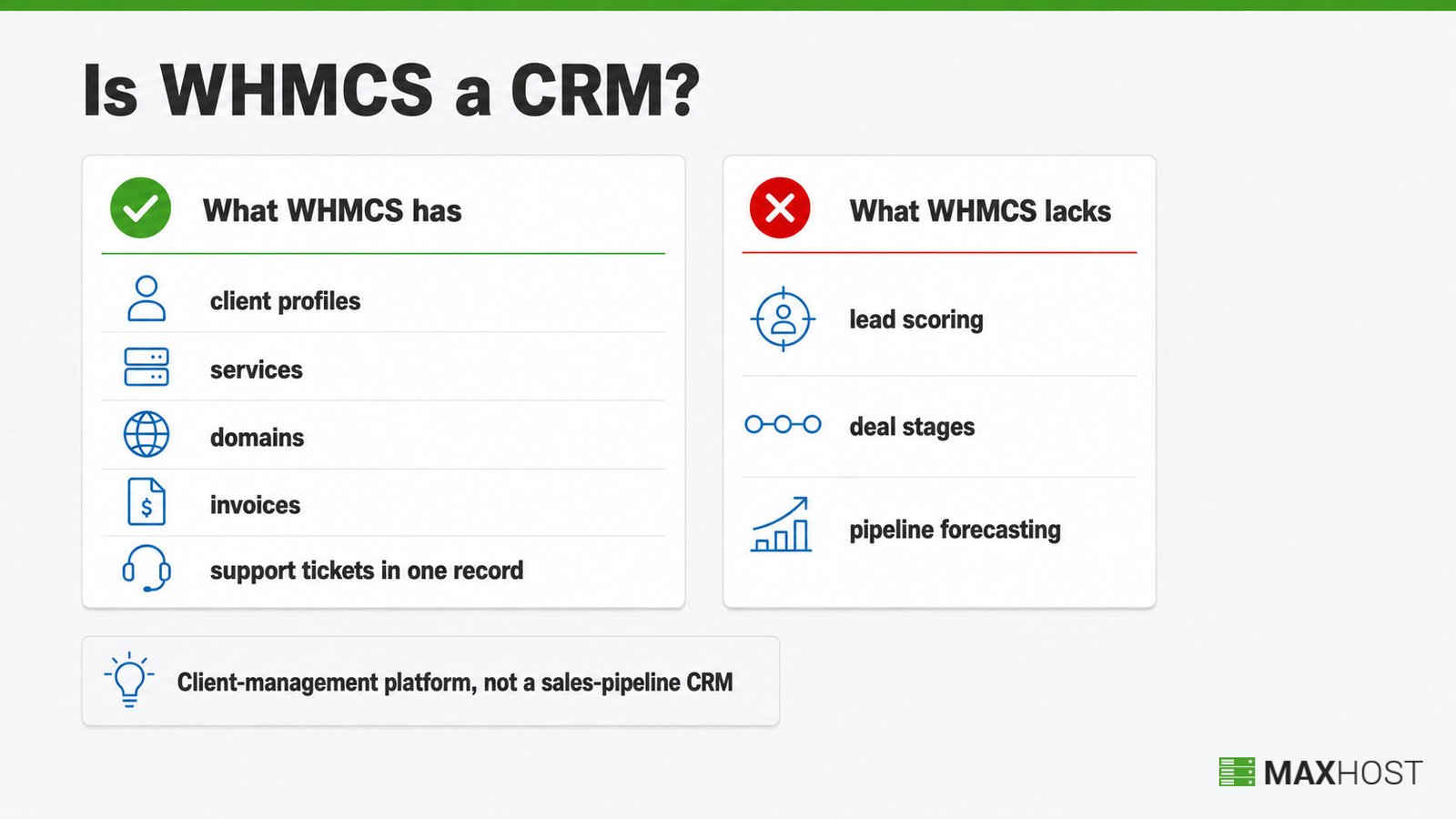
WHMCS is a client-management platform with CRM-style features, not a sales-pipeline CRM. Its own knowledgebase even calls it "a very powerful Customer Relationship Manager (CRM), billing and support solution."
That label describes how it manages existing customers. WHMCS stores every client profile, service, domain, invoice, and support ticket in one record. What it lacks is the sales half of a CRM. There is no lead scoring, no deal stages, and no pipeline forecasting to move a prospect toward a first purchase.
That gap is why some hosts run a dedicated CRM alongside WHMCS. They connect a tool like Zoho CRM, or install the paid CRM For WHMCS add-on (around $349.95). Both handle outbound sales, and WHMCS takes over once a customer signs up.
How Much Does WHMCS Cost?
WHMCS costs $9.99 to $84.95 a month, split across six plans in two deployment models. WHMCS's pricing page confirms these figures as of July 2026.
| Plan | Deployment | Monthly price | Client limit | Notes |
|---|---|---|---|---|
| Starter | Cloud | $9.99 | 25 | Entry cloud tier, hosted by WHMCS |
| Growth | Cloud | $25.00 | 100 | Includes one premium add-on |
| Expansion | Cloud | $75.00 | 300 | Includes both premium add-ons |
| Plus | Self-hosted | $34.95 | 250 | You host WHMCS yourself |
| Professional | Self-hosted | $54.95 | 500 | Email support only |
| Business | Self-hosted | $84.95 | 1,000 | Adds live chat support |
Every plan carries a 30-day money-back guarantee, and WHMCS offers no free tier and no permanently free plan. Cloud plans run on WebPros Cloud, WHMCS's own managed hosting, while self-hosted plans run on your own server. The Business tier also scales past 1,000 clients through higher-volume options, so $84.95 is not a hard ceiling for large hosts.
What Are the Alternatives to WHMCS?
Blesta, HostBill, and ClientExec are the three most-cited WHMCS alternatives for hosting billing and automation. Blesta charges a flat license fee instead of WHMCS's per-client pricing curve. HostBill adds deeper white-label and affiliate tools aimed at larger resellers. ClientExec is an older, simpler platform some smaller hosts still run.
Two more names come up constantly in 2026. FOSSBilling is the leading free, open-source option for hosts who refuse a recurring license fee. WISECP is a modern platform that bundles tools WHMCS charges extra for.
None of these match WHMCS's registrar and payment-gateway integration count, but each solves the pricing or feature gap a specific buyer complains about. See the full breakdown of WHMCS alternatives. For a head-to-head, go straight to WHMCS vs Blesta vs HostBill.
How Does WHMCS Fit with Your WordPress Site?
WordPress and WHMCS are two separate systems that do not talk to each other by default. WordPress runs your public marketing pages, while WHMCS runs the cart, invoicing, and client login, each with its own theme and template layer.
Two methods connect them. A WHMCS Bridge plugin embeds WHMCS pages inside WordPress, syncing the two in real time. That sync layer is also a dependency that can break on updates. Bundled WHMCS templates skip that sync layer entirely. They install straight into WHMCS and are styled to match a specific WordPress theme, with no bridge plugin to maintain. For the setup steps, see how to integrate WHMCS with WordPress.
MaxHost is one WordPress hosting theme built with matching WHMCS templates, an example of the bundled approach. Buyers comparing options can see the full best WHMCS WordPress themes list, ranked by integration depth.
How MaxHost Works with WHMCS
MaxHost is a WordPress hosting theme that bundles WHMCS client-area templates directly into WHMCS. The marketing site and the billing experience then share one design. No bridge plugin, no sync connector, and no extra recurring fee stand between the two.
That single design choice removes the biggest weak point in the bridge-based approach: a plugin that can break on a WordPress or WHMCS update. MaxHost's templates install straight into WHMCS itself, so they follow WHMCS's own update path instead of a third-party sync layer.
MaxHost ships two features built for this exact fit. The bundled WHMCS templates cover the client area, order forms, and domain search, all styled to match the WordPress front end. Twenty separate WHMCS layout demos let a hosting company pick a client-area look before committing, rather than customizing one fixed template from scratch.
A reseller setting up WHMCS this week can see MaxHost's WHMCS integration in detail. It covers supported WHMCS versions and exactly what the templates include.
See the MaxHost demo to view the WHMCS client-area layouts live.
FAQs
What is WHMCS?
WHMCS (Web Host Manager Complete Solution) is billing, automation, and client management software for web hosting companies. It handles invoicing, provisioning, and support from one dashboard.
What is WHMCS used for?
WHMCS is used to automate a hosting company's billing, account provisioning, domain registration, and customer support. It replaces manual invoicing and manual cPanel account creation with one connected system triggered by each order.
Is WHMCS a CRM?
WHMCS is a client-management platform with CRM-style features, and its own knowledgebase describes it as a CRM. It is not a sales-pipeline CRM, though: it manages existing customers and billing, not lead tracking or deal stages before a sale.
How much does WHMCS cost?
WHMCS costs $9.99 to $84.95 a month, depending on the plan and whether it runs on WHMCS's cloud or your own server. Every plan includes a 30-day money-back guarantee, and there is no free tier.
Does WHMCS offer a free trial?
No, WHMCS has no free trial and no free tier. Instead, every plan comes with a 30-day money-back guarantee, so you can try it and request a refund within the first month.
Is WHMCS good for beginners?
WHMCS is approachable to set up but has a real learning curve, since it packs billing, provisioning, and support into one system. Most new users get running fastest by connecting a server and one payment gateway first, then adding products.
How do I cancel WHMCS?
You cancel WHMCS from your account's billing portal, the same place you manage any monthly or annual subscription. WHMCS has not published a specific cancellation policy page, so confirm the exact steps in your account before you cancel.
Do I need WHMCS if I use a WordPress hosting theme?
Yes. A WordPress hosting theme handles your public marketing site, not billing or provisioning. WHMCS still runs invoicing, hosting account creation, and the client login behind it, even when a theme like MaxHost supplies the front end.