An online booking system is software that lets customers self-schedule appointments, reservations, or rentals in real time, without phone calls or emails. It shows live availability, confirms each booking instantly, and often collects payment, replacing manual scheduling with an automated, self-service process.
How does an online booking system work?
An online booking system works by showing customers live availability on a calendar, letting them pick a time slot, and confirming the booking instantly. The system checks capacity in real time to block double-booked slots. It then sends a confirmation email and, in many cases, collects payment before the appointment happens.
The booking flow runs through six steps.
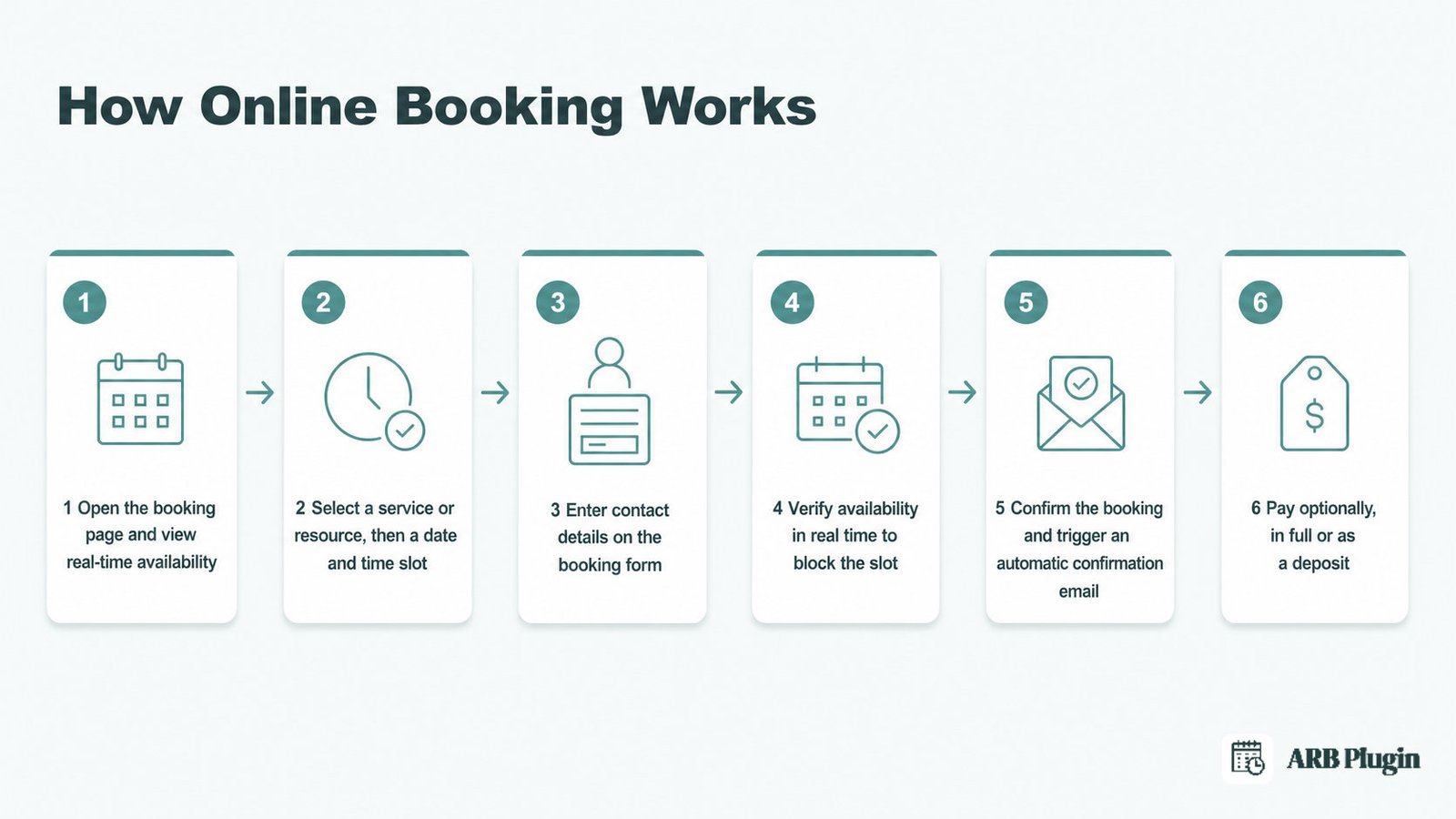
- Open the booking page and view real-time availability on a calendar.
- Select a service or resource, then a date and a time slot.
- Enter contact details on the booking form.
- Verify availability in real time to block the slot and prevent a double booking.
- Confirm the booking instantly and trigger an automatic confirmation email.
- Pay, optionally, in full or as a deposit before the appointment.
For a deeper, step-by-step look at how online booking works behind the scenes, see the dedicated guide.
What are the core components of an online booking system?
An online booking system relies on eight components that work together in real time.
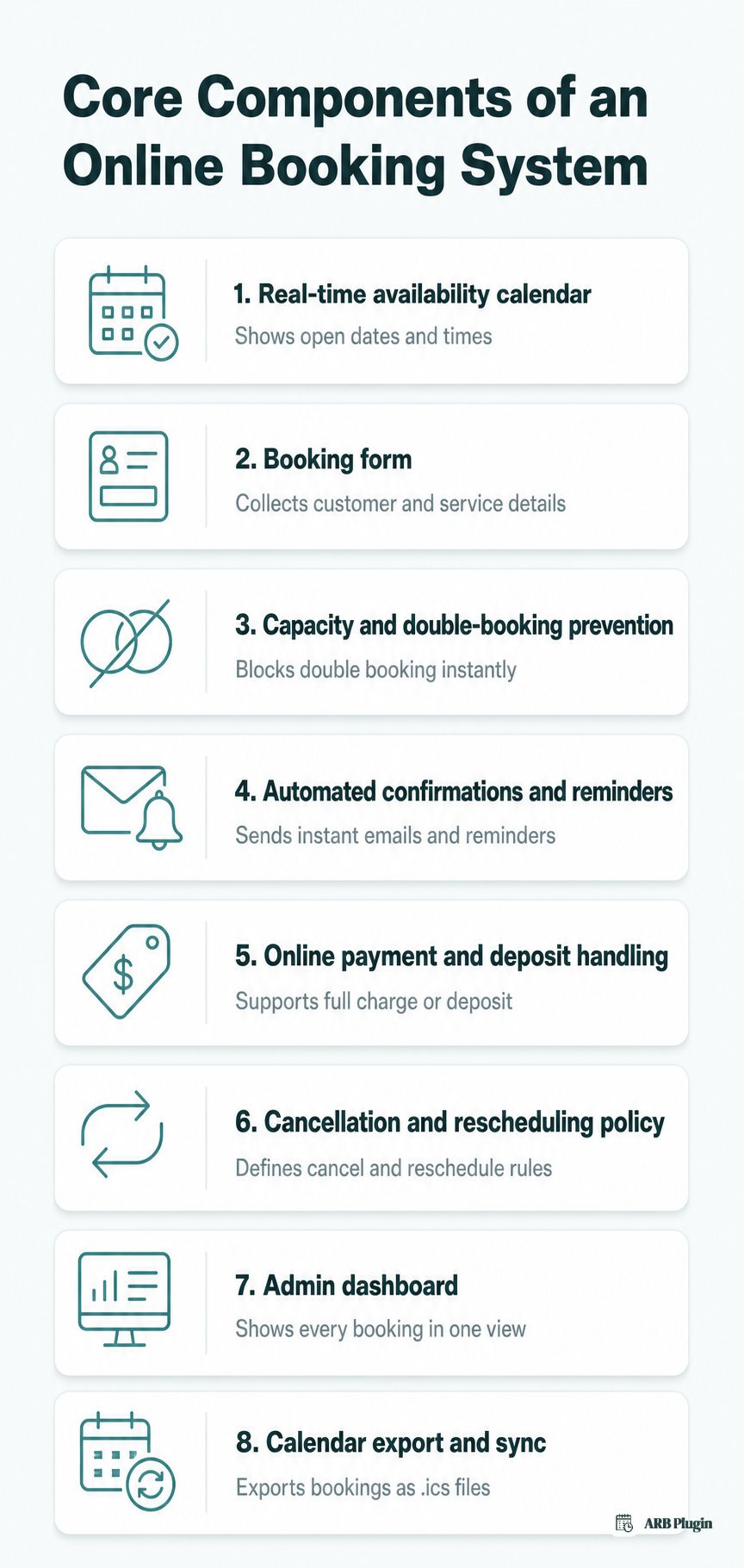
- Real-time availability calendar: displays open dates and times so customers never select an already-booked slot.
- Booking form: collects the customer's name, contact details, and service or resource choice.
- Capacity and double-booking prevention: blocks a double booking the moment a slot fills.
- Automated confirmations and reminders: sends a booking confirmation email instantly, then reminder messages that cut no-shows.
- Online payment and deposit handling: charges full payment or a booking deposit through the store's checkout.
- Cancellation and rescheduling policy: sets the rules for canceling a booking or rescheduling it before the appointment.
- Admin dashboard: gives staff one screen to view, search, and manage every booking.
- Calendar export and sync: saves each booking as an .ics calendar file that imports into external calendars.
What are the main types of online booking systems?
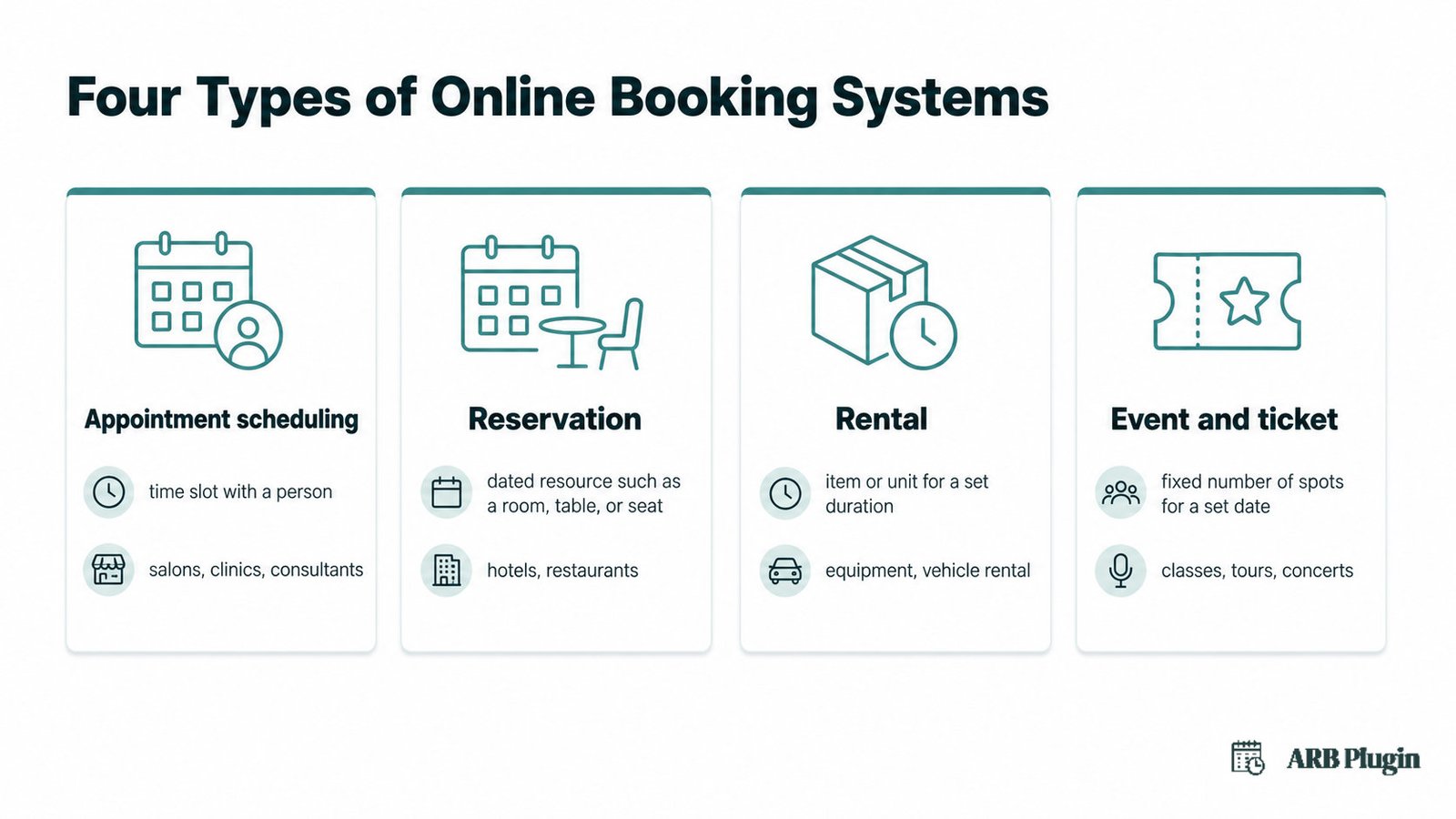
Online booking systems fall into four main types. These are appointment scheduling, reservation, rental, and event or ticket booking. Each fits a different business model, from booking time with a person to reserving space for a fixed-capacity event.
Appointment scheduling systems
Appointment scheduling systems book a specific time slot with a person or service, common in salons, clinics, and consulting practices. Customers pick a provider, a service, and an available time, and the system holds that slot only for them. Beauty and wellness businesses and fitness studios also rely on appointment scheduling software to manage staff calendars and recurring clients. For example, a hair salon lets a client book a stylist for a 2 PM haircut, and the slot disappears immediately.
Reservation systems
Reservation systems hold a specific dated resource, like a room, a table, or a seat, rather than a person's time. Hotels, guesthouses, and restaurants use a reservation system to block a unit for a date range instead of a single slot. The core difference between a booking and a reservation is what gets held: a slot with a person, or a resource for a period.
Rental booking systems
Rental booking systems book an item or unit for a set duration instead of a fixed appointment. Equipment rental shops and vehicle rental businesses use this type to reserve a specific unit, like one bike or one van, for a date range. A rental booking blocks that exact unit so two customers cannot claim it at once.
Event and ticket booking systems
Event and ticket booking systems sell a fixed number of spots for a set date and time, like a class, a tour, or a concert. A booking engine manages capacity so the event never oversells its available seats. Once every spot sells, the system closes bookings for that date automatically.
What are the benefits of an online booking system?
An online booking system delivers seven concrete benefits for a business that takes appointments, reservations, or rentals.
- 24/7 self-service booking: customers book, change, or cancel anytime through true self-service booking, not only during business hours.
- Fewer no-shows: automated reminders cut missed appointments by prompting customers before the scheduled time.
- No double booking or overbooking: real-time capacity checks stop two customers from claiming the same slot and prevent overbooking on limited-capacity events.
- Less admin time: the system handles confirmations, updates, and scheduling automatically, cutting phone tag between staff and customers.
- Faster, more reliable payment: online payment or a deposit collected upfront reduces revenue lost to no-shows and last-minute cancellations.
- A more professional booking experience: a live calendar and an instant confirmation read as more trustworthy than a manual back-and-forth.
- Data on demand: booking history shows peak hours, popular services, and repeat customers.
Free online booking tools exist, and most cap the number of bookings, staff accounts, or automated reminders at a lower tier.
Who uses an online booking system?
Any business that sells time, space, or capacity can use an online booking system, from a one-person consultancy to a multi-location spa chain.
- Salons and spas: schedule stylists, therapists, and treatment rooms by the appointment, often through dedicated salon and spa booking tools built for high appointment volume.
- Clinics and independent practitioners: doctors, dentists, and therapists manage patient intake and appointment reminders.
- Hotels, guesthouses, and vacation rentals: reserve a room or unit for a date range instead of a single time slot.
- Equipment and vehicle rental shops: book a specific piece of equipment or a vehicle for a set period.
- Courses, classes, and workshops: cap enrollment at a fixed number of seats per session.
- Tours and activities: sell a fixed number of spots per departure time or date.
- Restaurants: hold a table or seat for a party at a specific time.
- Events and ticketing: sell tickets for a one-time or recurring event with capacity limits.
- Consultants and coaches: let clients self-book a session without an email back-and-forth.
How to choose and set up an online booking system
Choosing an online booking system comes down to six criteria.
- Native integration: it should connect to the platform already in use, such as WordPress and WooCommerce, so payments and orders stay in one place.
- Pricing-model support: it should price bookings the way the business actually charges, whether per person, per resource, or per date and time.
- Double-booking prevention: it should check availability in real time before confirming any booking.
- Confirmations and reminders: it should send automated emails so staff are not manually notifying every customer.
- License model: buyers frequently want to stop paying yearly for a one-time need, so a one-time license often costs less over several years than a subscription for the same features.
- Ease of setup: a system built for the existing platform takes less time to configure than a standalone tool bolted on afterward.
On a WordPress and WooCommerce site, the usual path starts with adding a booking plugin. The next step turns a product into a bookable product in WooCommerce and sets its availability and pricing. From there, embedding the booking form and setting a minimum advance booking notice finishes the setup.
For the full walkthrough, see how to add online booking to WordPress. For a shortlist of tools, see how to choose a WooCommerce booking plugin or the best WooCommerce booking plugins comparison.
How ARB adds an online booking system to WooCommerce
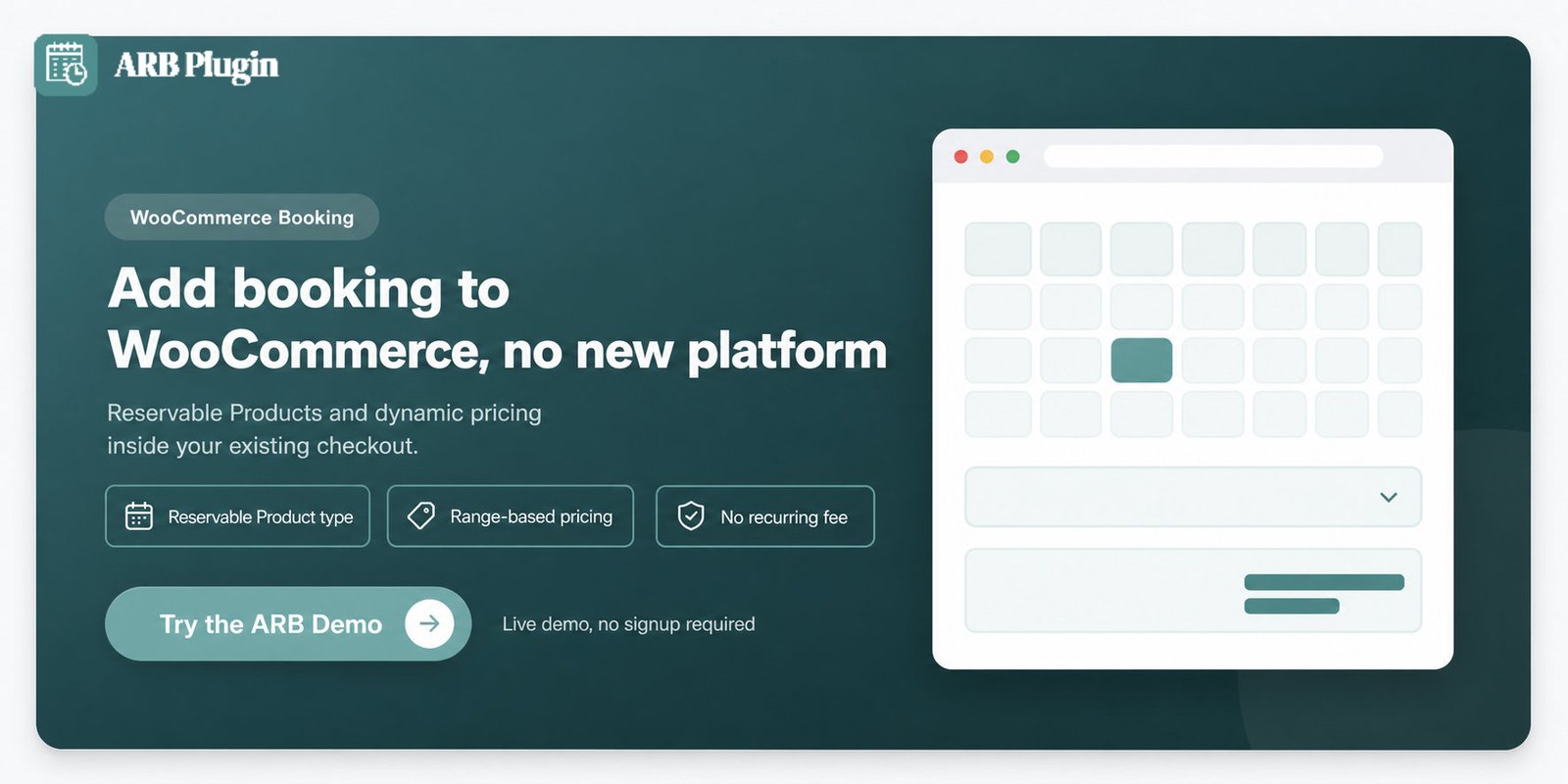
ARB turns any WooCommerce product into a bookable Reservable Product, so bookings run inside the store's existing cart, checkout, and payment gateways. It adds range-based dynamic pricing and resource rules that stop double-booking, without a separate booking system or a recurring fee.
ARB is a WooCommerce-native online booking system: it does not send bookings to a separate platform. Every reservation uses the store's existing WooCommerce checkout, so taxes, coupons, and payment gateways work the way they already do.
Two features carry that flexibility. The Reservable Product type exposes five configuration tabs: General, Availability, Costs, Persons, and Resources, covering durations, pricing, and capacity in one place. Range-based dynamic pricing then lets a price change by person type, resource, date, time, and day. A Saturday slot or a second guest can cost more, with no custom code required.
ARB is also a one-time license, not a yearly subscription, which fits a business that wants to own its booking setup outright.
Try the ARB booking demo to see the Reservable Product and range-based pricing in action.
FAQs
What is an online booking system?
An online booking system is software that lets customers self-schedule appointments, reservations, or rentals online in real time, without calling or emailing a business. It shows live availability and confirms each booking instantly.
Is there a free online booking system?
Yes, several tools offer a free tier. Free plans usually cap the number of bookings, staff accounts, or automated reminders, so a growing business often needs a paid plan.
Does Google have a free booking system?
Google offers appointment scheduling inside Google Calendar and Google Workspace, and a free Reserve with Google feature for some service categories. Neither is a full booking system for a WooCommerce store. Neither connects to a cart, checkout, or product catalog.
How do I set up an online booking system?
Setting up an online booking system takes four steps.
- Pick a tool native to the platform already in use.
- Define services, availability, and pricing.
- Embed the booking form on the relevant page.
- Test a full booking before launch.
What is the difference between a booking system and a reservation system?
A booking system reserves a time slot with a person or service, such as an appointment. A reservation system holds a specific dated resource, such as a room or a table, for a set period.
What features should an online booking system have?
A capable online booking system shows real-time availability and blocks double bookings. It also sends automatic confirmations and reminders, accepts online payment, and gives staff an admin view of every booking.
Do I need an online booking system for a small business?
Yes, if the business sells time, space, or capacity and still takes bookings by phone or email. An online booking system cuts admin time, reduces no-shows, and captures demand outside business hours.