Self-service booking lets customers schedule, reschedule, or cancel appointments or reservations online, 24/7, without phone calls or staff involvement. It runs on an online booking system with real-time availability. The term also names business-travel self-booking, where employees book their own trips; this page covers the customer self-service model only.
How does self-service booking work?
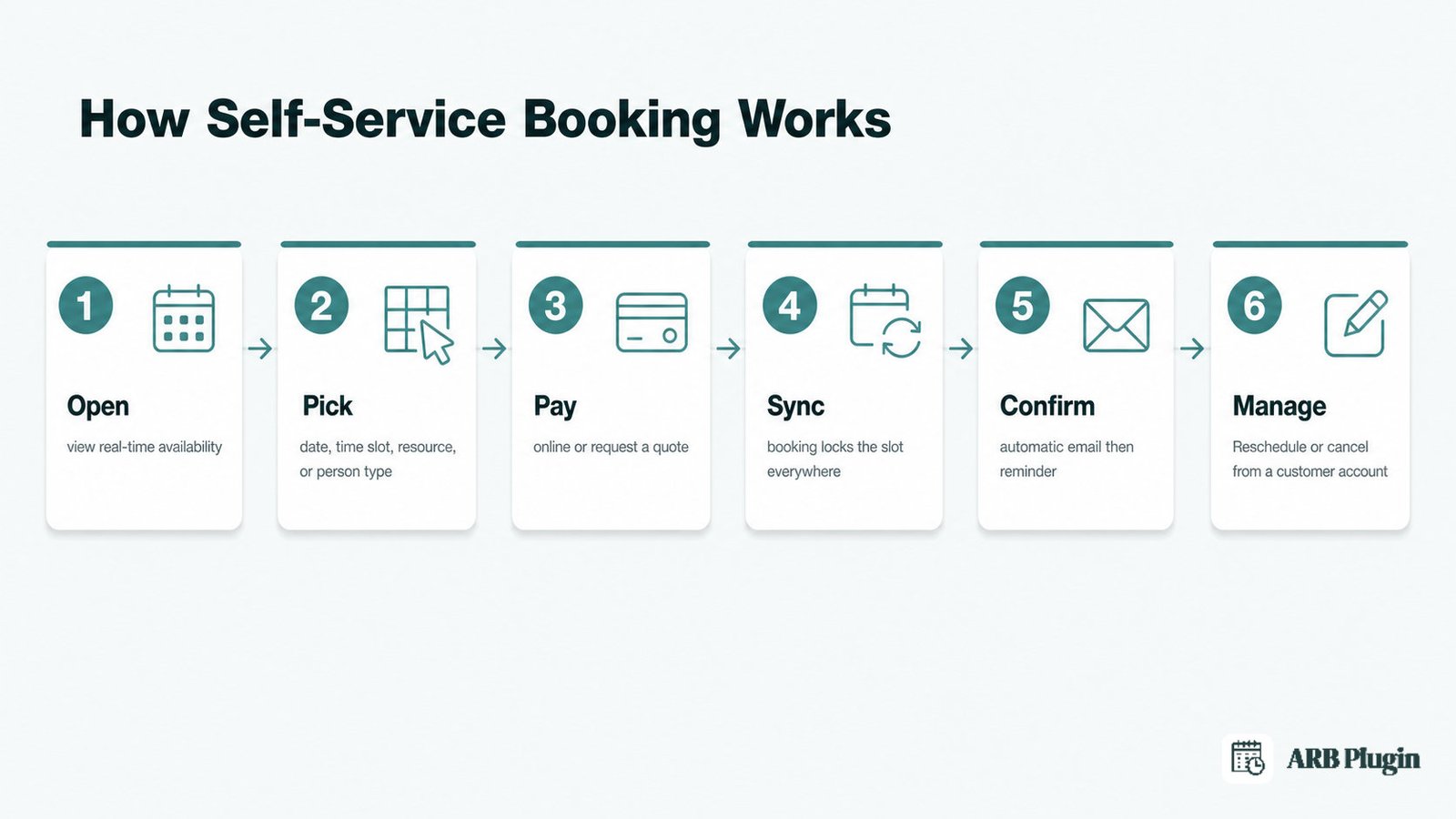
Self-service booking runs on an online booking system that combines a visible customer flow with automated back-end checks in one sequence.
- Open the booking page or app and view real-time availability on a live calendar.
- Pick a date, time slot, resource, or person type from the options shown as open.
- Pay online, or submit a request for a quote if the business approves bookings first.
- Sync the booking to the calendar the instant it locks in, blocking that slot everywhere.
- Confirm automatically by email, then follow up with a reminder before the appointment.
- Reschedule or cancel later from a customer account, without a phone call or email.
The booking form only shows slots the calendar confirms as open, so a customer never claims a slot someone already holds. The customer account is what makes step 6 possible: without it, a change still requires a call to staff.
What are the benefits of self-service booking?
Self-service booking benefits the customer booking the slot and the business running the calendar behind it.
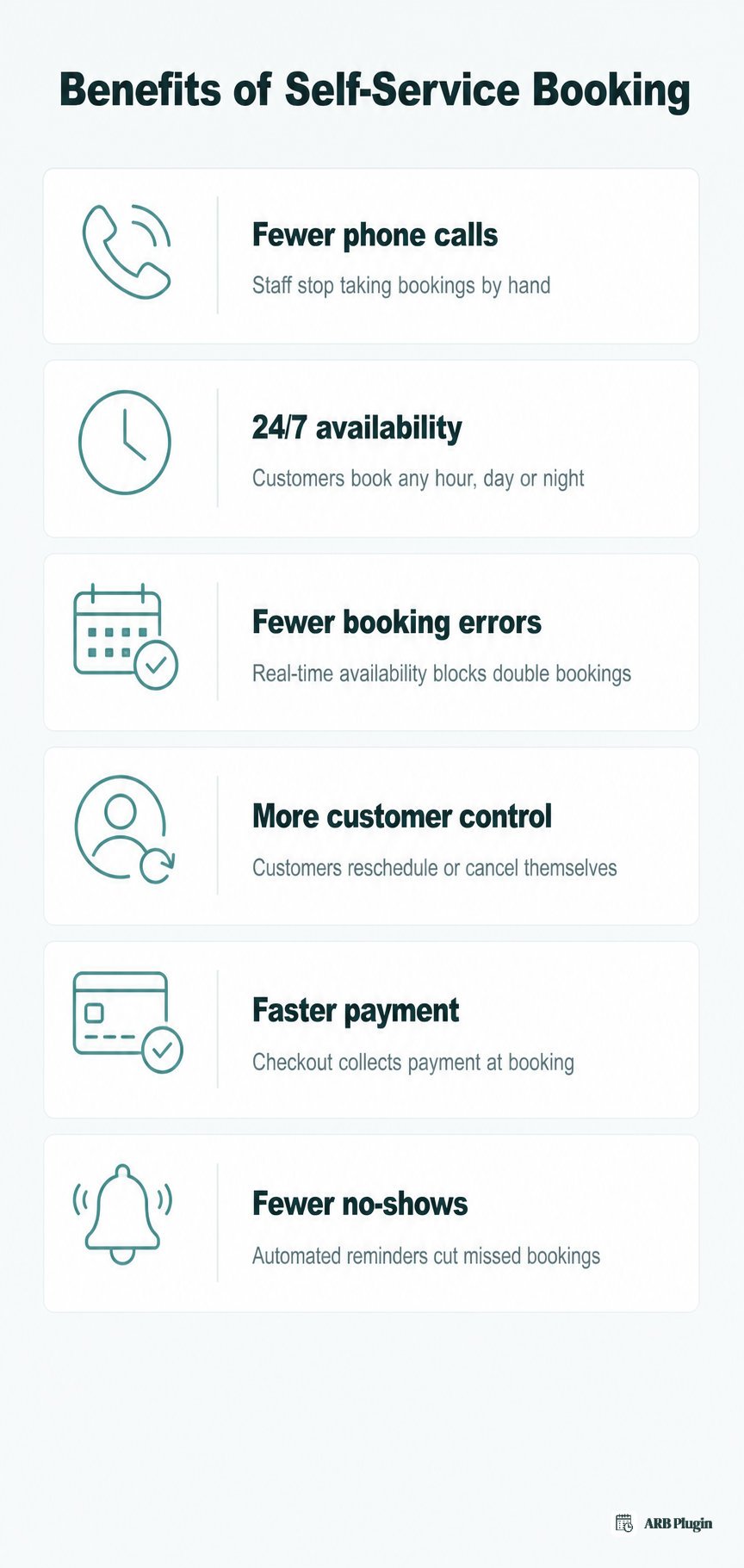
- Fewer phone calls and less admin time: customers book without calling the front desk, so staff stop taking bookings by hand.
- 24/7 availability: customers book evenings, weekends, or any hour the phone line is closed.
- Fewer booking errors: real-time availability blocks a double booking before it can happen.
- More customer control: customers pick their own slot, then reschedule or cancel it later without waiting on hold.
- Faster payment: online checkout collects payment, or a deposit, at the moment of booking instead of on arrival.
- Fewer no-shows: automated reminder emails land before the appointment, cutting missed bookings.
These benefits compound. A business that removes phone-based booking also removes most of the errors that come from a staff member re-typing a date by hand.
What do you need to offer self-service booking?
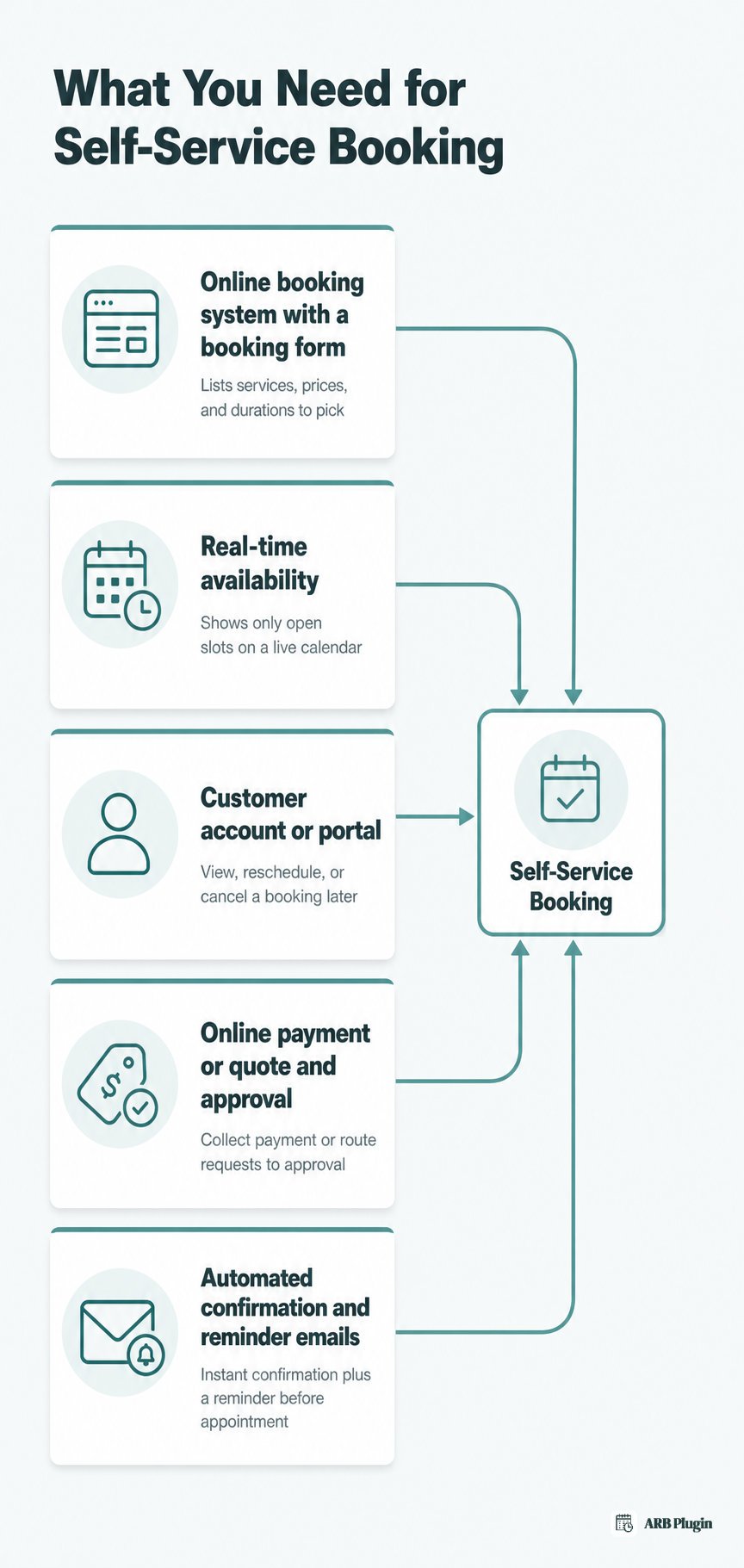
True self-service booking needs five things working together, not just a contact form.
- An online booking system with a customer-facing booking form: software that lists services, prices, and durations, and lets a customer pick one without emailing first. It is usually part of a wider booking or reservation system.
- Real-time availability: a live calendar tied to actual working hours, staff schedules, or resource capacity, so customers only see genuinely open slots.
- A customer account or portal: the "login" a customer expects, letting them view, reschedule, or cancel their own booking later.
- Online payment, or a quote and approval option: collects payment or a deposit at booking, or routes the request to a quote when the job needs review first.
- Automated confirmation and reminder emails: confirm the booking instantly, then follow up before the appointment.
A bare contact form is not self-service booking. A staff member still has to read the message, check availability by hand, and reply to confirm. That manual work is exactly what self-service booking removes.
Self-service booking examples by industry
Self-service booking looks different by industry, but the mechanism stays the same: real-time availability plus a booking form tuned to what the business sells.
| Industry | What the customer self-books | Why self-service helps |
|---|---|---|
| Salons and spas | A stylist, service, and time slot | Fills gaps between appointments without a receptionist on the phone |
| Clinics and practitioners | An appointment with a specific provider | Cuts hold-time calls and keeps one booking per slot |
| Hotels and vacation rentals | A room or unit for specific dates | Lets a traveler confirm a stay at any hour, no front-desk call needed |
| Classes, courses, and workshops | A seat in a specific session | Caps enrollment automatically once the seat count fills |
| Equipment and vehicle rental | A specific item for a date range | Confirms the item is free before the customer arrives to collect it |
| Restaurants | A table for a party size and time | Replaces the reservation phone line during service hours |
| Tours and activities | A time slot and headcount | Locks in a spot without waiting on an email reply |
| Events and ticketing | A ticket type and quantity | Sells and confirms tickets automatically, day or night |
Each row uses the same core mechanism. What changes is the unit being booked: a seat, a room, a table, or a ticket.
How ARB enables self-service booking in WooCommerce
ARB turns any WooCommerce product into a Reservable Product. Customers then self-book from the store's own product page and self-manage bookings from their WooCommerce account, with no separate booking system to maintain.
Self-service booking with ARB happens inside the store a merchant already runs. The plugin adds booking fields directly to a bookable product in WooCommerce. The same cart, checkout, and payment gateways then handle a reservation like any other order. There is no second system to log into or reconcile.
The Reservable Product front-end form lets a customer pick a date, time slot, resource, and person type. The price recalculates in real time as they choose. After checkout, the customer account area lets that same customer view, edit, reschedule, or cancel the reservation without contacting the store. An automated confirmation email goes out the moment the booking locks in, and a reminder email follows before the appointment. The built-in Max Reservations per Slot control blocks a double booking before it happens.
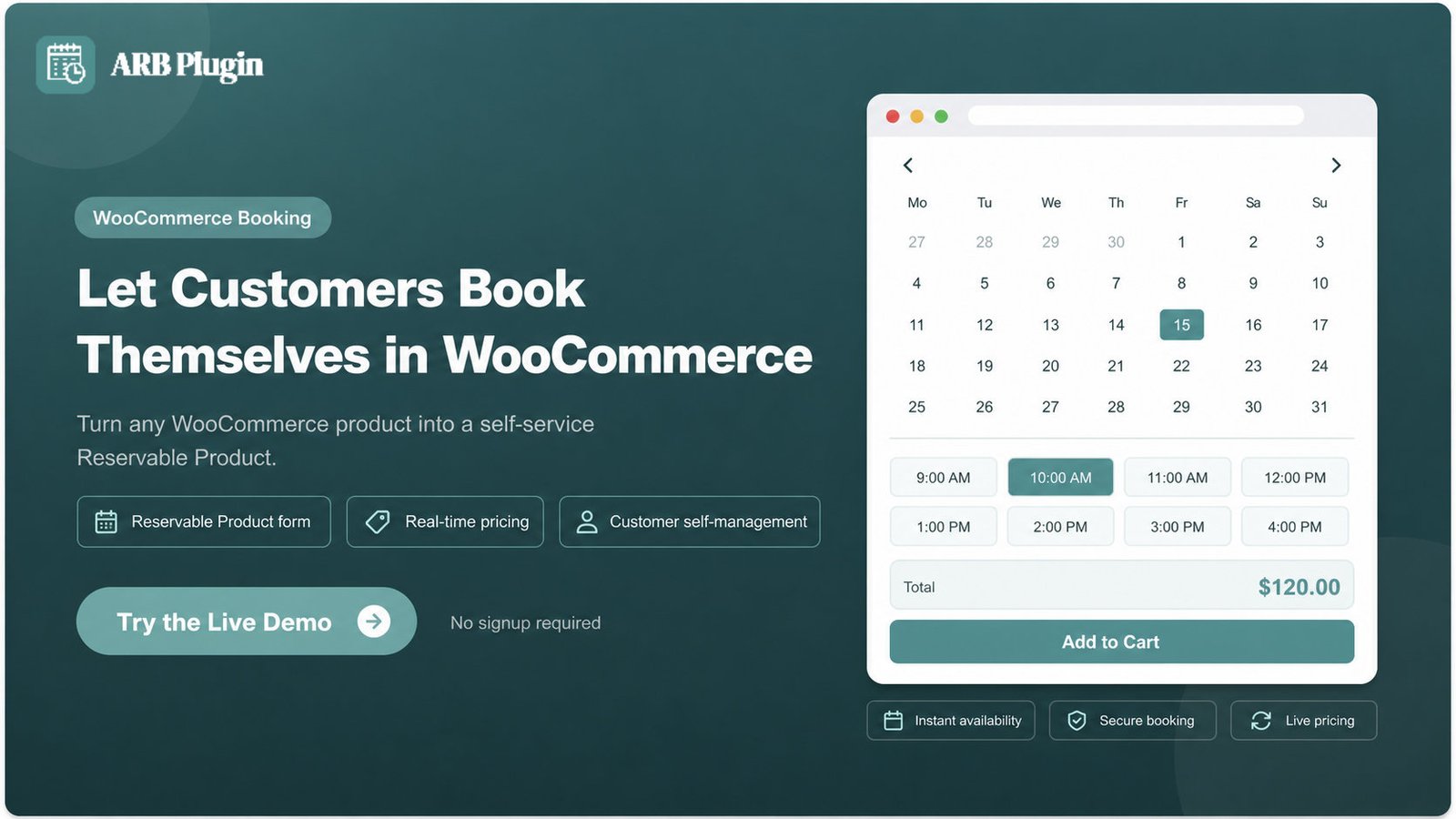
See the booking form and customer account area in action: try the live ARB booking demo.
FAQs
What is self-service booking?
Self-service booking is the ability for customers to schedule, reschedule, or cancel their own appointments or reservations online, without calling or emailing staff. It runs on a booking system with real-time availability and instant confirmation.
What is a self-service booking system?
A self-service booking system is the software behind self-service booking. It combines a customer-facing booking form, a real-time availability calendar, and a customer account, usually paired with online payment and automated confirmation emails.
What is the difference between self-service booking and assisted booking?
The difference is who completes the booking. Self-service booking lets the customer pick a slot and confirm it themselves online. Assisted booking still routes the request through a staff member, who checks availability and confirms it by phone or email.
Is there a free self-service booking system?
Free self-service booking tools exist, usually as a limited tier of a paid booking platform or a calendar-based scheduling app. Free tiers typically cap the number of bookings, staff, or services, so most growing businesses move to a paid plan for more room to operate.
Does Google have a free self-service booking system?
Google Calendar includes an appointment-scheduling feature that lets people share a link to their open time slots for others to book. It suits simple, single-person scheduling but does not offer resource booking, dynamic pricing, or person-type rules.
What is self-service booking in business travel?
In business travel, self-service booking means an employee books their own flight, hotel, or rental car through a corporate travel tool. This replaces going through a travel manager or agent. The tool still enforces the company's travel policy and budget limits automatically.
Is self-service booking good for small businesses?
Yes. Self-service booking suits small businesses because it replaces the phone-answering and manual scheduling work an owner or a single receptionist would otherwise handle. A small team gains 24/7 booking coverage without adding staff.
Can customers reschedule or cancel a self-service booking themselves?
Yes, when the booking system includes a customer account. Customers log back into that account to change the date or time, or to cancel the booking outright, without contacting the business directly.
Self-service booking, at its core, means the customer does the scheduling. An online booking system shows real-time availability, and a customer account lets them change their mind later, without a call. That online booking system, and the real-time calendar behind it, is what makes every step above possible.