A time slot is a fixed, bookable block of time, such as 2:00 to 2:30 PM. A customer selects one when scheduling an appointment, reservation, or rental. Time-slot booking divides a business's day into reservable segments so each slot can be filled, priced, and capped independently.
How does time-slot booking work?
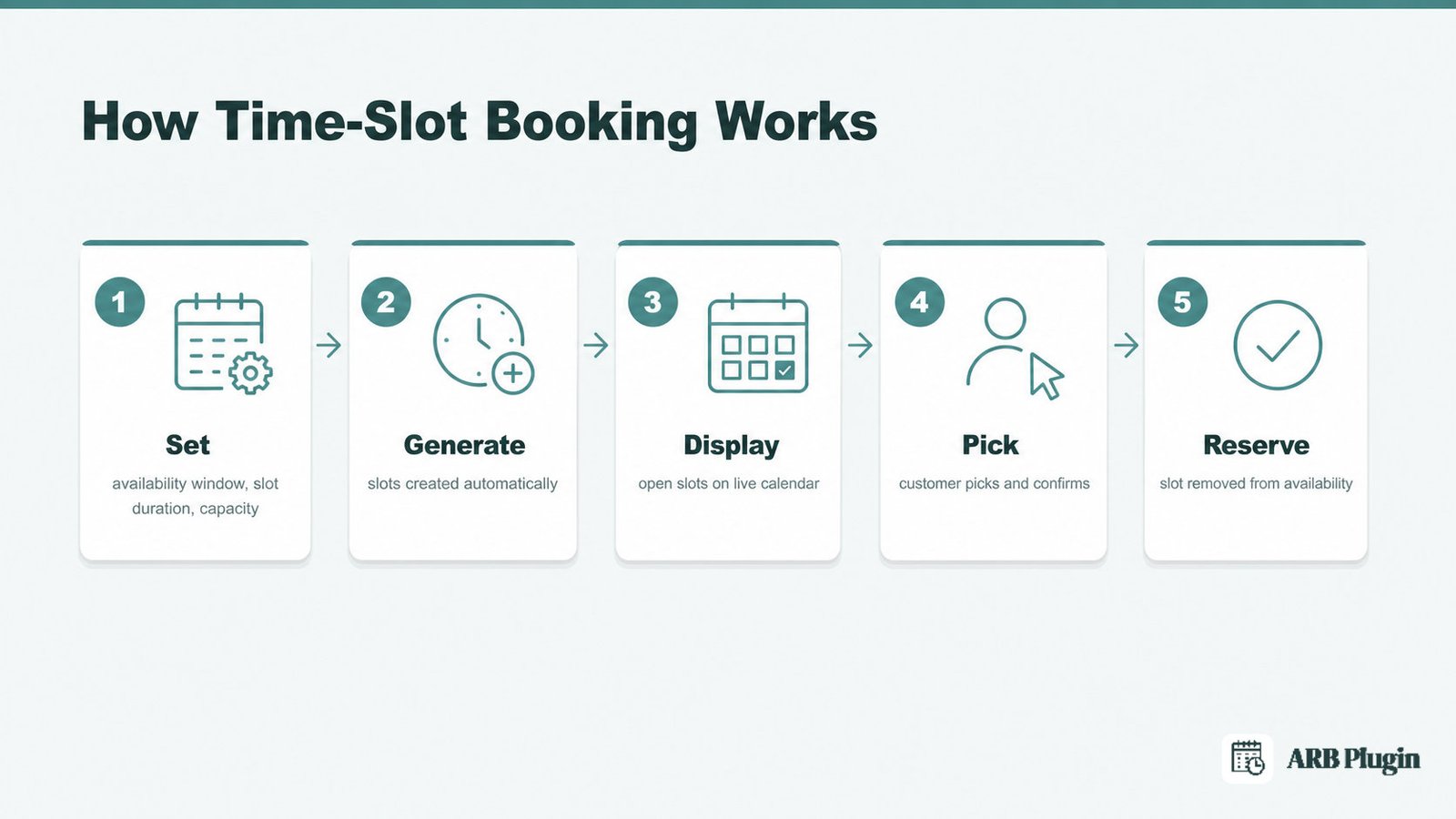
Time-slot booking works by dividing a business's open hours into fixed, bookable windows, then letting each customer claim one instantly.
- Set an availability window, a slot duration, and a capacity limit for each service or resource.
- Generate individual time slots automatically from those settings.
- Display the open slots on a booking calendar in real time.
- Pick an open slot and confirm the booking.
- Reserve the slot and remove it from further availability.
An online booking system runs this entire sequence without a staff member manually checking a calendar. The booking calendar is the customer-facing piece. It shows which slots are still open and hides any slot a prior customer already claimed. Every generated slot inherits the same duration and capacity rule the business set once. A 30-minute haircut slot and a 60-minute massage slot can therefore run side by side on the same calendar.
Fixed vs. flexible time slots
Time slots split into two types: fixed slots the business defines, and flexible slots the customer defines.
| Attribute | Fixed slot | Flexible slot |
|---|---|---|
| Who sets the length | The business fixes one slot length for every booking | The customer chooses how many units to reserve |
| Example | A 2-hour consultation books one fixed slot at a time | A hotel guest reserves a room for 3 nights instead of 1 |
| Best for | Repeatable services with a set duration: haircuts, checkups, classes | Bookings with a variable length: stays, rentals, multi-day courses |
Fixed slots prevent scheduling gaps because every booking takes the same amount of time. Flexible slots trade that predictability for choice, letting the customer set the exact length within a minimum and maximum the business defines. A business can also mix both: a fixed 30-minute slot for a standard service, and a flexible slot for a custom, multi-day project.
Slot duration and slot capacity
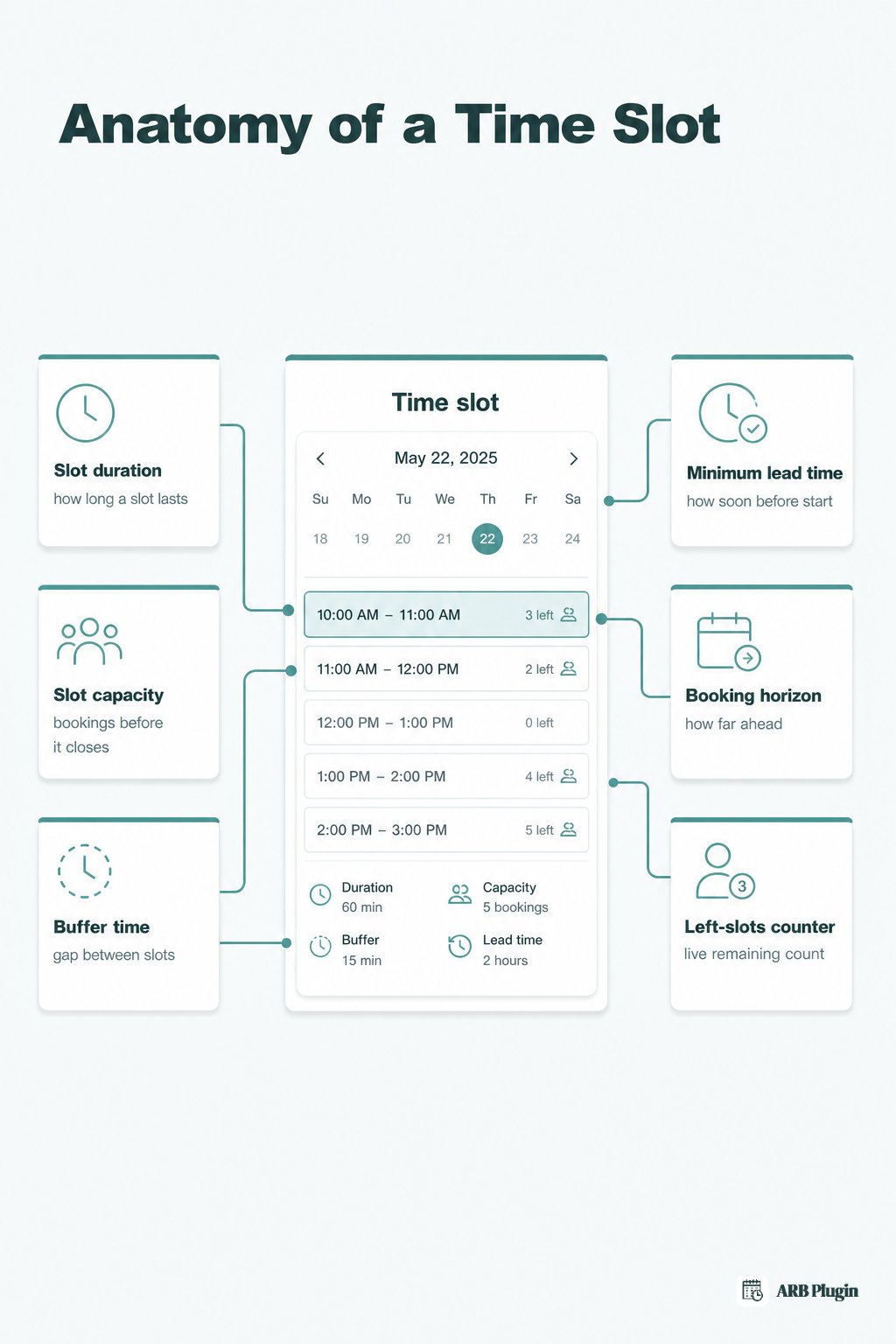
Slot duration is how long one time slot lasts, from a few minutes to several nights. Slot capacity is how many bookings a single slot accepts before it closes. A 30-minute slot with a capacity of 1 blocks after the first booking. A 30-minute slot with a capacity of 20 stays open until the 20th booking fills it.
Four additional controls shape how a slot behaves:
- Buffer time: a gap the business requires between two slots, such as a 15-minute cleanup window. See buffer time for the full mechanics.
- Minimum lead time: how soon before a slot's start a customer can still book it, commonly zero to 48 hours.
- Booking horizon: how far into the future the calendar stays open, such as 7 or 30 days ahead.
- Left slots counter: a live count of remaining capacity shown to the shopper, for example "4 left."
Some booking calendars also open a new slot before the prior one ends, an interval. A 60-minute session with 15-minute intervals lets a customer start at 9:00, 9:15, 9:30, or 9:45, even though each session still runs a full hour. Duration and capacity remain the two controls that decide whether an interval question ever comes up at all.
What are the benefits of using time slots?
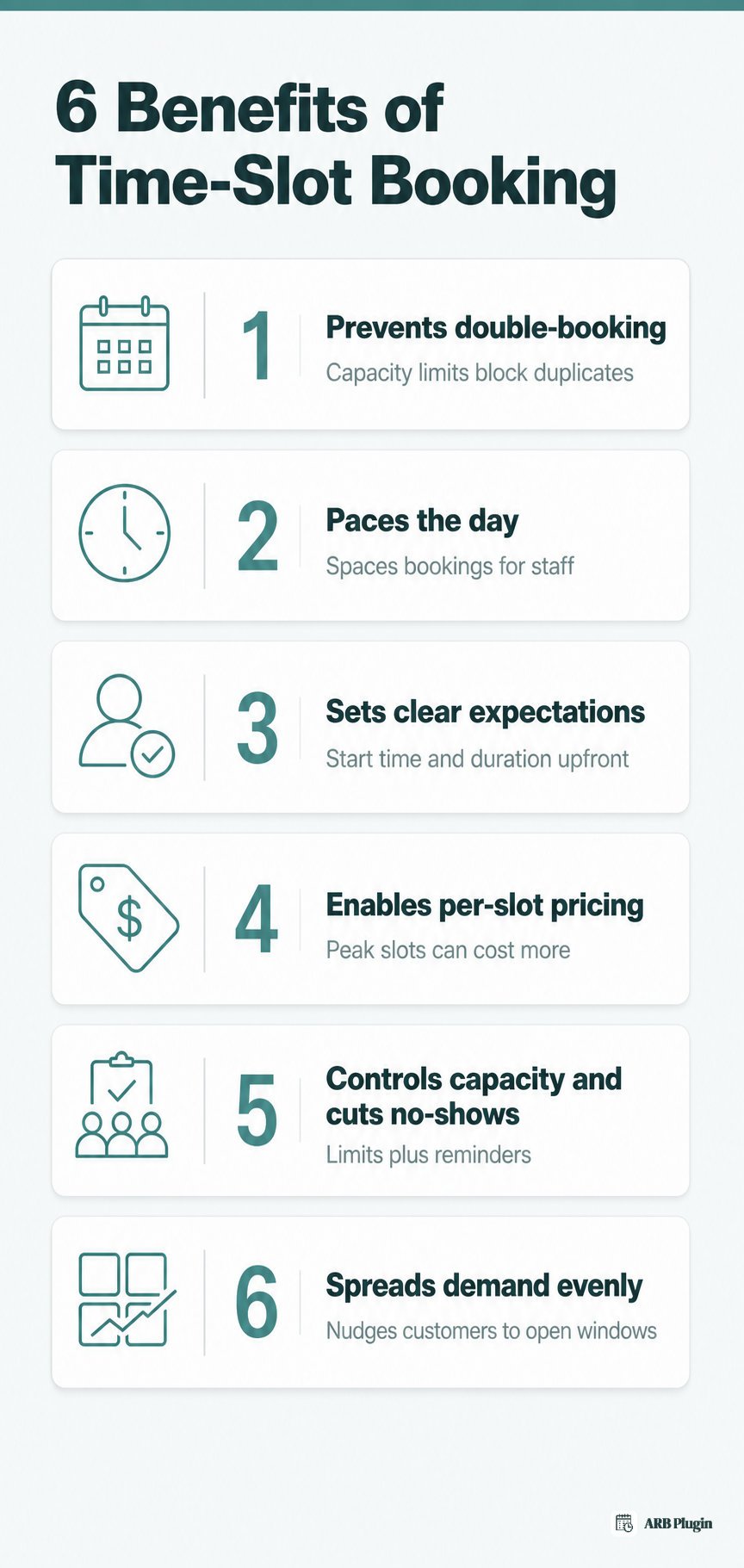
Time-slot booking delivers six concrete benefits for any business that takes bookings.
- Prevents double-booking: a fixed slot with a capacity limit blocks a second customer from claiming the same window, avoiding a double booking.
- Paces the day: slots space bookings evenly, so staff never face five appointments back to back with no room between them.
- Sets clear expectations: the customer knows the exact start time and duration before they pay, not an estimated window.
- Enables per-slot pricing: a Saturday slot or a peak-hour slot can cost more than an off-peak slot, without a separate product.
- Controls capacity and cuts no-shows: a capacity limit stops overbooking, and an automatic reminder tied to the slot time cuts missed appointments.
- Spreads demand evenly: slots nudge customers toward open windows instead of everyone requesting the same popular hour.
Time slot examples by industry
Time slots take a different shape in each industry, based on service length and capacity needs.
| Industry | Typical time slot |
|---|---|
| Salon or spa | A 30- to 60-minute slot tied to one stylist or treatment room |
| Clinic or doctor's office | A fixed slot with a capacity of 1, booked one patient at a time |
| Hotel or vacation rental | A night- or date-based slot instead of an hourly block |
| Course or class | A fixed start-time slot with a set participant cap |
| Tour or activity | A departure-time slot tied to one guide or vehicle |
| Restaurant | A table or seat slot held for one party at a set time |
Each of these patterns becomes a bookable product in WooCommerce once the store owner sets its duration, capacity, and price. Capacity is not always one: wave scheduling books several patients into a single start-time slot when capacity allows. Capacity can also apply per resource, like one hotel room or one stylist, or per person type, like an adult ticket versus a child ticket.
How ARB creates time slots in WooCommerce
ARB creates time slots inside a Reservable Product, WooCommerce's booking-specific product type. A store owner configures them across two tabs in WooCommerce's own product editor, with no separate booking system to run.
The General tab's Reservation Duration sets whether slots are fixed or flexible. Admin-defined durations produce fixed slots of one set length. Customer-defined durations let the shopper choose how many units to book, within a set minimum and maximum.
The Availability tab then generates and paces those slots. Add Range builds them across the days, weeks, or dates a business opens. Four controls then shape each one:
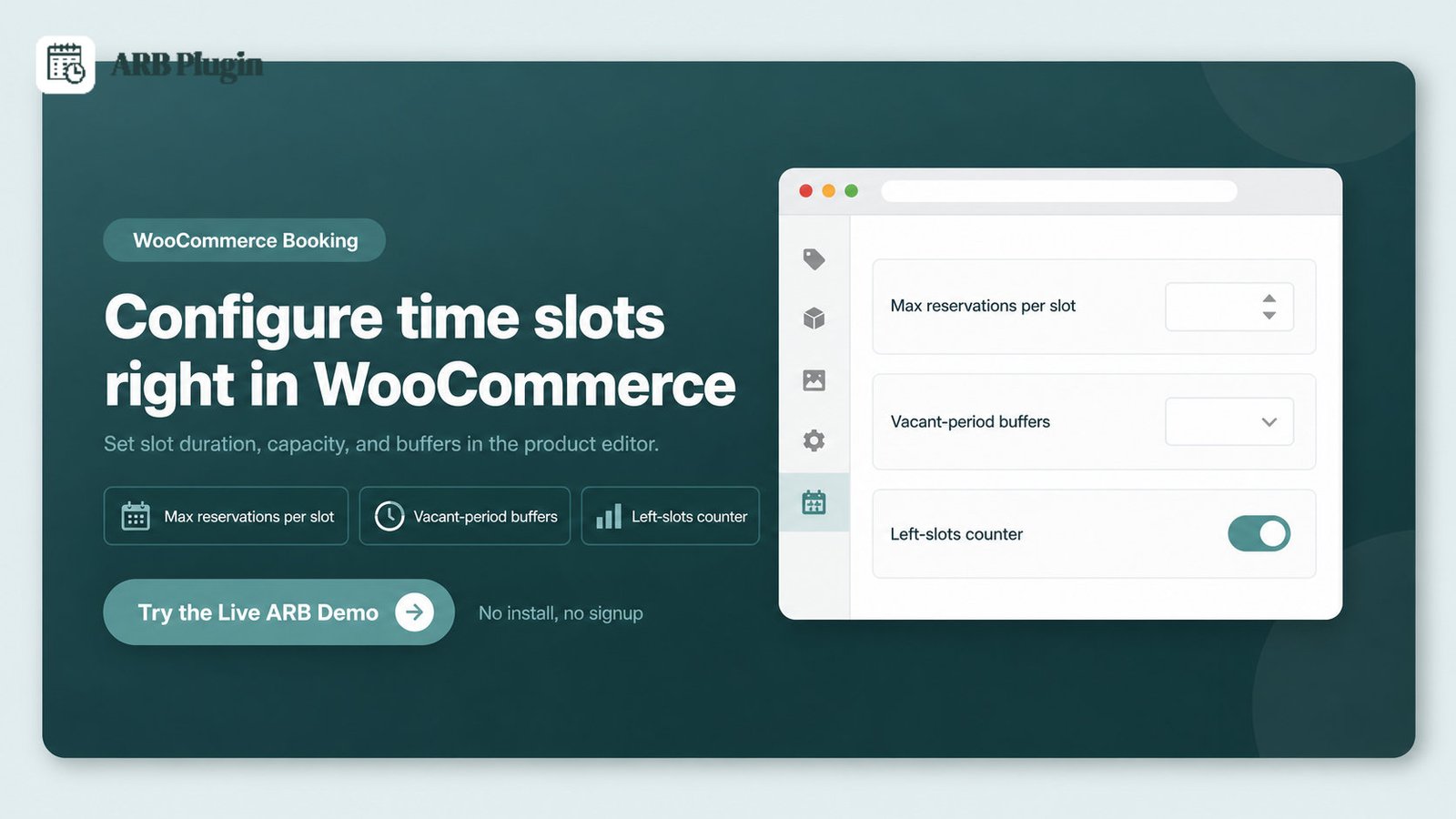
- Max Reservations per Slot: capacity per slot, for example one patient at a time for a doctor.
- Vacant period: a buffer between bookings, plus "1st slot starts at" for the day's opening time.
- Minimum lead time and booking horizon: how soon before a slot, and how far ahead, a customer can book.
- Left-slots counter: the live remaining-capacity count the shopper sees on the product page.
The full booking availability configuration covers every field. ARB is a WooCommerce extension, so every slot flows through the store's own cart, checkout, and payment gateways once booked. It sells as a single one-time license on CodeCanyon, not a subscription, so a store owner configures these tabs once. Try the live ARB booking demo to set a Max Reservations per Slot value and watch the left-slots counter update in real time.
FAQs
What is a time slot in booking?
A time slot is a fixed block of time, such as 2:00 to 2:30 PM. A customer reserves one when booking an appointment, service, or rental. It sets exactly when the booking starts and ends.
What is time slot booking?
Time slot booking is the practice of dividing a business's day into fixed, reservable windows so customers can self-schedule instead of calling or emailing.
How do customers book a time slot?
Customers book a time slot by opening the calendar, picking an open date and time, and entering their details at checkout. Payment can happen immediately or after the business approves the booking, depending on the workflow.
What is the difference between a time slot and an appointment?
A time slot is the reservable block of time itself. An appointment is one confirmed booking that fills a single slot inside a reservation system. One slot holds more than one appointment only when its capacity allows it.
How long should a time slot be?
A time slot's length should match the service it books. Quick consultations often use 15- to 30-minute slots, while full treatments or classes need 60 minutes or more. A longer slot usually needs a smaller buffer, since less turnover happens between bookings.
Can two people book the same time slot?
Two people can book the same time slot only up to its set capacity. A slot with Max Reservations per Slot set to 1 blocks a second booking automatically. A business sets capacity to 1 for exclusive, one-at-a-time appointments.