Industry Page
Sell Course & Class Seats Inside WooCommerce
Sell course and class seats inside WooCommerce with ARB: seat caps, per-attendee pricing, recurring schedules, and native checkout. One-time $55, no yearly fee.
Why Course Providers Choose ARB
For workshop, class, and course providers on WooCommerce, ARB takes paid enrollments with seat caps and per-attendee pricing, no separate booking system.
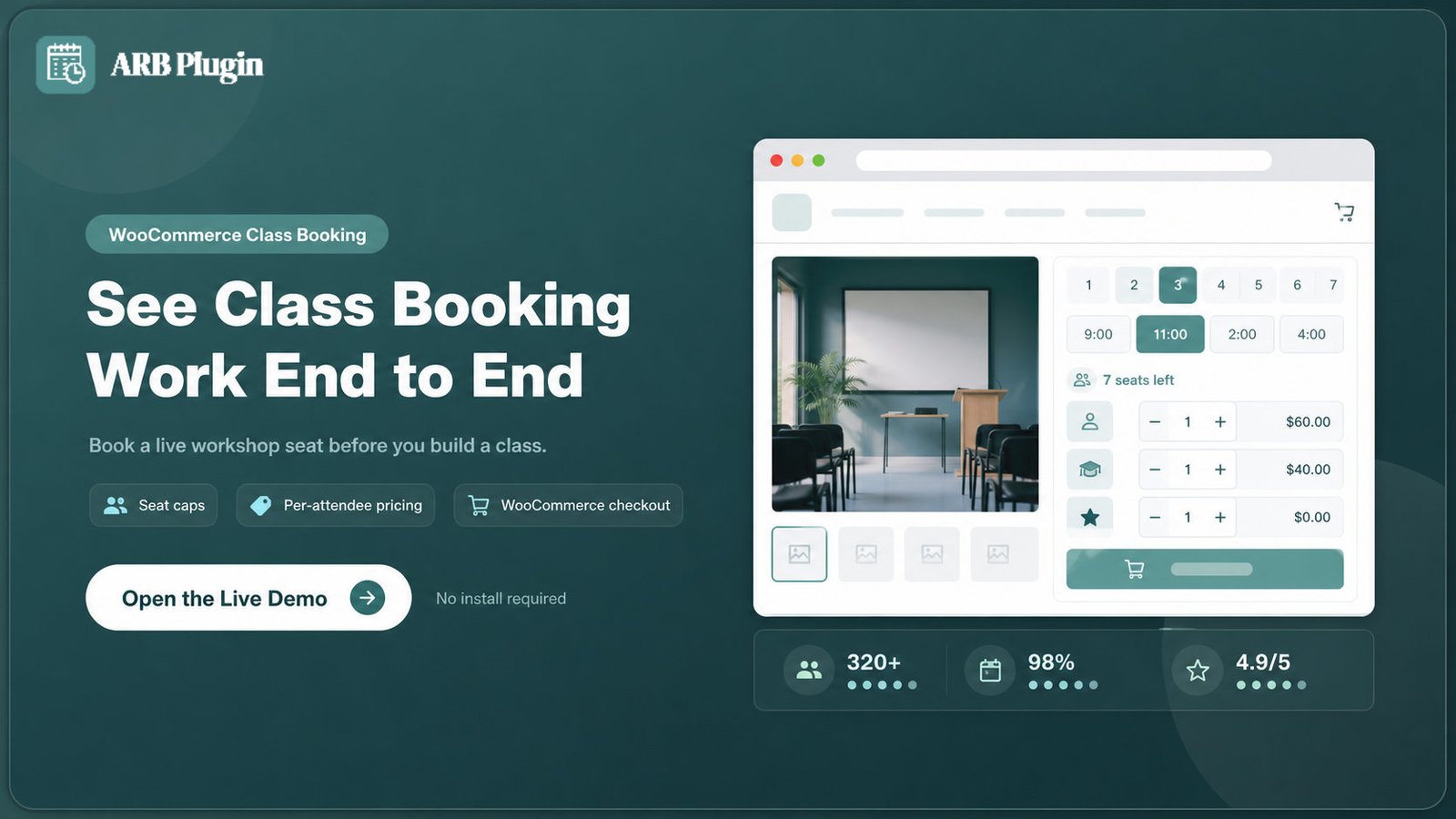
Test the whole flow in the live demo before you set up a single class.
You already run WooCommerce. ARB books class seats inside it, so checkout, tax, and coupons keep working.
- Native paid enrollment. Every booking becomes a real order through your existing WooCommerce appointment booking flow.
- Per-attendee pricing. Charge adults, students, and members different rates on the same booking form.
- No overbooking. Seat caps close a full class automatically and show a live seats-left count.
- Own it for $55 once. A single CodeCanyon license, no yearly renewal, and no per-seat fee.
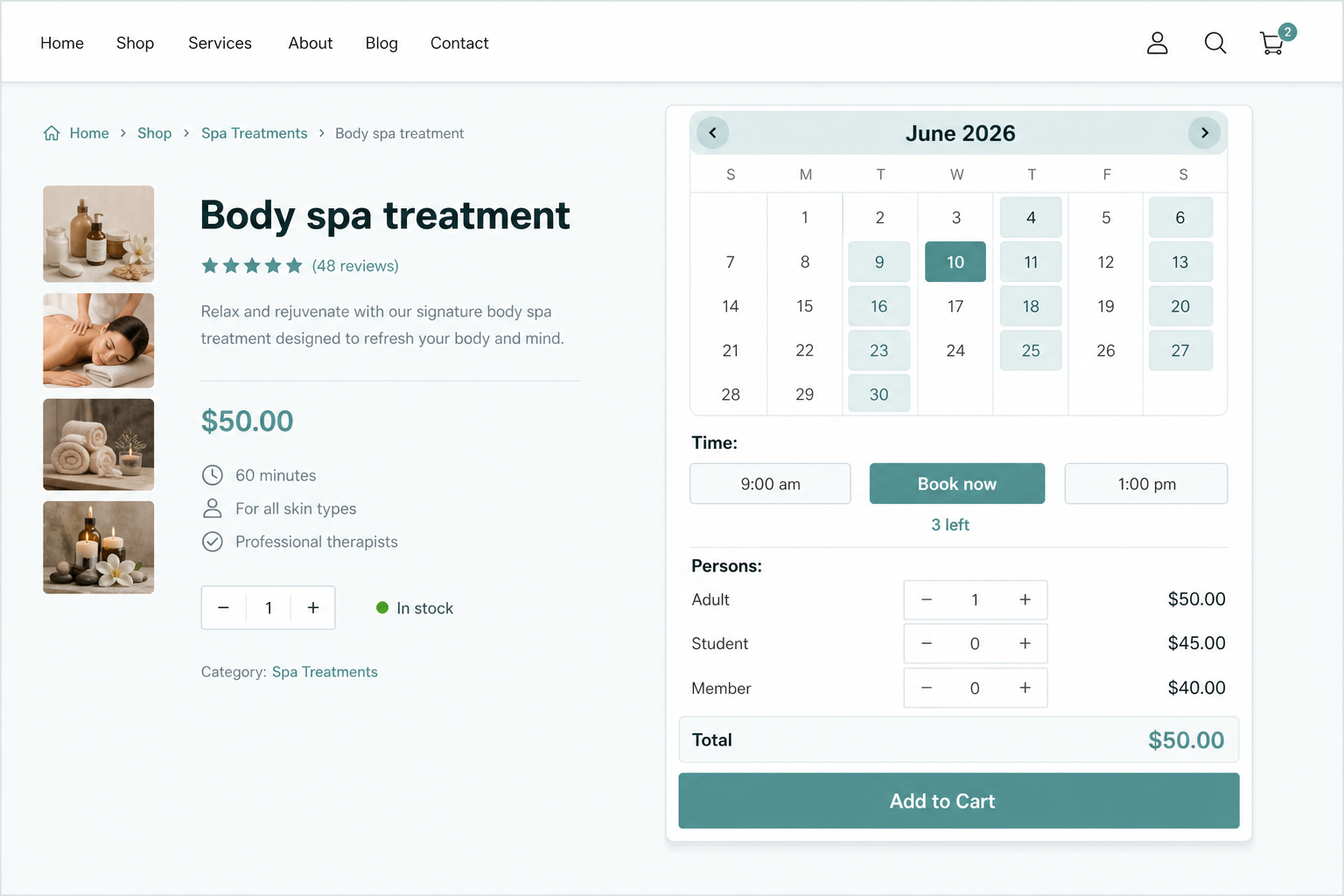
Everything a Class Booking Needs
These four controls cover how real classes get priced, capped, scheduled, and staffed.
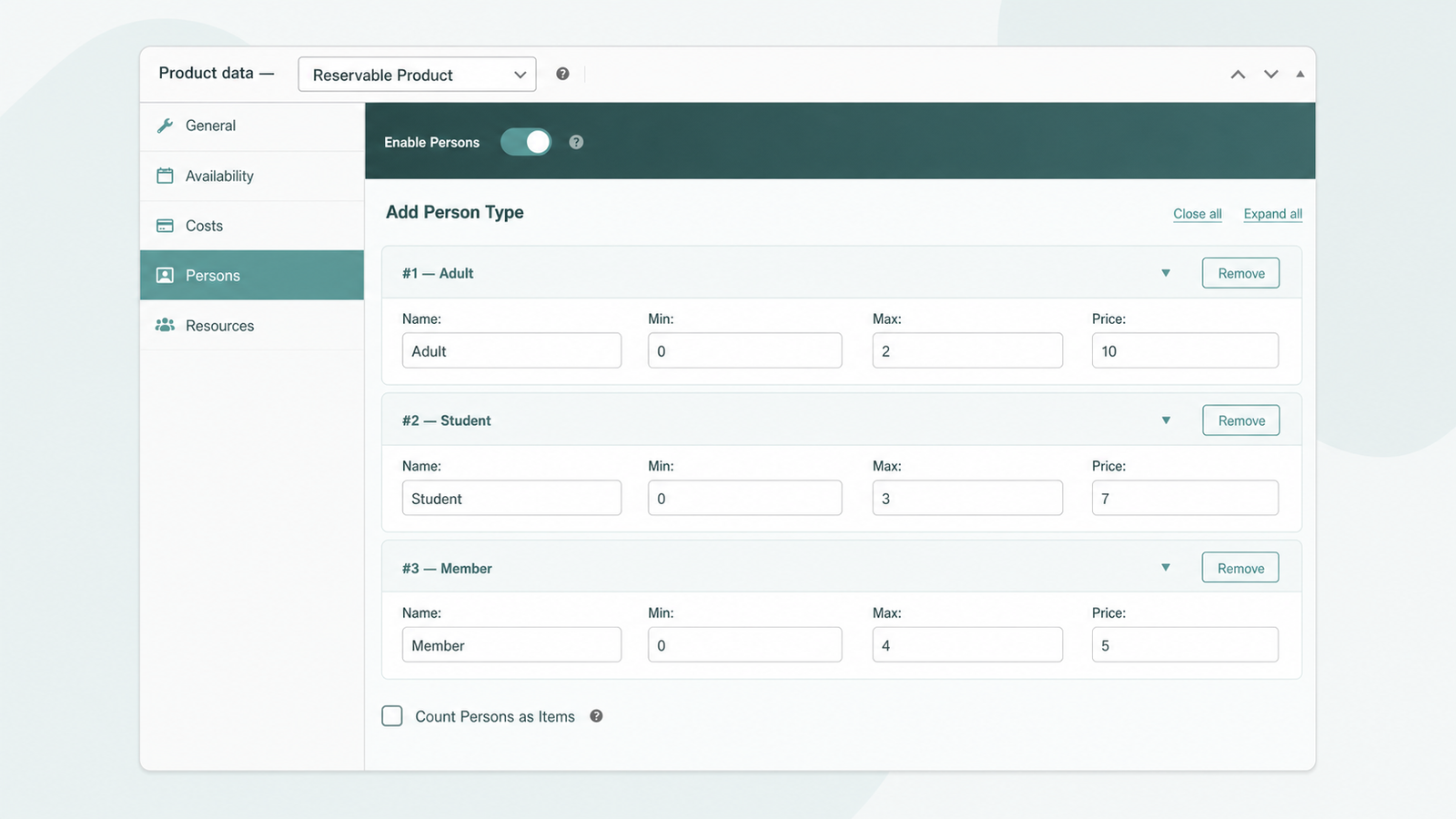
Price Every Attendee Type
Person Types let each attendee category carry its own price, minimum, and maximum on one form.
- Set adult, student, and member rates separately.
- Add early-bird or group discounts by count.
- Charge a weekend surcharge with one rule.
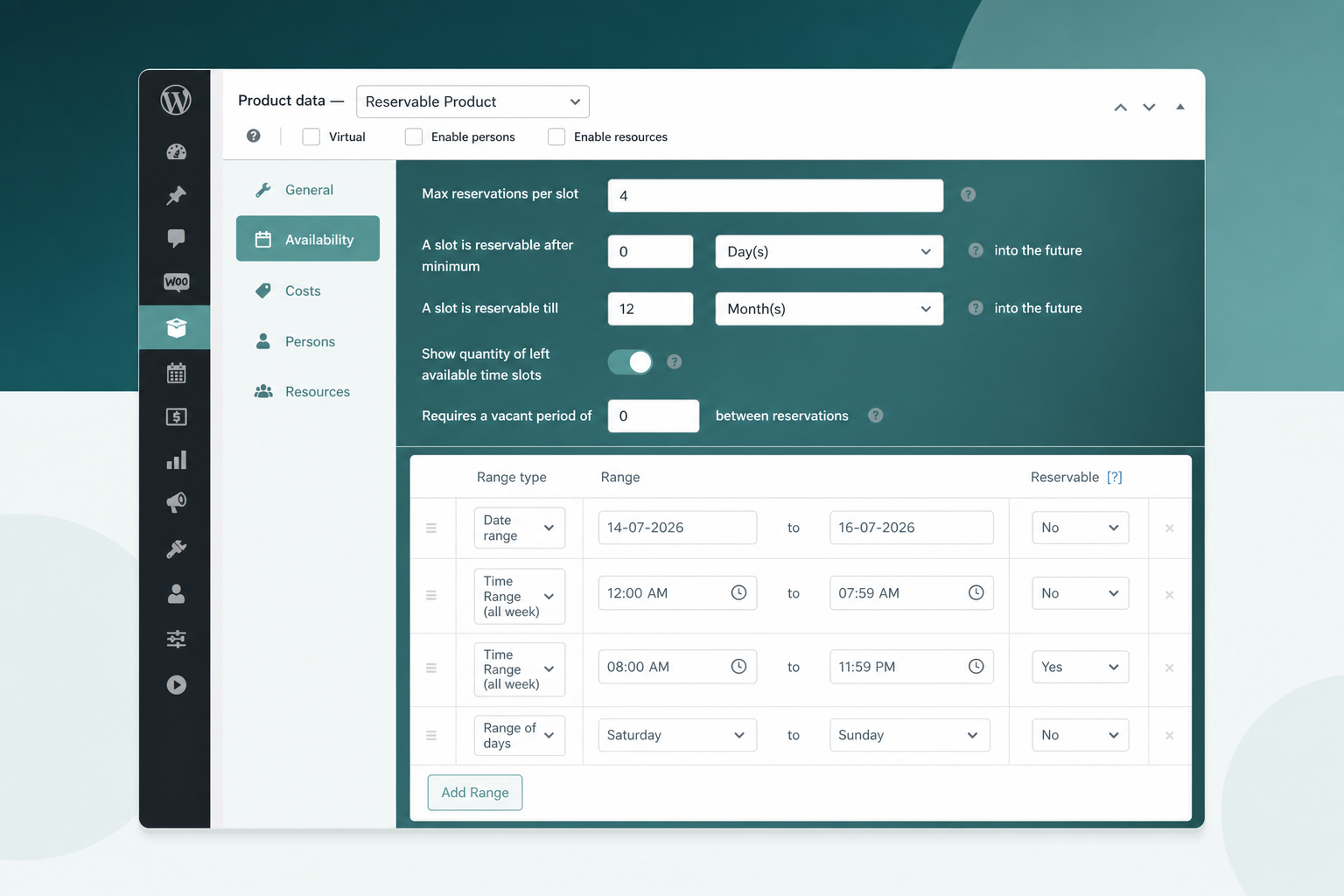
Cap Seats, Prevent Overbooking
Max Reservations per Slot sets the seat limit, and a live counter shows how many spots remain.
- Stop new bookings when a class fills.
- Show remaining seats to create urgency.
- Handle multi-seat group bookings in one order.
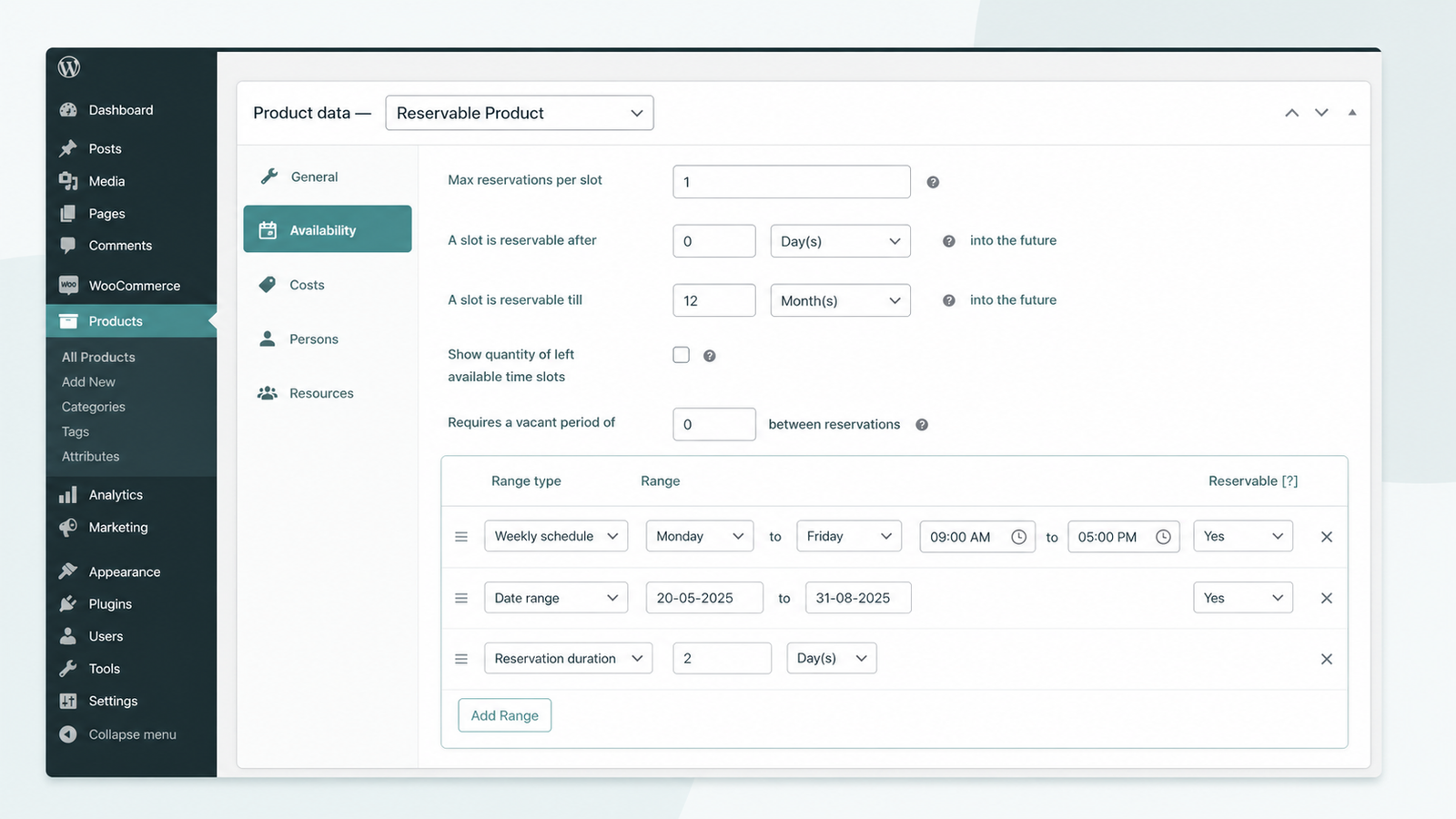
Run Recurring and Multi-Day Classes
Availability Ranges publish recurring class times; Reservation Duration sets a multi-day or multi-week course length.
- Schedule weekly, monthly, or date-range recurring classes.
- Set course length in days or weeks.
- Block holidays with availability rules.
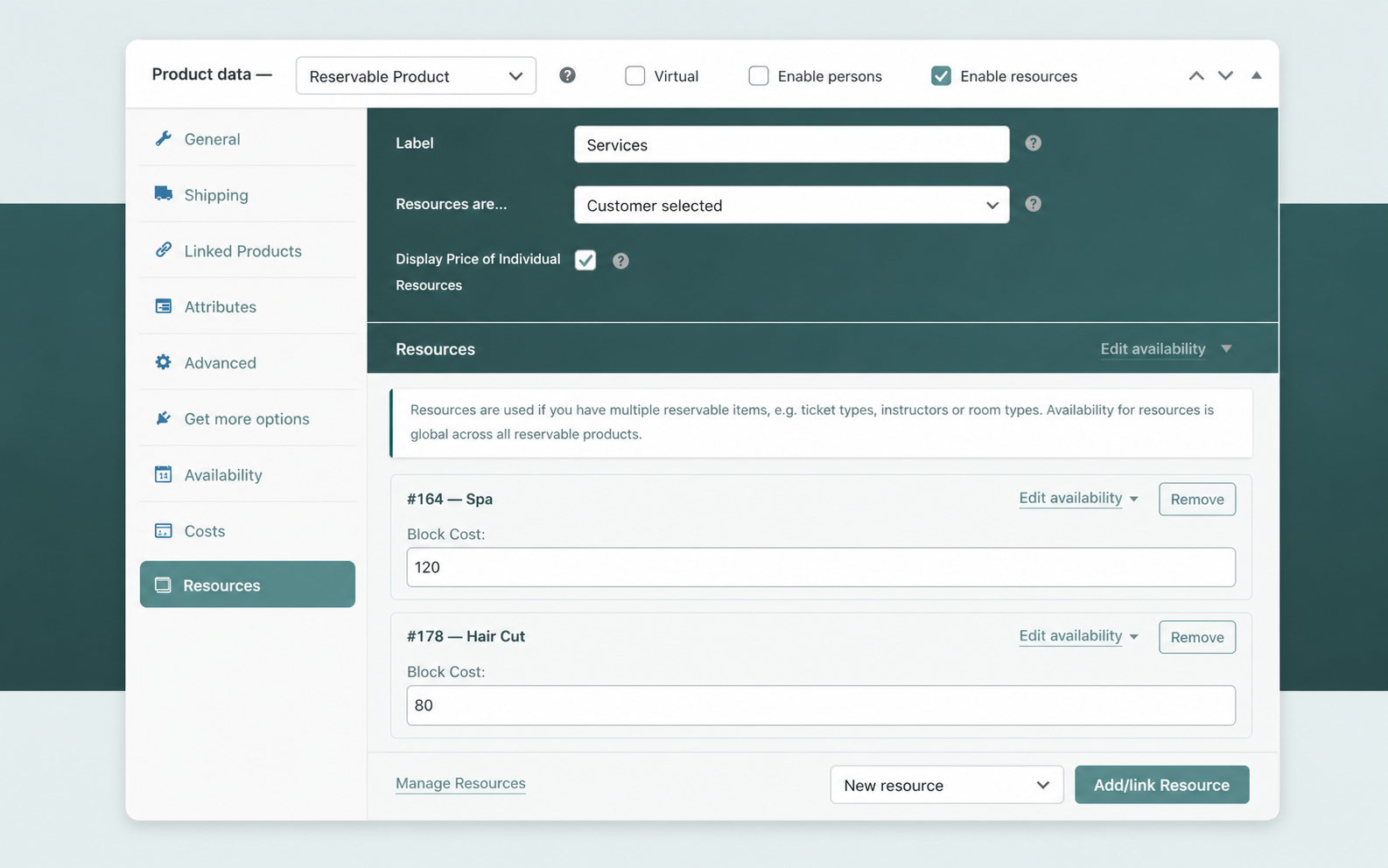
Assign Instructors and Rooms
Each instructor, course type, or room becomes a Resource with its own schedule and price.
- Give each instructor its own schedule.
- Price tracks and rooms independently.
- Add unlimited resources per class.
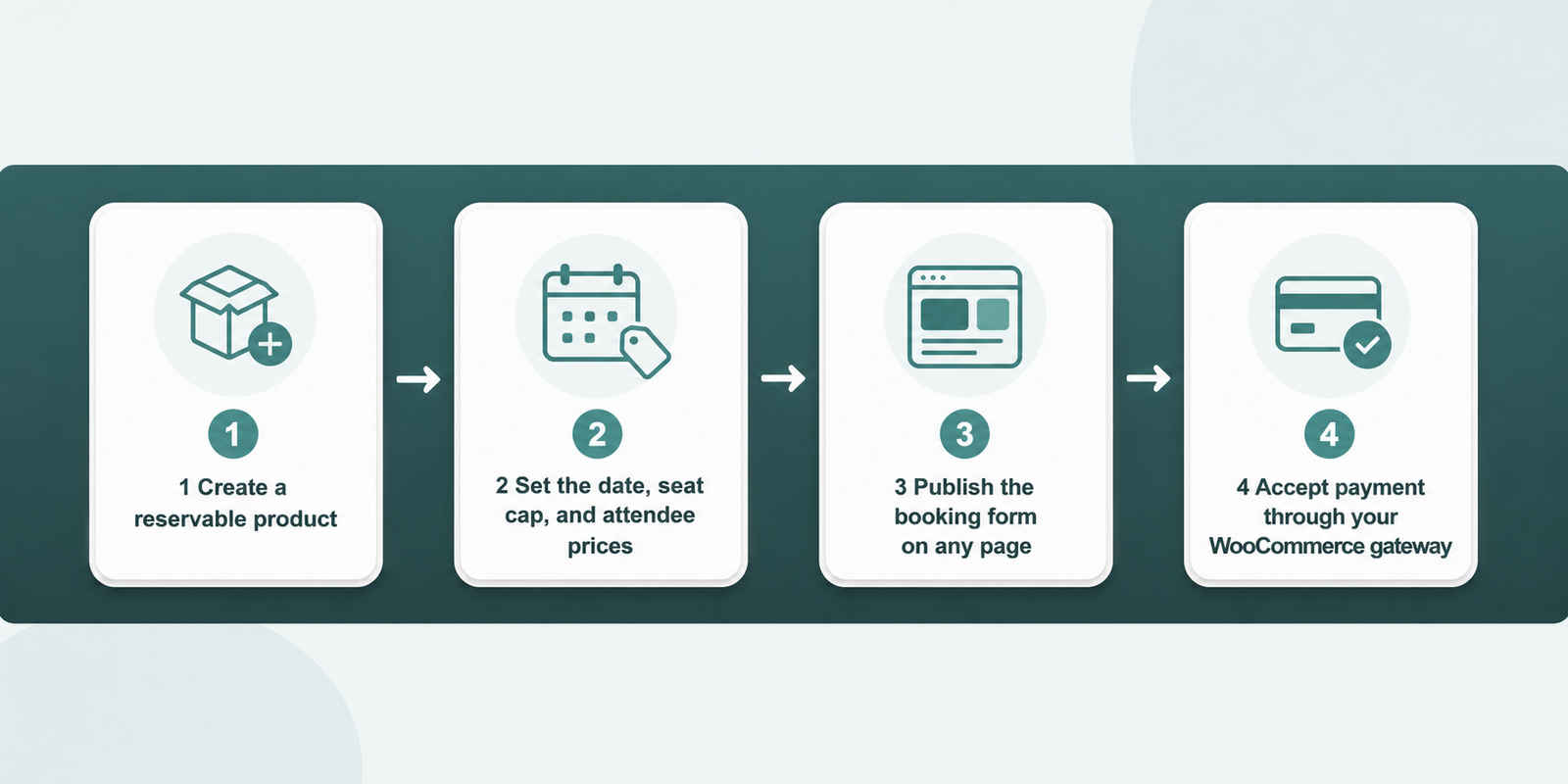
Set Up a Class Booking in Four Steps
Turning a class into a paid, seat-capped booking takes four steps inside WooCommerce.
- Create a Reservable Product for your class.
- Set the date, seat cap, and attendee prices.
- Publish the booking form on any page.
- Accept payment through your WooCommerce gateway.
ARB vs Manual WooCommerce Class Booking
A plain WooCommerce product can sell a class, but it cannot cap seats or price attendees. For the wider field, see the best WooCommerce booking plugins.
| Task | ARB | Manual / plain WooCommerce |
|---|---|---|
| Seat cap per class | Automatic, stops at the limit | Manual tracking, overbooking risk |
| Per-attendee pricing | Person Types, each priced | One flat product price |
| Recurring class times | Availability Ranges | A new product per date |
| Payment | Native WooCommerce checkout | Native checkout, no seat logic |
| Cost | $55 once | Free base, hours of manual work |
Is ARB Right for Your Classes?
Great fit if:
- You want one-time, WooCommerce-native booking for scheduled class seats.
- You need per-attendee pricing, seat caps, and recurring schedules without code.
- You run adjacent verticals too, like fitness classes, coaching, salon, hotel, or equipment rental bookings.
Look elsewhere if:
- You need an LMS to deliver lessons, quizzes, attendance tracking, or certificates.
- You require recurring-membership billing, deposits, or a native waitlist to hold seats.
- You need native two-way calendar sync, native SMS, or a free plugin. Google Calendar sync is a one-way $19 add-on, SMS is a $15 add-on, and ARB has no free tier.
Sell Your First Class Seat Today
Watch seat caps, per-attendee pricing, and WooCommerce checkout work end to end. Open the live demo and book a workshop seat before you build a real class.
Frequently asked questions
Straight answers to the questions that matter most
Can students register and pay online for a class?
Yes. Every booking checks out through WooCommerce, using any connected gateway, including Stripe, PayPal, and Square.
Can I limit how many people book a class?
Yes. Max Reservations per Slot sets the seat cap, and the optional seats-left counter shows how many spots remain.
Can I charge different prices for adults, students, and members?
Yes. Person Types let you set an individual price, minimum, and maximum for each attendee category.
Can I sell multiple seats in one booking?
Yes. Count Persons as Items lets one order register several attendees, with each one consuming one seat of capacity.
Can I run recurring or multi-day courses?
Yes. Availability Ranges publish recurring or scheduled class times, and Reservation Duration sets a multi-day or multi-week course length.
Is ARB an LMS? Can it deliver lessons, quizzes, or certificates?
No. ARB books and sells seats. Pair it with LearnDash, TutorLMS, or LifterLMS for lesson delivery, quizzes, and certificates.
Can I take a deposit to hold a seat?
No. ARB does not support native deposits or partial payments. Request-for-Quote or confirmation-required checkout is the closest built-in option.
Does ARB have a waitlist for full classes?
No. A full class simply closes to new bookings. ARB has no native waiting-list feature, only the seats-left counter and a hard capacity cap.
Do I need WooCommerce to use ARB?
Yes. ARB is a WooCommerce extension plugin, not a standalone system, and it requires an active WooCommerce installation.
Is there a free version of ARB?
No. ARB has no free tier and sells only as a one-time paid license. The live demo lets you test the booking flow before buying.