Eight WordPress booking plugins run a genuinely free tier in 2026. The strongest are Simply Schedule Appointments, LatePoint, BookingPress, Easy Appointments, Booking Calendar, Bookly, Amelia, and Hotel Booking Lite. Most are freemium with real caps, only three take a payment on free, and none routes checkout through WooCommerce.
Below: a quick ranked list and what counts as genuinely free. Then the checks that separate real free tiers from trials, a full comparison table, and where a paid plugin finally beats free.
Disclosure: this guide is written by the ARB team at Fluent-Themes. ARB is a paid WooCommerce booking plugin with no free tier, so it is not ranked among the free picks below. We score every plugin on the same public rubric and rank this list by free-fit.
What are the best free WordPress booking plugins?
Eight plugins lead the genuinely free category in 2026: Simply Schedule Appointments, LatePoint, BookingPress, Easy Appointments, Booking Calendar, Bookly, Amelia, and Hotel Booking Lite. Each runs a real, ongoing free tier, but almost none routes payments through WooCommerce checkout.
- Simply Schedule Appointments, best genuinely-free setup: the free Basic tier allows unlimited booking calendars and unlimited appointments.
- LatePoint, best free for modern appointment sites: the free plan takes Stripe payments on 100,000+ installs.
- BookingPress, best free tier that takes a payment: PayPal works on the free plan, with unlimited appointments and sites.
- Easy Appointments, best fully free core: multi-staff, multi-location, and custom fields with no upsell wall.
- Booking Calendar by wpdevart, best free for rentals and dates: full-day and time-slot booking on a single resource.
- Bookly, most-proven free base: 60,000+ installs, though the free tier caps at 1 staff and 5 services.
- Amelia, most polished free version: SaaS-style UX, but payments and calendar sync are paid.
- Hotel Booking Lite by MotoPress, best free for hotels and short stays: the free Lite tier takes PayPal deposits.
What counts as a genuinely free booking plugin?
A genuinely free WordPress booking plugin gives you a real, ongoing free version, not a trial that expires. Most "free" booking plugins are freemium: a working free tier on WordPress.org, with advanced features held back for paid upgrades. The decisive test is whether the plugin keeps taking bookings, for free, indefinitely.
Three labels get blurred in this category:
- Free: a plugin that stays usable with no paid tier required. Easy Appointments ships a 100% free core.
- Freemium: a real free tier plus paid upgrades. Bookly, Amelia, BookingPress, and LatePoint all work this way. WordPress developers argue this is what "free" usually means in practice.
- Free trial: paid software with a time-limited trial. This is not free, and it disappears after 7 or 14 days.
WordPress.org is the trust source for this list. A listed plugin shows its active install count, star rating, and last-updated date publicly. You can judge whether a free tier is safe before you install it. For the wider field including premium tools, see our guide to the best WordPress booking plugins.
What should you check before trusting a "free" booking plugin?
Before you trust a free booking plugin, check four things:
- Whether the free tier actually takes a payment.
- What it caps: staff, services, resources, or bookings.
- Whether support and updates are included.
- What the upgrade costs when you outgrow free.
These are the same checks in our framework for how to choose a booking plugin.
Does the free tier actually take payments?
Most free booking tiers do not take online payments, but three in this list do. This is the question SERP listicles rarely answer directly, so verify it before you commit.
- Takes a payment on free: BookingPress (PayPal), LatePoint (Stripe), and Hotel Booking Lite (PayPal, full or deposit).
- No payment on free: Simply Schedule Appointments, Easy Appointments, Booking Calendar, Bookly, and Amelia. Each holds its gateways behind a paid tier.
One limit applies to all eight: none routes payment through the WooCommerce cart. The three that take payments use their own PayPal or Stripe flow. Taking bookings through WooCommerce checkout, with your tax rules, coupons, and every WooCommerce gateway, needs a paid plugin.
What does the free tier cap (staff, services, resources, bookings)?
Free tiers rarely cap booking volume; they cap the moving parts around it. Read the specific limit before you build on a free plugin.
- Staff and services: Bookly's free tier allows 1 staff member and 5 services.
- Resources: Booking Calendar's free base handles a single booking resource.
- Gateways and modules: Amelia gates payments, events, and calendar sync to paid tiers.
- Bookings: Simply Schedule Appointments, BookingPress, and LatePoint allow unlimited appointments on free.
Is support, updates, and branding included on free?
Updates are the safe part of free. WordPress.org plugins push version updates to every install, free tiers included, so a maintained plugin stays current with WordPress and PHP. Support is the thin part: free tiers usually get community forum help, not priority tickets. Branding is mixed, since some free forms carry a small vendor credit that a paid tier removes.
How do the best free WordPress booking plugins compare?
The eight plugins split on three decisive columns: whether the free tier takes a payment, what it caps, and whether it is WooCommerce-native. Here is the full comparison, ranked by free-fit.
| Plugin | Free-fit (L2) | Overall (L1) | Genuinely free? | Free-tier key cap | Payments on free? | WooCommerce-native? | Best for | Upgrade price |
|---|---|---|---|---|---|---|---|---|
| Simply Schedule Appointments | 4.4/5 | 4.1/5 | Yes (Basic) | No payments; sync and team paid | No | No | Easiest free setup | Paid Plus from $99/yr adds payments and sync |
| LatePoint | 4.1/5 | 3.8/5 | Yes (free plan) | Single location; team and sync paid | Yes (Stripe) | No | Modern appointment sites | Paid Starter from $99/yr |
| BookingPress | 4.0/5 | 3.8/5 | Yes (Free plan) | Limited support; features gated | Yes (PayPal) | No | Free that takes a payment | Standard from $89/yr, up to $249/yr (20 sites) |
| Easy Appointments | 4.0/5 | 3.5/5 | Yes (full core) | No payments on free | No | No | Fully free, no upsell wall | Pro one-time $39 to $99 |
| Booking Calendar (wpdevart) | 3.9/5 | 3.7/5 | Yes (base) | Single booking resource | No | No | Rentals and dates | Personal $60, Business $90, Developer $120 |
| Bookly | 3.8/5 | 3.3/5 | Yes (freemium) | 1 staff, 5 services | No | No | Most-proven free base | Pro $49/yr or $129 lifetime |
| Amelia | 3.7/5 | 3.6/5 | Yes (limited) | Payments, events, sync paid | No | No | Most polished free | $49 to $679/yr |
| Hotel Booking Lite (MotoPress) | 3.7/5 | 3.7/5 | Yes (Lite) | No OTA or iCal sync; per-guest pricing paid | Yes (PayPal) | No | Hotels and short stays | Pro $199 to $249/yr |
How we score: each plugin is rated 1 to 5 on seven weighted dimensions, then re-weighted for free-fit. Value and free-tier generosity carry more weight here than on a general list. These scores are directional, because these free plugins do not yet have a full hands-on review. Read the full method on our How We Review WordPress and WooCommerce booking plugins page. Prices and free-tier facts were verified in July 2026; check each plugin's own page for current terms.
Simply Schedule Appointments (best genuinely-free setup)
Simply Schedule Appointments is the most generous genuinely-free tier in this list, scoring 4.4/5 for free-fit and 4.1/5 overall. Its free Basic plan is built for solo consultants and small teams that want a working booking calendar without paying first.
Key features
The free Basic tier includes unlimited booking calendars, unlimited appointments, and email notifications. Setup runs through a guided wizard, which is why it earns the cleanest onboarding reputation in the category. Paid Plus, Pro, and Business tiers add Stripe and PayPal payments, group and team booking, Google Calendar sync, SMS, and Zoom links.
Free-tier limits
The free tier takes no online payments. Group booking, team scheduling, and calendar sync all sit behind paid plans. For a single person taking free consultations, none of that bites. For a paid service, upgrading is the only path to a checkout.
Pros
The free plan's strengths are concrete.
- Unlimited calendars and unlimited appointments on free, so a full schedule fits without an upgrade.
- The guided setup wizard is the fastest way to a live booking form among these free tiers.
- Email notifications work on free, which keeps confirmations automatic from day one.
Cons
Its free-tier weaknesses are few but real.
- No payments on the free tier, so paid services must upgrade to take money.
- No Google Calendar sync on free, so staff calendars stay separate until you pay.
Pricing
The free Basic plan is permanent and available on the Simply Schedule Appointments WordPress.org listing. Paid tiers start at Plus, $99 the first year and $129 on renewal. Professional runs $199 and Business $399, adding payments, sync, and team booking. Current pricing lives on the Simply Schedule Appointments site.
What users say
WordPress.org reviewers rate Simply Schedule Appointments 5.0 out of 5 across 155 reviews, the highest score in this list, on 60,000+ active installs. The recurring caveat in the reviews is that taking payments means moving off the free tier.
LatePoint (free plan for modern appointment sites)
LatePoint pairs a modern booking UX with a free plan that, unusually, takes payments, scoring 4.1/5 for free-fit and 3.8/5 overall. It is the strongest free choice for appointment sites that want to collect money without paying first.
Key features
The free LatePoint plan on WordPress.org includes unlimited appointments, a multi-step booking form, custom schedules, and, notably, Stripe payments. Its free tier is one of only three here that processes a real payment, and it does so on a large install base. Paid Pro adds multiple locations, recurring appointments, more gateways, SMS, Google Calendar sync, and team management.
Free-tier limits, pros, cons, and pricing
The free plan runs a single location, and recurring bookings, team management, and calendar sync are Pro features. On the plus side, Stripe works on free. The plugin carries 100,000+ active installs at 4.9 out of 5 across 92 reviews on its LatePoint WordPress.org listing. The main free-tier constraint is the single-location limit; multi-location operators need Pro, which starts at $99 per year (Starter, 1 site) on the LatePoint site. Verified in July 2026, the free plan and its Stripe support are live on WordPress.org.
BookingPress (the free tier that actually takes a payment)
BookingPress is a free tier that processes a real payment, scoring 4.0/5 for free-fit and 3.8/5 overall. To collect money on free without buying anything, it is one of the most direct answers here.
Key features
The BookingPress Free plan supports unlimited appointments, unlimited websites, a customizable booking form, and, unusually, PayPal payments on the free tier. Reddit threads on doctor and clinic booking repeatedly point new users to it for exactly this reason. Paid tiers add 20-plus gateways, staff and location management, and recurring bookings.
Free-tier limits
Support on the free plan is limited, and advanced staff, location, and gateway features are gated to paid. The free PayPal flow is BookingPress's own, not WooCommerce checkout, so tax rules and coupons from your store do not apply to it.
Pros
BookingPress earns its spot on payment access.
- PayPal works on the free tier, which almost no other free plugin allows.
- Unlimited appointments and unlimited websites on free suit multi-site owners.
- The form is fully customizable without a paid upgrade.
Cons
The trade-offs sit in support and gateway choice.
- Support is limited on free, so troubleshooting leans on documentation.
- Only PayPal is available on free; the 20-plus other gateways are paid.
Pricing
The Free plan and paid tiers are listed on the BookingPress site. The Standard plan starts at $89 per year, or $229 for a lifetime license. Higher tiers run up to $249 per year for use on 20 sites. Confirm the current free-plan terms on that page before you build on it.
What users say
BookingPress is the plugin r/Wordpress users name when they want a free tier that takes a payment. The doctor-appointment use case comes up repeatedly. The common counterpoint is that free support is documentation-first, not ticket-based.
Easy Appointments (best fully-free, no upsell wall)
Easy Appointments has the most complete 100% free core in this list, scoring 4.0/5 for free-fit and 3.5/5 overall. It is the pick when you want real booking depth on free without a constant upgrade prompt.
Key features
The free core includes multiple locations, services, and staff, plus custom fields, email notifications, reCAPTCHA, CSV export, and GDPR tools. It gives away multi-staff scheduling that Bookly locks behind Pro. Paid Pro adds Stripe, PayPal, and WooCommerce payments, Google Calendar sync, and SMS or WhatsApp reminders.
Free-tier limits
The free core takes no online payments; adding a gateway requires Pro. Calendar sync and SMS are also Pro features. Within those limits, the free tier is unusually complete for multi-staff, multi-location bookings.
Pros
Its free core gives away features rivals gate.
- Multi-staff, multi-location, and custom fields are all free, with no upsell wall on the core.
- CSV export and GDPR tools ship on free, which helps small operations stay compliant.
- Unlike Bookly's 1 staff and 5 services cap, Easy Appointments' free tier allows multiple staff.
Cons
The limits are about payments and polish.
- No payments on the free core, so prepaid bookings need Pro.
- The admin UX is more utilitarian than the polished free tiers here.
Pricing
The free core is on the Easy Appointments WordPress.org listing. Paid Pro is a one-time license, from $39 for one site to $99 for 25 sites. It adds payments, sync, and reminders; current pricing is on the Easy Appointments site.
What users say
Easy Appointments holds 4.3 out of 5 across 131 WordPress.org reviews on 10,000+ installs. Reviewers praise how much the free core includes; the main critique is the plainer admin interface.
Booking Calendar by wpdevart (best free for rentals and date availability)
Booking Calendar is the best free option for date-based and rental availability, scoring 3.9/5 for free-fit and 3.7/5 overall. It answers the reservation use case that appointment plugins handle poorly.
Key features
The free base handles full-day and time-slot bookings, double-booking prevention, an approval workflow, and email notifications on a single booking resource. It is the free plugin Reddit users cite for a completely free date-availability setup. Paid tiers add Stripe, PayPal, and multiple resources.
Free-tier limits
The free tier manages one booking resource and takes no online payments. Unlike Simply Schedule Appointments' unlimited-calendar free tier, Booking Calendar's free version is built around a single availability calendar. That suits one rental unit or one property.
Pros
The free base covers the date-booking essentials.
- Full-day and time-slot booking on free covers most rental and date-range needs.
- Double-booking prevention and an approval workflow are included at no cost.
- 50,000+ installs and a 4.7/5 rating make it a trusted free base.
Cons
Its constraints are resource count and payments.
- The free tier is limited to a single booking resource, so multiple units need a paid tier.
- No payments on free, so deposits or prepayment require a paid tier.
Pricing
The free base is on the Booking Calendar WordPress.org listing. Paid tiers from vendor wpdevart run Personal $60, Business $90, and Developer $120 (one-time, with payment support). Current pricing is on the wpdevart Booking Calendar page.
What users say
Booking Calendar carries 4.7 out of 5 across 653 WordPress.org reviews on 50,000+ installs. Reviewers value the free date-availability engine; the common limitation they cite is the single-resource cap on free.
Bookly (most-proven free base)
Bookly is the category incumbent, scoring 3.8/5 for free-fit and 3.3/5 overall. Its free base is the most-installed starting point for WordPress appointment booking, but it is also the most add-on-dependent once you grow.
Key features
The free Bookly plugin gives you a multi-step booking form, a service catalog, and email notifications. Its strength is maturity: it has run on WordPress since 2014 and carries 60,000+ active installs. Deposits, coupons, taxes, group booking, two-way calendar sync, and most gateways live in Bookly Pro and its 40-plus paid add-ons.
Free-tier limits
The free tier caps you at 1 staff member and 5 services, and it does not take online payments. Gateways require Pro plus a payment add-on. This is the tightest structural cap among the free bases here, which is why growing teams upgrade quickly.
Pros
Bookly's free base leans on maturity and reach.
- 60,000+ installs and a 4.4/5 rating make it the most battle-tested free base in the category.
- The multi-step form works cleanly out of the box for a single-staff service.
- A huge add-on library means almost any workflow is reachable once you pay.
Cons
The free tier's weaknesses are structural.
- The 1 staff and 5 services cap forces an early upgrade for most real businesses.
- Essential features sit behind paid add-ons, a recurring complaint from buyers who expected them included.
Pricing
The free base is on the Bookly WordPress.org listing. Bookly Pro is $49 per year or $129 for a lifetime license, before add-ons, on the Bookly site. Read our full Bookly review for the add-on math, and our Bookly alternatives guide for options once you outgrow the free tier.
What users say
On WordPress.org, Bookly holds 4.4 out of 5 across 570 reviews. One representative critique on paid gating reads that "all important features are Paid ADDons" on the free tier. Loyal users push back, with one noting five years of use on only four add-ons.
Amelia (most polished free version)
Amelia offers the most polished free version in this list, scoring 3.7/5 for free-fit and 3.6/5 overall. It is the free tier to pick when UX and staff management matter more than taking payments on day one.
Key features
The free Amelia edition on WordPress.org gives you a clean, SaaS-style booking wizard with employee and service management. Amelia is the one free plugin here that Google's AI Overview cites by name for multi-employee, multi-location businesses. Payments, events, resources, and native calendar sync are held back for the Standard, Pro, and Elite tiers.
Free-tier limits
The free tier takes no payments, runs no events, and syncs no calendars. It is also not WooCommerce-native. Amelia routes to WooCommerce through a separate bridge product with manual status mapping, and that integration is a paid-tier feature.
Pros
Amelia's free edition wins on polish and management.
- The booking wizard and admin are the most polished among these free tiers.
- Employee and location management is stronger on free than most rivals offer.
- Strong discovery trust, since Amelia is AI-Overview-cited and carries 90,000+ customers.
Cons
Its free-tier gaps are payments and stability.
- Payments and calendar sync are both paid, so the free tier is demo-grade for a paid service.
- The v9 release drew a wave of stability complaints, so test your workflow before you rely on it.
Pricing
The free edition is on the Amelia WordPress.org listing. Paid tiers run $49 to $679 per year, with lifetime options, on the Amelia site. See our full Amelia review for the tier breakdown, and our Amelia alternatives guide to tools comparable to Amelia if you will upgrade anyway.
What users say
Amelia holds 4.6 out of 5 across 779 WordPress.org reviews, a strong but mixed picture. One free-tier critique is blunt: "Don't waste your money, there are better free options". Another, after the v9 update, reads: "Completely buggy since the update".
Hotel Booking Lite by MotoPress (best free for hotels and short stays)
Hotel Booking Lite is the best free option for accommodation and short-stay bookings, scoring 3.7/5 for free-fit and 3.7/5 overall. It is purpose-built for nightly and date-range reservations that appointment plugins cannot model well.
Key features
The free Lite version handles real-time availability search, per-day pricing, unlimited property types, seasonal rates, and min or max stay rules. It also takes PayPal on free, full or deposit, which is rare for an accommodation plugin. Paid tiers add OTA and iCal sync, per-guest and per-night pricing variation, booking edits, and a WooCommerce gateway add-on.
Free-tier limits, pros, cons, and pricing
The free Lite tier does not sync with OTAs such as Airbnb or Booking.com, and per-guest pricing and booking edits are paid. On the plus side, PayPal deposits work on free. The plugin carries 10,000+ active installs at 3.7 out of 5 across 65 reviews on its Hotel Booking Lite WordPress.org listing. The main free constraint is the missing channel sync. Hosts on Airbnb or Vrbo need the paid bundle, which runs $199 to $249 per year, priced on the MotoPress site. Verified live in July 2026.
When a paid plugin beats free: WooCommerce Bookings, Booknetic, and ARB
Free tiers hit a wall in predictable places: payments through WooCommerce checkout, multi-staff scheduling, complex pricing, and channel sync. When your booking flow needs to behave like the rest of your store, paying once or yearly is the rational move. Two plugins that buyers assume are free are not, and one paid plugin, ARB, is worth naming for WooCommerce stores specifically.
Plugins people think are free but are not
Two commonly cross-shopped tools have no free tier at all:
- WooCommerce Bookings is the official WooCommerce extension, priced at $249 per year with no free version. It is first-party and syncs two-way with Google Calendar, but it is the most expensive option here. See our WooCommerce Bookings review for the detail.
- Booknetic is sold as a paid CodeCanyon plugin with a separate SaaS edition, not a free download. Its modern admin is a genuine strength, but the "free" assumption is wrong; paid plans start at $45 per year and core add-ons cost extra on the Booknetic site.
Where a one-time paid plugin like ARB is worth it
ARB has no free tier, and we state that plainly. It is a one-time CodeCanyon license of roughly $55, evaluated through a hosted demo rather than a free plugin. It scores 4.2 out of 5 on our public rubric. What it buys is the one thing no free tier here delivers: native WooCommerce bookings. Reservations run through the real cart, checkout, tax, coupons, and every WooCommerce gateway. It adds range-based dynamic pricing, person types, resources, and a quote-request mode.
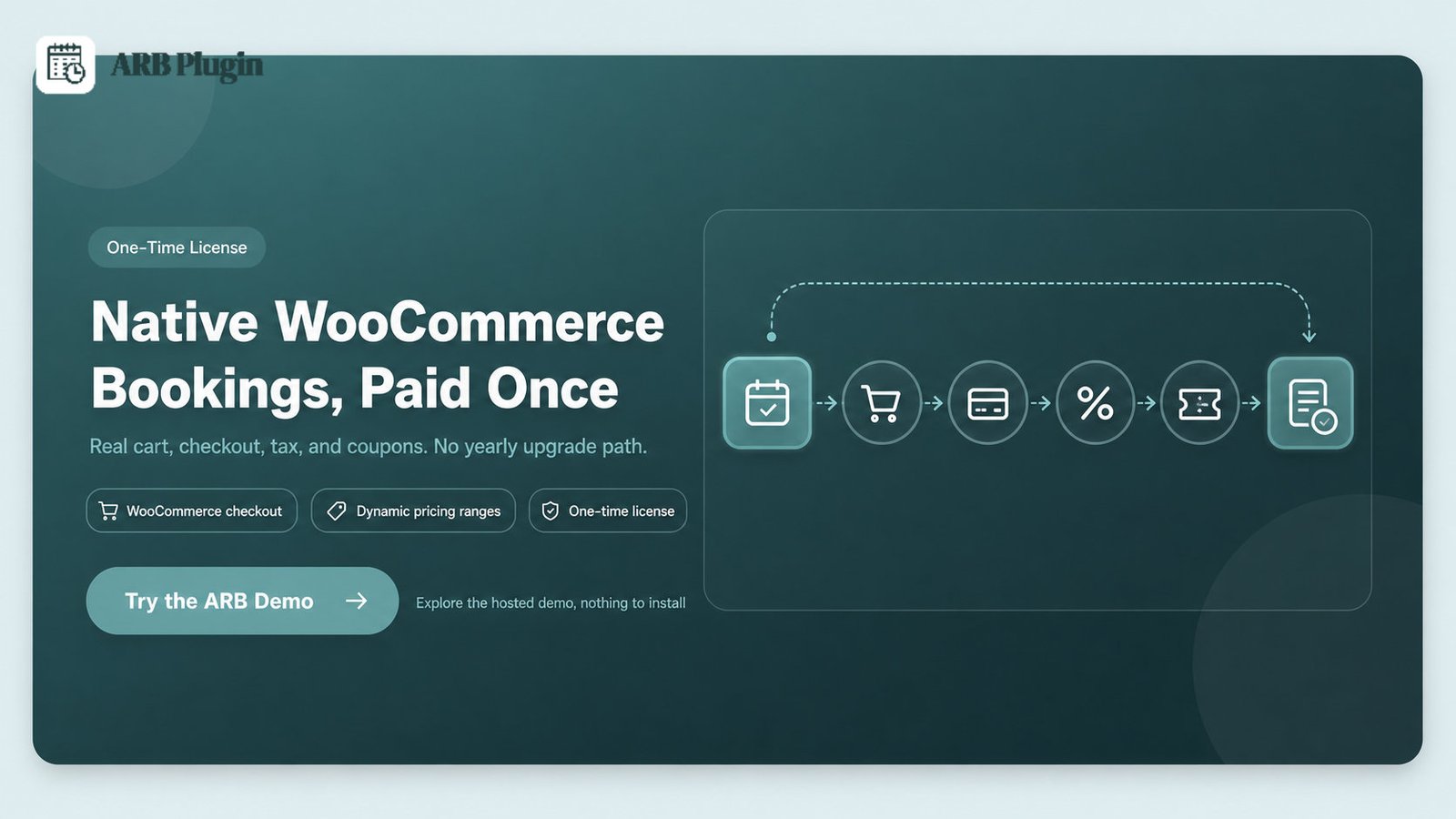
That native flow is the honest reason a paid plugin can cost less over time than a free tier's upgrade path. A free plugin can push you to buy a Pro plan plus payment and sync add-ons every year. Across a few years, a single license can be cheaper; our breakdown of what a booking plugin really costs runs the numbers.
ARB is not for everyone. It loses on real points:
- No free tier to trial; evaluation is demo-only, unlike every plugin ranked above.
- Google Calendar sync is a paid, one-way add-on ($19 one-time), with no native two-way sync.
- Staff are modeled as generic "resources," not a dedicated staff module with individual logins.
- No deposits or partial payments, where Amelia and others offer them.
For booking rules that are appointment-and-staff-heavy rather than commerce-heavy, compare the two directly in our ARB vs Amelia breakdown. For a WooCommerce store that needs real checkout, try the ARB demo before you buy.
What is the best free WordPress booking plugin?
Simply Schedule Appointments is the best free WordPress booking plugin overall, earning the top free-fit score of 4.4/5. Its unlimited-appointment free Basic tier and the cleanest setup in the category win it the top spot. It caps the core booking job least of any free tier here. Match the runner-ups to your need:
- LatePoint or BookingPress if you must take a payment on free.
- Easy Appointments for a fully free multi-staff core.
- Booking Calendar for rentals and dates.
- Amelia if polish matters and you plan to upgrade.
There is an honest bridge, though. No free tier puts bookings inside your real WooCommerce cart, checkout, tax, and coupons. For that job, a one-time paid plugin can cost less over time than a free tier's yearly upgrade path. Compare the full field in our best WooCommerce booking plugins guide. When native checkout is your requirement, the ARB demo is the fastest way to see it work.
FAQs
What is the best free WordPress booking plugin with payment support?
The best free WordPress booking plugins with payment support are LatePoint (Stripe), BookingPress (PayPal), and Hotel Booking Lite (PayPal). Each takes real payments on its free tier. For payments inside WooCommerce checkout, a paid plugin such as ARB or WooCommerce Bookings is required, since no free tier routes through the cart.
Is there a completely free WordPress booking plugin?
Yes. Easy Appointments ships a 100% free core with multiple staff, locations, and custom fields, and no paid tier is required to run bookings. It does not take online payments on free, so adding Stripe or PayPal needs its paid Pro version.
What is the best free WordPress booking plugin on Reddit?
On Reddit's r/Wordpress threads, users most often point to Booking Calendar and Simply Schedule Appointments for a completely free setup. Both run real free tiers on WordPress.org, though neither takes a payment on free. BookingPress comes up when the requirement is a free tier that accepts PayPal.
Can I take bookings and payments for free on WooCommerce?
Not through the WooCommerce cart. Free plugins that take payments (LatePoint, BookingPress, and Hotel Booking Lite) use their own Stripe or PayPal flow, not WooCommerce checkout. Routing bookings through WooCommerce tax, coupons, and gateways needs a paid plugin such as ARB or WooCommerce Bookings.
Do free booking plugins put a limit on how many bookings I can take?
Most do not cap total bookings. Simply Schedule Appointments, BookingPress, and LatePoint allow unlimited appointments on free. The caps are usually on staff, services, resources, or gateways, not booking volume. Bookly is the exception, limiting its free tier to 1 staff and 5 services.
Is a free booking plugin safe for a real business?
Yes, for many businesses. LatePoint, Bookly, Amelia, and Booking Calendar each carry tens of thousands of active installs and strong WordPress.org ratings. Safety depends on updates and support, both thinner on free tiers, so confirm the plugin is actively maintained before you rely on it.