Feature Page
Set Every WooCommerce Booking Rule in One Availability Tab
Set WooCommerce booking availability natively with ARB: slot capacity, buffers, lead time, ranges, and per-resource rules in one tab. One-time $55, no yearly add-on.
Everything That Controls Availability, in One Place
WooCommerce store owners set slot capacity, buffers, lead time, and booking windows natively in ARB, with no $249-a-year extension and no paid availability add-on.
See it running in the live demo before you configure your own store.
One Availability tab governs who books, when, how far ahead, and how many people.
- Never double-book again. Max Reservations per Slot caps each slot at the exact capacity you set.
- Own it once. A $55 one-time license replaces WooCommerce's $249-a-year extension and its $59-a-year add-on.
- Space out every booking. A 20-minute vacant period pushes the next open slot forward automatically.
- Control the booking window. A one-week booking horizon shows exactly seven reservable days ahead, no further.
Booking Rules That Match How You Actually Work
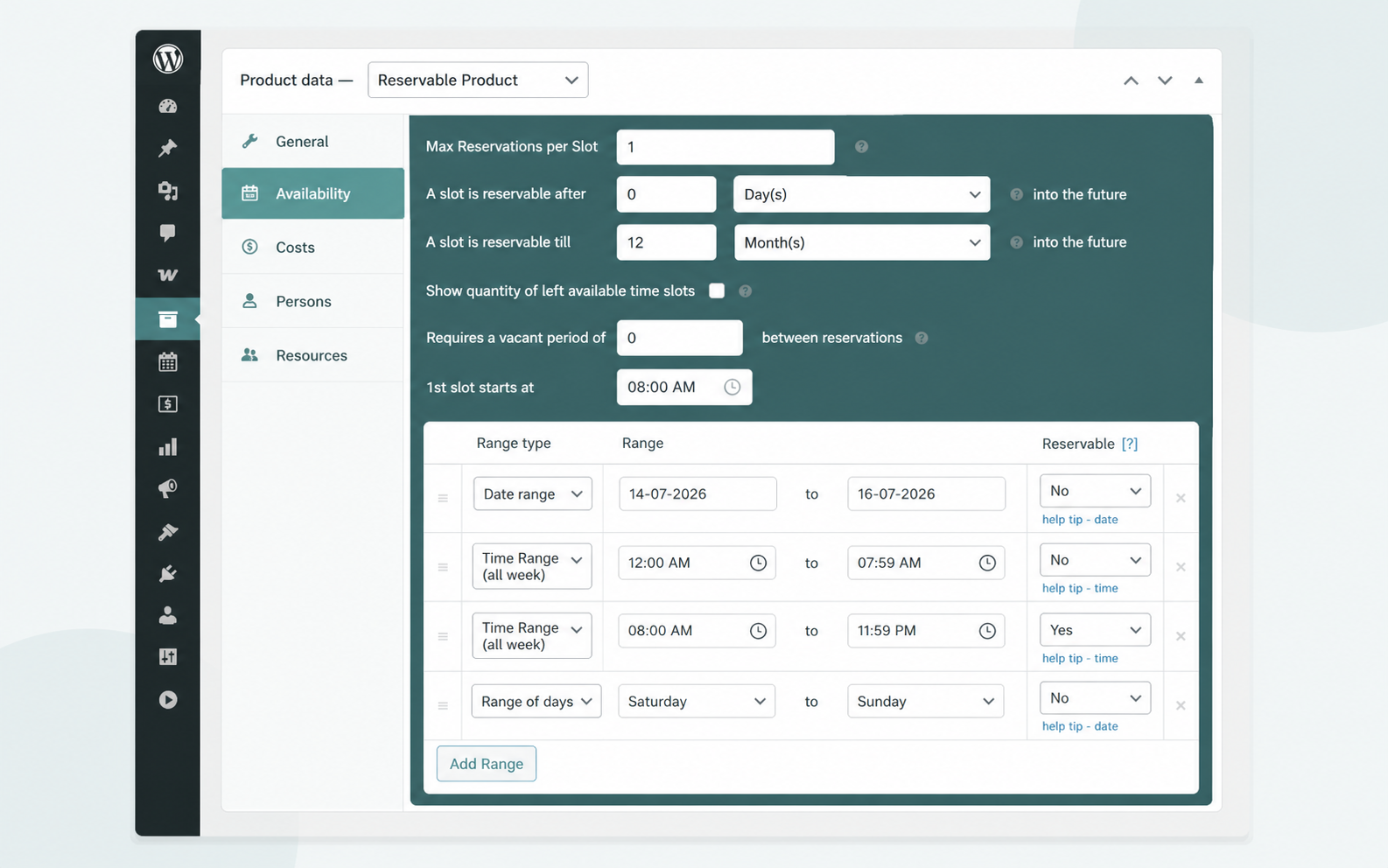
Four card-sized controls cover every availability rule a real WooCommerce store needs.
Cap Capacity and Block Double-Bookings
Max Reservations per Slot sets how many orders one slot accepts, closing every double-booking path for good.
- Set capacity to 1 for strict, one-at-a-time appointment slots.
- Raise the cap for classes, tours, or multi-seat group bookings.
- Combine per-resource rules so no room or staffer books twice.
Add Buffers and Lead Time
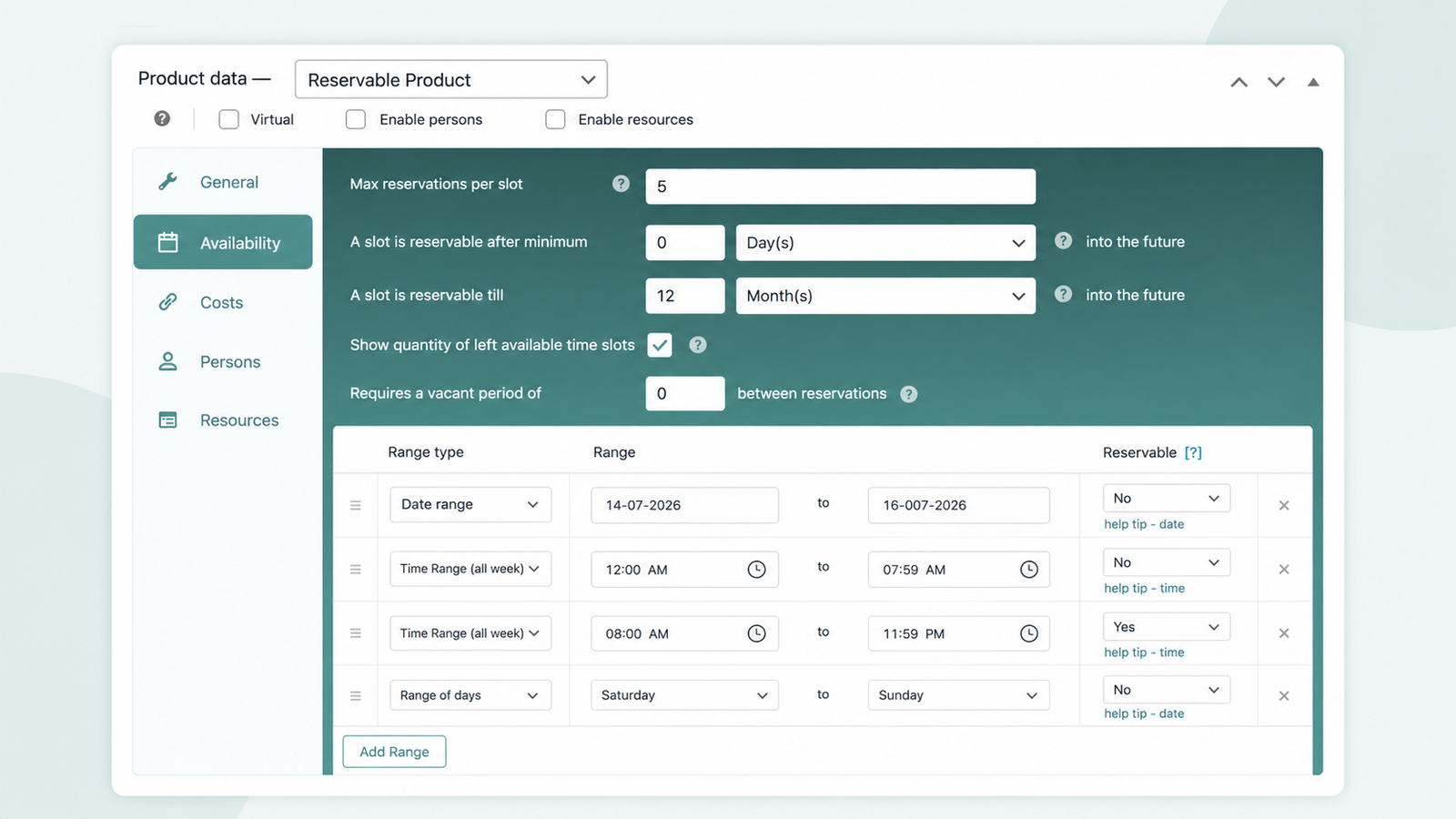
Insert breathing room between bookings and stop last-minute grabs using two quick Availability tab fields.
- Set a 20-minute vacant period between consecutive bookings.
- Require minimum lead time in hours, days, or weeks.
- Set the first slot start time to match opening hours.
Open Only the Dates You Want
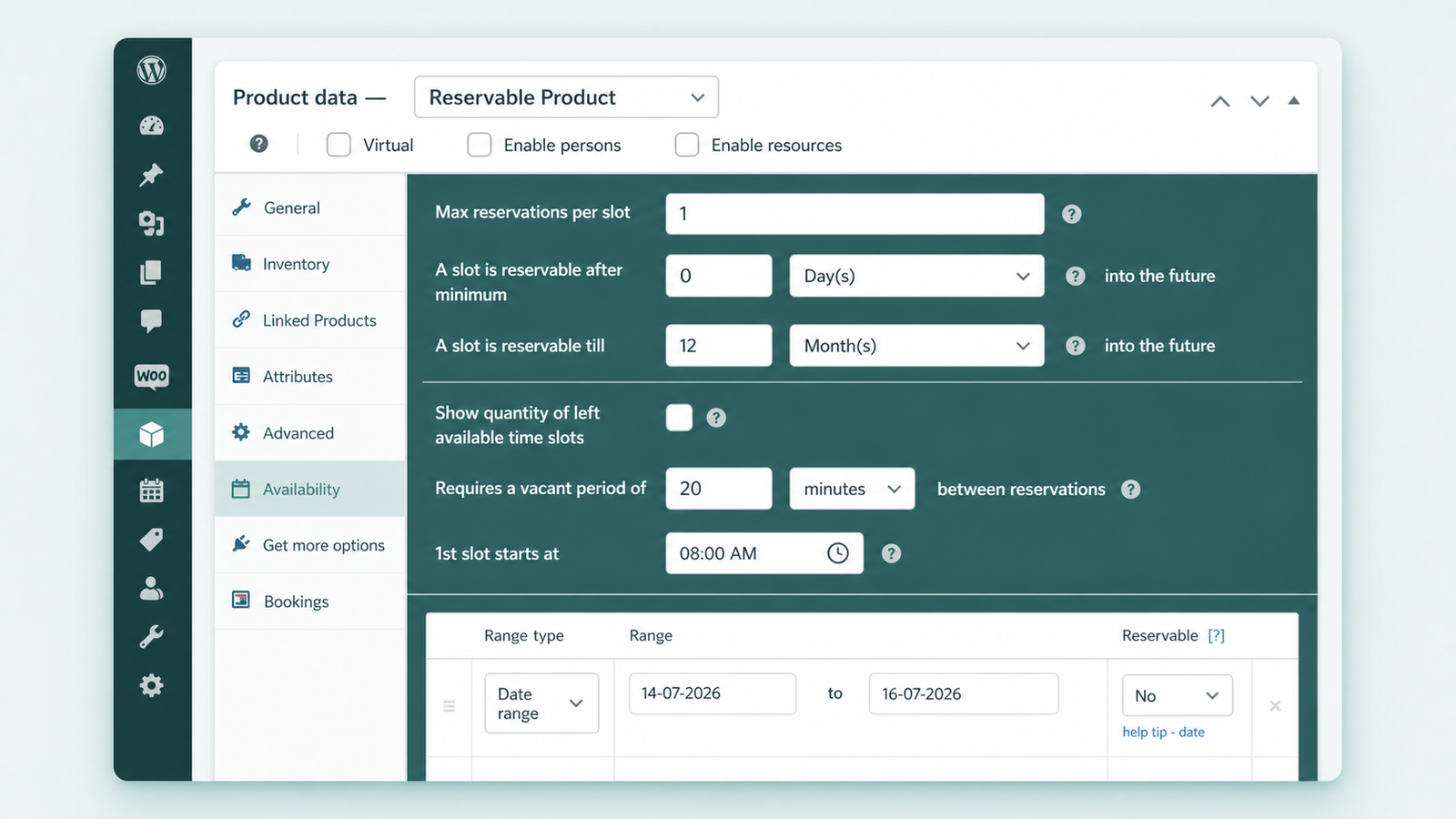
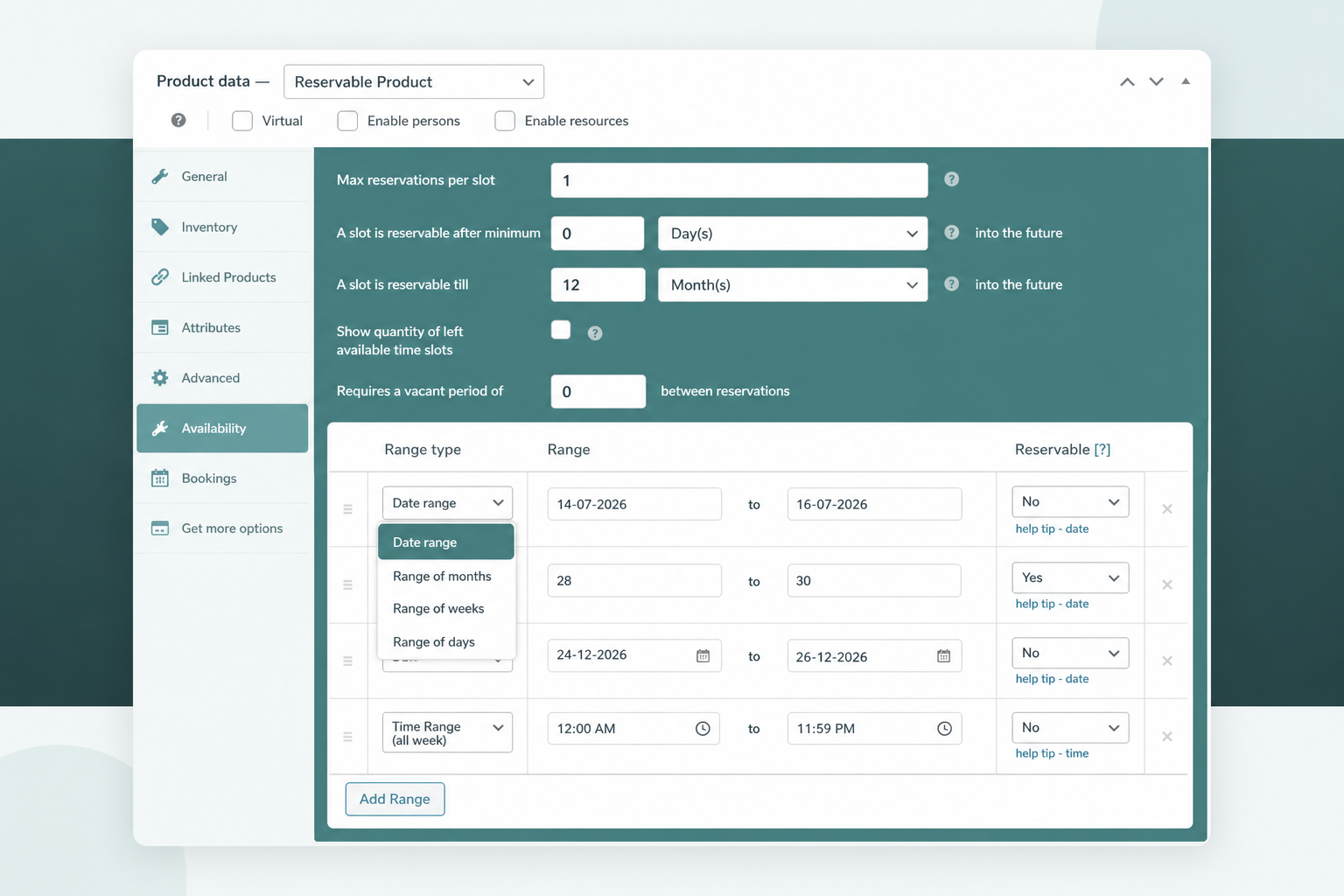
Add Range opens unlimited availability windows across seven range types, or blocks selected dates out entirely.
- Open seasons, weekdays, or specific business-hour time windows.
- Block holidays completely with a date range with time.
- Repeat schedules for recurring bookings every week or month.
Give Every Resource Its Own Schedule
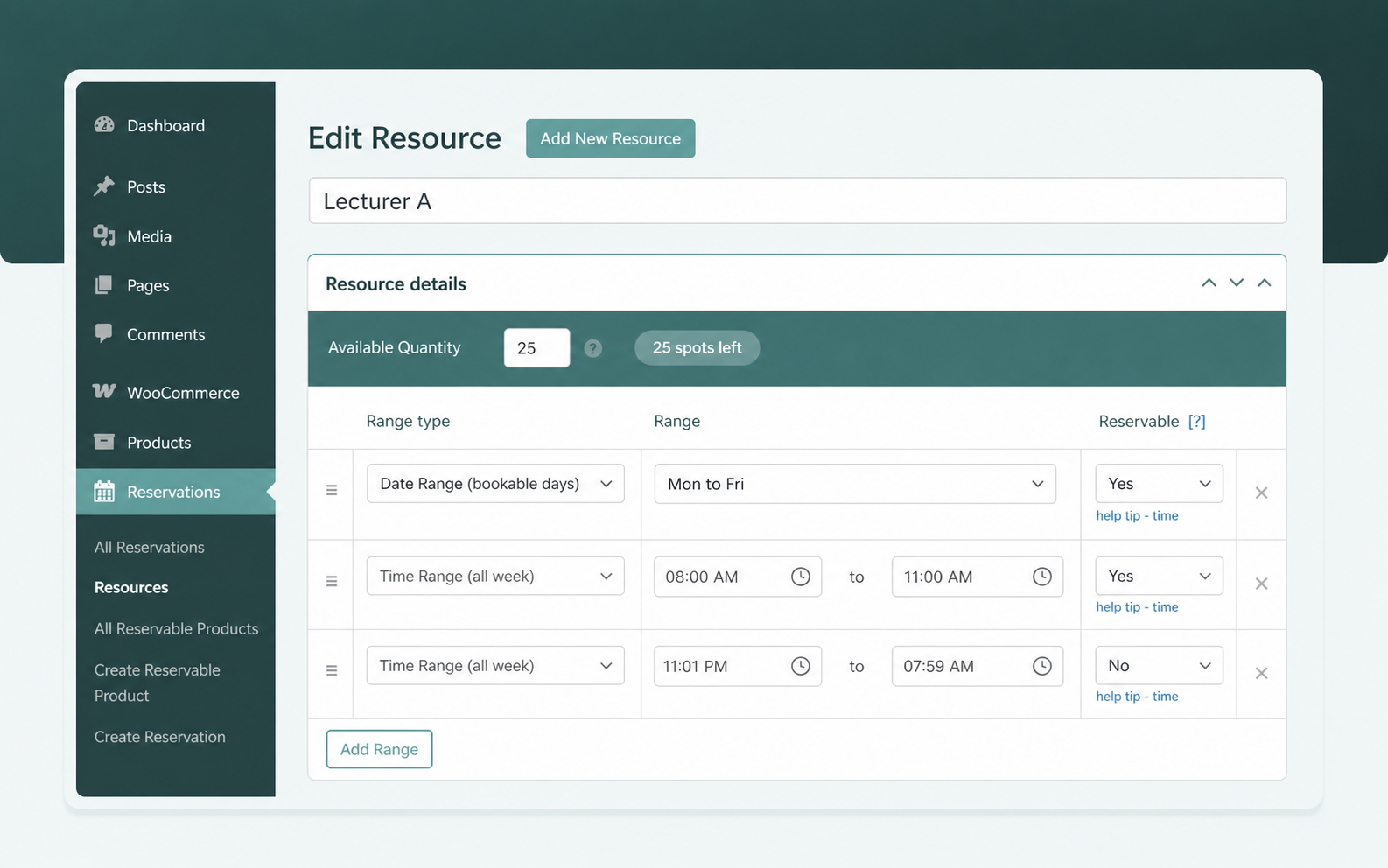
Each booking resource carries its own availability schedule inside the same Reservable Product.
- Schedule Lecturer A on Tuesdays and Lecturer B on Fridays.
- Show customers only the chosen resource's open slots.
- Display a left-slots counter, such as 25 spots left.
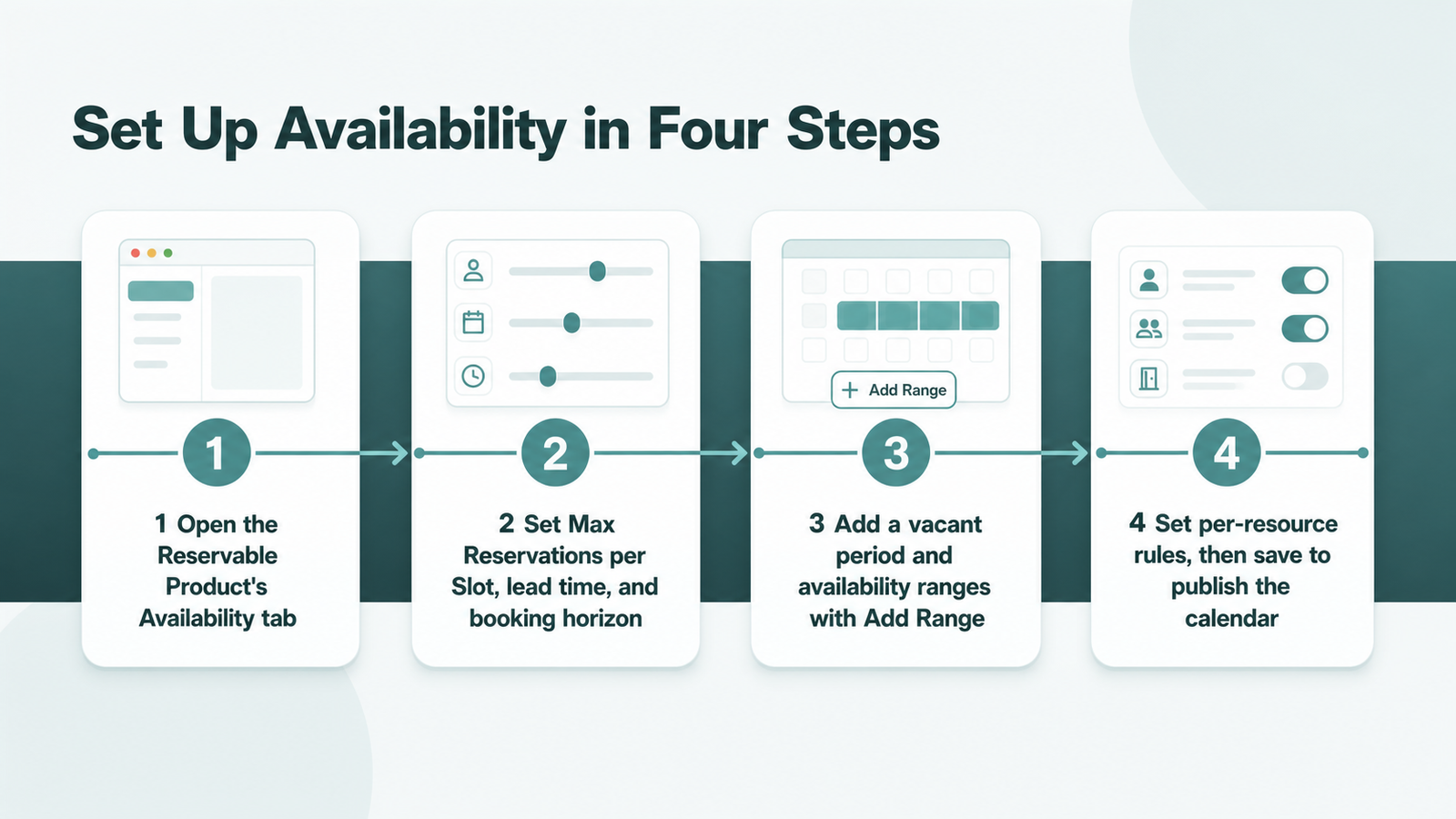
Set Up Availability in Four Steps
Configure every rule inside one Reservable Product, then publish the bookable calendar.
- Open the Reservable Product's Availability tab in WooCommerce.
- Set Max Reservations per Slot, lead time, and booking horizon.
- Add a vacant period and availability ranges with Add Range.
- Set per-resource rules, then save to publish the calendar.
Native Availability vs the Paid WooCommerce Path
WooCommerce sells availability display as a separate add-on stacked on its base booking extension.
| Availability capability | ARB | WooCommerce Bookings + add-on |
|---|---|---|
| Price | $55 one-time | $249/yr plus $59/yr add-on (about $308/yr) |
| Availability display | Built into every Reservable Product | Needs the separate Bookings Availability add-on |
| Rules, ranges, buffers | Native and unlimited | Native to the base extension |
| Google Calendar sync | Paid one-way add-on ($19) | Two-way sync included |
ARB bundles display, rules, ranges, and buffers into one $55 one-time license. WooCommerce's stack charges roughly $308 a year for the same availability display.
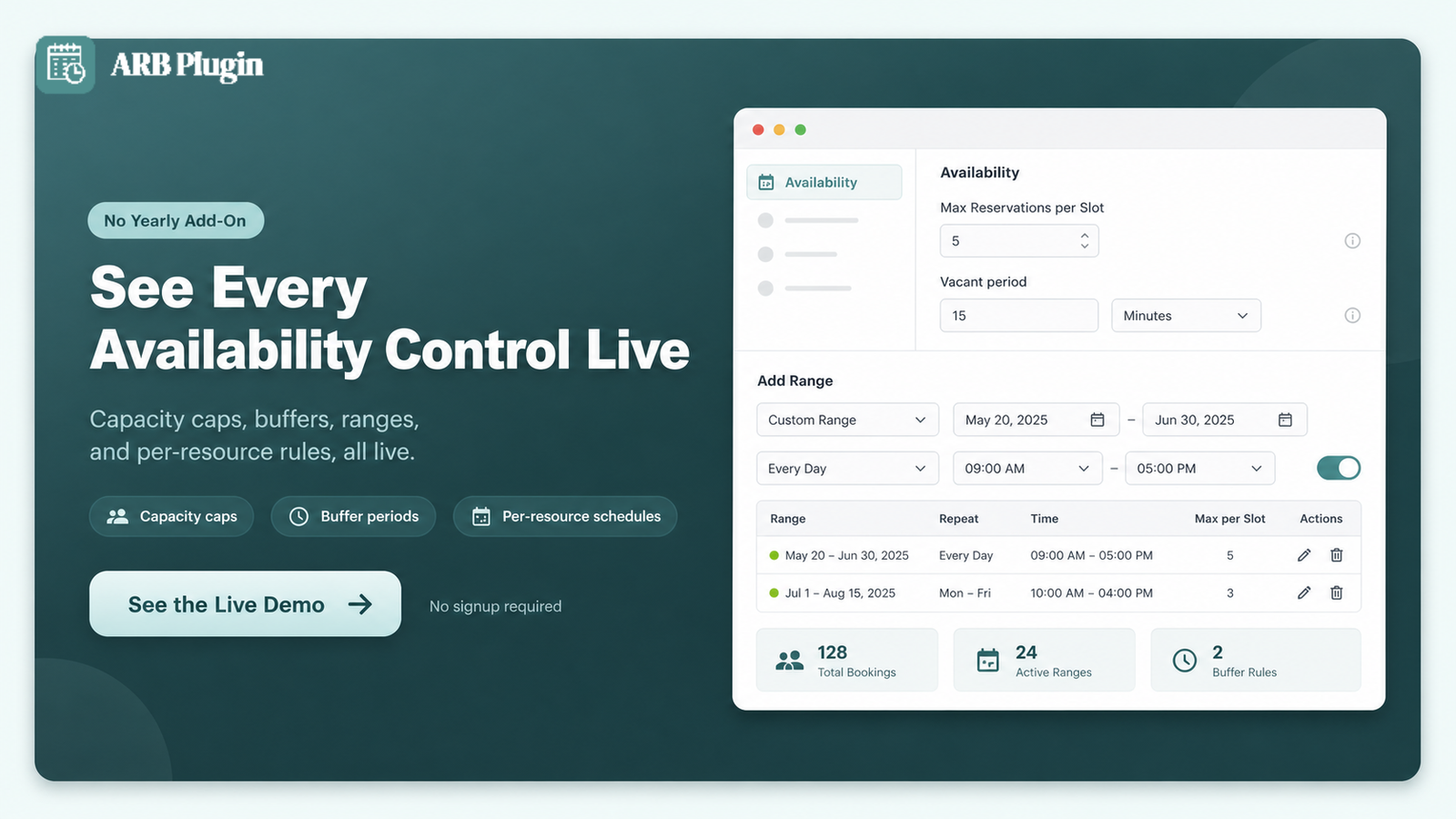
See Every Availability Control Live
Watch the capacity caps, buffers, ranges, and per-resource rules working in the ARB live demo before you configure your own store.
Frequently asked questions
Straight answers to the questions that matter most
Is there a free WooCommerce booking availability option?
No. WooCommerce's own Bookings Availability add-on costs $59 on top of the $249-a-year Bookings extension. Free third-party plugins exist but cap booking forms and restrict calendar sync. ARB is a $55 one-time plugin, not free, but it bundles availability display and rules with no recurring fee.
Can I show availability by day, week, or month?
Yes. ARB's Add Range tool includes range of days, range of weeks, and range of months. A booking calendar can then restrict or open availability at any of those three levels.
How do I stop two customers from booking the same slot?
Set Max Reservations per Slot to 1 on the Availability tab. WooCommerce then refuses a second order for that slot the moment the first booking is placed.
What is a vacant period, and how is it different from lead time?
A vacant period is the buffer ARB inserts between two bookings, shifting the next open slot forward. Minimum lead time instead controls how soon before a slot's start a customer can still book it. One spaces bookings apart; the other sets the earliest booking window.
Can each staff member or room have its own availability?
Yes. Per-resource availability rules let every resource, whether a room, a staff member, or equipment, carry its own schedule. That schedule lives on the same Reservable Product as every other resource.
How do I block out holidays or specific dates?
Add a Date Range With Time entry for the closed period and mark it non-bookable. Those dates disappear from the front-end calendar entirely.
Can customers book recurring or weekly slots?
Yes, using range of weeks or range of months in Add Range, which repeats the same open period across future weeks or months. See how to set up recurring appointments for the full pattern.
How far in advance can customers book?
As far as the booking horizon allows. Set it to 1 week and customers see 7 reservable days ahead; extend it for tours or hotels booked months out.
What happens if two bookings still land on the same slot?
That should not happen once Max Reservations per Slot is set correctly. If an order ever needs correcting, ARB's Reservations admin screen lets a store owner reschedule or cancel either order directly.