Industry Page
Sell Gym and Fitness Class Seats in WooCommerce
Sell gym and fitness class seats inside WooCommerce with ARB: seat caps, weekly schedules, trainer resources, and pass pricing, for a one-time $55 license.
Everything a fitness studio needs, inside WooCommerce
For gyms, studios, and fitness instructors on WordPress: take paid class bookings on your own WooCommerce store, no subscription.
Try a class, a trainer, and a pass price in the live demo before you buy.
ARB adds a paid class-booking layer to WooCommerce, so every seat becomes a normal order you already manage.
- Own your bookings. Members reserve class seats and pay through your existing WooCommerce checkout.
- Pay once. A one-time $55 license instead of the $249-a-year WooCommerce Bookings path.
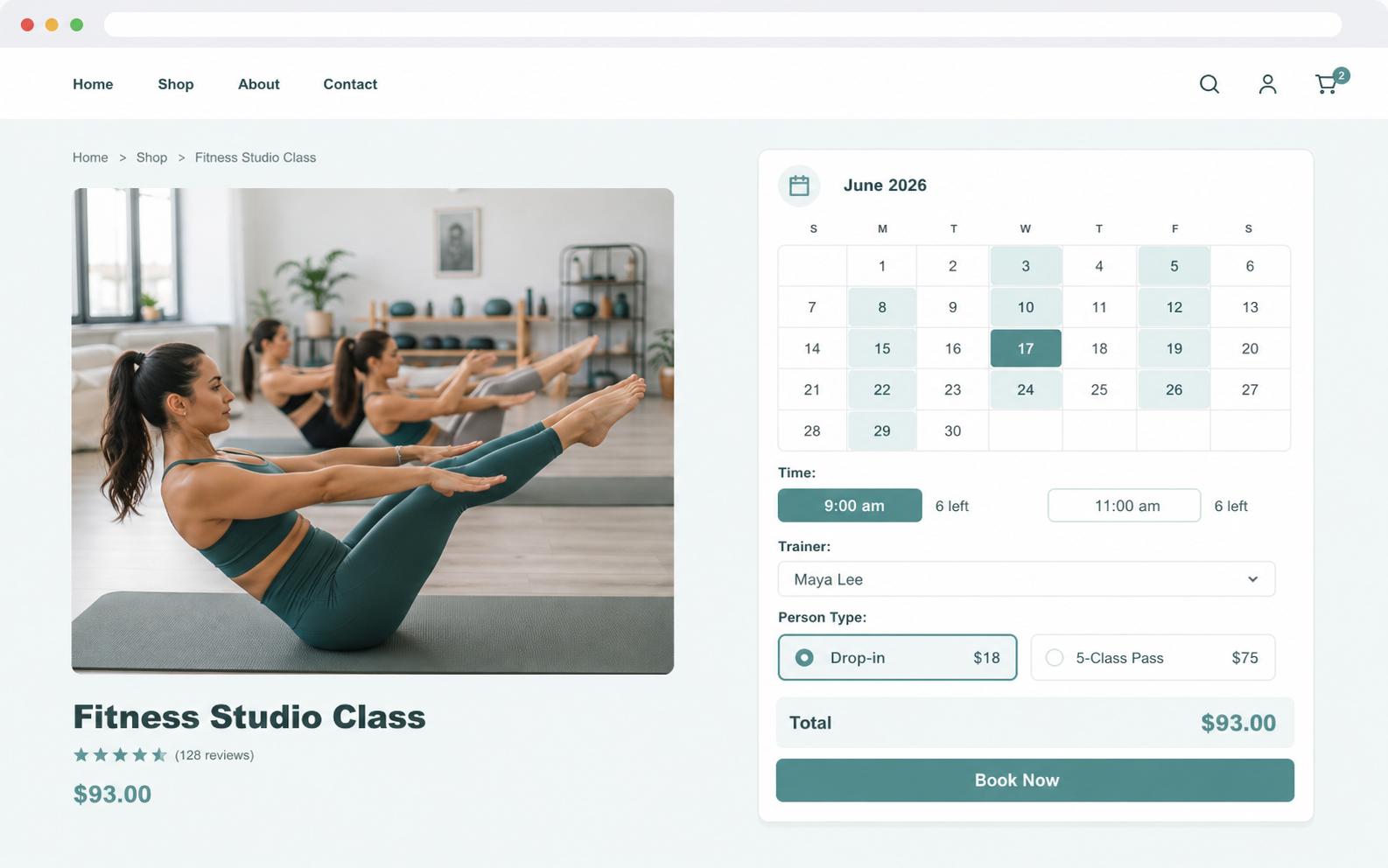
- Cap every class. Set a seat limit per session with a live spots-left counter.
- Never overbook. Each class stops selling the moment its seats fill.
Four features that run your classes
Seat capacity per class
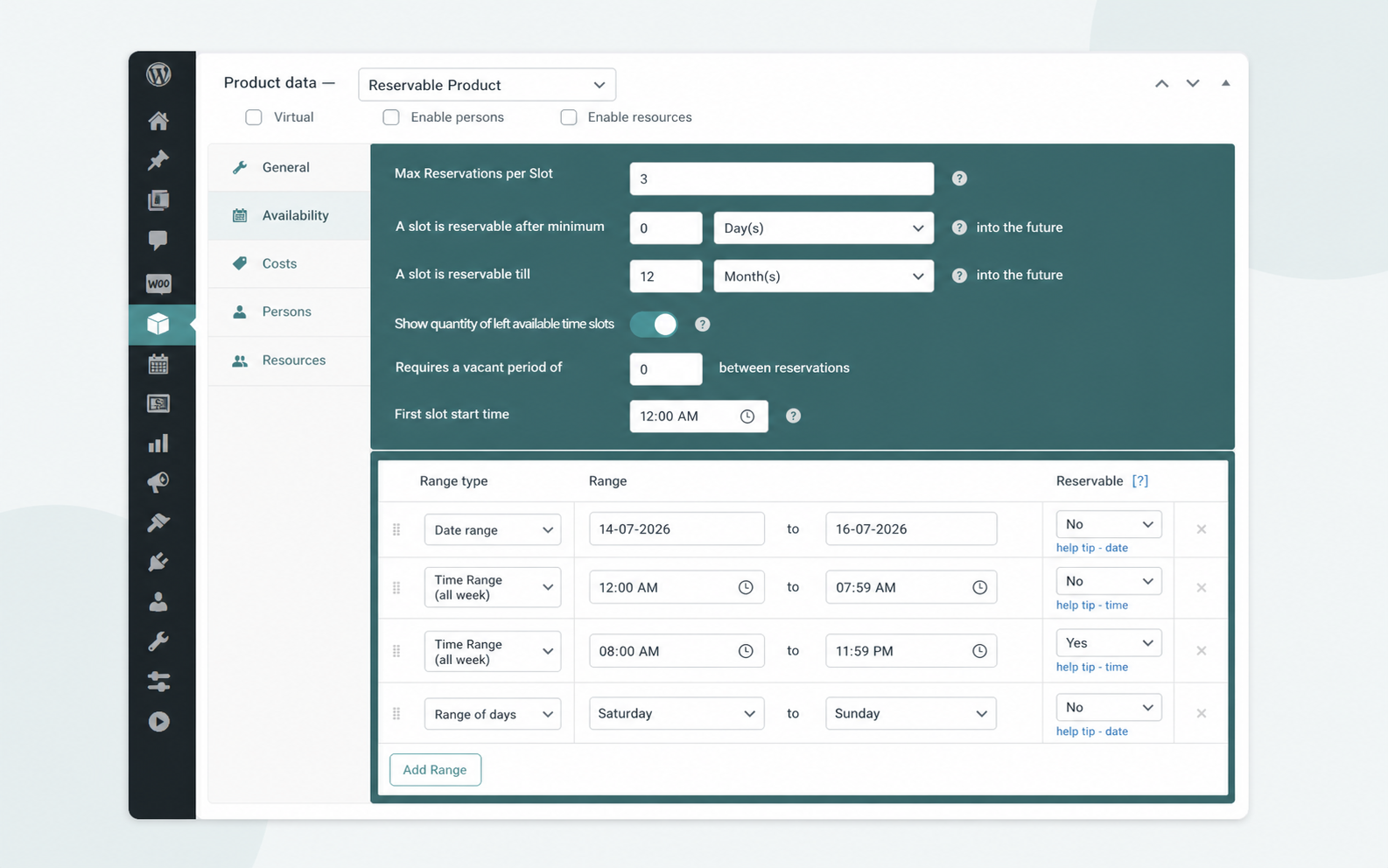
Cap each class with Max Reservations per Slot and a live spots-left counter showing remaining seats.
- Set a hard seat limit per class.
- Show members exactly how many spots remain.
- Stop sales the moment a class fills.
Recurring weekly schedule
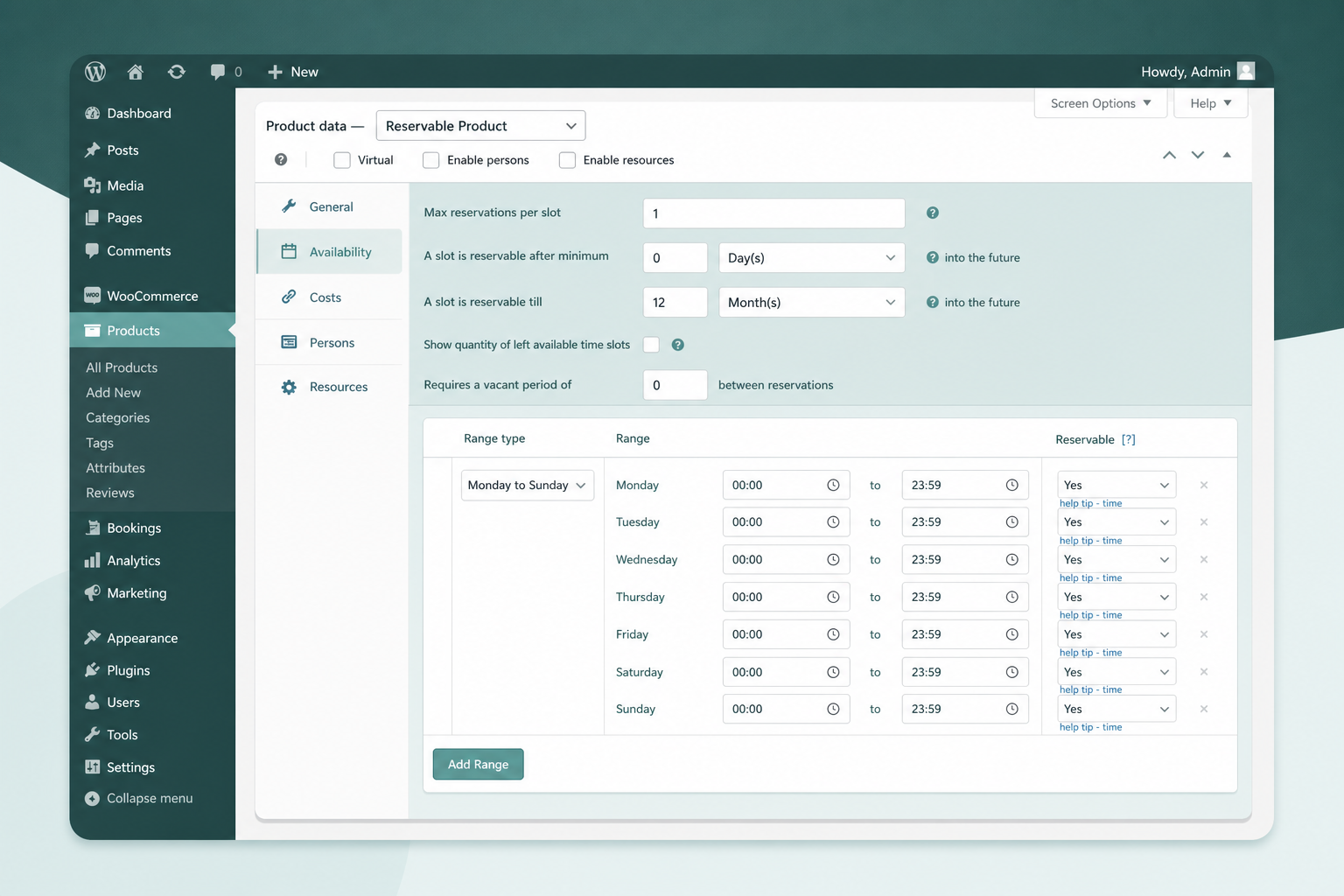
Map a repeating weekly timetable to Availability Ranges, including the Monday to Sunday range type.
- Set repeating weekly class times.
- Add exceptions with range-of-days rules.
- Control lead time and booking horizon.
Trainers and rooms as resources
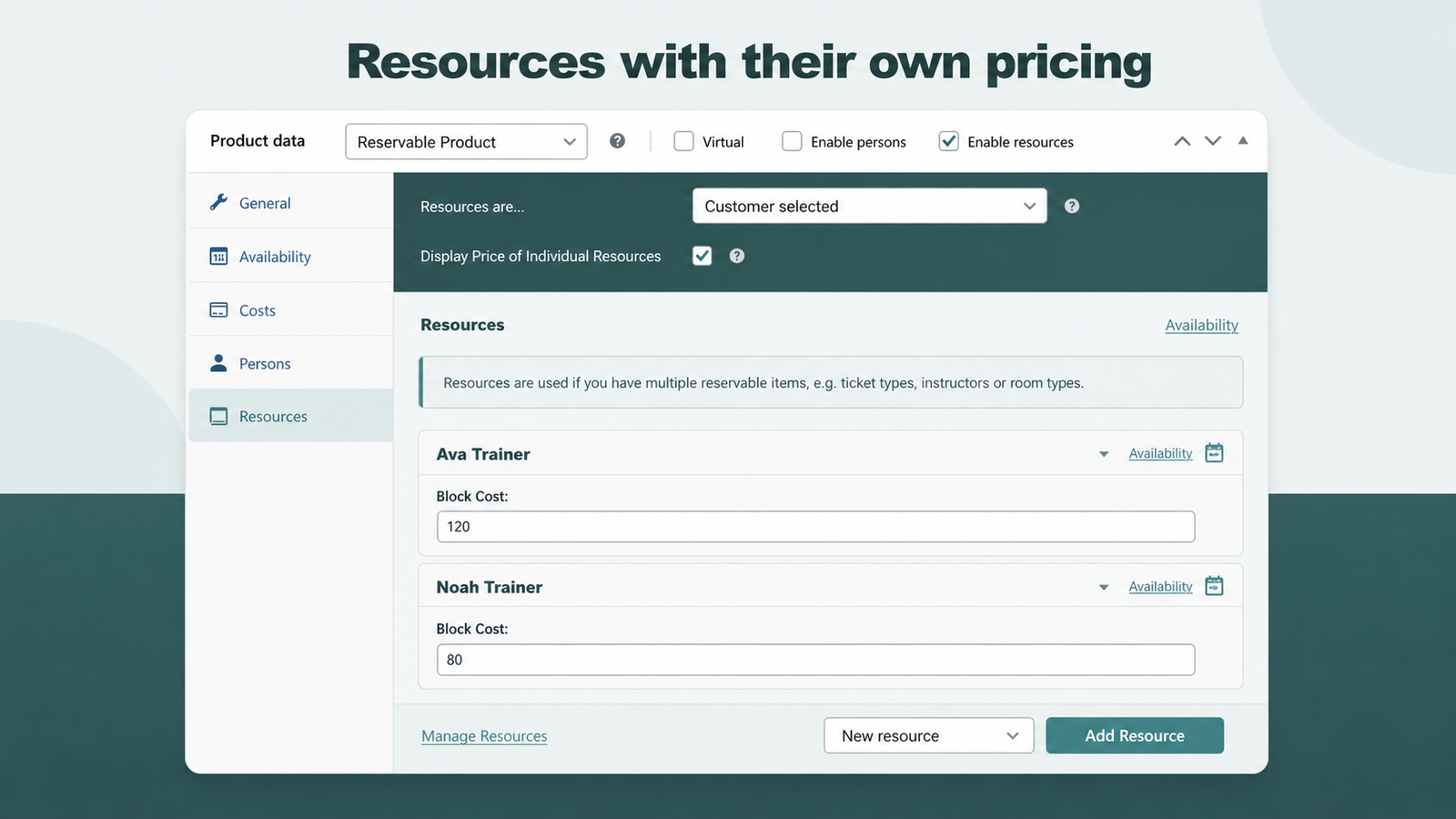
Add each trainer or room as a resource with its own price and availability.
- Give every trainer a separate schedule.
- Price each trainer or room independently.
- Show only the chosen resource's open slots.
Drop-in and pass pricing
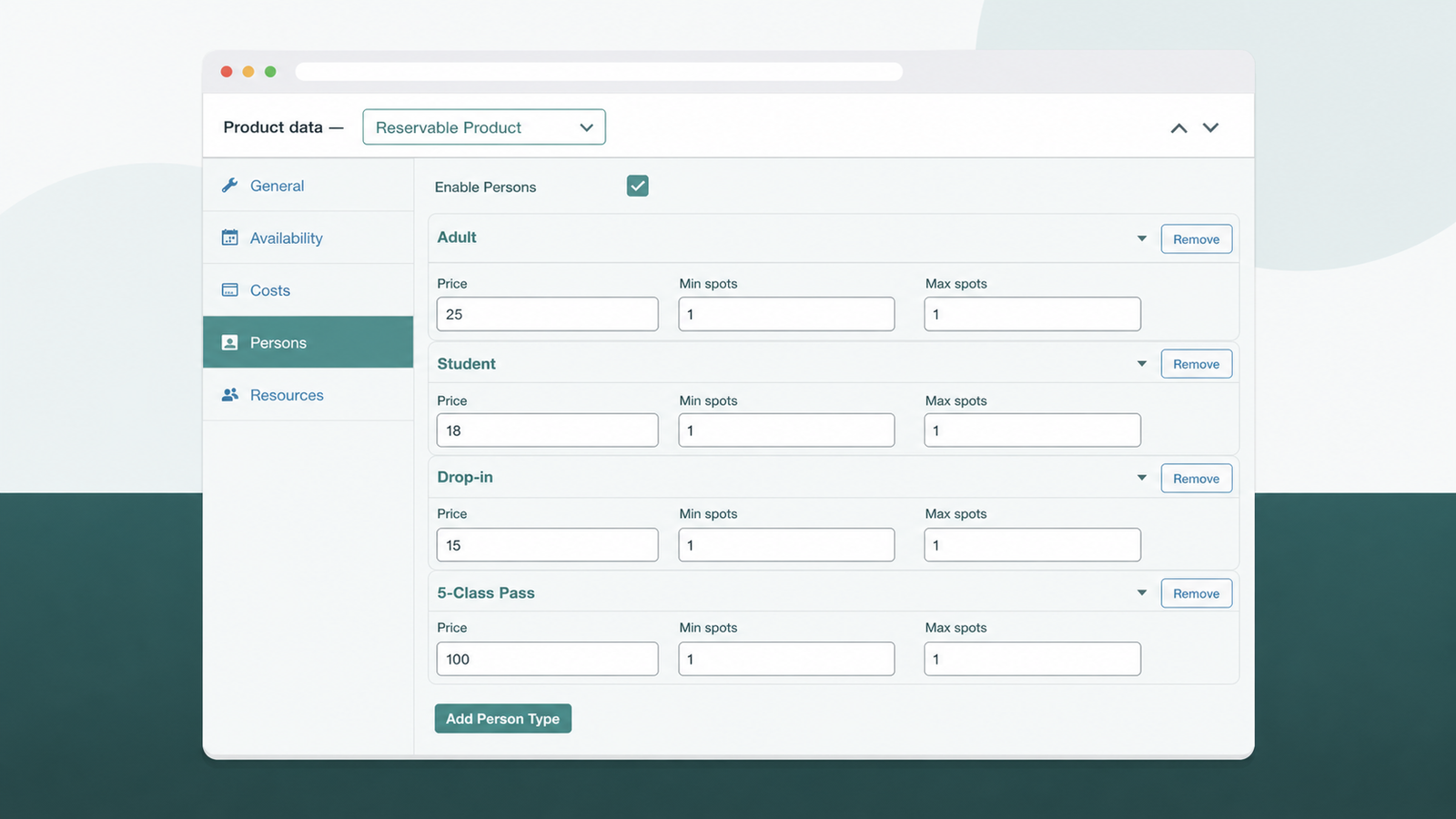
Price drop-ins, class passes, and participant types with Person Types, each with its own rate.
- Charge adults and students different rates.
- Sell single drop-ins and multi-class passes.
- Set minimum and maximum spots per type.
Set up class booking in four steps
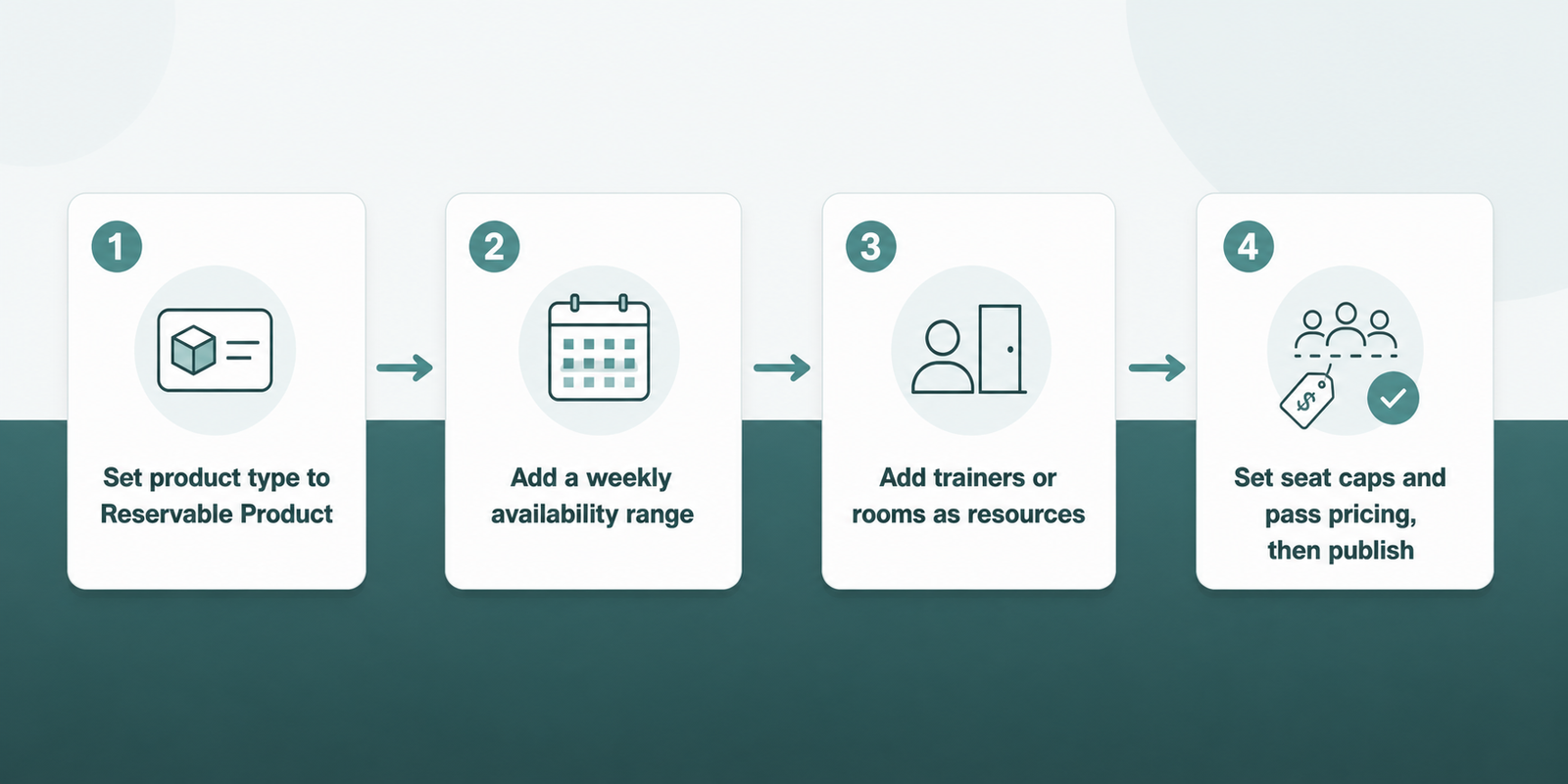
Four steps turn a normal WooCommerce product into a bookable class; the full walkthrough covers each.
- Set the product type to Reservable Product.
- Add a weekly availability range for the class time.
- Add trainers or rooms as resources, each with a schedule.
- Set seat caps and pass pricing, then publish.
ARB vs manual bookings on plain WooCommerce
Plain WooCommerce sells one fixed product; it cannot cap seats, run a weekly schedule, or price a pass on its own.
| Job | Plain WooCommerce | ARB |
|---|---|---|
| Cap seats per class | No | Yes, Max Reservations per Slot |
| Recurring weekly schedule | No | Yes, Availability Ranges |
| Trainer or room scheduling | No | Yes, each a resource |
| Drop-in and pass pricing | No | Yes, Person Types |
| Price | Free, but fully manual | About $55 one-time |
Is ARB right for your studio?
Match ARB against your studio before you buy.
ARB is a great fit if all three of these are true.
- You want one-time, WooCommerce-native class booking on your own site.
- You want seat caps, trainer resources, and pass pricing without a subscription.
- You already sell through WooCommerce and want every class as a normal order.
Look elsewhere if any of these are dealbreakers.
- You need built-in recurring-membership billing, a class-pass credit system, or a check-in and attendance app.
- You need native two-way calendar sync (ARB's Google Calendar add-on is one-way, $19) or native SMS without the $15 add-on.
- You need an automatic waitlist that queues members and backfills a canceled seat.
Test ARB on a real class booking before you buy
Open the ARB booking demo and book a class seat, a trainer, and a pass price through a live WooCommerce checkout.
Frequently asked questions
Straight answers to the questions that matter most
Can I limit how many people book each class?
Yes. Max Reservations per Slot caps the seats, and a live left-slots counter shows exactly how many spots remain.
Can I set up a recurring weekly class schedule?
Yes. Availability Ranges, including the Monday to Sunday range type, set a repeating weekly time slot for a class.
Can I assign classes to specific trainers or rooms?
Yes. Trainers and rooms are ARB Resources, each with its own price and its own availability, so the calendar only shows the chosen resource's open times.
Can I sell class passes or punch cards?
Partially. Pass tiers, such as a single drop-in or a 5-class pass, are modeled as Person Types with their own price. It is a priced unit at checkout, not a stored member balance or a true membership.
Does ARB handle gym memberships and recurring billing?
No. ARB has no membership or recurring-billing engine. Pair it with a dedicated membership plugin for dues, and use ARB for the class-booking layer.
Do members check in with ARB?
No. ARB handles booking and payment, not front-desk check-in or attendance tracking.
How do customers pay for classes?
Through WooCommerce checkout, using any connected gateway, including Stripe, PayPal, Square, Amazon Pay, PayFast, and eWay.
Is there a free WordPress gym booking plugin?
Free options exist, including Gym Builder, BookingPress's entry tier, and Bookly Lite, but they cap features. ARB is a one-time license around $55, not a subscription.
Does ARB work with Elementor or my theme?
Yes. ARB displays through a shortcode, Elementor's Shortcode widget, or native WPBakery support.
Can students and adults pay different prices for the same class?
Yes. Person Types carry independent pricing, so an "Adult" rate and a "Student" rate can differ for the same class.