Feature Page
Assign Rooms, Staff, or Equipment to Every Booking
Assign rooms, staff, or equipment as WooCommerce booking resources with ARB. Set per-resource pricing, availability, and quantity, and stop double-booking.
Turn any room, seat, or unit into a bookable resource
Give each resource its own price, availability, and quantity inside WooCommerce, and stop two customers from grabbing the same one.
See resources on the live ARB demo before you buy.
A resource is a generic bookable container: a room, table, vehicle, or staff member handled as a resource.
- Own price per resource so a suite can cost more than a standard room.
- Own availability and quantity so every unit runs on its own calendar.
- Resource-level double-booking guard so no two customers share one slot.
- Not person types so, to count adults and children, you use group bookings instead.
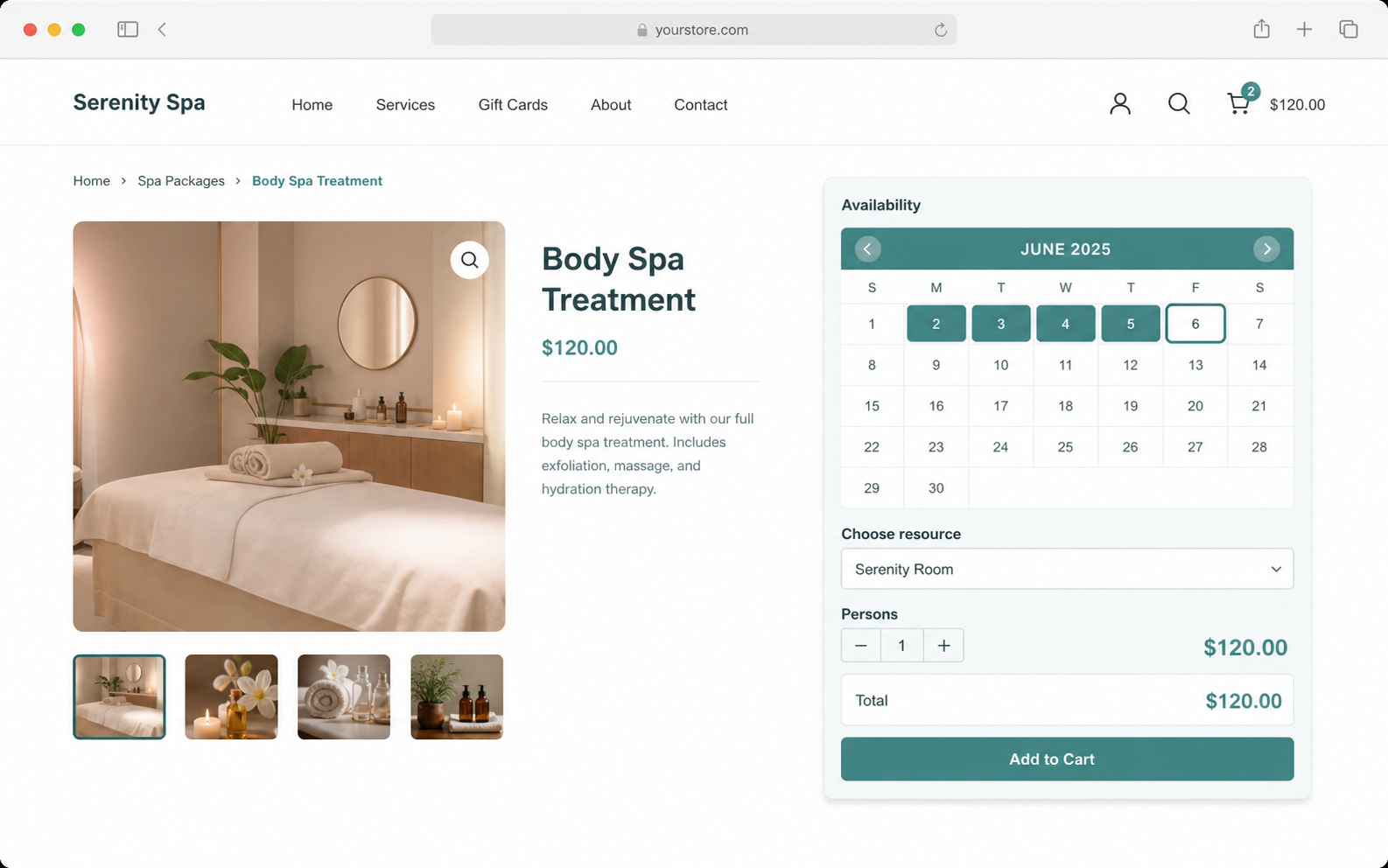
Everything a resource needs, on one tab
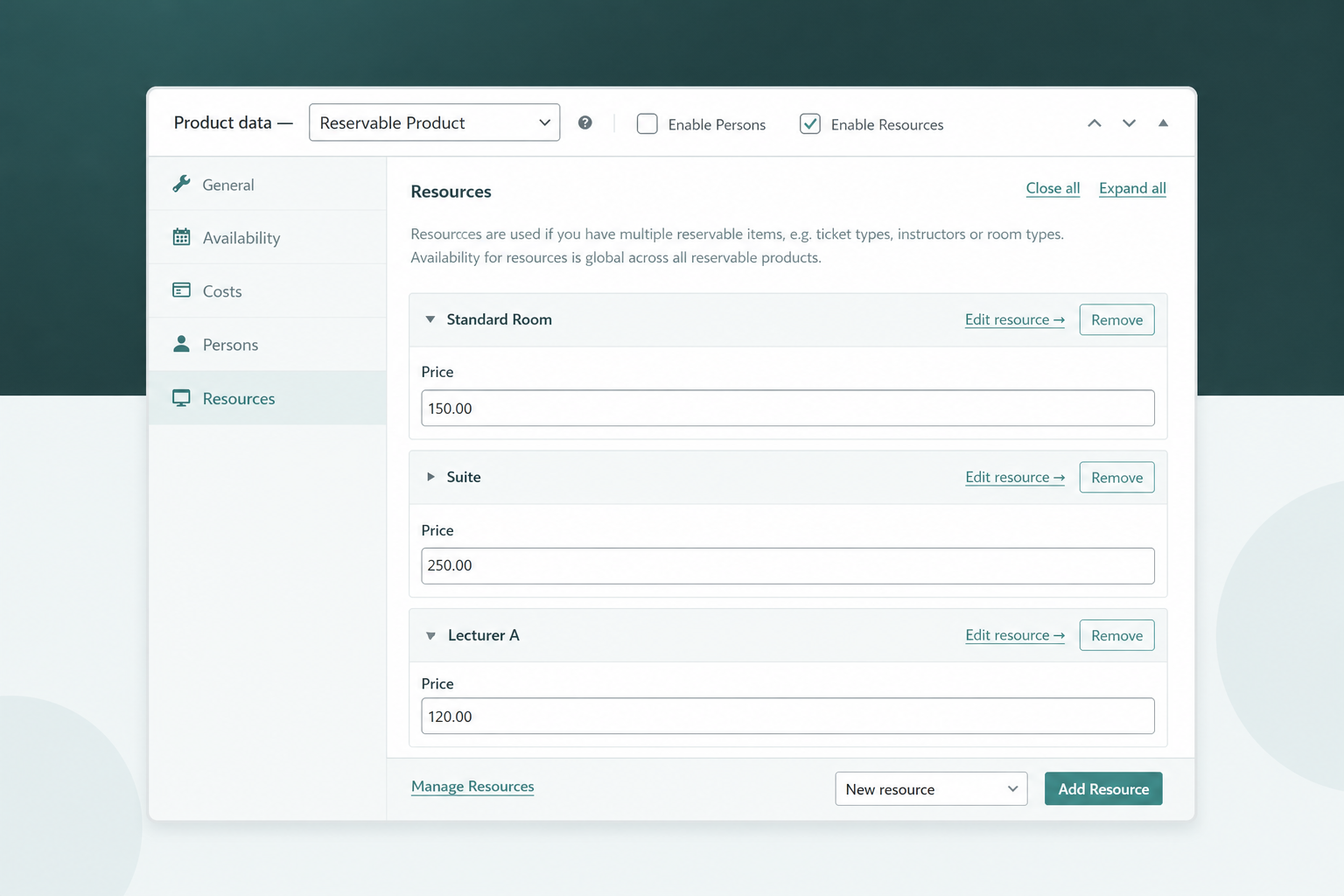
Per-resource pricing
Every resource carries its own price, stacked on top of the booking Base Cost and any range-based rule.
- Set an individual price per room, staff member, or unit.
- Stack weekend or seasonal surcharges on top automatically.
- Recalculate the total instantly through ARB's AJAX pricing.
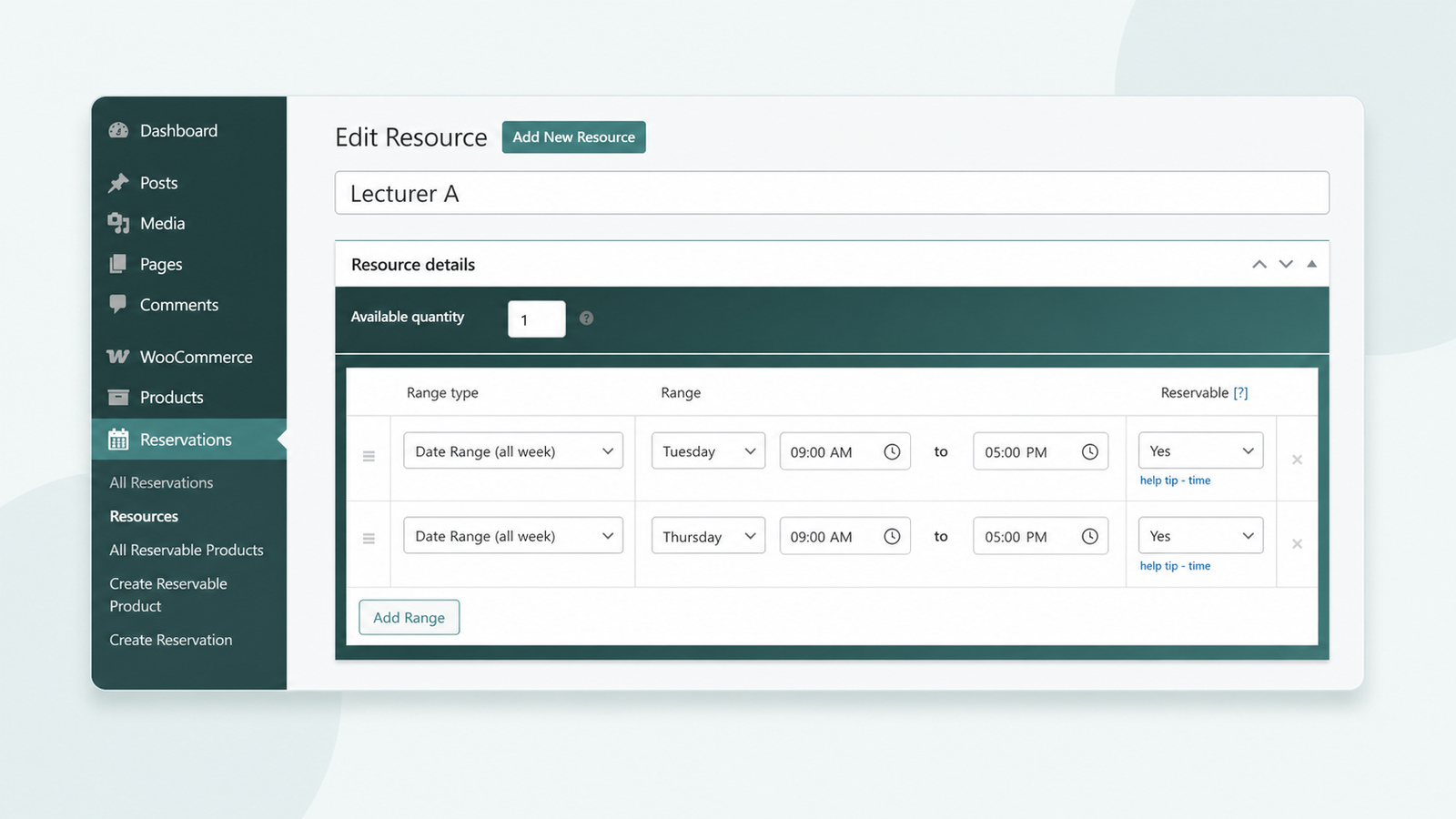
Per-resource availability and quantity
Each resource has its own availability window and available quantity, set on the Edit resource screen.
- Give every resource a separate schedule and open dates.
- Track how many units stay free per slot.
- Show only the picked resource's dates on the calendar.
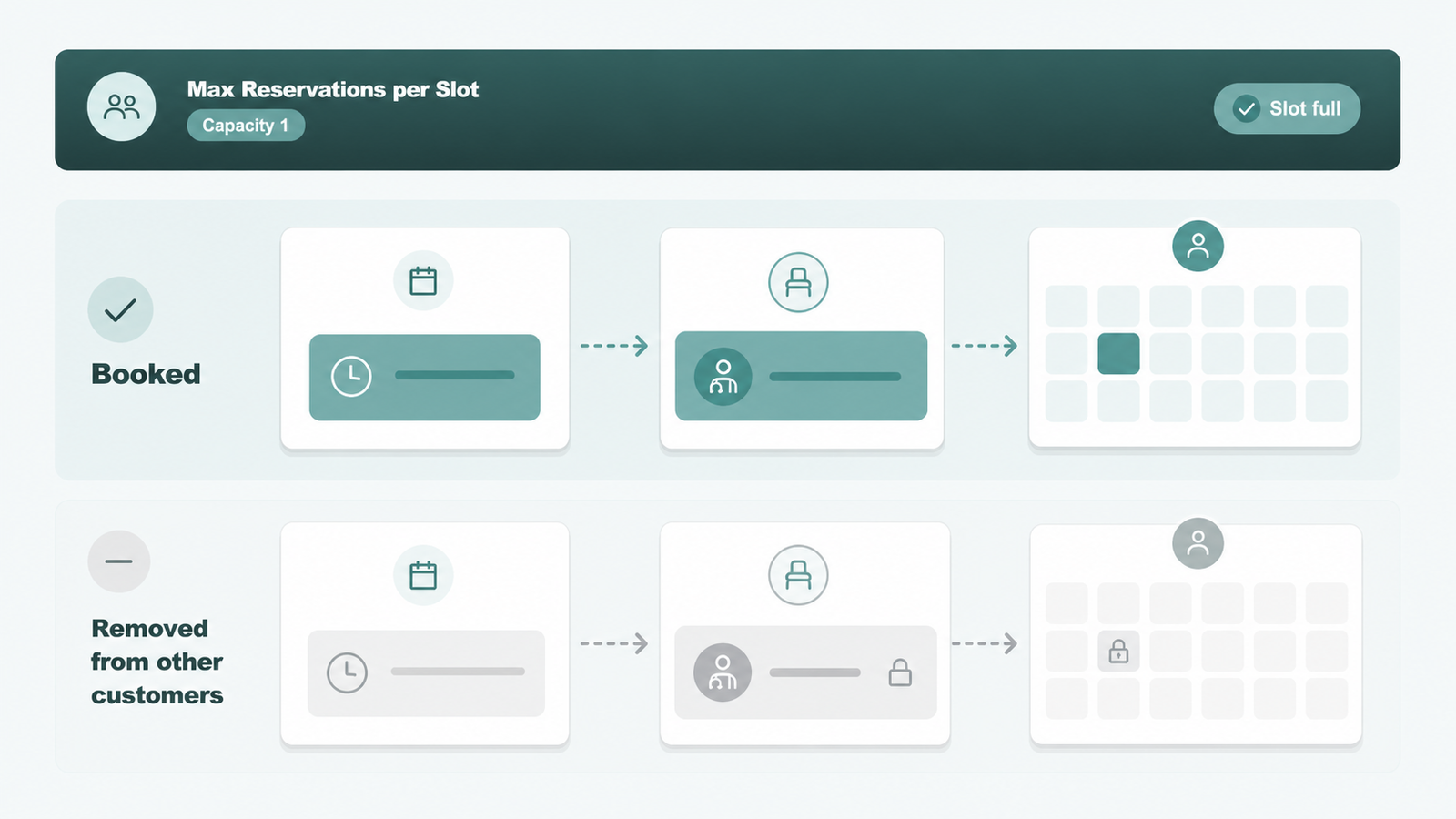
Resource-level double-booking prevention
Max Reservations per Slot and per-resource availability pull a booked resource off the calendar for that time slot.
- Cap a doctor, trainer, or consultant to one booking.
- Remove a filled resource from every other customer's view.
- Prevent two customers from grabbing the same unit.
Customer-chosen resource dropdown
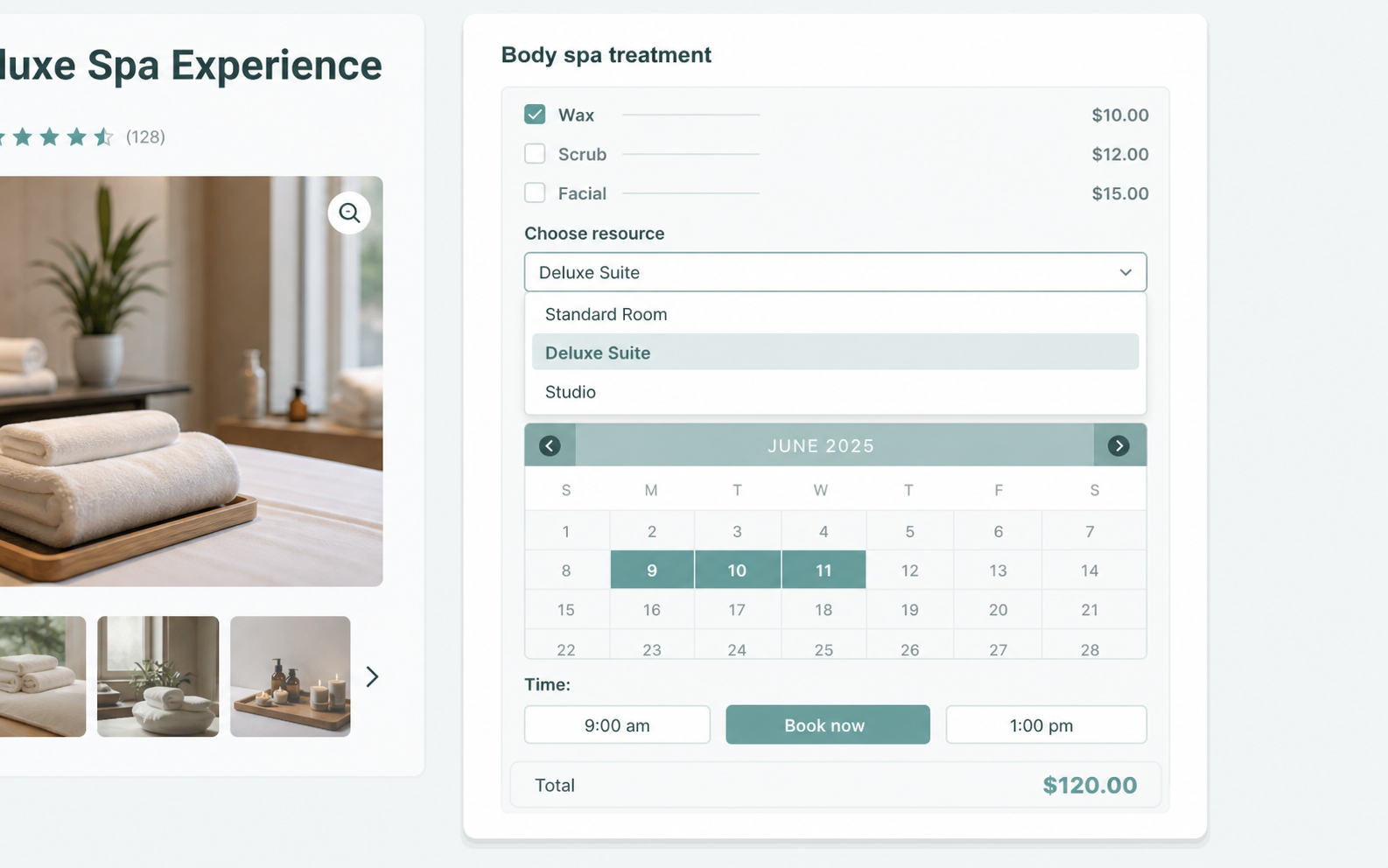
Customers pick the exact resource they want from a front-end dropdown, and the price updates in real time.
- Add unlimited resources to one Reservable Product.
- Let the customer choose the room, seat, or item.
- Update totals instantly with no page reload.
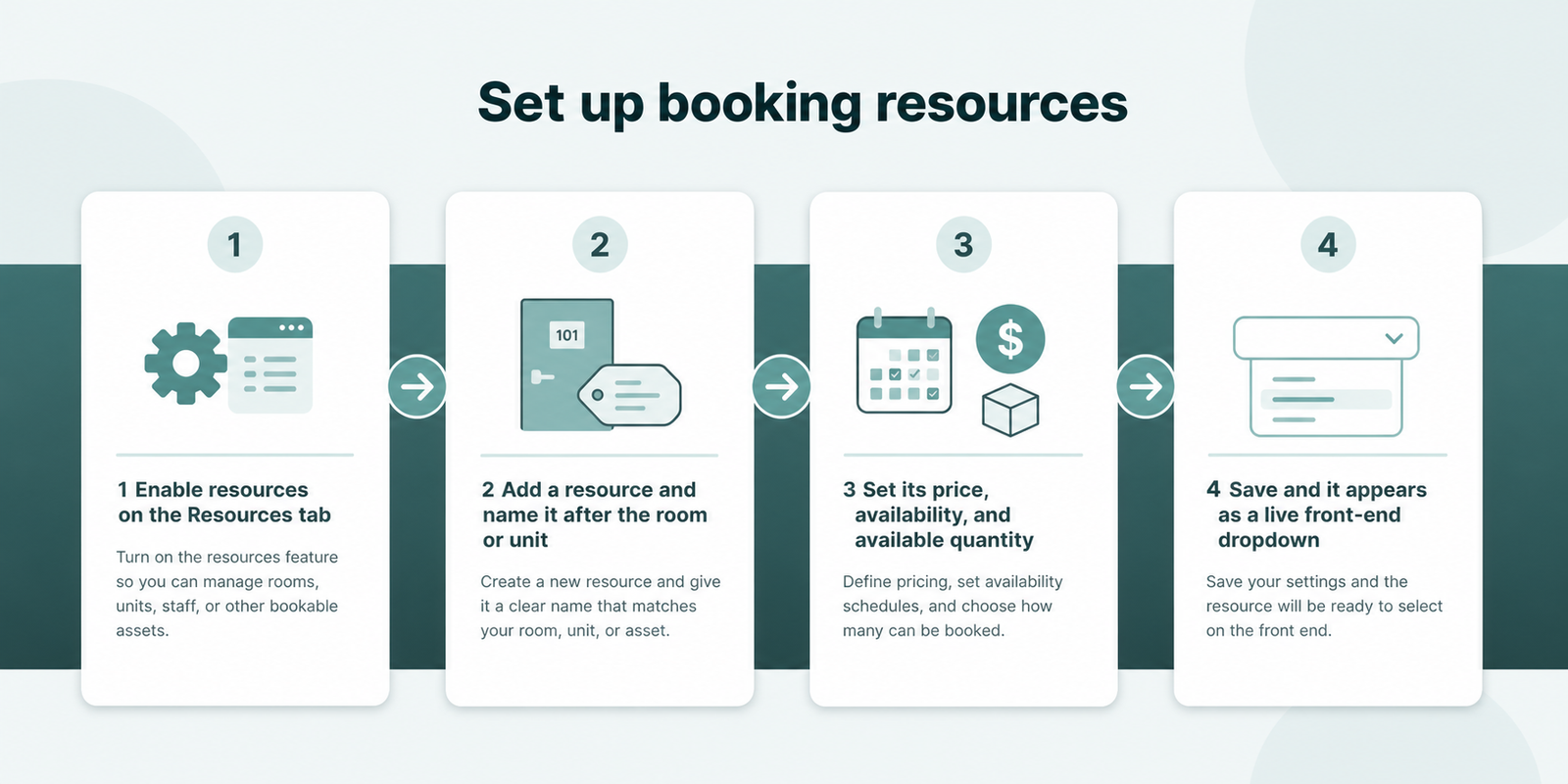
Set up resources in four steps
Resources live on the fifth tab of any ARB Reservable Product, and setup takes four moves.
- Open a Reservable Product and enable resources on the Resources tab.
- Add a resource and name it after the room or unit.
- Set its price, availability, and available quantity.
- Save, and resources appear as a live front-end dropdown.
ARB Resources vs a plain WooCommerce product
Resources are generic containers, not staff logins or dashboards. A customer always picks the exact one, since ARB never auto-assigns. Our staff scheduling basics guide covers the team setup.
| Capability | ARB Resources | Plain WooCommerce product |
|---|---|---|
| Per-resource price | Individual price on each resource | One product price only |
| Per-resource availability | Own schedule and open dates | No booking calendar |
| Available quantity per resource | Tracked per unit | Stock count only, no time slots |
| Resource-level double-booking guard | Capacity per slot removes it | None |
| Customer picks the resource | Front-end dropdown | No resource concept |
Give every resource its own price and calendar
Own ARB once for $55, add unlimited resources, and keep every booking inside your existing WooCommerce checkout. Open the live ARB demo to try resources before you buy.
Frequently asked questions
Straight answers to the questions that matter most
What is a resource in WooCommerce bookings?
A resource is a bookable thing a customer chooses, such as a room, staff member, or piece of equipment. It carries its own price and its own availability, separate from the product's general settings.
How many resources can I add?
ARB allows unlimited resources per Reservable Product. Add as many rooms, staff members, or equipment types as the business needs, each with an independent price and schedule.
Can each resource have its own price?
Yes. Every resource carries an individual price, set on the Resources tab, that adds to the booking's Base Cost and stacks with range-based pricing rules.
Can each resource have different availability?
Yes. A Lecturer A resource can run Tuesday and Thursday while a Lecturer B resource runs Friday and Saturday, each on its own calendar.
Does ARB stop the same resource being double-booked?
Yes. Max Reservations per Slot combined with per-resource availability removes a resource from the calendar once its capacity for that slot fills.
What is the difference between a resource and a person type?
A resource is what gets booked, like a room or staff member. A person type is who and how many book it, like adult or child tickets.
Can I use resources for staff scheduling?
Yes, as generic resources with their own price and availability. ARB does not include per-employee logins or a staff dashboard.
Are booking resources free?
No. ARB is a one-time CodeCanyon license priced at $55 for the Regular License, not a free plugin. It carries no recurring subscription fee, unlike WooCommerce Bookings, which charges $249 per year. See ARB pricing for the Extended License and support-window details.