A booking website lets a visitor check real availability, pick a service or date, and pay on one page. No phone call or email is needed to confirm it. The 11 examples below show that flow across seven business types, from salons and clinics to hotels, rentals, classes, events, and restaurants. Each is built on WordPress and WooCommerce.
A five-point checklist comes first, the standard every example below is measured against. Real booking flows follow by business type, then a look at what a weak flow gets wrong, and how to build your own. Every named example below is one of ARB's own live demo booking products, shown as a working reference, not a customer's site.
What Makes a Good Booking Website?
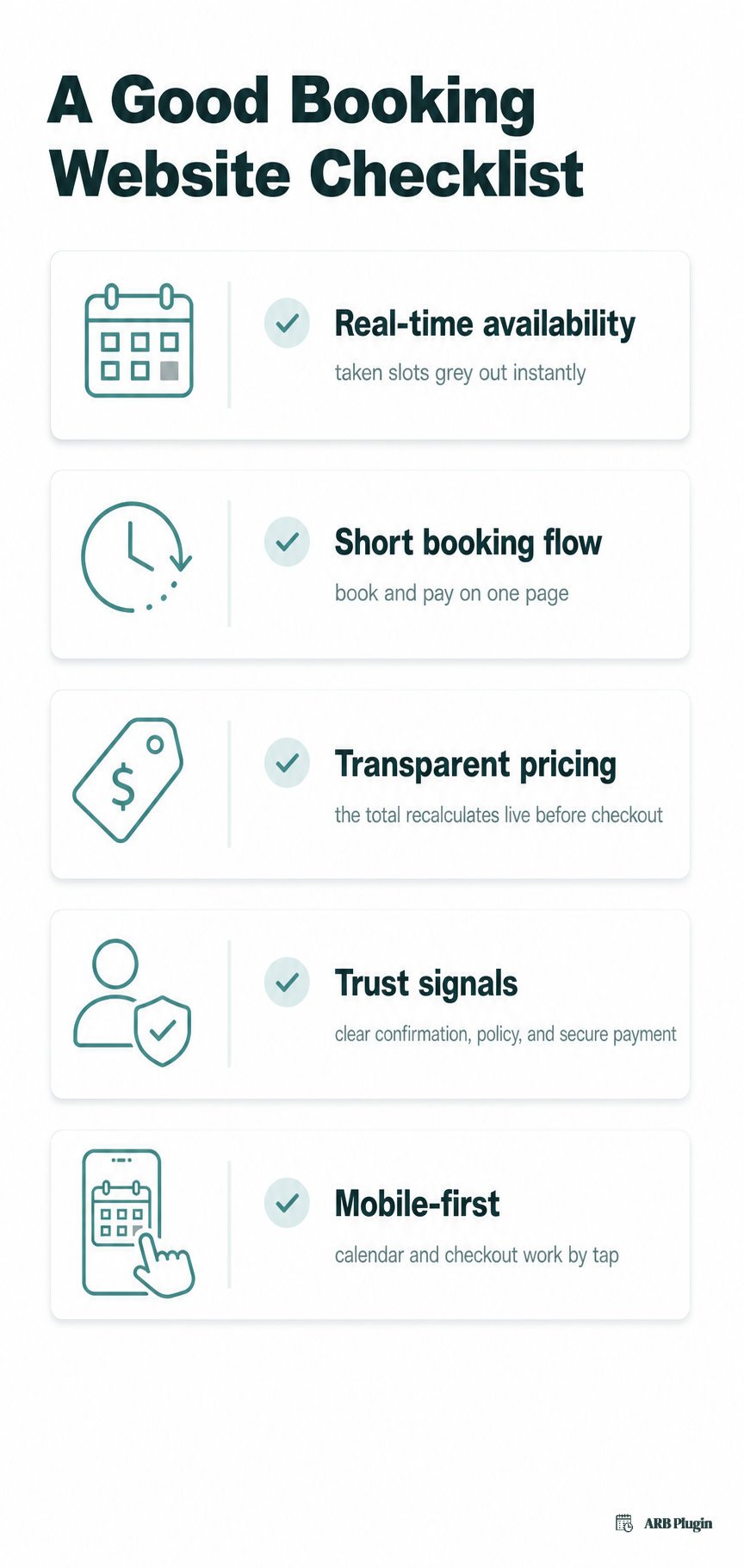
A good booking website shows real-time availability and keeps the flow short. It shows the price before checkout, backs the booking with trust signals, and works cleanly on a phone. It is powered by what an online booking system does, the backend logic that manages slots, pricing, and capacity behind the scenes. The examples below were chosen because each shows at least one of these clearly.
| Criterion | Observable signal |
|---|---|
| Real-time availability | Full dates or slots grey out automatically, often with a "slots left" counter |
| Short booking flow | Booking happens on the product page itself, checkout stays inside the store's own cart |
| Transparent pricing | The price recalculates live as options change, broken into an itemized total |
| Trust signals | Confirmation messaging, a visible cancellation policy, and recognizable payment options |
| Mobile-first | The calendar, slot picker, and checkout all work by tap on a phone screen |
Real-time availability the visitor can trust
A booking site earns trust when its calendar reflects what is actually still open, not a static snapshot. The observable signal is a date or slot that greys out the moment it fills, paired with a running count of what remains. ARB enforces this with a Max Reservations per Slot cap and a left-slots counter, so the calendar can never show an already-taken slot as free.
A short booking flow with as few steps as possible
The fewest steps sit between choosing a service and a confirmed booking. The signal is a booking form on the product page itself. Checkout runs through the store's own WooCommerce cart, not a separate portal. Every example below books and pays without leaving the site.
Transparent pricing shown before checkout
The price updates the moment a visitor changes an option, not only at the final screen. The signal is a live, AJAX-recalculated total with a breakdown, so a two-hour booking and a four-hour booking never show the same number. Surprise pricing at checkout is the fastest way to lose a booking mid-flow.
Trust signals: confirmation, policies, and secure payment
A visitor commits faster when the site states its cancellation terms, confirms the booking clearly, and shows a payment method they recognize. Accepting payments for bookings through familiar gateways like Stripe or PayPal does more for trust than a badge or a slogan. A stated cancellation window, shown before checkout, closes the same hesitation gap.
A booking flow that works on mobile
The calendar, the option pickers, and the checkout must all work by tap, not just by scroll. A date grid that requires pinch-zooming to read fails this test immediately. Every ARB demo below renders its calendar and booking form responsively, with no separate mobile version to maintain.
A sixth quality matters for some businesses: the flow itself, instant, approval-first, or quote-based, has to match how that business actually takes bookings. The Advanced Booking Flow Examples section further down covers that pattern directly.
Appointment and Salon Booking Website Examples
Appointment and salon sites live or die on per-service slots and staff or resource availability. The one non-negotiable: no two clients ever land in the same chair at the same time. The three examples below each solve a different version of that problem.
ARB's Spa and Salon Demo, pricing that updates before checkout
ARB's Body Spa Treatment demo starts at a $40 base price. It adds a wax, scrub, or facial service at $10 to $15 each, plus a $20 surcharge for Sunday appointments. Each choice recalculates the total on the page instantly, before the visitor reaches checkout. The mechanism is simple: the service selector and the calendar are linked. Picking a service narrows the available slots to that service's own schedule, not the whole salon's.
The transferable principle: show the price changing in response to a visitor's choices as they make them, not only as a final total. One honest gap: booking still routes through a WooCommerce account and checkout, not a single-tap guest flow. That extra step may surprise a walk-in-first salon customer.
Salon owners comparing this to a dedicated salon and spa booking plugin should expect the same baseline. Per-service pricing tied to a live calendar is standard, not a premium feature.
ARB's Clinic and Doctor Appointment Demo, one slot per provider by design
ARB's clinic booking category models each doctor as a bookable resource, not just a generic service. Selecting a provider filters the calendar to that provider's own open slots. A Max Reservations per Slot cap of one blocks a second patient from landing in the same window. The principle: when the risk is double-booking a person, not a room, model the person as the bookable resource.
One honest gap: there is no dedicated staff dashboard behind this. Each provider is a generic resource entry, not a first-class staff profile with its own login.
ARB's Law Consultant Demo, hourly pricing that scales with duration
ARB's law consultant demo lets the visitor pick 1, 2, or 3 hours, and the price scales with the duration chosen. The same range-based pricing engine behind the spa demo powers this one, applied to hours instead of add-on services. When time itself is the billable unit, let the visitor set the duration and watch the price follow. That beats quoting one flat rate regardless of length.
Hotel and Rental Booking Website Examples
Stays and rentals both live or die on the same two mechanics. Pricing runs across a date range instead of a single date, and inventory has to know what is actually still available. The two examples below show each mechanic in a different context.
ARB's Hotel Demo, per-night pricing across a date range
ARB's hotel booking demo uses a date-range picker instead of a single date field, then prices the stay per night across that whole range. Adult and child person types adjust the total per guest on top of the nightly rate. The principle: price a stay as a range with occupancy layered on, not as one flat date-based fee.
One honest gap: there is no built-in deposit or partial-payment option. The guest pays the full hotel booking website total at checkout, a real gap against dedicated hotel booking engines that support a deposit-first flow.
ARB's Rental Demo, inventory that blocks itself once it is spoken for
ARB's rental category demo pairs a quantity stepper with a booking-window calendar tied to a resource inventory count. Each unit rented for a given window reduces what is available for that same window. The calendar reflects genuine stock, not just a scheduled-or-not toggle. The transferable rental booking principle: treat inventory as a shared, depleting resource across the whole booking window, not a per-day yes-or-no flag.
Tour and Activity Booking Website Examples
Tour and activity sites need the same capacity math as a seat cap: a hard limit per date or session. Live availability against that limit, plus group pricing that scales with party size, decide whether the flow works. ARB does not run a dedicated tour demo, so this pattern is best read through the mechanics its event and ticketed demos already demonstrate.
A strong tour and activity booking flow needs a session or date picker tied to a real capacity number, not an unlimited signup form. The same Max Reservations per Slot logic that caps a clinic appointment at one patient caps a tour departure at its seat count instead. Group pricing then scales the total by party size in the same live, recalculating way the spa and hotel demos price add-ons and occupancy.
Mobile matters most here: a visitor deciding on a tour is often standing in front of it, checking availability from a phone before committing.
Class and Event Booking Website Examples
Classes and events both hinge on a fixed capacity tied to a specific session or date, not a rolling availability window. The three examples below show that mechanic across a course, a scheduled event, and a ticketed showing.
ARB's Course Demo, a seat counter tied to the session, not the course
ARB's course category demo tracks seats per scheduled session, not per course. One popular Tuesday session can sell out while a Thursday session for the same course stays open. Each enrolment reduces that session's counter specifically, and a full session drops out of the bookable list rather than staying selectable. The course and class booking principle: cap enrolment at the session level whenever one course runs multiple sessions with separate capacity.
ARB's Event and Ticketed Booking Demos, one hard capacity per date
ARB's event booking demo ties a fixed date to a seat cap and a cancellation cutoff. The booking form closes outright once that cap is reached. ARB's movie-ticket demo applies the same logic to a show-time selector, with person-type ticket pricing layered on top of the seat count. The principle both share: a fixed-date event needs a hard ceiling per date, not a rolling window like a rental or a hotel stay uses. The event and ticket booking approach here closes bookings the moment capacity is reached, instead of overselling into a waitlist.
Restaurant Reservation Website Examples
A table reservation flow comes down to three things: a time window, a party size, and a confirmation step. That step has to resolve before the meal, not after it.
ARB's Restaurant Demo, an approval step that protects a table count no plugin can see
ARB's restaurant table booking demo pairs a time-window picker and a party-size field with an optional approval-required step. When approval is on, the reservation waits for staff confirmation before it locks in, rather than auto-confirming into a table that may already be full. The principle: the real constraint, physical tables, lives outside the software. An approval step is the safety net a plugin cannot otherwise provide.
One honest gap: there is no table-map or floorplan selector. The visitor picks a time and a restaurant table reservations party size, not a specific table. Seating itself stays a staff decision after the booking lands.
Advanced Booking Flow Examples: Approval and Quote Requests
Not every business can, or should, confirm a booking instantly. Two of ARB's demos show the flow for businesses that need to review or price a request before any money changes hands.
ARB's Cardiology Demo, approval before payment ever appears
ARB's cardiology demo hides every payment method at checkout until an admin approves the request. Only after approval does a payment link appear in the customer's My Account area, so no charge happens before someone has actually reviewed the case. The principle: for high-touch, appointment-only services, confirm before you charge, not after.
One honest gap: hiding every payment method until approval can read as broken to a first-time visitor. The confirmation message has to explain the wait clearly, since the visitor expects to pay immediately. This same review-first pattern is why doctor and clinic appointments so often skip instant checkout entirely.
ARB's Request-for-Quote Demo, pricing set after the details, not before
ARB's request-for-quote demo replaces instant checkout with a quote-request form. The visitor submits their requirements instead of a price, and an admin sets a custom price afterward. The principle: when price depends on details a fixed form cannot capture, ask for the details first and price second. A rigid price list does not fit a job like that.
What a Weak Booking Website Looks Like
The following patterns show up repeatedly on booking sites that lose visitors mid-flow. Each one is a common, anonymized pattern, not a specific site, paired with the criterion it breaks.
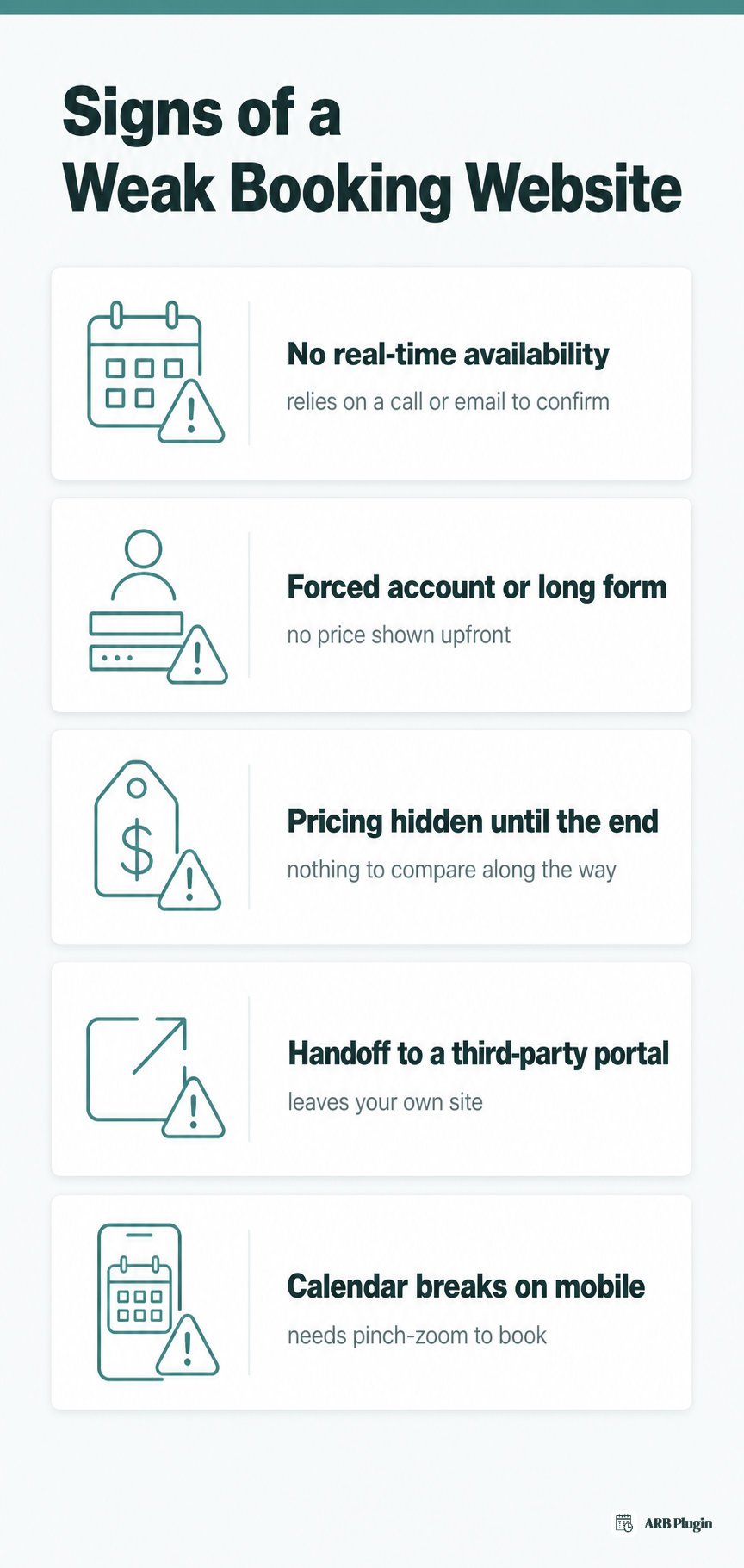
- No real-time availability. The site relies on a phone call or an email to confirm a slot is actually open, so visitors either double-book or wait hours for a reply. This breaks the real-time availability criterion outright.
- A forced account or a multi-page form before any price appears. The visitor has to create an account or click through several screens before seeing what the booking costs. This violates both the short-flow and transparent-pricing criteria at once.
- Pricing revealed only at the very end. A form collects every detail first and shows the total only on a final confirmation screen, leaving the visitor with nothing to compare along the way. This breaks transparent pricing before checkout.
- A "book now" button that hands the visitor to a separate third-party system. The click leaves the business's own site for an unfamiliar booking portal, undercutting whatever trust the main site already built.
- A calendar that breaks on a phone. Date pickers and slot lists that require pinch-zooming or horizontal scrolling fail the mobile-first criterion, on the device most visitors actually use to book.
How to Build a Booking Website Like These
Three patterns repeat across every example above. Start from real-time availability and capacity control, not a good-looking calendar. Keep pricing, options, and checkout on one page, inside a system customers already trust. Match the flow itself, instant, approval-first, or quote-based, to how the business actually takes bookings.
Real-time availability comes first because it is the one thing a booking site cannot fake convincingly. A calendar that looks polished but does not actually block a taken slot recreates the exact double-booking risk every example above was built to prevent.
Keeping pricing, options, and checkout inside one system removes the handoff where trust breaks down. A visitor who already priced a service on your homepage does not want to re-enter their details on a separate booking portal to finish.
An instant-confirm flow suits a spa or a rental, where availability is the main risk. An approval-first or quote-request flow suits a clinic or a custom service, where price or provider capacity depends on details the visitor cannot supply upfront.
The same foundation every demo above shares comes first: add online booking to WordPress, then layer availability and pricing rules on top. If real-time availability is the piece you are missing, set up booking availability before adding pricing rules.
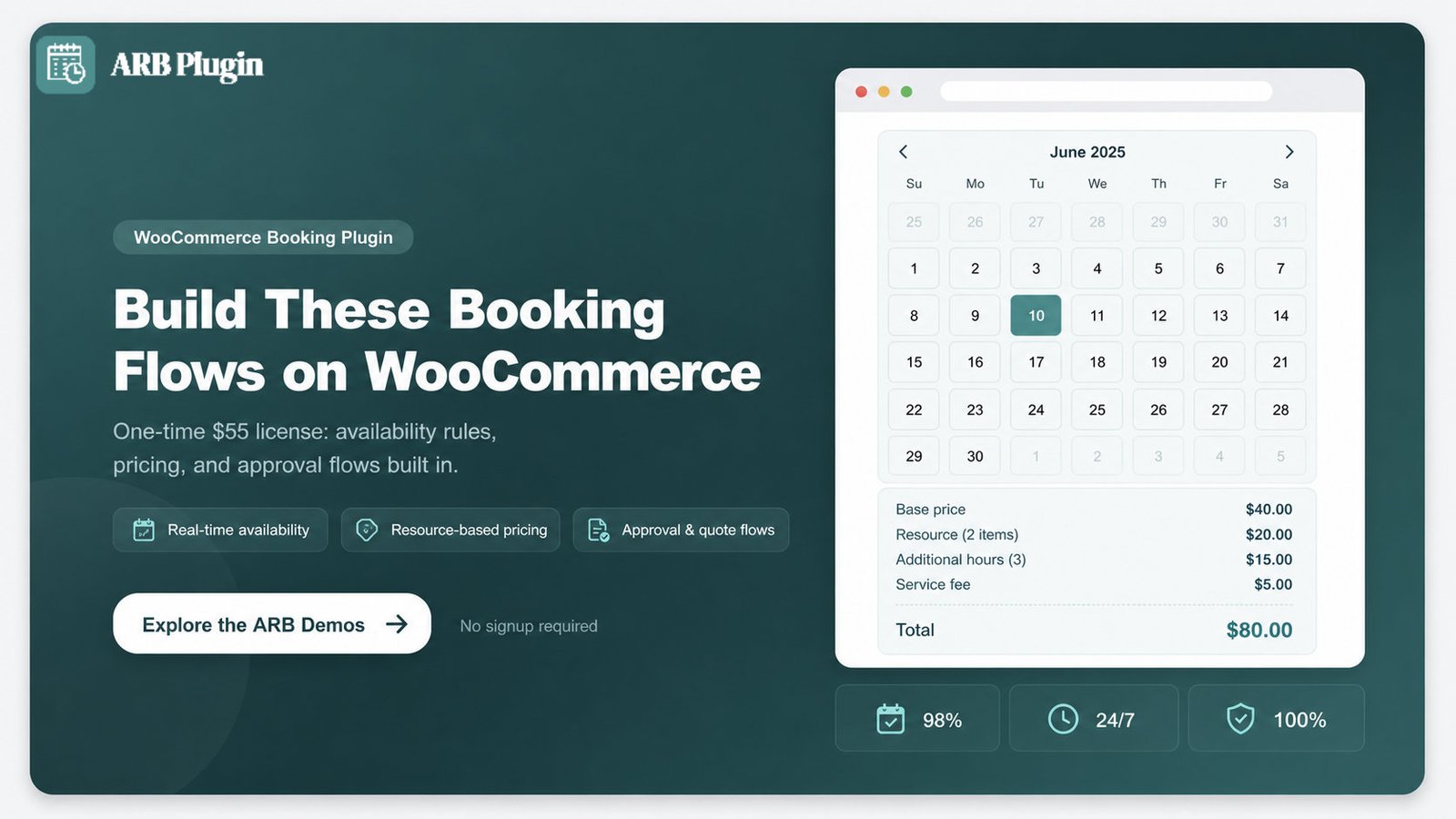
Building on WordPress and WooCommerce means starting from a checkout your customers may already trust from another store. ARB is the WooCommerce booking plugin behind every demo above. It adds the availability rules, per-person and per-resource pricing, capacity limits, and approval or quote flows those examples ran on. It ships as a one-time $55 license with free updates, not a recurring subscription.
Explore the live ARB booking demos and see any of these flows for yourself.
FAQs
What makes a good booking website?
A good booking website shows real-time availability and a short booking flow. It shows pricing before checkout, backs the booking with trust signals, and works cleanly on mobile. Every example above was chosen for showing at least one of these clearly.
How do I create a booking website?
Creating a booking website means installing WordPress, adding WooCommerce, and adding a booking plugin like ARB to turn a product into a bookable service. For the full step-by-step build, see how to create a booking website.
What is the best platform to build a booking website?
WordPress with WooCommerce is the strongest platform for a booking website you own outright, rather than rent through a hosted builder. ARB adds the booking layer on top, availability rules, pricing ranges, capacity limits, and approval flows, that WooCommerce alone does not include.
How much does it cost to build a booking website?
WordPress and WooCommerce are both free software; hosting and a domain are the only required recurring costs. ARB adds booking functionality for a one-time $55 license, instead of the $149 to $249 a year some recurring booking plugins charge.
Can I build a booking website without coding?
Yes. ARB's Reservable Product type adds the booking form directly to a WooCommerce product page. A page builder like Elementor or WPBakery, or the built-in shortcode, places it anywhere without writing code.
What features should every booking website have?
Every booking website needs:
- Real-time availability that blocks taken slots automatically
- A short booking flow completed on one page
- Live, itemized pricing shown before checkout
- Confirmation, policy, and secure payment trust signals
- A mobile-first calendar and checkout