Industry Page
Take Paid Doctor Appointments Inside WooCommerce
Run a WordPress doctor appointment plugin inside WooCommerce with ARB: per-doctor schedules, reminders, and paid checkout for a one-time $55 license.
Everything a clinic needs to book patients, inside WooCommerce
For clinics, dentists, therapists, and independent practitioners: book patients and take payment on your own WooCommerce store, no subscription.
Try a doctor schedule, a consult price, and a reminder in the live demo before you buy.
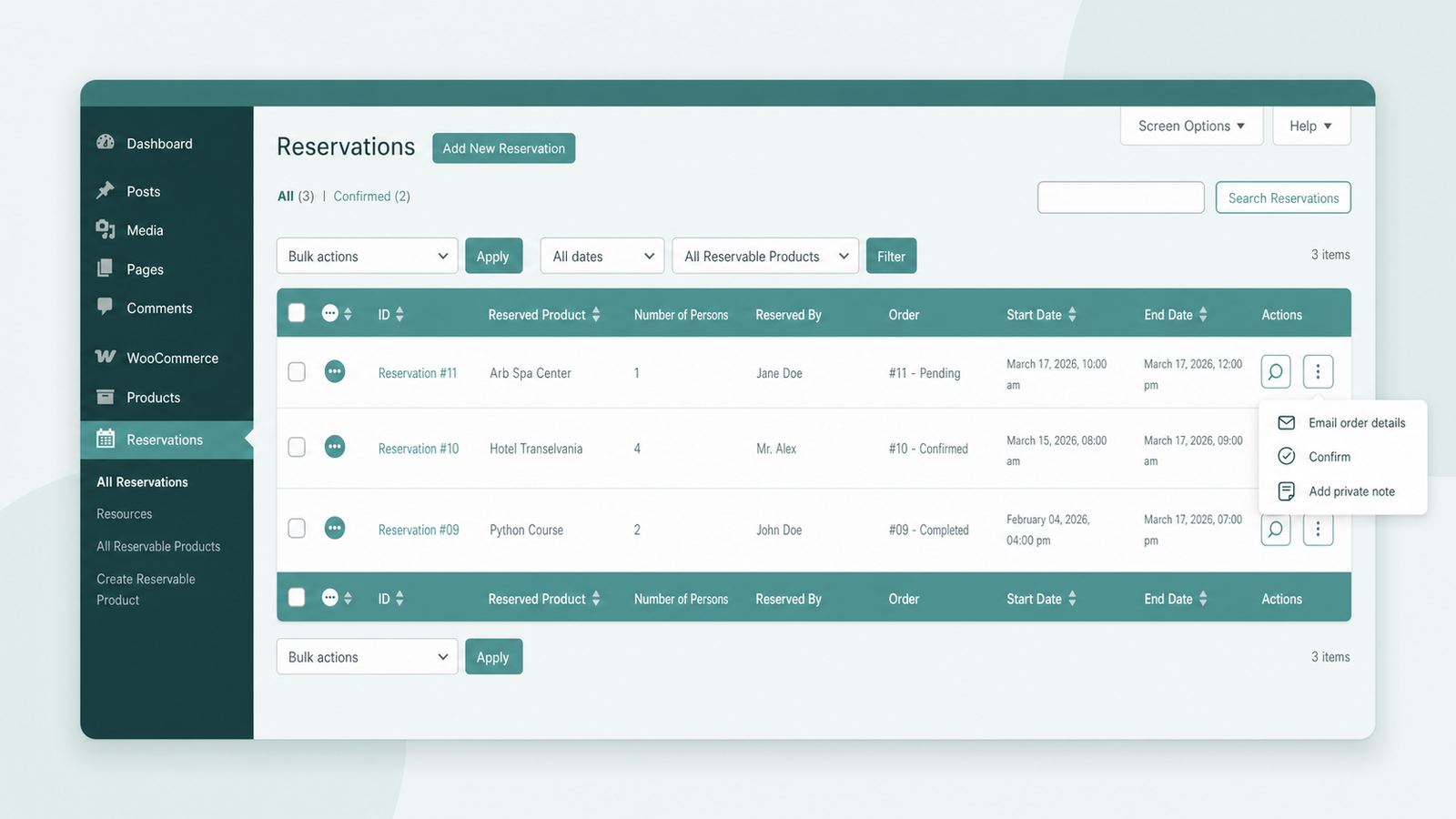
ARB adds a paid-appointment layer to WooCommerce, so every booking becomes a normal order you already manage.
- Own your bookings. Patients reserve a slot and pay through your existing WooCommerce checkout.
- Pay once. A one-time $55 license instead of the $249-a-year WooCommerce Bookings path.
- Book by doctor. Each practitioner keeps a separate schedule, price, and calendar.
- Never double-book. Every slot locks to one patient the instant it books.
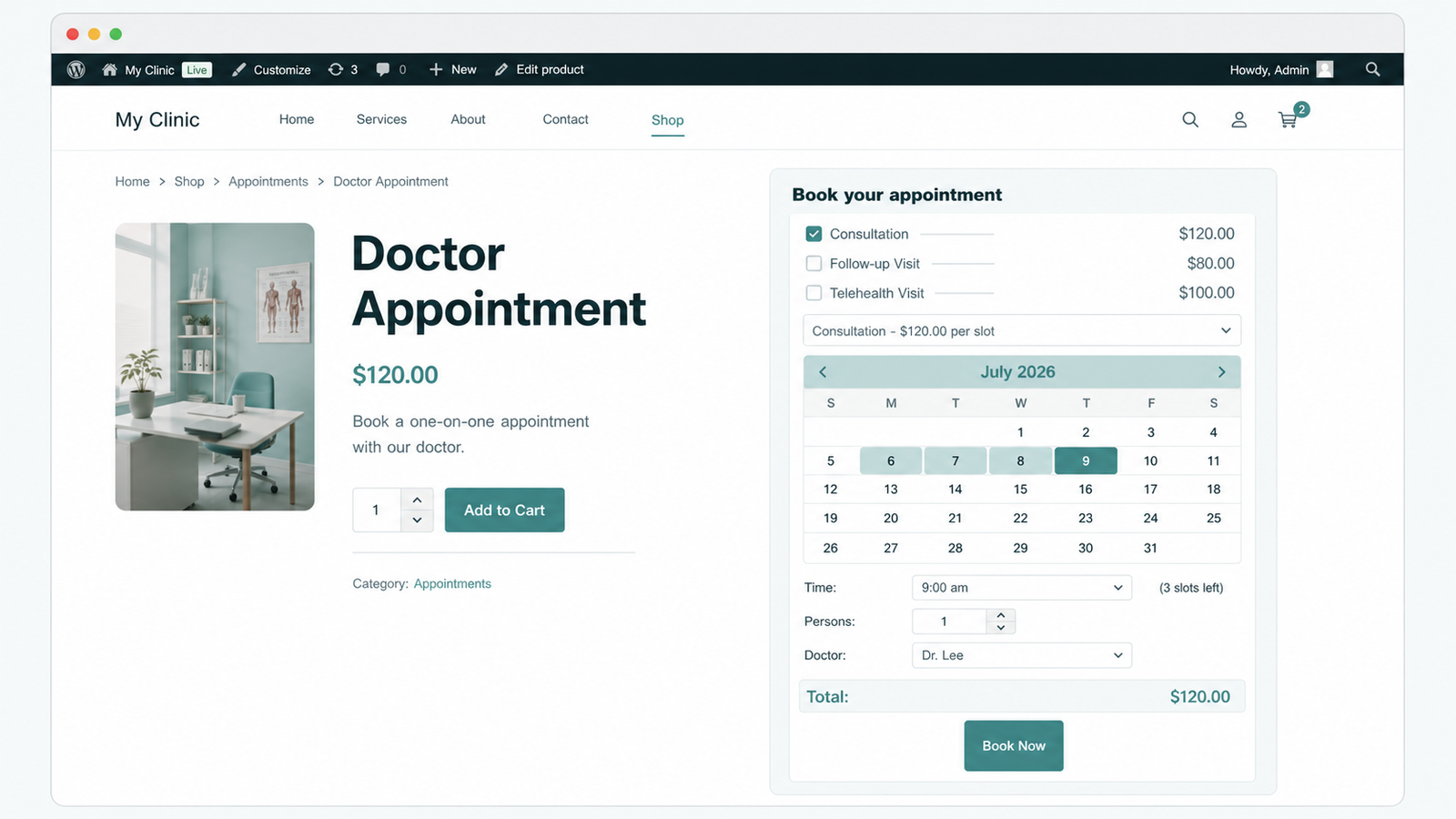
Four features that run your clinic's calendar
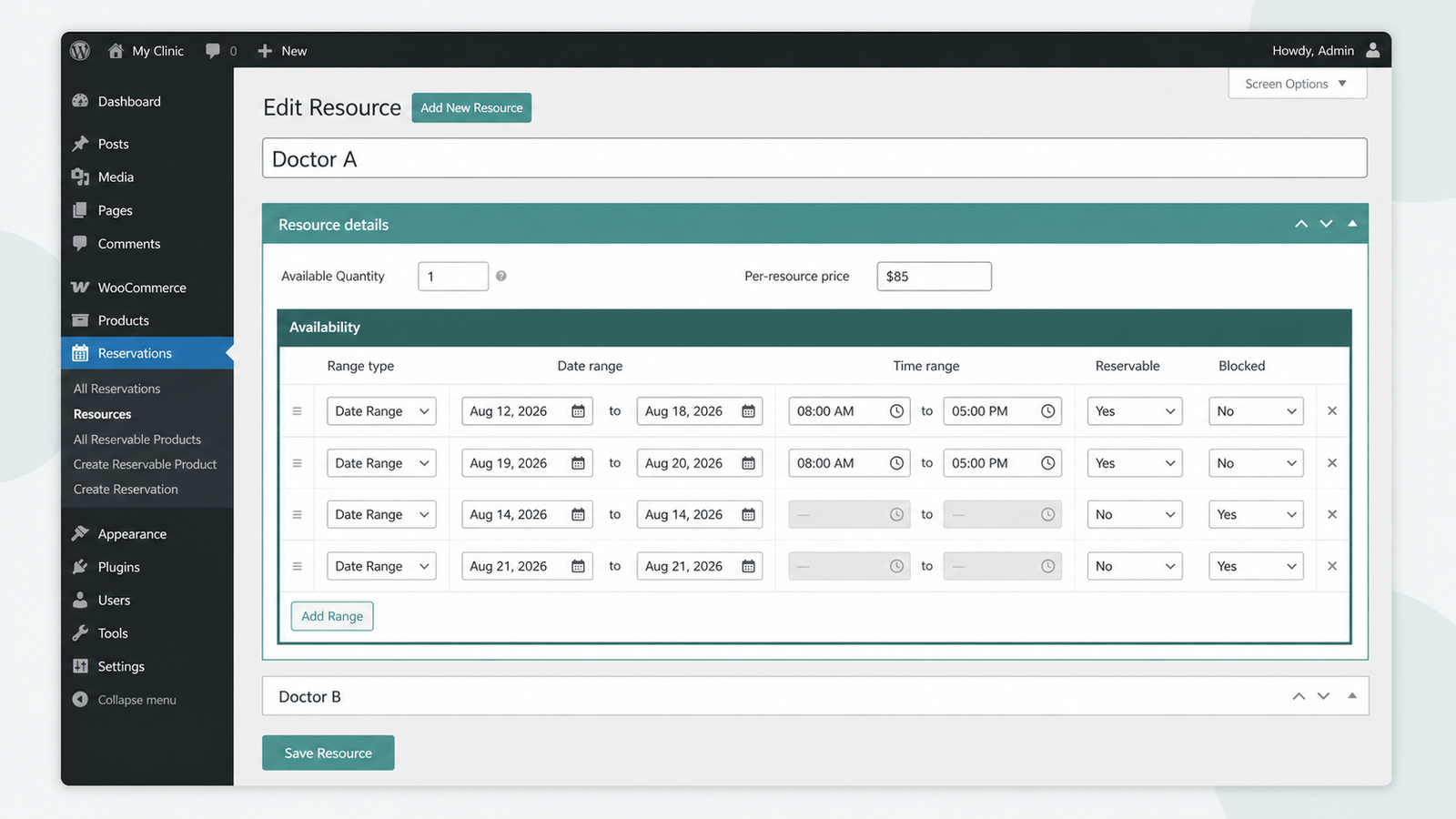
Each doctor as a bookable resource
Model every doctor or practitioner as a resource with an independent price and calendar.
- Give each doctor their own availability window.
- Show only the chosen doctor's open slots.
- Price every consultation type independently.
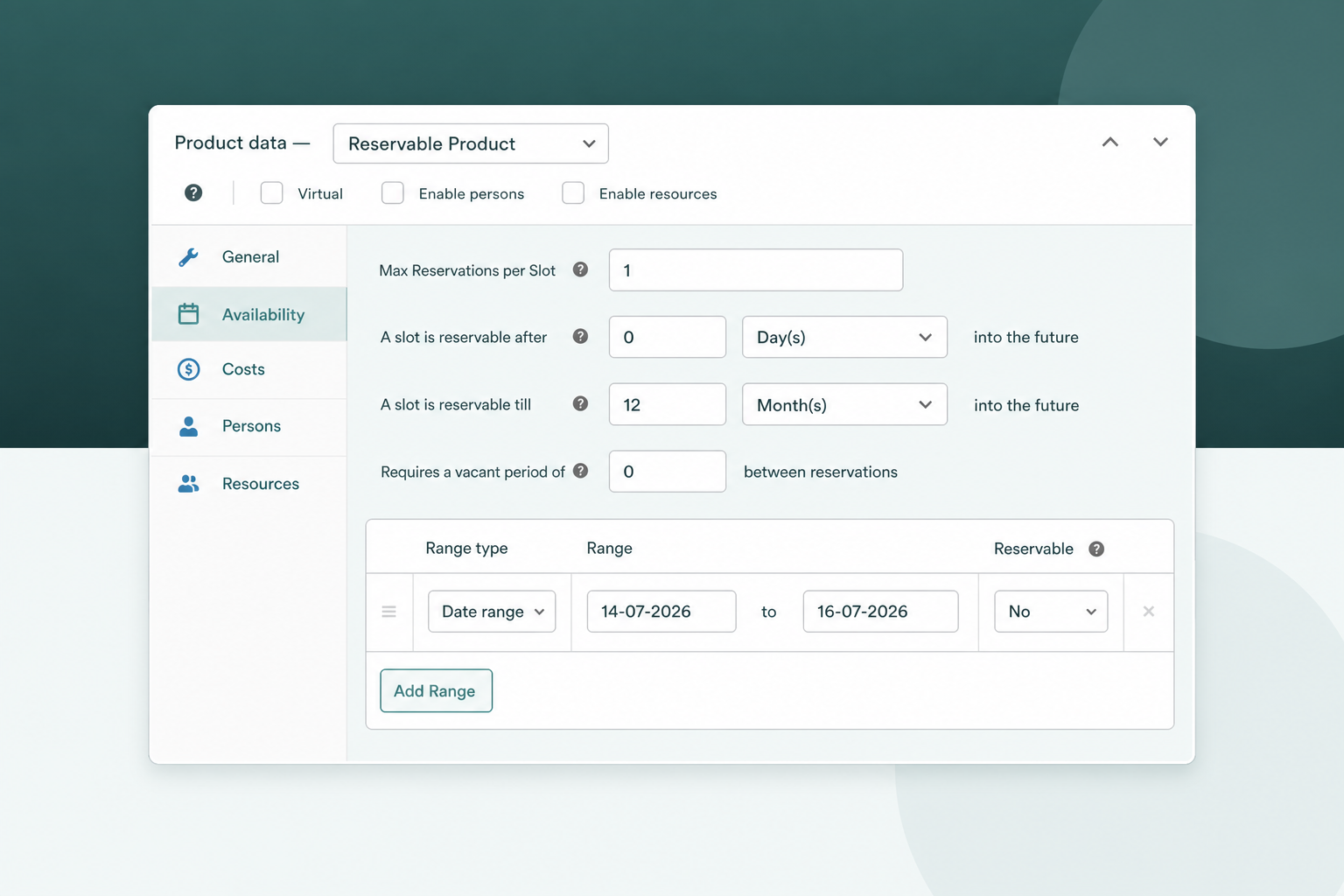
One-at-a-time appointment slots
Cap every slot at one patient with availability rules, so two patients never overlap.
- Set max reservations per slot to one.
- Add a buffer between back-to-back patients.
- Block last-minute bookings with lead time.
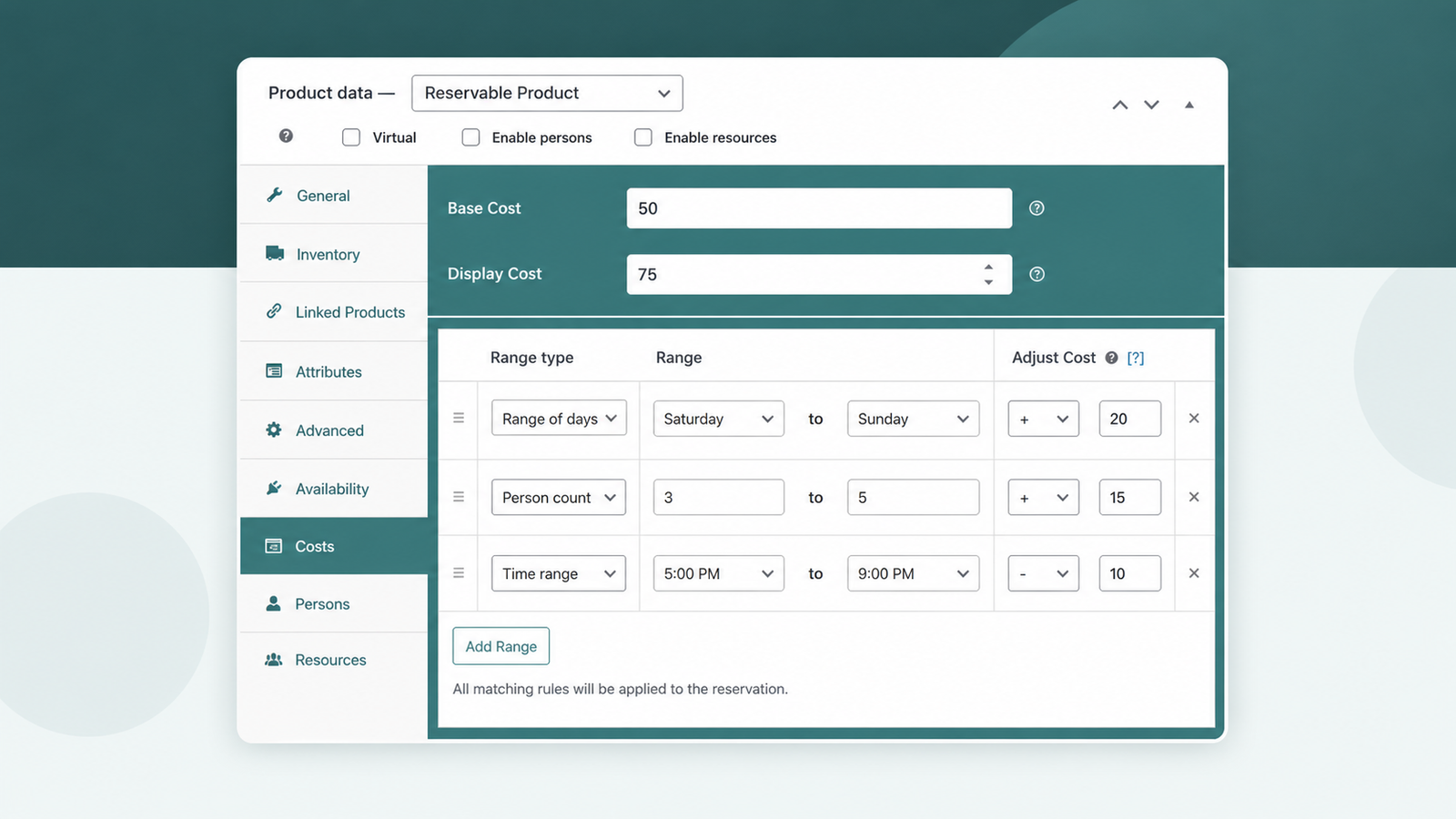
Consult types and per-patient pricing
Price new-patient consults, follow-ups, and teleconsults with range rules, each at its own rate.
- Charge weekend or after-hours slots extra.
- Set per-patient-type prices with person types.
- Recalculate the total live as patients choose.
Automated reminders that cut no-shows
Send booking confirmations automatically, plus manual bulk reminder emails before every visit.
- Email every patient a booking confirmation.
- Send bulk reminders ahead of the appointment.
- Add SMS reminders with the paid add-on.
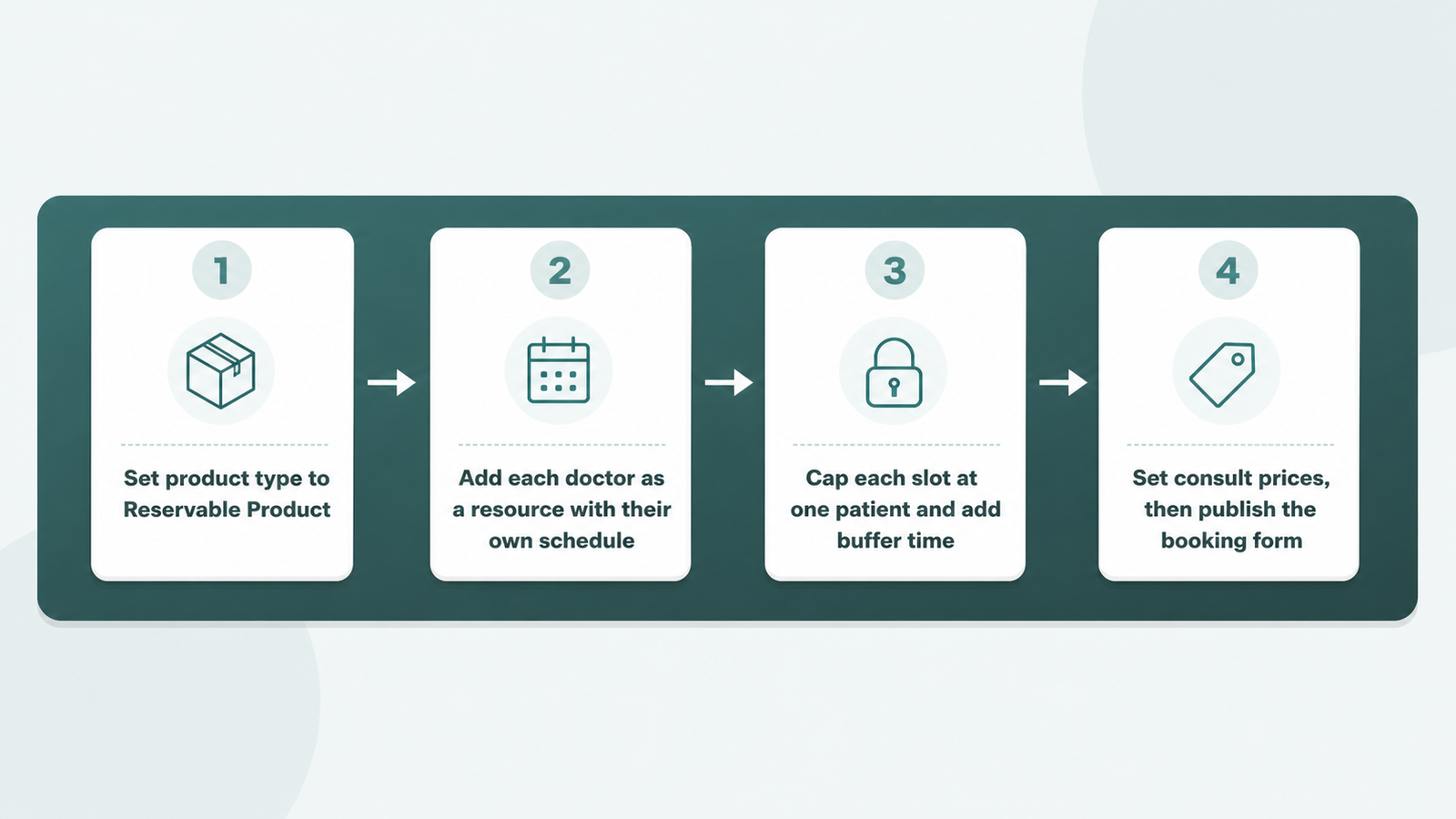
Set up doctor booking in four steps
Four steps turn a normal product into a bookable doctor; the full appointment-booking walkthrough covers each.
- Set the product type to Reservable Product.
- Add each doctor as a resource with their own schedule.
- Cap each slot at one patient and add buffer time.
- Set consult prices, then publish the booking form.
ARB vs manual booking on plain WooCommerce
Plain WooCommerce sells one fixed product; it cannot book a doctor's slot, block double-booking, or price a consult on its own.
| Job | Plain WooCommerce | ARB |
|---|---|---|
| Book a specific doctor's time slot | No | Yes, each doctor a resource |
| Stop two patients in one slot | No | Yes, one reservation per slot |
| Different prices per consult type | No | Yes, range rules |
| Reminders before the visit | No | Yes, email reminders in core |
| Price | Free, but fully manual | About $55 one-time |
Is ARB right for your practice?
Match ARB against your practice before you buy.
ARB is a great fit if all three of these are true.
- You want one-time, WooCommerce-native appointment booking on your own site.
- You want per-doctor schedules and consult pricing without a subscription.
- You take paid bookings and want every visit as a WooCommerce order.
Look elsewhere if any of these are dealbreakers.
- You need HIPAA-compliant records, telehealth, patient portals, or insurance billing.
- You need built-in staff logins, dashboards, or per-doctor account access.
- You need native two-way calendar sync (ARB's Google Calendar add-on is one-way, $19) or native SMS without the $15 add-on.
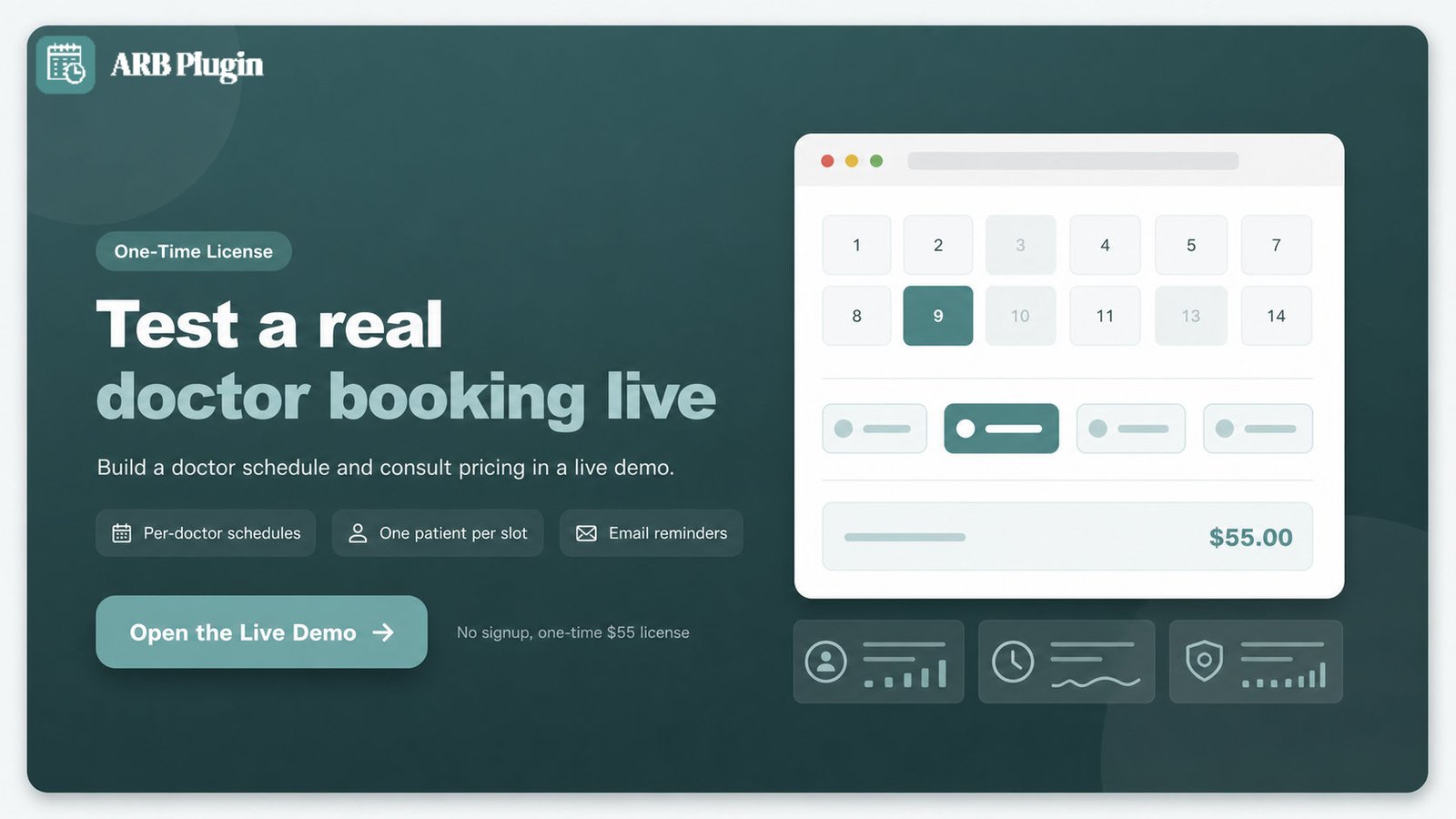
Test ARB on a real doctor booking before you buy
Open the ARB demo and build a test doctor schedule with your own consult pricing through a live WooCommerce checkout.
Frequently asked questions
Straight answers to the questions that matter most
Can Patients Book a Specific Doctor With ARB?
Yes. A clinic models each doctor as a Resource, and the front-end calendar shows only that doctor's open slots.
Does ARB Stop Two Patients Booking the Same Slot?
Yes. Setting Max Reservations per Slot to 1 caps every time slot at one patient, which is the double-booking guard.
Can I Take Payment for Consultations at Booking?
Yes, through the store's existing WooCommerce checkout and connected gateways. ARB has no native deposit or partial-payment feature.
Is There a Free WordPress Doctor Appointment Plugin?
Free repo options exist, including Easy Appointments and Bookly, but they generally cap paid-checkout depth and per-resource pricing. ARB is one-time paid, about $55, with no free tier.
Does ARB Send Appointment Reminders?
Yes. Automatic and manual bulk reminder emails ship in core. SMS reminders need a separate paid add-on.
Can I Require Approval Before Charging a Patient?
Yes. The confirmation-required workflow hides payment methods at checkout until an admin approves the booking.
Is ARB HIPAA Compliant?
No. ARB has no HIPAA-specific features, and a clinic with that requirement should evaluate dedicated clinic-management software instead.
Can ARB Manage Patient Records or Prescriptions?
No. ARB is a booking plugin, not an EHR or practice-management system; KiviCare and DocBooker cover that ground.
Does ARB Support Telehealth or Video Visits?
Not natively. ARB has no built-in video-meeting feature; a clinic pairs the booking form with an external meeting link for a telehealth-adjacent workflow.
Does ARB Work With My WordPress Theme and Page Builder?
Yes. ARB places its booking form through a shortcode, Elementor, or WPBakery, and it requires an active WooCommerce installation.