Starting a web hosting business means reselling wholesale hosting capacity under your own brand, then billing customers through automated software. Most bootstrapped operators launch on a reseller hosting account instead of owning servers, with startup capital near $1,000.
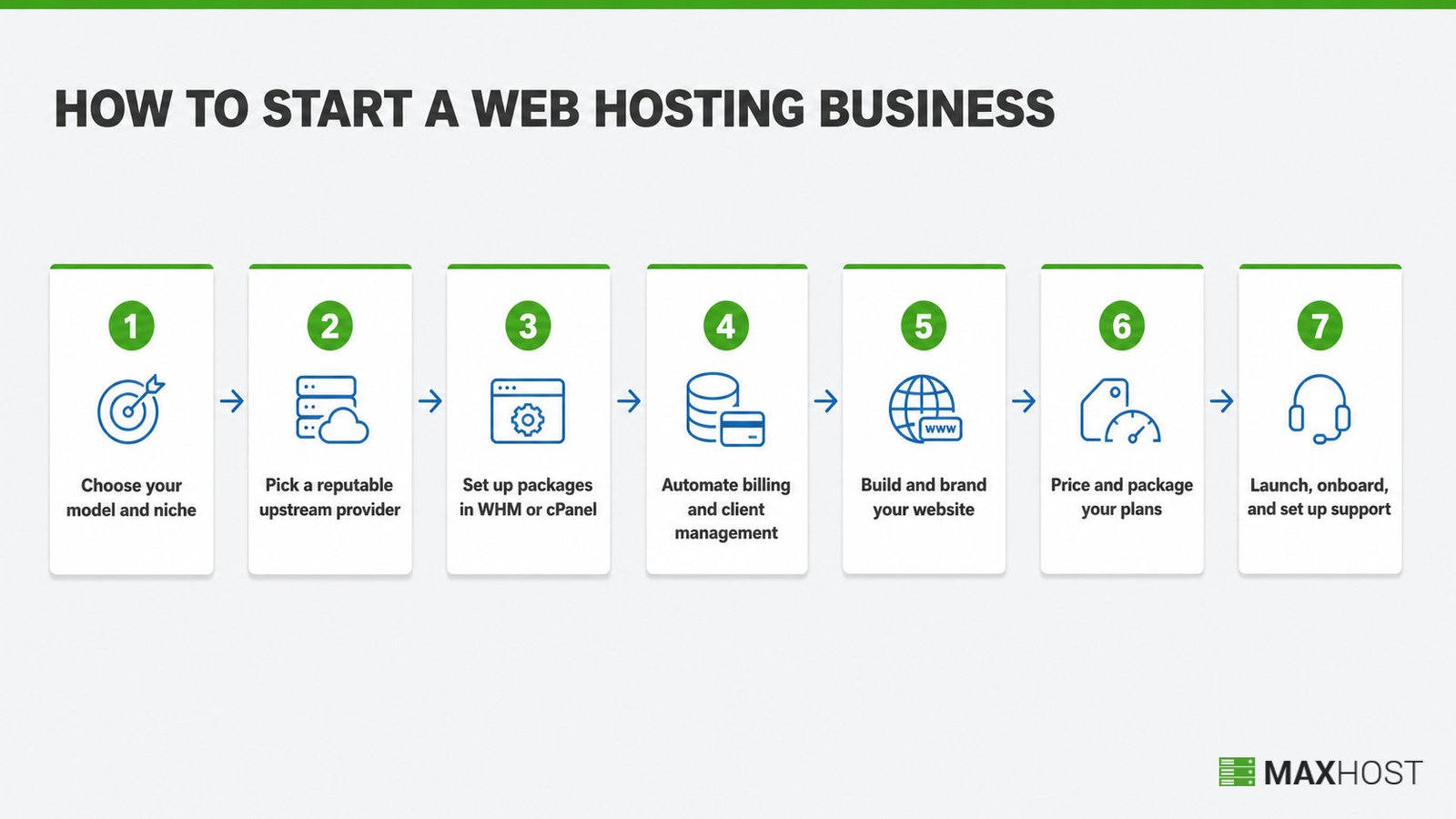
This guide covers seven steps, from choosing a model and provider through billing, branding, pricing, and launch support. Common mistakes and FAQs close it out.
How to Start a Web Hosting Business at a Glance
Starting a web hosting business means buying wholesale hosting capacity, usually through a reseller hosting account. You resell that capacity under your own brand, with your own billing, support, and pricing. Most bootstrapped operators skip owning physical servers entirely. The realistic path runs through a reseller plan, WHMCS billing automation, and a branded website, not a data center build-out.
A web hosting business sells server space, domains, and technical support as a recurring subscription service. Reseller hosting is the dominant bootstrapped path: you rent WHM-level capacity from an upstream provider and slice it into branded plans for your own customers. VPS and dedicated-server models exist further up the ladder, for operators who outgrow reseller resource caps or want direct root access.
The category has a reputation problem. "$1 hosting" ads oversell shared capacity across thousands of accounts, and that reputation bleeds onto legitimate reseller businesses. A realistic launch treats reseller hosting as wholesale infrastructure, not a scheme, and prices plans to cover real server, billing, and support costs.
What You Need Before You Start
Launching a web hosting business needs one operator, a small capital buffer, and two software accounts settled before the first customer signs up. Confirm these four things before you commit to a niche or a provider.
- Role. One operator runs a reseller hosting business solo through the first 20 to 30 clients. Support and sales become a second role after that.
- Capital. Budget around $1,000 to cover a reseller hosting plan, a billing platform, a domain, and basic branding for the first few months.
- Inputs. A business name, a niche decision (Step 1), and a payment processor account, either Stripe, PayPal, or your billing platform's built-in gateway.
- Tools. A reseller hosting or VPS account, billing and automation software, and a website builder or theme, each evaluated in Steps 1 through 5.
A web hosting business plan settles the niche, pricing, and capital questions before you spend anything. A web hosting business plan template fills in the numbers in one pass instead of starting from a blank page.
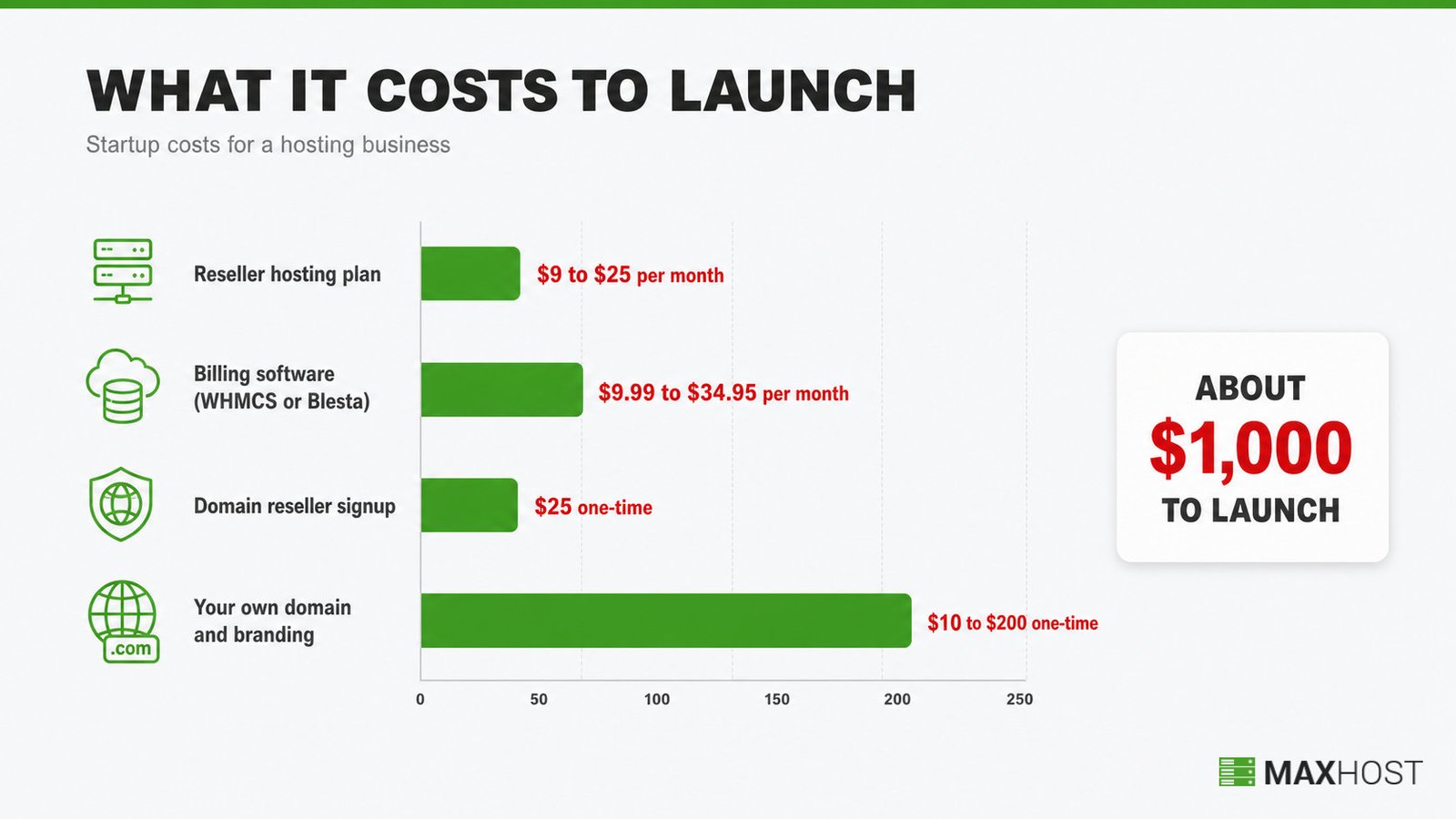
Here is the typical startup-cost breakdown, based on current provider and vendor pricing:
| Cost item | Typical range | What it covers |
|---|---|---|
| Reseller hosting plan | $9 to $25 per month | WHM-level capacity, storage, and bandwidth from an upstream provider |
| Billing software (WHMCS or Blesta) | $9.99 to $34.95 per month | Automated invoicing, the client portal, and payment gateway integration |
| Domain reseller signup | $25 one-time deposit | A wholesale domain-registration account for selling domains alongside hosting |
| Your own domain and branding | $10 to $200 one-time | Your business domain, plus a logo and basic site branding |
| Typical total to launch | About $1,000 | First few months of hosting and billing costs, plus domain and branding, before client revenue covers it |
Reseller hosting pricing above is triangulated across several current provider listings. WHMCS's own pricing page confirms the billing-software range, and ResellerClub confirms the domain-reseller deposit.
Step 1: Choose Your Hosting Business Model and Niche
Three infrastructure models cover almost every web hosting business launch: reseller hosting, a rented VPS or dedicated server, and buying your own hardware. Reseller hosting is the standard bootstrapped choice because it needs no server administration.
| Model | Setup difficulty | Server control | Typical monthly cost |
|---|---|---|---|
| Reseller hosting | Low, no server admin required | Limited to WHM-assigned resources | $9 to $25 |
| Rented VPS or dedicated server | Medium, you manage the OS and panel | Full root access | $20 to $150 or more |
| Own hardware or colocation | High, you own the physical risk | Complete | $200 or more, plus hardware |
Reseller hosting is wholesale hosting capacity you resell under your own brand, with the upstream provider's name never shown to your customers. That branding control is what makes it white label hosting: the infrastructure belongs to someone else, but the business identity belongs to you.
Niche selection matters more than the infrastructure choice, because generalist hosting competes directly with the largest hosting brands on price alone. Three niche patterns work reliably for new entrants.
- Platform-specific hosting. WordPress-only, Magento-only, or another single-platform focus.
- Geographic or language-specific hosting. A country or region a larger host underserves.
- Bundled hosting. Hosting sold alongside web design, SEO, or agency services you already offer.
A narrow niche gives a prospect a reason to pick you over a hosting giant. Domain resale is its own adjacent niche.
See how to become a domain reseller for the wholesale domain-registration side of the business. For the full reseller-specific walkthrough of this step, see how to become a web hosting reseller.
Done: an infrastructure model and a specific niche, both chosen and written down.
Step 2: Pick a Reputable Upstream Hosting Provider
An upstream provider becomes your business's foundation, so its reliability becomes your reliability. Evaluate every candidate against six criteria before signing up.
- Uptime SLA. A published guarantee of 99.9% or higher, with credits for downtime.
- WHM reseller access. Full WHM-level account management, not a restricted reseller panel.
- White-label control. Custom (private) name servers and no parent-brand logos, so your upstream provider never shows to your customers.
- Storage type. NVMe or SSD storage, ideally on LiteSpeed servers; spinning disks slow every account you resell.
- Backup policy. Automated daily backups and free SSL certificates included, not sold as paid add-ons.
- Support responsiveness. Live chat or phone support with a stated response-time target, tested before you sign up.
Read the provider's own status-history page and recent uptime reports before committing capital you cannot easily move.
Done: an upstream provider chosen, one that passes all five evaluation criteria.
Step 3: Set Up Your Hosting Packages in WHM or cPanel
WHM turns your reseller allocation into sellable hosting packages, each with its own resource caps and an isolated client account. Set up packages in this order:
- Create resource-limited packages in WHM via Packages, then Add a Package. Give each tier (Basic, Business, Pro) its own disk, bandwidth, and email caps
- Isolate every client account under its own cPanel login, so one account's traffic spike cannot affect another
- Set CPU and memory limits per account, so one site cannot degrade the whole server
- Test each package by creating a sample account and confirming the resource caps apply correctly
Most hosting operators default to cPanel because the interface is familiar to both the operator and the end customer. Plesk exists as an alternative, but practitioners report a steeper learning curve for anyone used to cPanel's layout.
Done: your first tiered package is live in WHM, tested with a sample account.
Step 4: Automate Billing and Client Management
WHMCS is the category-standard billing platform for hosting resellers. It automates invoicing, account provisioning, and the client portal in one system.
Blesta is the main alternative, priced from $17.95 per month for unlimited clients. WHMCS's own cloud starter tier costs $9.99 per month but caps out at 25 clients.
Billing automation covers four jobs.
- Invoicing. Payment collection, automated on a recurring schedule.
- Provisioning. Account setup, triggered the moment a customer signs up.
- Client portal. Self-service access for tickets and plan upgrades.
- Domain handling. Registration and renewal, run through the same system.
Manual invoicing does not scale past a handful of clients.
���� Using WHMCS? A stock install rarely matches your site's branding. Making the cart and client portal look like the same business is a theming decision, covered in Step 5 below.
For the full account setup and configuration walkthrough, see how to set up WHMCS.
Done: a billing platform live, connected to a payment gateway, and provisioning accounts automatically.
Step 5: Build and Brand Your Hosting Website
A hosting business website has two connected halves. The public marketing site is where prospects compare plans; the WHMCS client area is where they sign up, pay, and manage service. The two halves need to look like one business, not two.
A wordpress theme for web hosting company purposes handles both halves at once. It ships importable hosting-page layouts for the marketing site, plus WHMCS client-area templates that install directly into WHMCS with no bridge plugin.
MaxHost is one example built specifically for this: 9 hosting-oriented WordPress demos paired with 20 WHMCS client-area layouts, maintained on a decade-long update cycle. A reseller hosting wordpress theme narrows the layout choices further if reseller hosting is specifically your model.
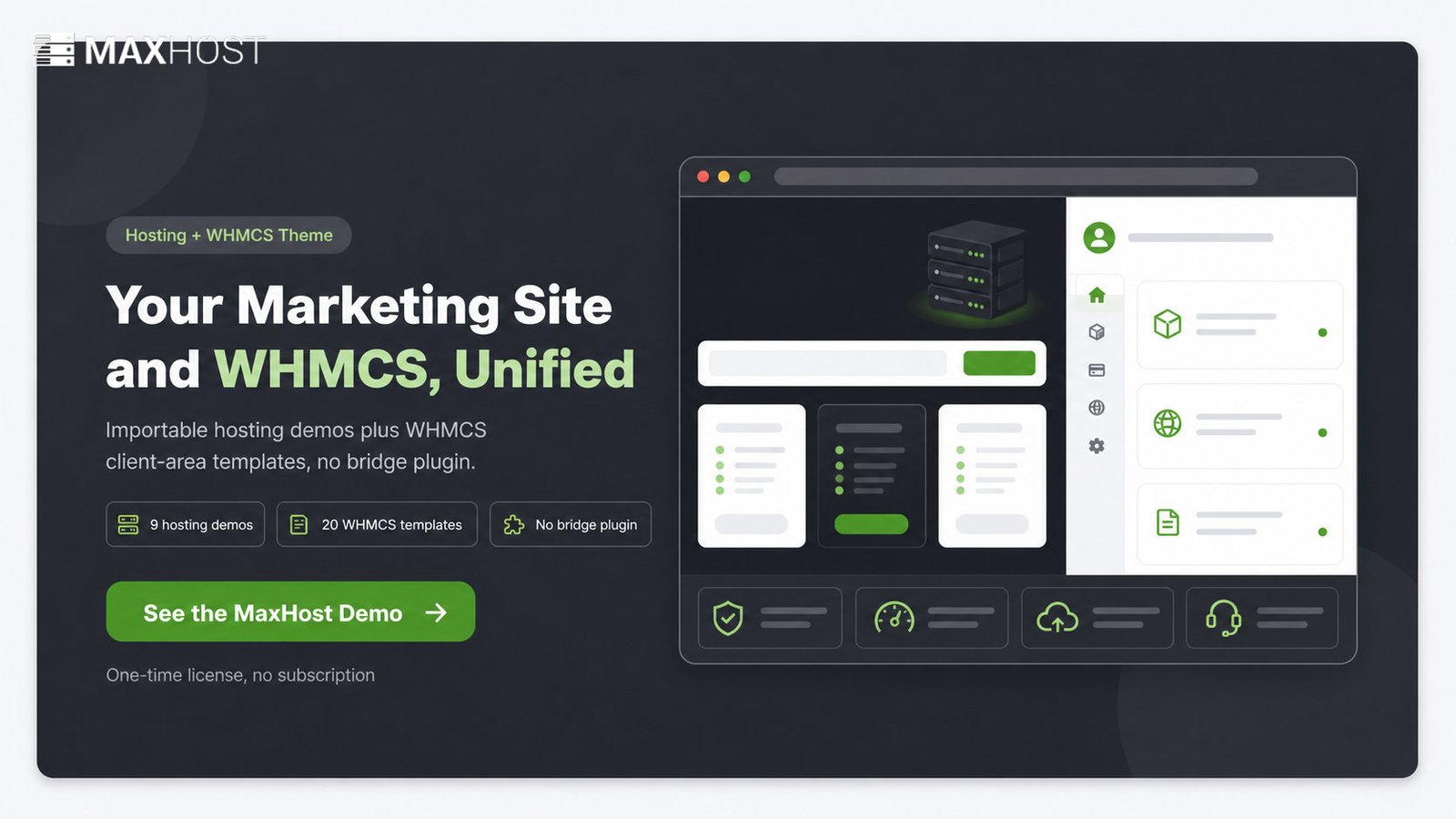
The cart and client portal end up looking like the same business as the homepage, instead of a jarring handoff to a generic WHMCS install. For a full walkthrough of building the site itself, section by section, see how to make a web hosting website.
Whatever theme you choose, confirm it ships hosting-specific page types before buying: plan comparison pages, a domain-search widget, and pricing tables. Building these from scratch in a generic theme adds days to the timeline.
Done: your marketing site and WHMCS client area are both live and visually consistent.
Step 6: Price and Package Your Hosting Plans
Hosting plans price on a tiered structure, typically three tiers, with each tier's resource caps justifying its price gap from the one below it. Underpricing to compete with "$1 hosting" ads is the single most common new-entrant mistake.
Reseller hosting profit margins run 50% to 70% once priced correctly. Thinner margins, near 15% to 35%, are common among new entrants still building volume.
A worked example: a $15 per month reseller plan costs you roughly $2 in wholesale hosting and support time. That nets about $13 in gross margin per client, before billing-software and marketing costs.
Break-even happens once monthly recurring revenue covers your fixed costs, the reseller plan and the billing subscription. At roughly $15 per plan, 3 to 5 clients covers those fixed costs. Every client after that is closer to pure margin.
Whatever theme you use, plan for pricing tables and plan-comparison blocks on the marketing site. MaxHost ships these as built-in components, so this display layer does not need custom development.
Packaging is only half the job. See how to market a web hosting business for the rest, or is web hosting business profitable for the full margin breakdown.
Done: a published price on every plan, each covering wholesale cost, support time, and your target margin.
Step 7: Launch, Onboard Clients, and Set Up Support
Launch day needs a support system ready before the first ticket arrives, not built reactively after a complaint. Confirm this checklist before you announce.
- Ticketing. A system live, with categories for billing, technical, and general inquiries.
- Response-time target. Published on the site: same-day, 24-hour, or better.
- Knowledge base. Covers account setup, billing, and the 5 most common technical questions.
- Onboarding sequence. A welcome email, a setup confirmation, and a day-7 check-in.
���� Using MaxHost? Its built-in tawk.to integration means turning on live chat is a settings toggle, not a new plugin install.
Getting clients is consistently the hardest part of running a hosting business, harder than the technical setup. Budget marketing time and a paid or content budget from day one.
Done: a ticketing system, response-time target, and knowledge base, all live before you announce.
Common Web Hosting Business Mistakes to Avoid
The costliest web hosting business mistake is building client sites on shared hosting instead of a reseller or VPS account. Shared hosting caps resource isolation, so one client's traffic spike can take down every other client's site.
| Mistake | Consequence | Remedy |
|---|---|---|
| Building on shared hosting instead of reseller or VPS | One client's traffic spike degrades every other client's site | Start on a true reseller or WHM-level account with isolated resource caps |
| Underpricing to chase the "$1 hosting" model | Margins collapse below the support-cost break-even within months | Price from real wholesale cost plus support time, not the cheapest competitor's rate |
| Skipping billing automation | Manual invoicing breaks down past a handful of clients and delays payment | Set up WHMCS or Blesta before client 1, not after client 10 |
| Launching without a support and ticketing plan | Support requests scatter across email and chat, and response times slip | Stand up a ticketing system and a published response-time target before launch |
| Trying to serve every niche at once | Marketing stays generic, and the business competes with hosting giants on price alone | Pick one niche, per Step 1, and build marketing around that niche's specific needs |
Web hosting is a genuinely saturated market, and every one of these five mistakes compounds that difficulty. Avoiding them does not guarantee clients; it removes the self-inflicted reasons a business fails before it gets the chance to compete.
FAQs
How much does it cost to start a web hosting business?
Starting a reseller-based web hosting business typically costs around $1,000 total. That covers a reseller hosting plan, a billing platform such as WHMCS, a domain, and basic branding. Ongoing monthly costs run $20 to $60 before client revenue offsets them.
Is a web hosting business profitable?
Reseller hosting profit margins typically run 50% to 70% once priced correctly, though new entrants often start closer to 15% to 35% while building volume. Profitability depends more on client acquisition and retention than on the infrastructure choice itself.
Can I start a web hosting business from home?
Yes. Reseller hosting needs no physical server on-site, so a laptop, a stable internet connection, and a home office cover the full technical setup. The infrastructure lives with your upstream provider, not in your home.
Do I need my own servers to start a hosting business?
No. Reseller hosting runs on wholesale capacity from an upstream provider, so you never touch physical hardware. VPS or dedicated-server models exist for operators who outgrow reseller resource caps, but neither is required to launch.
Is reseller hosting the same as "$1 hosting" or oversold hosting?
No. Reseller hosting is a legitimate wholesale-capacity model; "$1 hosting" describes shared plans oversold far past their actual resource limits. A responsibly priced and provisioned reseller business avoids the overselling problem that gives cheap hosting its bad reputation.
How long does it take to launch a hosting business?
A bootstrapped reseller hosting business typically launches in 1 to 3 weeks. Provider and niche research takes a few days, WHM and WHMCS setup takes a few more, and the remainder covers the website build.
Do I need WHMCS to start a hosting business?
Not strictly. WHMCS is the category-standard billing platform, but Blesta is a comparable, lower-cost alternative for unlimited clients. Manual invoicing works up to a handful of clients before it stops scaling.
Is starting a web hosting business viable in 2026?
Yes, within a defined niche. The broad hosting market is saturated and dominated by large providers. Niche positioning, WordPress-only hosting, a specific region, or hosting bundled with agency services, still gives new entrants a workable entry point.
What's the difference between reseller hosting and running your own hosting company?
Reseller hosting rents WHM-level capacity from an upstream provider and resells it under your brand. Running your own hosting company means owning or leasing physical servers directly, which needs far more capital and server-administration skill.
Can I run a hosting business without technical skills?
Some technical comfort helps, but deep server-administration skill is not required for a reseller hosting business. WHM and WHMCS handle most provisioning and billing automatically; the harder skills to build are sales, pricing, and client support.
Every step above works with any WordPress theme. Building the marketing site and the WHMCS client area to match is where most new hosting businesses lose weeks to custom development.
MaxHost ships 9 hosting-specific page layouts and 20 WHMCS client-area templates that install with no bridge plugin. It has tracked this exact launch sequence since 2016. See the MaxHost demo to check whether it fits your niche before you commit to a theme.