Starting a reseller hosting business means buying wholesale hosting capacity through a WHM reseller plan. You brand it with private nameservers, then resell hosting packages under your own company name. The startup cost runs 10 to 50 USD a month for the base plan.
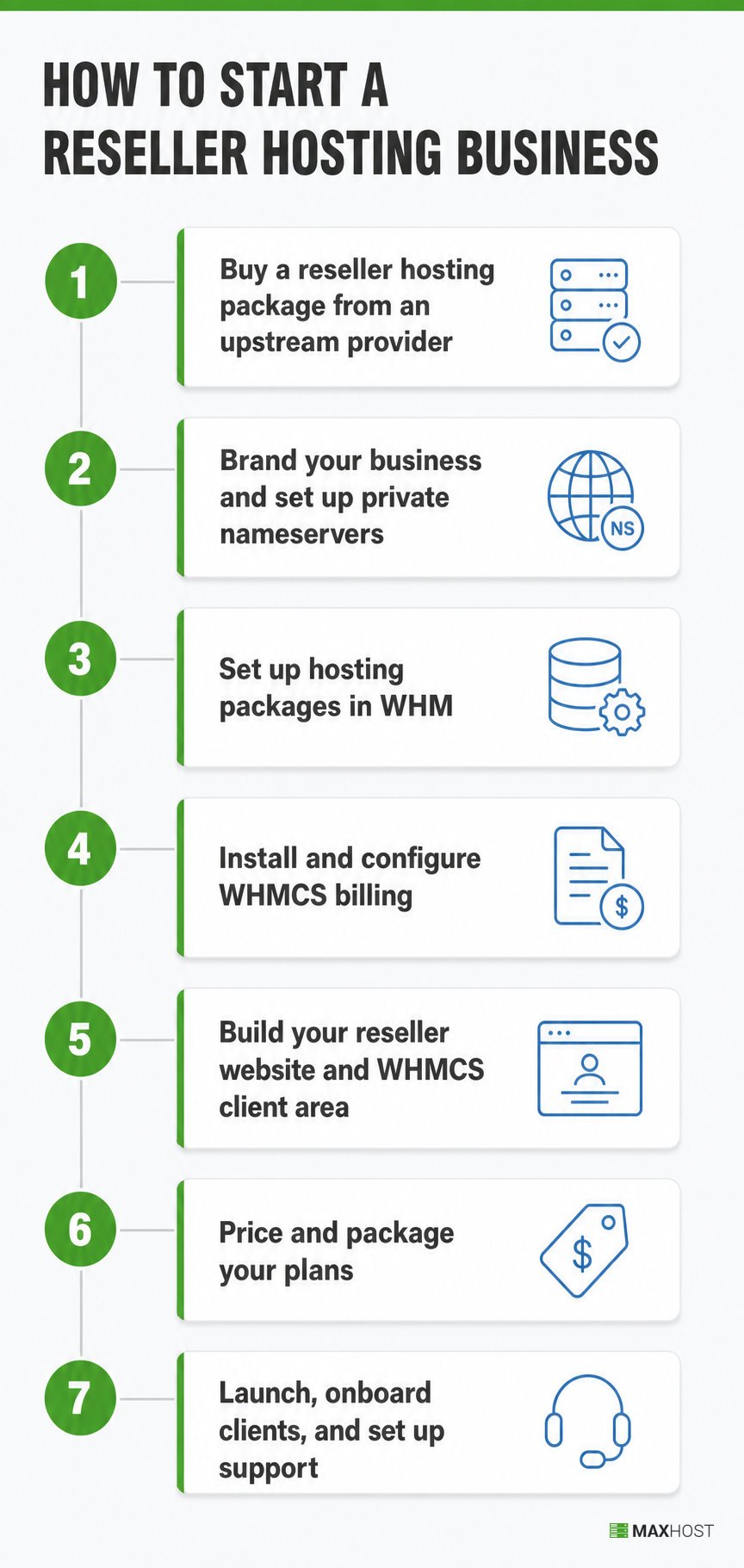
This guide walks through all seven steps, from picking a niche to launching support and monitoring for overselling drift. Below: real 2026 costs, a margin table, and the mistakes that sink new resellers before their first invoice.
How to Start a Reseller Hosting Business at a Glance
Starting a reseller hosting business means buying hosting capacity wholesale, from an upstream provider, then branding and reselling it under your own company name. You never touch a physical server.
The upstream provider owns the hardware. You manage client accounts through WHM and bill through WHMCS. This differs from running your own hosting company, where you own or lease the infrastructure directly.
The full mechanics and definition live on what reseller hosting is, for readers who want that depth before the steps below. Readers who have not committed to reseller yet should start with how to start a web hosting business. That guide covers the fork between reselling and running your own infrastructure.
What You Need Before You Start
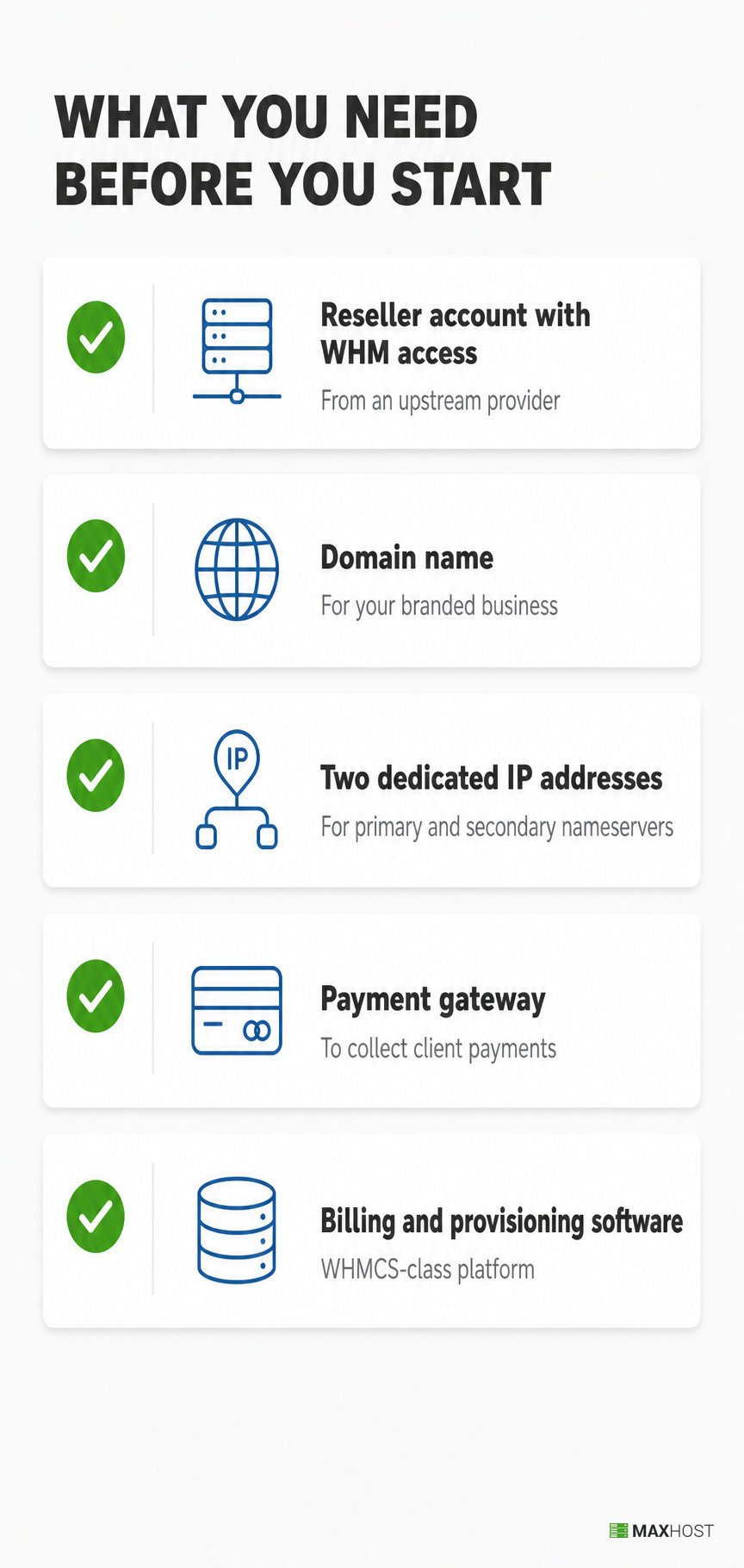
The one prerequisite most new resellers skip is the two dedicated IP addresses your private nameservers require. Line up the rest below before you buy anything.
You need:
- A reseller hosting account with WHM access, from an upstream provider
- A domain name for your branded reseller business
- Two dedicated IP addresses, for your primary and secondary private nameservers
- A payment gateway, to collect client payments through your billing system
- Billing and provisioning software, any WHMCS-class platform works
Most of this setup takes a day once the reseller account is active. Sketch a short web hosting business plan before you commit to a provider, so your niche and pricing are set before you buy.
Step 1: Buy a Reseller Hosting Package from an Upstream Provider
Pick the upstream provider before anything else, because it decides your uptime, your resource ceiling, and how much your clients trust you. Weigh each candidate against the criteria below.
Evaluate every reseller plan on:
- WHM and reseller access, confirmed at signup, not assumed from marketing copy
- Resource pool size, the total disk space and bandwidth you can allocate across clients
- Disclosed overselling ratio, how much the provider itself oversells its own hardware
- Uptime SLA, stated as a number, not "reliable" or "fast"
- White-label support, confirmed private nameservers so no upstream branding reaches your clients
- Included features, free SSL certificates, automated backups, and fast SSD or NVMe storage
- Support quality, response time and channel, since you become your clients' first point of contact
The single most damaging mistake at this step is picking a provider on price alone. Hosting forums document accounts landing on shared IP blocklists and WHM instances going unresponsive. Both problems trace back to an unreliable upstream partner chosen for a low sticker price. Verify the overselling ratio and support channel before you sign, not after your first client complains.
Domain resale is a related but separate niche. See how to become a domain reseller if you want to add domain sales alongside hosting.
Step 2: Brand Your Reseller Business and Set Up Private Nameservers
Private nameservers hide your upstream provider's name from every client-facing DNS lookup. Set them up before you onboard your first client, not after.
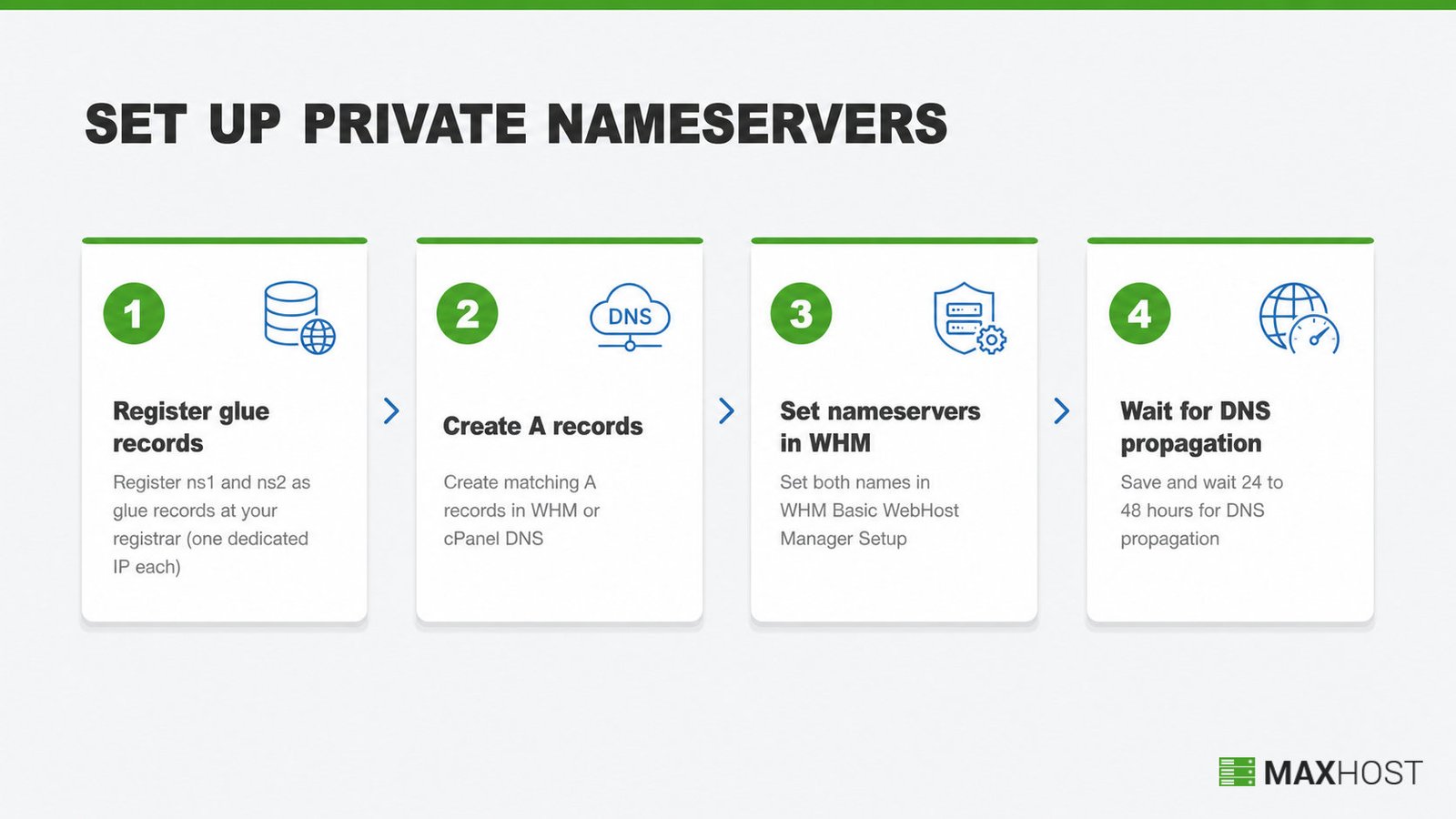
To brand your reseller business with private nameservers:
- Register both nameservers as glue records at your domain registrar, typically ns1.yourdomain.com and ns2.yourdomain.com. Registrars label this "register a nameserver," "child nameservers," or "glue records," and each one takes a dedicated IP address.
- Create matching A records in your WHM or cPanel DNS zone, pointing ns1 and ns2 to those same two IP addresses
- Open WHM's Basic WebHost Manager Setup, choose "Explicitly Set the Nameservers," and enter both names in the Nameserver 1 and Nameserver 2 fields
- Save changes, then wait 24 to 48 hours for DNS propagation across the internet
New cPanel accounts you create after this step use your private nameservers automatically. Existing accounts keep their old nameservers unless you update them individually through WHM's Reseller section.
Confirm your upstream provider supports white label hosting before you buy, since not every reseller plan permits private nameservers by default. GreenGeeks documents the same server-wide and per-account nameserver paths for its own reseller accounts.
Step 3: Set Up Your Hosting Packages in WHM
WHM packages define what each client tier gets: disk space, bandwidth, email accounts, databases, and addon domains. Build three to five tiers in WHM's Packages area with the Add a Package tool, before you sell your first plan.
A typical package structure covers:
- Starter tier, a small disk and bandwidth allocation for personal sites and blogs
- Business tier, a mid-range allocation for small business sites with moderate traffic
- Agency tier, the largest allocation, for clients running multiple sites or an ecommerce store
Set every tier's disk and bandwidth limits inside your total reseller resource pool, never beyond it. Overselling past your allotted pool is how resellers get suspended by their own upstream provider. Track total usage across all client accounts monthly, and upgrade your plan before you approach the ceiling, not after a client's site goes down.
Readers new to the panel should start with what WHM is before building packages.
Step 4: Install and Configure WHMCS Billing
WHMCS is the category standard for reseller billing, automating invoicing, provisioning, and the client portal in one platform. Blesta is a smaller alternative with similar automation.
WHMCS self-hosted starts at 34.95 USD a month for up to 250 active clients, rising to 84.95 USD for up to 1,000. Blesta is a cheaper alternative, and many reseller providers bundle a WHMCS license. Install WHMCS, then connect your WHM server inside it, using your server hostname, username, API token, and primary IP. Once linked, WHMCS automates the tasks below.
- Invoice generation and payment collection through a gateway like PayPal or Stripe, on a schedule you set
- Account provisioning, so a paid order creates the cPanel account automatically
- Suspension and termination, triggered by non-payment without manual intervention
- The client self-service portal, where clients manage their own services and tickets
���� Using MaxHost? MaxHost does not configure WHMCS for you. Matching the cart and client portal to your marketing site's brand is a theming decision, not a WHMCS setting. That decision gets handled in Step 5.
New to billing automation? What WHMCS is and how to set up WHMCS cover the platform and the install walkthrough. A WHMCS bridge plugin is a separate, fragile connector some themes require to sync WordPress and WHMCS. It is worth understanding before Step 5, because avoiding it is exactly the reliability gap the next step closes.
Step 5: Build Your Reseller Website and WHMCS Client Area
A reseller hosting business needs two matched deliverables. A branded marketing site sells your plans, and a WHMCS client area handles signup and billing in the same brand. Build both together, not separately.
The marketing site sells the plans you set up in Step 3. The WHMCS client area is where clients sign up, pay, and manage their services after the sale. Mismatched branding shows exactly where a client is entering a card number. That is the worst moment to raise doubt.
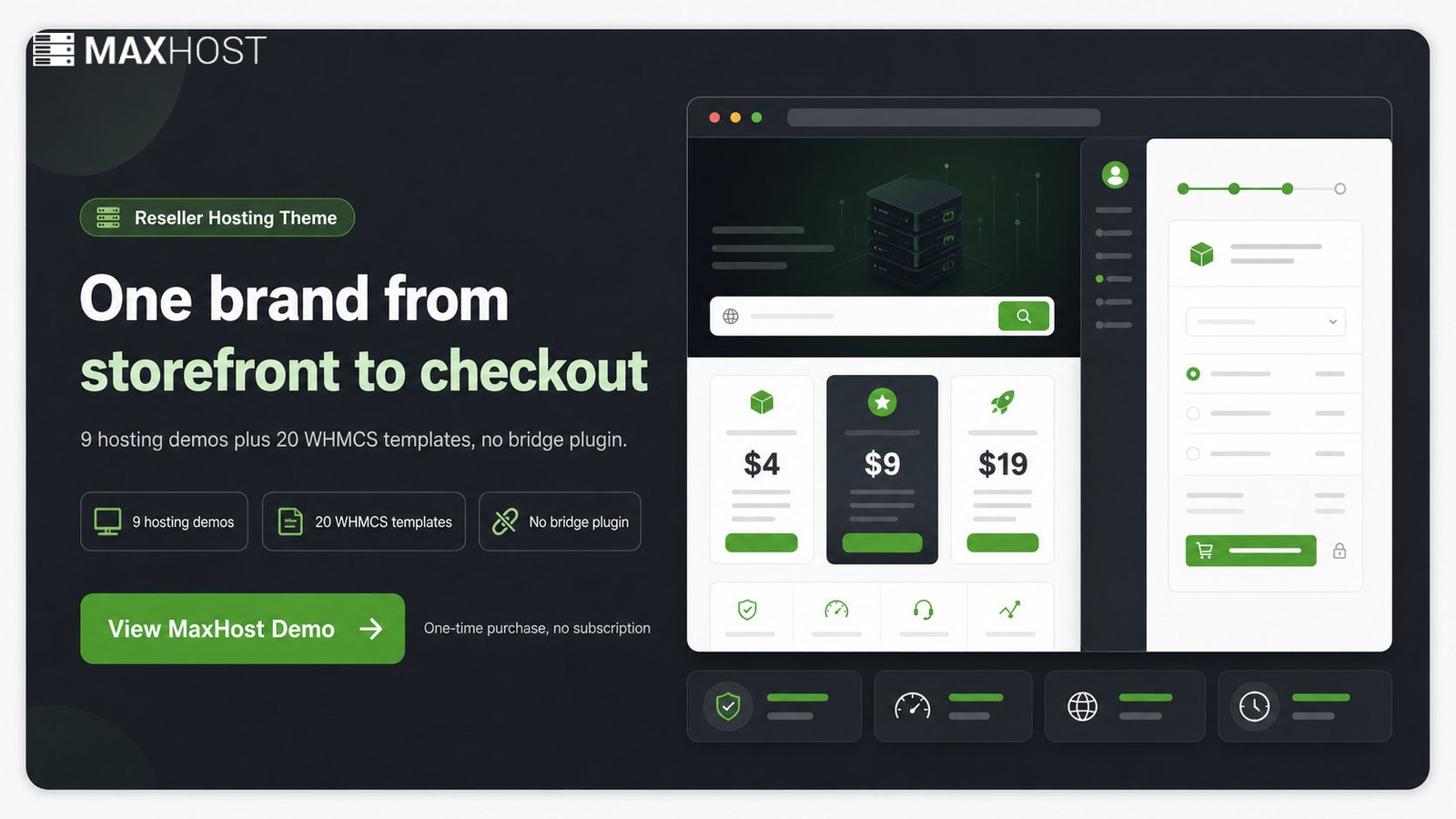
A WordPress theme for a reseller hosting business handles both halves at once. MaxHost is one example built specifically for this. It ships 9 hosting-focused WordPress demos for the marketing site and 20 WHMCS client-area templates that install directly into WHMCS, with no bridge plugin. A client moving from your homepage into checkout never sees the upstream provider's name.
Step 6: Price and Package Your Reseller Hosting Plans
Price every tier from your real monthly overhead plus a target margin, never from what a competitor charges. Underpricing to win clients is how new resellers run out of cash for support.
A new reseller's monthly overhead typically breaks down as shown below.
| Cost item | Typical range |
|---|---|
| WHM reseller plan (entry to mid tier) | 10 to 50 USD |
| WHMCS billing (self-hosted, up to 250 clients) | from 34.95 USD, or less with Blesta or a bundled license |
| Domain for your storefront | roughly 1 USD a month, billed annually |
| Card payment processing | about 2.9 percent plus 30 cents per transaction |
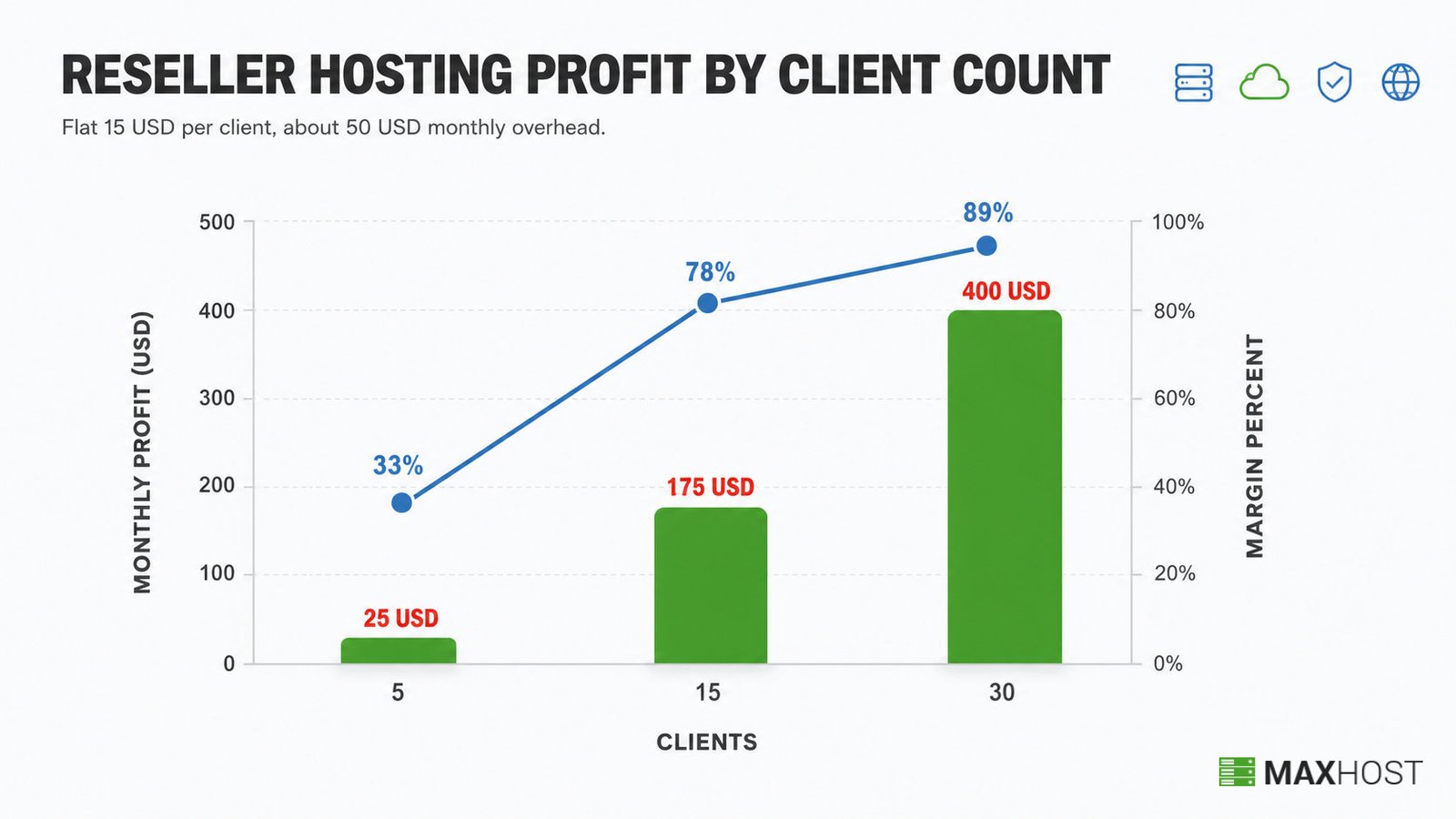
The table below models profit at three client counts. It uses a flat 15 USD a month per client, a common entry price. Monthly overhead stays near 50 USD, an entry WHM plan plus WHMCS self-hosted, and holds flat up to 250 clients.
| Clients | Monthly revenue | Monthly overhead | Monthly profit | Margin |
|---|---|---|---|---|
| 5 clients | 75 USD | 50 USD | 25 USD | 33% |
| 15 clients | 225 USD | 50 USD | 175 USD | 78% |
| 30 clients | 450 USD | 50 USD | 400 USD | 89% |
Lift every tier's margin by bundling high-margin add-ons: SSL certificates, domain registration, professional email, and maintenance plans. Each one adds recurring revenue on top of the base hosting fee.
���� Using MaxHost? Whatever theme you use, plan for pricing tables and plan-comparison blocks on the storefront. MaxHost ships these as built-in components, so this display layer needs no custom development.
For the full margin breakdown across the wider hosting-business model, see is web hosting business profitable.
Step 7: Launch, Onboard Clients, and Set Up Support
Launch only after your support channel is live. A paying client's first support request either earns trust or loses it.
Before you announce your reseller hosting business, work through this checklist.
- Open a ticketing or live-chat channel, and publish a response-time expectation clients can hold you to
- Onboard your first client manually, walking through signup, provisioning, and the client portal yourself
- Set a monitoring cadence, checking resource usage weekly against your allotted pool
- Watch for overselling drift, the gradual creep past your resource ceiling as client count grows
���� Using MaxHost? MaxHost bundles tawk.to live chat by default. Turning on a support channel is a settings toggle, not a new plugin install.
Your first clients come from focused outreach, not broad ads. Target local small businesses, freelancers, and web-design agencies, then bundle hosting with web design or maintenance to raise each account's value. How to sell and price web hosting covers the full acquisition and marketing playbook.
Common Reseller Hosting Mistakes to Avoid
The single most damaging mistake is choosing an unreliable upstream provider on price alone. Every other mistake below compounds on top of that shaky foundation.
| Mistake | Consequence | Remedy |
|---|---|---|
| Choosing an unreliable or cheap upstream provider | Downtime, poor support, and resource caps discovered after signup | Verify the disclosed overselling ratio, uptime SLA, and support channel before you buy |
| Overselling resources beyond your allotted pool | Performance complaints and suspension by your own upstream provider | Track usage per client monthly and upgrade before you hit the ceiling |
| Skipping private nameservers | The upstream provider's name shows in WHOIS and DNS, undermining your brand | Register and set both nameservers at signup, before your first client onboards |
| Underpricing to win clients | Margin collapse, with no cash left for support or upgrades | Price from real overhead plus a target margin, never from a competitor's rate |
| Launching without a support plan | You become the sole point of contact with no ticketing system in place | Open a ticketing channel and set response-time expectations before launch |
FAQs
How much does it cost to start a reseller hosting business?
Starting a reseller hosting business costs about 45 to 90 USD a month. That covers 10 to 50 USD for the WHM reseller plan and WHMCS billing from 34.95 USD. It runs less with Blesta or a bundled license. Add a domain, roughly 1 USD a month billed annually, and optionally a WordPress theme for the storefront.
Is reseller hosting profitable?
Yes, reseller hosting is profitable once you pass roughly 5 paying clients, because WHM and WHMCS overhead stays fixed while client revenue scales. At 15 clients paying 15 USD each, this guide's cost model clears a 78 percent margin after overhead.
What's the difference between reseller hosting and running your own hosting company?
Reseller hosting rents server capacity from an upstream provider and resells it under your brand. Running your own hosting company means buying or leasing the physical servers yourself, which raises both cost and technical responsibility.
Do I need WHMCS to run a reseller hosting business?
WHMCS is the category standard for reseller billing: it automates invoicing, provisioning, and the client portal. Blesta is a smaller alternative. Manual billing works for a handful of clients, but it breaks down past 10 to 15.
Do I need technical skills to start a reseller hosting business?
Basic WHM and DNS skills are enough: creating packages, assigning nameservers, and reading resource usage reports. You do not need to configure servers yourself, since the upstream provider manages the hardware layer.
How long does it take to launch a reseller hosting business?
Most resellers launch in 1 to 2 weeks. DNS propagation alone takes 24 to 48 hours, and the rest of the time goes to WHMCS and storefront setup.
What's the difference between reseller hosting and white label hosting?
Reseller hosting is the wholesale purchase model. White label hosting is the branding requirement that hides the upstream provider's name. Most reseller plans support white labeling, but confirm it before you buy.
Can I start a reseller hosting business from home?
Yes, reseller hosting runs entirely through a web-based WHM login and a WHMCS billing panel, so no physical infrastructure or dedicated office is required. Most solo resellers operate from a home office or a laptop.
What's the difference between reseller hosting and domain reselling?
Reseller hosting resells server space and hosting packages through WHM. Domain reselling, through a program like the GoDaddy Reseller Store, resells domain name registrations only, with no server management involved.
Step 5 covered the storefront and client-area build, the one step a reseller hosting WordPress theme genuinely earns. MaxHost ships 9 hosting-focused demos and 20 WHMCS client-area templates with no bridge plugin, so your branded storefront and checkout match from day one. For a broader hosting company build rather than a reseller-specific one, see a WordPress theme for a web hosting company. View the MaxHost demo to see the reseller layouts in action.