Pricing and selling web hosting means setting a profitable price per plan and packaging it so buyers actually convert. Done right, it covers your real costs and beats commodity "$1 hosting" on value, not price. A converting pricing page then turns that price into a working sales tool.
This guide covers choosing a pricing model, doing the margin math, and packaging tiers. It also covers billing cadence, upsells, positioning against rock-bottom competitors, and pricing pages that convert.
Pricing and Selling Hosting at a Glance
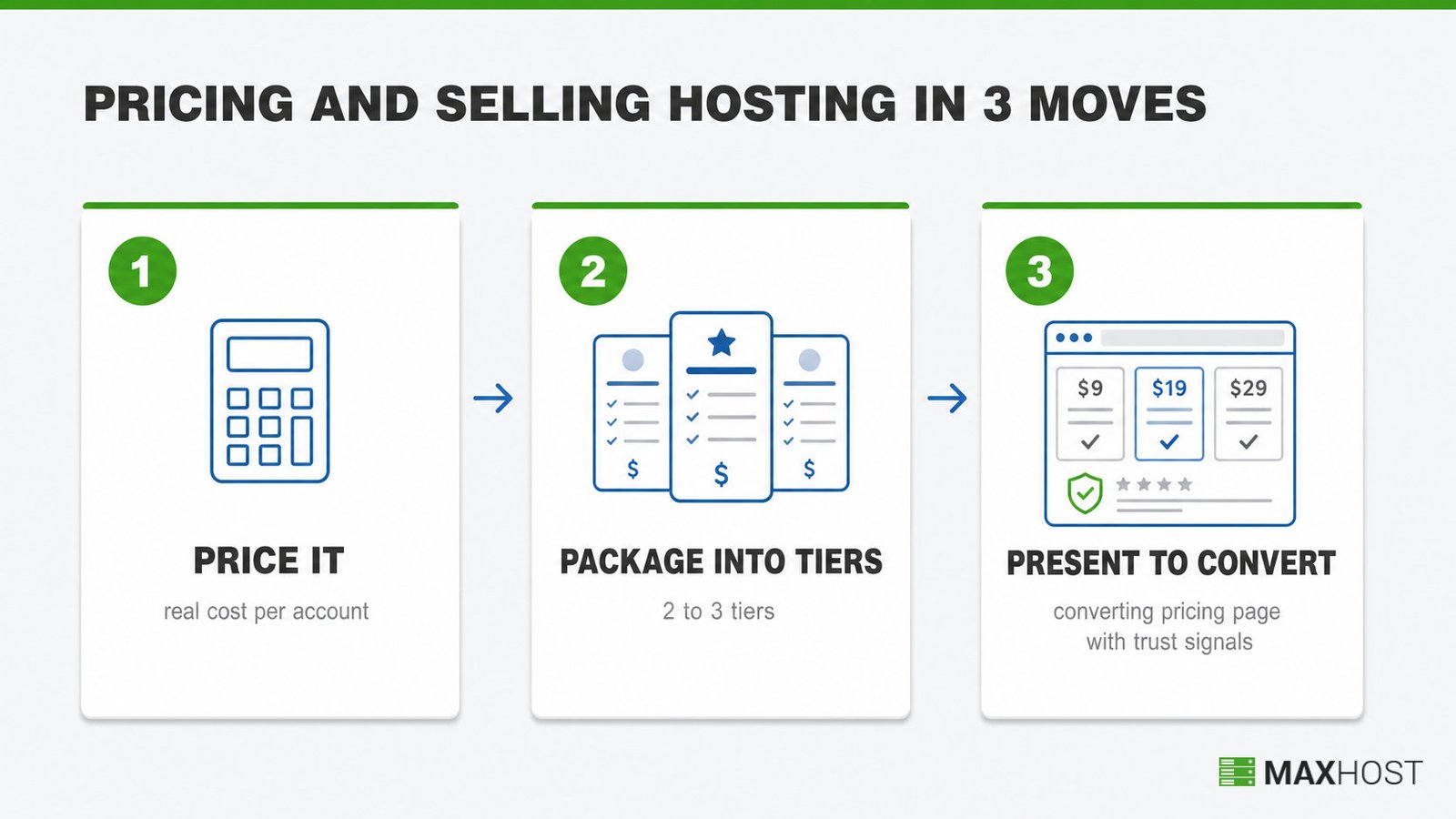
Pricing and selling hosting comes down to three moves done in order. Price it using your real cost per account, not a guess. Package that price into two or three tiers a buyer can self-select. Then present and sell it on a page built to convert, backed by trust signals at checkout.
Skip step one and every later step inherits a wrong number. Skip step three and a correct price still fails to close.
What You Need Before You Start
The one prerequisite most resellers skip: knowing your actual hosting cost per account before picking any price. Without that number, every price you set is a guess dressed up as a strategy.
This is a solo task for most resellers, though small teams split pricing decisions from page design.
- Time: an afternoon to draft a pricing model and set tiers. Building the pricing page itself takes longer, from a few hours to a full day depending on your platform.
- Inputs: your upstream hosting or reseller plan cost, a billing platform already in place, and a rough estimate of how many clients you expect in your first three months.
- Tools: a billing and automation platform to handle invoicing and renewals, and a page builder or website platform to publish and update your pricing page.
Pricing comes after the business itself exists. If you have not started yet, starting a web hosting business and writing a hosting business plan both shape the cost baseline this guide assumes.
Choose a Pricing Model Before You Set Any Number
Three pricing models cover almost every hosting business: cost-plus, market-rate, and value-based. Cost-plus adds a fixed margin to your real cost. Market-rate matches competitors. Value-based prices around what the plan is actually worth to the buyer.
| Model | Mechanism | Risk |
|---|---|---|
| Cost-plus | Calculate your real hosting cost, then add a target profit margin on top | Undervalues premium service if your costs are already lean |
| Market-rate | Set prices to match or slightly undercut competitors | Ignores your actual costs; can lock in an unprofitable price |
| Value-based | Price around outcomes: faster support, higher uptime, specialized expertise | Requires you to actually deliver and prove that extra value |
Most resellers start with cost-plus because it protects margin on day one. They layer in value-based pricing later, once they have proof points like response-time data.
Do the Margin Math First
Margin math means dividing your hosting cost by the accounts it supports, then comparing that per-account cost against your retail price. The gap is your real margin, not your assumed one.
A $30-a-month reseller plan supporting 50 accounts costs $0.60 per account. Charge $15 a month retail and you clear $14.40 profit per account before your own time.
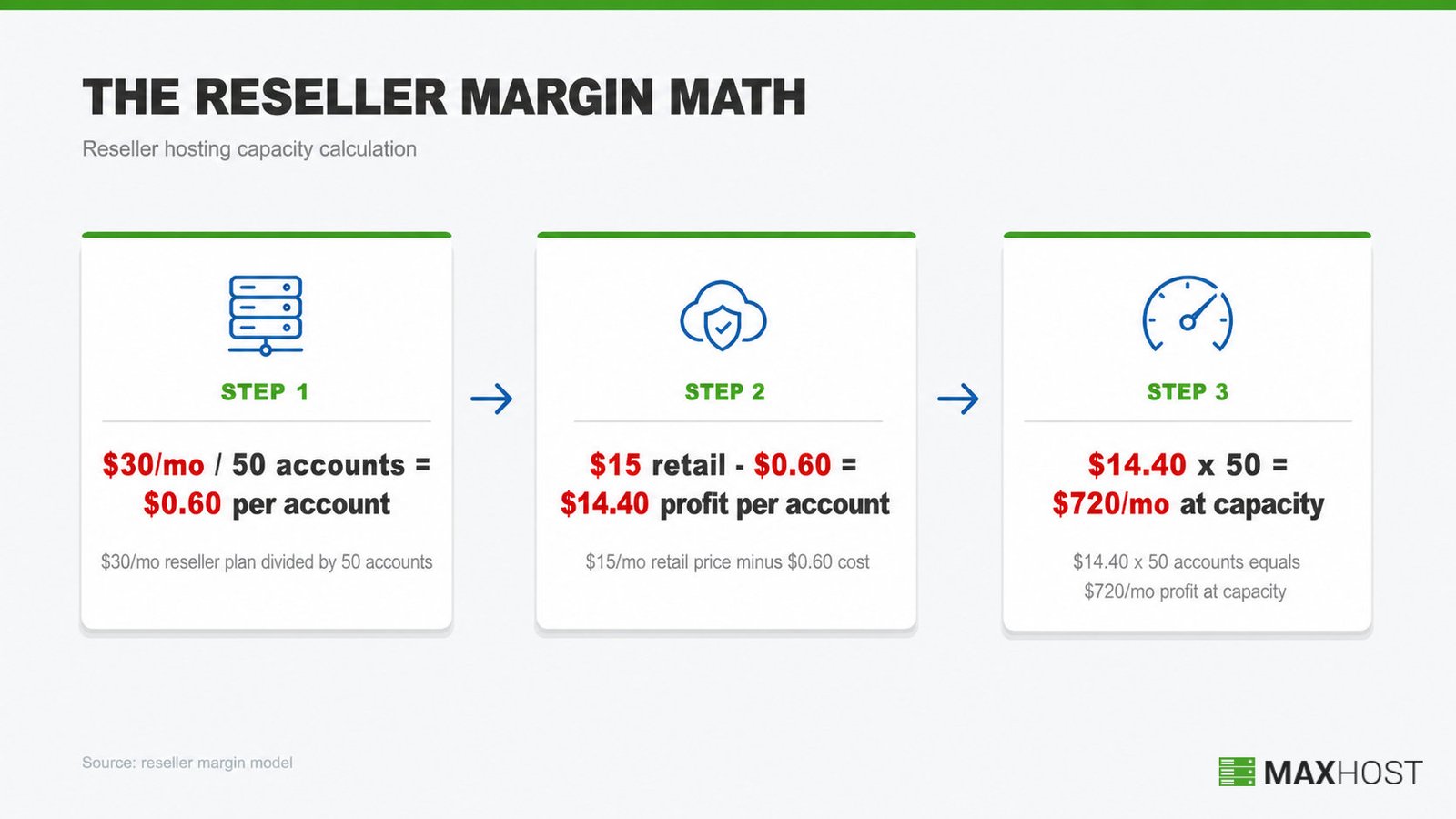
| Reseller plan cost | Accounts supported | Cost per account | Retail price | Profit per account | Monthly profit at capacity |
|---|---|---|---|---|---|
| $30/month | 50 | $0.60 | $15/month | $14.40 | $720 |
| $50/month | 100 | $0.50 | $15/month | $14.50 | $1,450 |
The second row scales to a $50-a-month reseller plan against $1,500 in revenue at full capacity.
Priced this way, reseller hosting typically runs a 40 to 70 percent gross margin. Agencies bundling it into larger retainers often clear 80 percent or more.
For the fuller margin range across shared, reseller, and managed tiers, see the margin math on whether hosting is profitable.
Package Your Plans Into Tiers
Hosting plans package into three tiers by capacity and support depth: entry, mid, and high-capacity. Each tier targets a different buyer, from solo freelancers to established agencies.
| Tier | Typical monthly price | Who it fits |
|---|---|---|
| Entry | $5 to $15 | Freelancers managing 10 to 20 client accounts on shared or basic reseller resources |
| Mid | $20 to $50 | Growing agencies needing 100GB-plus NVMe storage and higher or unlimited account caps |
| High-capacity | $60 to $100-plus | Established resellers running hundreds of client accounts with priority support access |
Not sure how reseller hosting differs from running your own dedicated servers? Read what reseller hosting is before you lock in tier content. The tier decisions connect directly to starting a reseller hosting business in the first place.
Cap tiers at three or four. A fourth or fifth option adds decision friction without adding revenue for most reseller catalogs.
Decide Monthly vs. Annual, and Intro vs. Renewal Pricing
Billing cadence is two separate decisions: monthly versus annual, and whether to run an introductory rate that steps up later. Annual billing typically discounts 20 to 40 percent off the monthly rate. Hosts often frame that as "two months free."
Renewal jumps are common but risky when hidden. Renewal prices commonly land 200 to 400 percent above the introductory rate. Some providers push even higher. One budget host renewed its own $1-a-month intro offer at a 500 percent increase after six months.
Disclose the renewal price at signup, even when it steps up. A buyer who discovers the jump at billing time churns and leaves a public complaint. A buyer who saw it coming stays.
Add Upsells That Lift Your Margin
The highest-value hosting upsells are SSL certificates, professional email, automated backups, and domain registration. Each carries a real margin because the underlying cost is small relative to what buyers expect to pay.
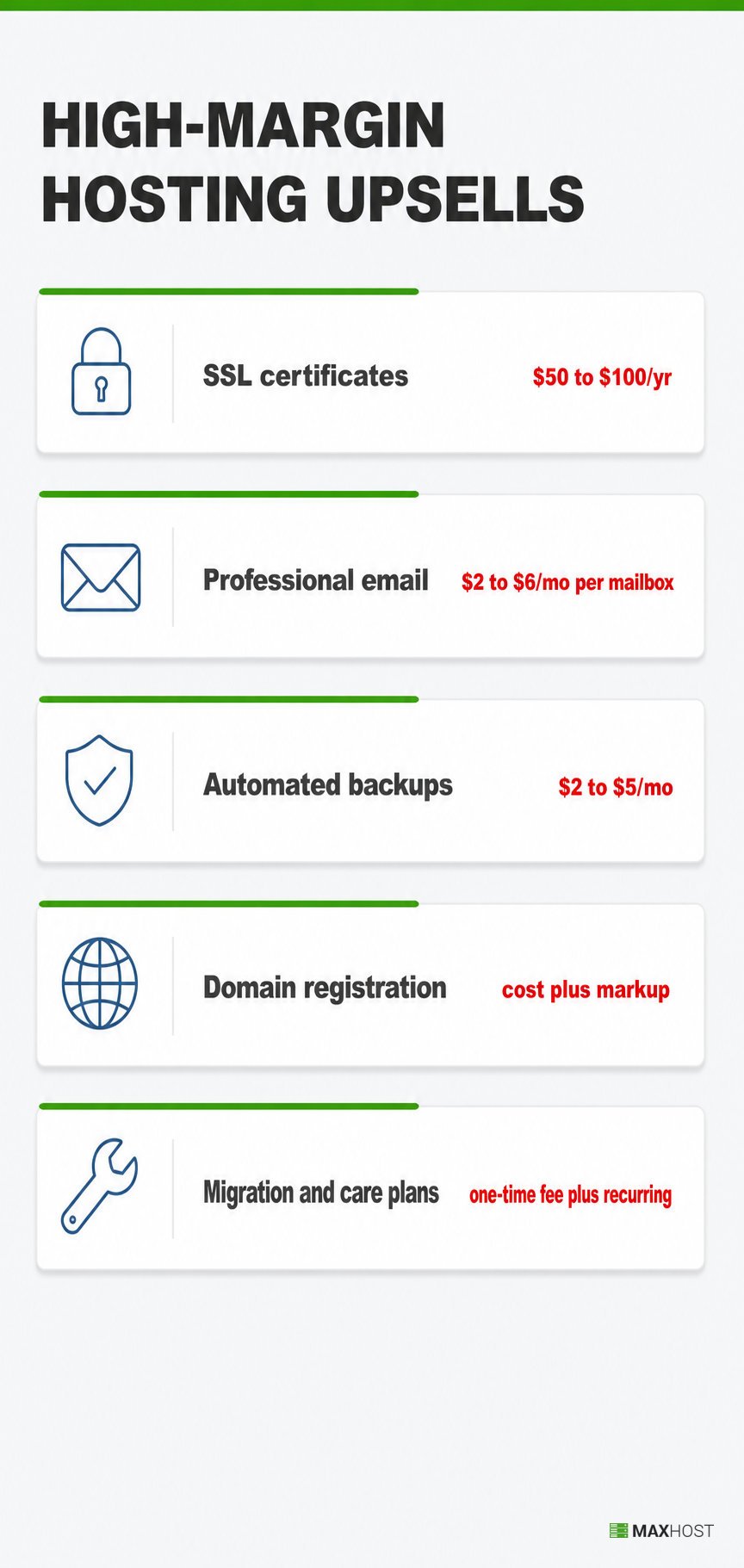
- SSL certificates: commercial certificates run $50 to $100 a year, though many hosts include free baseline SSL and upsell to a premium, extended-validation certificate.
- Professional email: $2 to $6 a month per mailbox for self-hosted email, or a markup on Google Workspace ($7.20 a user monthly) or Microsoft 365 ($6 a user monthly).
- Automated backups: $2 to $5 a month, framed as insurance against a client's own mistake rather than a hosting failure.
- Domain registration: sourced at cost and resold at a small markup, which keeps the headline hosting price competitive while adding a recurring line item.
- Website migration and care plans: a one-time migration fee plus an ongoing care plan of updates, monitoring, and backups, which buyers rarely price-shop line by line.
Bundle these into the plan itself rather than pricing bare hosting alone. The highest-margin framing is full-service managed hosting where the client never touches a control panel. It reprices the plan around outcomes, not raw server space.
A freelance designer moving clients onto managed reseller hosting posted the exact dilemma on a hosting forum. Match a former host's $120-a-month rate, or price above it once monitoring and backups are added.
Two independent pricing guides land on the same answer: price the bundle you deliver, not the bare server space.
If you already run a WordPress-and-WooCommerce front end, list SSL, email, and backups as WooCommerce products on the same site. No separate storefront is needed. MaxHost ships WooCommerce ready for exactly this.
Position Against "$1 Hosting" Without Racing to the Bottom
A $1-a-month host survives on overselling: packing more accounts onto a server than its resources can actually support at once. A 70GB VPS costing $40 a month covers six clients paying $3 each. That brings in only $18 against a $40 cost, so the math only works by overloading the box.
Matching that price guarantees the same failure mode: slow performance, unreliable email, and support tickets you cannot answer profitably. The honest response is differentiating on value instead, not price.
Compete on response time, uptime history, and the fact that your support ticket does not sit behind hundreds of overloaded accounts. State those numbers on the pricing page itself, next to the price.
Present Your Pricing So It Converts
A converting hosting pricing page needs a few things working together. It needs clear, capped tiers, a scannable side-by-side comparison, a highlighted recommended plan, and a visible call-to-action on every tier.
- Cap tiers at three or four options so buyers self-select instead of stalling on choice.
- Put a comparison table above a wall of feature prose so the differences between tiers are scannable in seconds.
- Highlight one recommended tier with a "most popular" marker so buyers have a default to anchor on instead of comparing from scratch.
- Repeat the call-to-action on every tier card, including the entry tier, since not every buyer starts at the middle option.
- Place trust signals next to the price, not below the fold, since that is the exact moment a buyer hesitates.
MaxHost ships a hosting pricing-table component and a plan-comparison block already built for this job. It also includes separate demo templates for shared, VPS, dedicated, and cloud tiers, so each plan type gets a matching marketing page. These presentation components are part of a WordPress theme built for a hosting company, not bolted on separately. The full build walkthrough covers building a hosting pricing table in WordPress step by step.
Build Buyer Trust Through a Consistent Sales Funnel
Trust breaks the moment the buying experience visibly changes between the pricing page and checkout. The fix is a checkout that still looks like the same brand, backed by visible trust signals.
Support responsiveness, an uptime track record, and real reviews near the price all reduce checkout hesitation. Nearly one in five checkout abandonments traces to a simple lack of trust, so those signals recover revenue, not just polish the page.
If your marketing site and your billing system are built on different templates, that mismatch is exactly the moment buyers hesitate. MaxHost's bundled WHMCS templates skin checkout to match the marketing site, with no bridge plugin. A buyer moving from the pricing page into checkout does not feel like they landed on a different product.
Common Hosting Pricing and Sales Mistakes to Avoid
The single most damaging mistake in hosting pricing is hiding the renewal price until the bill arrives. Every mistake below compounds from the same root cause: pricing decided in isolation from the buyer's actual experience.
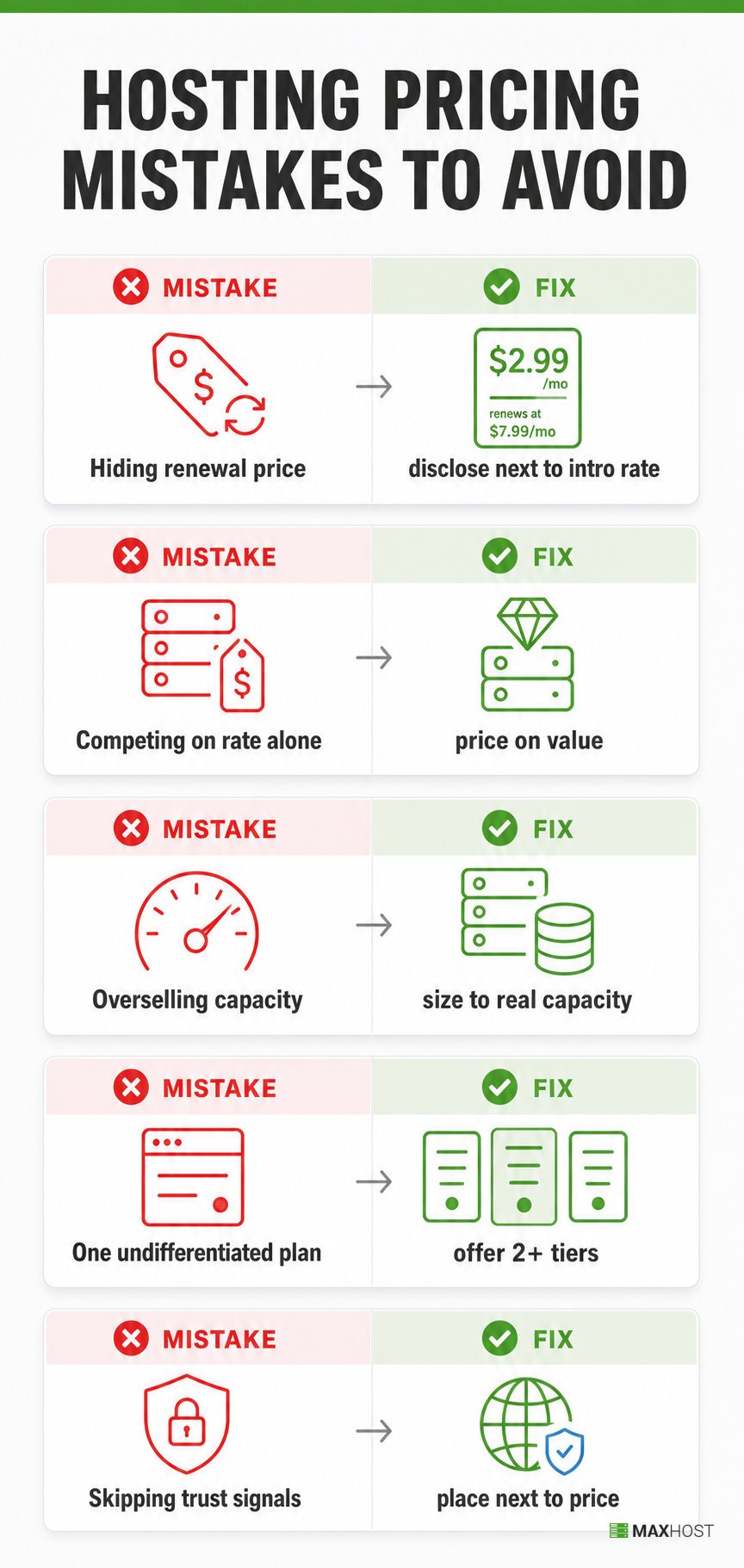
- Hiding the renewal price: buyers discover a 200 to 400 percent jump at billing time and churn immediately, often with a public complaint. Fix: disclose the renewal rate on the pricing page itself, next to the intro rate.
- Pricing to compete on rate alone: matching $1-hosting rates produces unsustainable margins and forces overselling to survive. Fix: price around delivered value and let your support and uptime numbers do the competing.
- Overselling capacity to hit a low price point: packing accounts past what a server can serve creates slow performance and support tickets you cannot profitably answer. Fix: size plans to real capacity, then price for the true cost per account.
- Shipping a single, undifferentiated plan: one plan for every buyer either overprices freelancers or underprices agencies. Fix: package at least two tiers so buyers self-select by need.
- Skipping trust signals at the price and at checkout: a bare price with no support or uptime proof doubles the buyer's hesitation. Fix: place trust signals next to the price and keep checkout visually consistent with the site.
FAQs
How much should I charge clients for web hosting?
Entry-level reseller plans typically charge $5 to $15 a month, mid-tier plans $20 to $50, and high-capacity plans $60 to $100-plus. Price above your real cost per account. Bundle in support, backups, or email rather than selling bare hosting alone.
Should I price hosting monthly or annually?
Offer both. Annual billing typically discounts 20 to 40 percent off the monthly rate and improves cash flow and retention. Monthly billing lowers the barrier for new buyers who are not ready to commit for a year.
What is a good markup for reseller hosting?
A $30-a-month reseller plan supporting 50 accounts costs about $0.60 per account. A $15-a-month retail price clears $14.40 profit per account before your own time. That is roughly a 40 to 70 percent gross margin, and it widens as upsells like email and backups stack on top.
What upsells make the most money on a hosting plan?
SSL certificates, professional email, automated backups, and domain registration carry the strongest margins. Their underlying cost is small relative to what buyers expect to pay. Bundle them into the plan instead of pricing bare hosting alone.
How do I compete with "$1 hosting" without losing money?
Do not match the price. A $1-a-month host survives by overselling server capacity, which you would have to copy to hit the same number. Compete on response time, uptime history, and support quality instead, stated next to the price.
Should I show the renewal price upfront?
Yes. Renewal prices commonly land 200 to 400 percent above the introductory rate. Hiding that number is the single most damaging pricing mistake in hosting. Disclosing it upfront keeps buyers past their first renewal instead of losing them to a surprise bill.
How long does it take to build a pricing page that converts?
Drafting your pricing model and tiers takes an afternoon. Building the actual pricing page, with a comparison table and trust signals in place, typically takes a few hours to a full day.
Is it better to bundle add-ons or sell them separately?
Bundle them into the plan. A bundled price makes it harder for a buyer to price-shop you against a bare-hosting competitor. It also raises your per-account revenue without a separate line-item sale.
Once your pricing model and tiers are set, put them in front of buyers with a pricing table that does the comparing for you. Back it with a checkout that still looks like your own site. See a converting hosting pricing page in the live demo.