ARB connects to every WooCommerce payment gateway, exports iCalendar files by default, and syncs one way to Google Calendar through a paid add-on. It displays through Elementor, WPBakery, or its own shortcode, and it translates through WPML.
Below: how ARB inherits WooCommerce's checkout, what calendar and notification options actually ship, and how page builders display the booking form. The close covers which categories ARB genuinely does not cover yet.
What does ARB integrate with?
ARB integrates across six categories: WooCommerce itself, payment gateways, calendar export and sync, notifications, page builders, and translation. Every payment and tax integration is inherited from WooCommerce, not built separately. Calendar sync and SMS notifications require paid add-ons; everything else ships in the base license.
| Integration | Category | What it does | How it's available |
|---|---|---|---|
| WooCommerce | Core dependency | Runs the cart, checkout, tax, and order management every booking uses | Core (required) |
| Stripe, PayPal, Square, Amazon Pay, PayFast, eWay | Payment gateways | Process card and wallet payments at checkout | Via WooCommerce |
| Cheque, Bank Transfer, Cash on Delivery | Offline payments | Record manual payment methods on the order | Via WooCommerce |
| iCalendar (.ics) export | Calendar | Attaches a booking file to confirmation emails | Core |
| Google Calendar sync | Calendar | Pushes new bookings to Google Calendar automatically, one way | Paid add-on |
| Email notifications | Notifications | Sends automatic and manual booking reminders | Core |
| SMS notifications | Notifications | Sends text reminders | Paid add-on |
| Elementor, WPBakery, shortcode | Page builders | Places the booking form on any page | Core |
| WPML, Poedit (.pot) | Translation | Makes the booking form multilingual | Core |
WooCommerce: the integration ARB is built on
ARB is a WooCommerce extension, not a standalone booking system. It adds a Reservable Product type that runs through WooCommerce's own cart, checkout, coupons, tax, and order management. Every gateway and tax rule below is inherited, not rebuilt.
The ARB booking plugin adds one new product type: the Reservable Product. Creating one exposes a booking form across five configuration tabs on the product page.
Customers add a reservation to the cart exactly like any other WooCommerce product. Checkout runs through the store's existing payment and tax setup, with no separate booking checkout to configure.
This inheritance is why ARB never rebuilds a payment system of its own. Every gateway WooCommerce supports becomes a booking payment option automatically. WooCommerce Tax applies country, state, and city rates to reservations the same way it applies them to physical products.
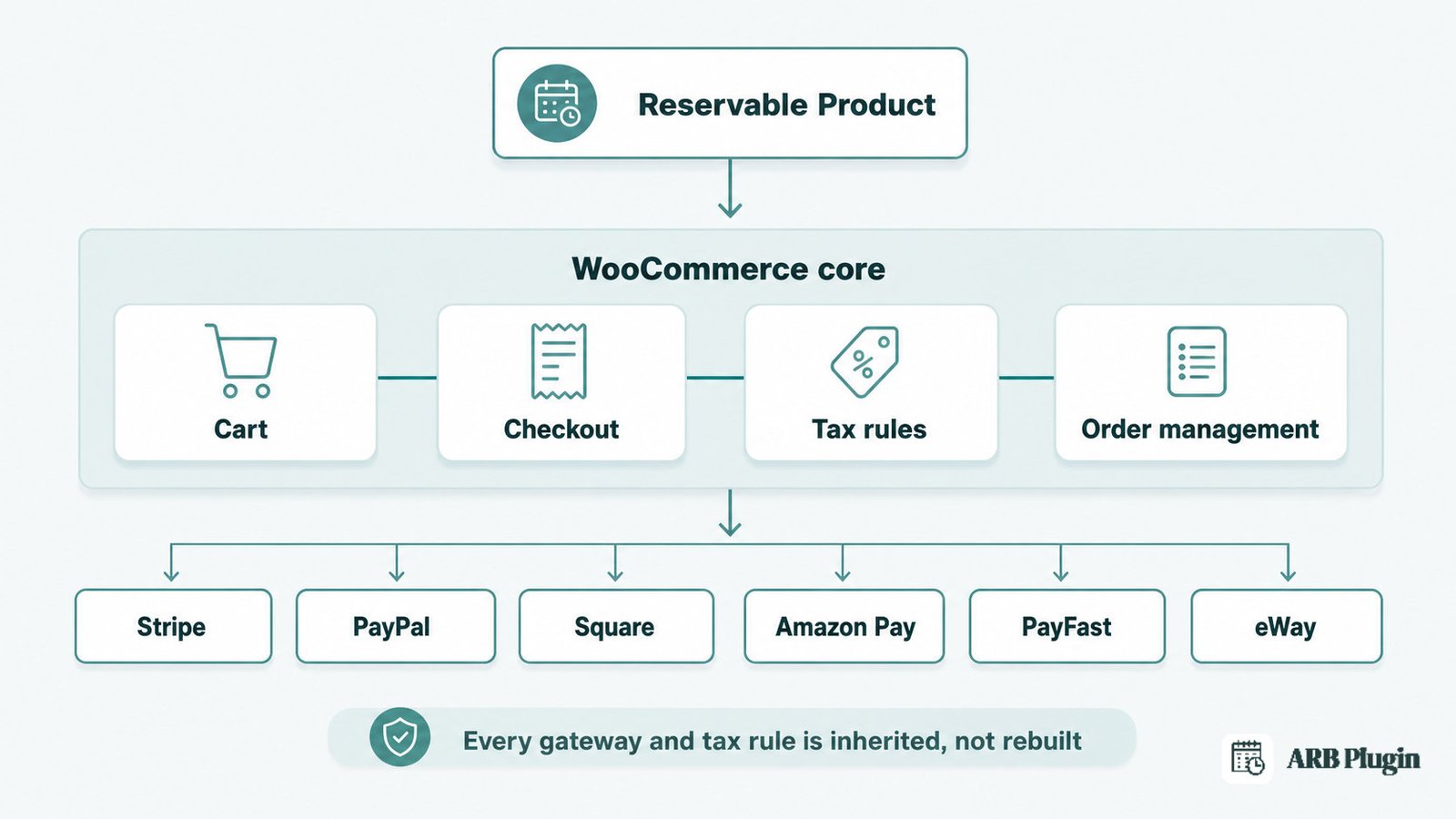
Payment gateway integrations (Stripe, PayPal, and every WooCommerce gateway)
ARB accepts payment through any gateway WooCommerce supports, because checkout runs entirely through WooCommerce. No separate booking payment system exists to configure.
The named gateways split into two groups:
- Online gateways: PayPal, Stripe, Square, Amazon Pay, PayFast, eWay
- Offline methods: Cheque, Bank Transfer, Cash on Delivery
Any other gateway with a WooCommerce extension works the same way. ARB adds no payment code of its own, so new gateways WooCommerce supports later work without an ARB update.
Dynamic booking pricing calculates the final total before the customer reaches checkout. The gateway only ever sees a finished WooCommerce order total, never a booking-specific price calculation.
See the step-by-step guide to accept Stripe for bookings for the exact gateway setup.
Calendar integrations (iCalendar export and Google Calendar sync)
Core ARB ships iCalendar (.ics) export on every booking confirmation email. Automated Google Calendar sync requires the paid ARB Google Calendar add-on, sold separately from the core license.
| Calendar feature | Availability | Direction |
|---|---|---|
| iCalendar (.ics) export | Core | Attached to emails; importable into Google Calendar manually |
| Google Calendar sync | Paid add-on | One way: ARB bookings push to Google Calendar |
ARB does not offer two-way calendar sync. A booking created directly in Google Calendar never appears back in ARB or WooCommerce, and no Outlook or Apple Calendar sync exists.
The booking calendar on the product page shows live availability before checkout, independent of the Google Calendar add-on.
For exact setup steps, see how to sync ARB bookings to Google Calendar.
Notification integrations (email and SMS)
Email notifications are core: they use WooCommerce's own email templates, support manual and bulk reminders, and accept dynamic tags like {customer_name}. SMS reminders require the paid SMS notifications add-on.
Admins send a reminder to every customer with a future reservation for one product in a single click. WooCommerce's Emails settings control the template design; ARB inserts the booking-specific tags into it.
SMS reminders work the same way once the add-on is installed. Core ARB has no native text-message sending without it.
Page builder integrations (Elementor, WPBakery, and shortcode)
ARB places its booking form anywhere with three methods: the native product page, the [product_page id=""] shortcode, or a direct drop into Elementor or WPBakery. Every method renders the same form, and a site can run unlimited forms.
Elementor support needs no extra connector plugin. ARB's own documentation lists two steps:
- Create the shortcode from the Reservable Product's ID
- Paste the shortcode into Elementor's built-in Shortcode widget
ARB's documentation names no separate connector plugin and no Elementor Pro requirement for this drop-in. That is a real cost difference. WooCommerce Bookings, by contrast, needs a separate $49 Elementor Connector plugin to place its booking form in Elementor. That connector requires Elementor Pro on top.
WPBakery support works the same way. Dropping a Reservable Product into a WPBakery page is, in ARB's own words, as easy as adding any other WooCommerce product.
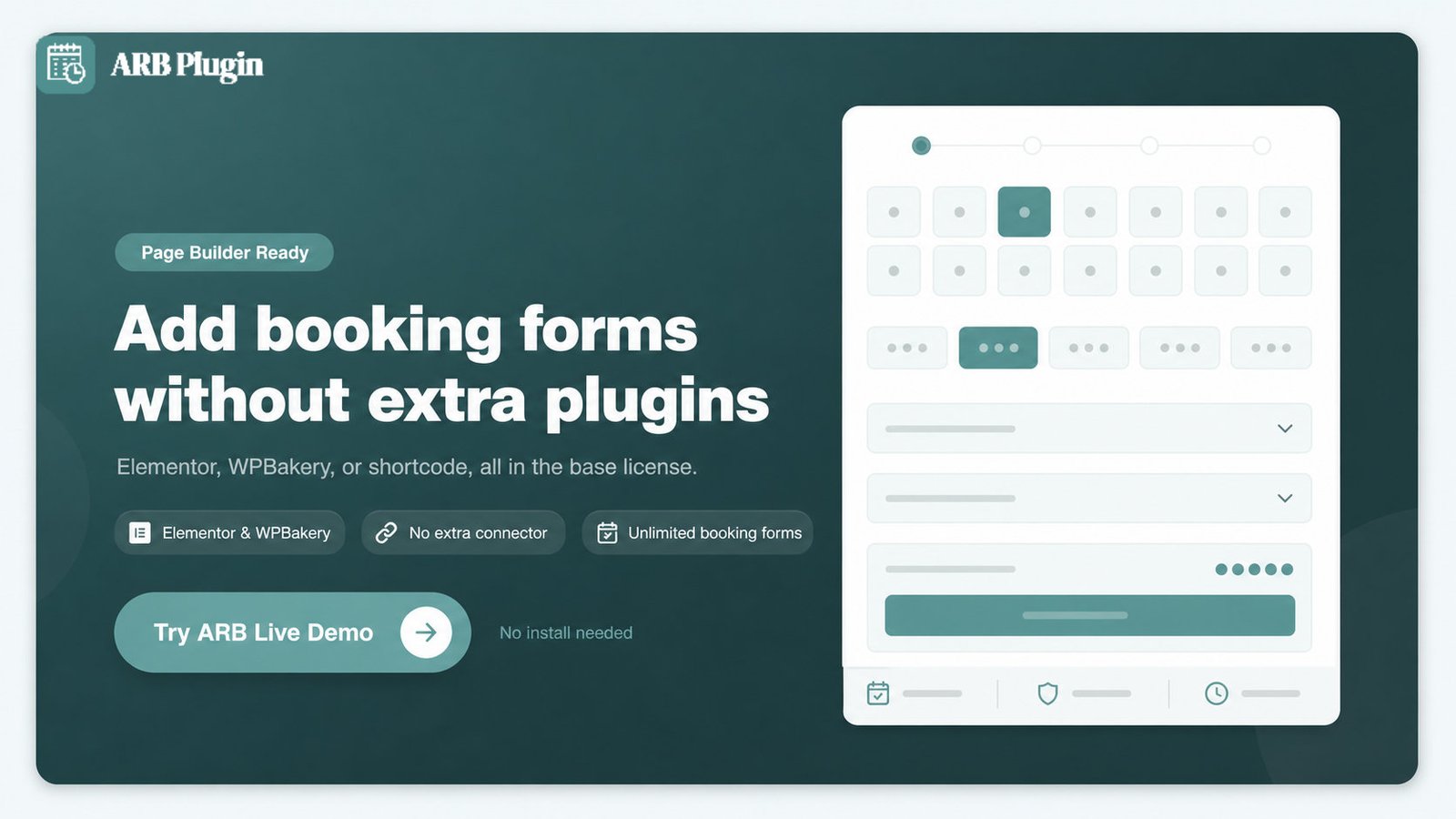
Learn to build a booking form in Elementor for the full walkthrough, including how to display bookable resources like rooms or staff inside the form.
Translation and localization (WPML and Poedit)
ARB is translation-ready two ways: WPML compatibility for multilingual WooCommerce sites, and a bundled arb.pot file that Poedit translates into any language.
Poedit translation covers every label, button, and message the booking form displays. WPML then handles multilingual routing on top of that translated text. A Spanish store and an English store can show different booking-form wording from the same install.
What ARB does not integrate with (yet)
ARB has no native connection to Zapier, QuickBooks, any CRM, Zoom, or Outlook and Apple Calendar. Real buyer demand exists for exactly these connections.
- Zapier: not built into ARB. WooCommerce's own Zapier extension can automate ARB bookings, because every booking is a standard WooCommerce order.
- QuickBooks or accounting software: no native connection. WooCommerce's own accounting connectors can read ARB bookings the same way they read any WooCommerce order, once a bridge like Zapier is set up.
- CRM software: no native connection documented.
- Zoom or other video meetings: no native connection documented.
- Outlook Calendar and Apple Calendar: no native sync. The core .ics export can be imported into either manually.
None of this automation is native to ARB. It works only because every ARB booking is an ordinary WooCommerce order that WooCommerce's own automation and accounting tools can already read.
FAQs
Does ARB integrate with Google Calendar?
Yes, one way, through the paid ARB Google Calendar add-on. Core ARB exports iCalendar (.ics) files without that add-on.
Which payment gateways does ARB support?
Any WooCommerce-supported gateway, including Stripe, PayPal, Square, Amazon Pay, and PayFast. Also eWay, Cheque, Bank Transfer, and Cash on Delivery.
Does ARB send SMS reminders?
Only through the paid SMS notifications add-on. Email reminders are core and included in the base license.
Does ARB work with Elementor?
Yes. ARB's shortcode pastes into Elementor's built-in Shortcode widget in two steps, with no extra connector plugin documented.
Is ARB compatible with WPML?
Yes, and ARB is also translatable through Poedit using the bundled arb.pot file.
Does ARB integrate with Zapier?
Not natively. WooCommerce's own Zapier extension can automate ARB bookings because every booking is a standard WooCommerce order.
Does ARB connect to QuickBooks or accounting software?
No native connection exists. WooCommerce's own accounting connectors can read ARB bookings the same way they read any WooCommerce order.
Does ARB support two-way calendar sync?
No. The Google Calendar add-on pushes bookings one way, and ARB has no Outlook or Apple Calendar sync.
How much do the Google Calendar and SMS add-ons cost?
The Google Calendar add-on is $19 and the SMS add-on is $15, both one-time on CodeCanyon. Check each add-on's own listing to confirm current pricing.
Does ARB need WooCommerce to work?
Yes. ARB is a WooCommerce extension and requires an active WooCommerce installation to run.
ARB's integrations come in three shapes: inherited from WooCommerce, built into the base license, or added through a paid add-on. WooCommerce covers every payment gateway and tax rule ARB uses. Add-ons cover Google Calendar sync and SMS; everything else, including page-builder display and translation, is included in the base license.
Check ARB pricing for license and add-on costs, then try the booking flow in the live demo before you buy.