Feature Page
Show Live Booking Availability on Every Product Page
See WooCommerce booking calendar availability, time slots, and real-time pricing live on the product page. ARB adds it for one $55 license, no subscription.
Everything You Need to Take Bookings, Built In
ARB adds a real-time booking calendar with time slots and live pricing to any WooCommerce product, from one $55 license.
See the live calendar running in the ARB demo before you buy.
One Reservable Product turns your WooCommerce store into a full booking engine, with no monthly fees.
- Book through your real checkout: every reservation is a standard WooCommerce booking plugin order, using your gateways, coupons, and tax rules.
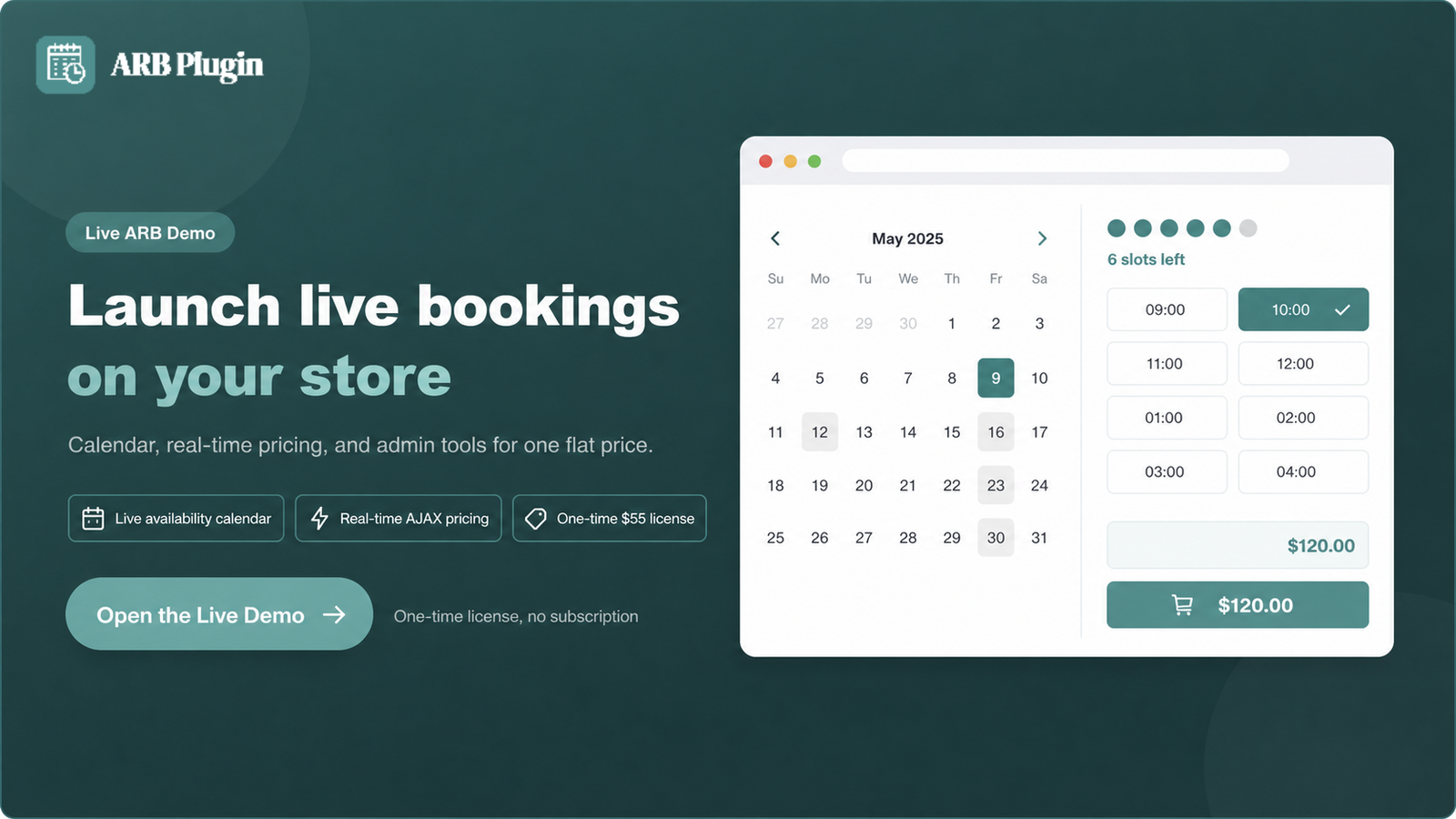
- Show live availability and price: customers see open slots, a left-slots counter, and a price that updates as they pick.
- Own every booking rule: capacity, lead time, buffers, blackout dates, and per-resource schedules, all in one tab.
- Pay once, not every year: one $55 license covers the calendar and admin tools, with no recurring subscription.
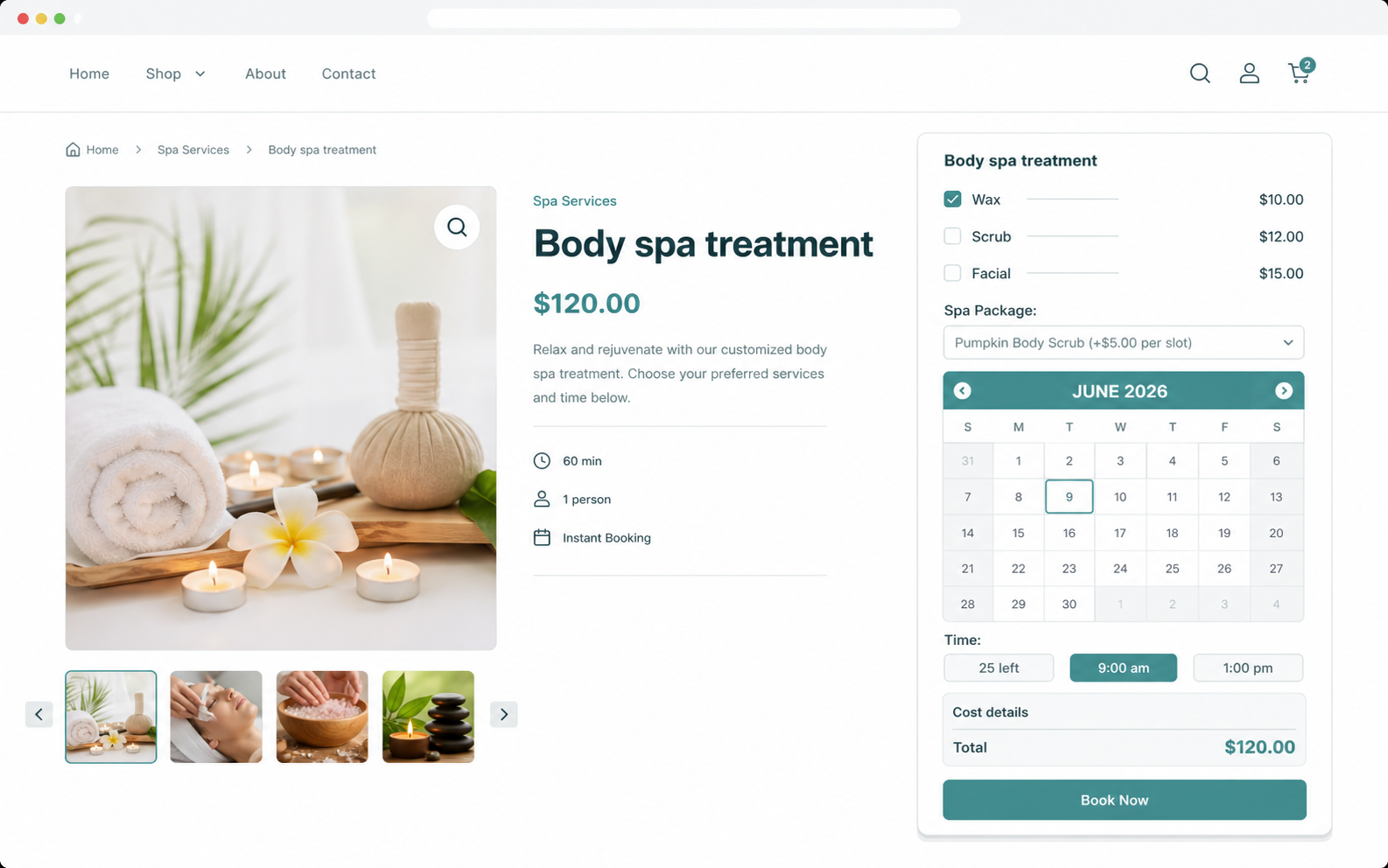
A Calendar Your Customers Actually Understand
Each part of the front-end flow is built to move a shopper from open date to paid booking.
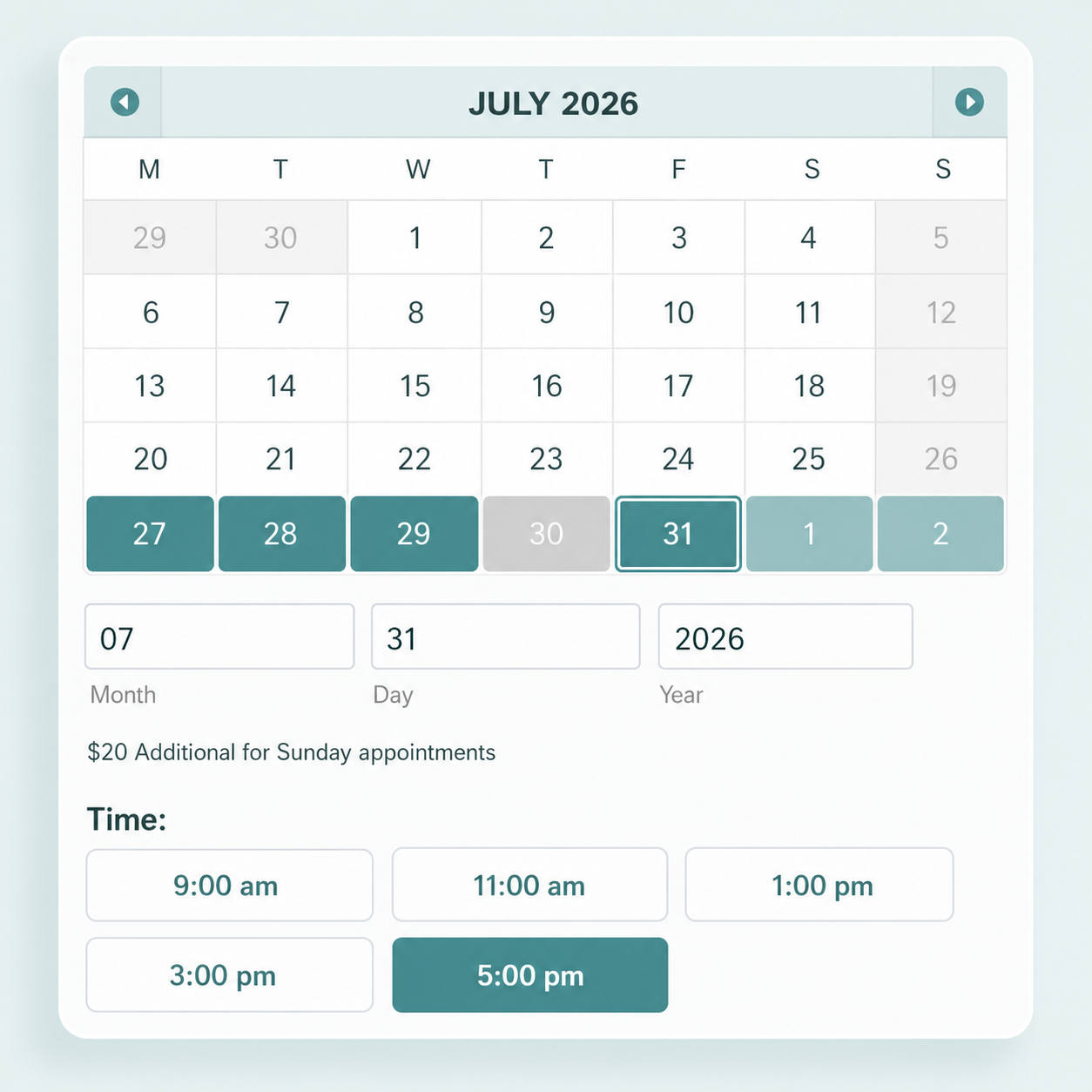
See Open Dates at a Glance
The calendar marks bookable dates apart from booked ones, so customers pick from what is open.
- Distinguish bookable dates from booked ones instantly
- Hide dates outside your lead time or horizon
- Support monthly, weekly, daily, and hourly booking
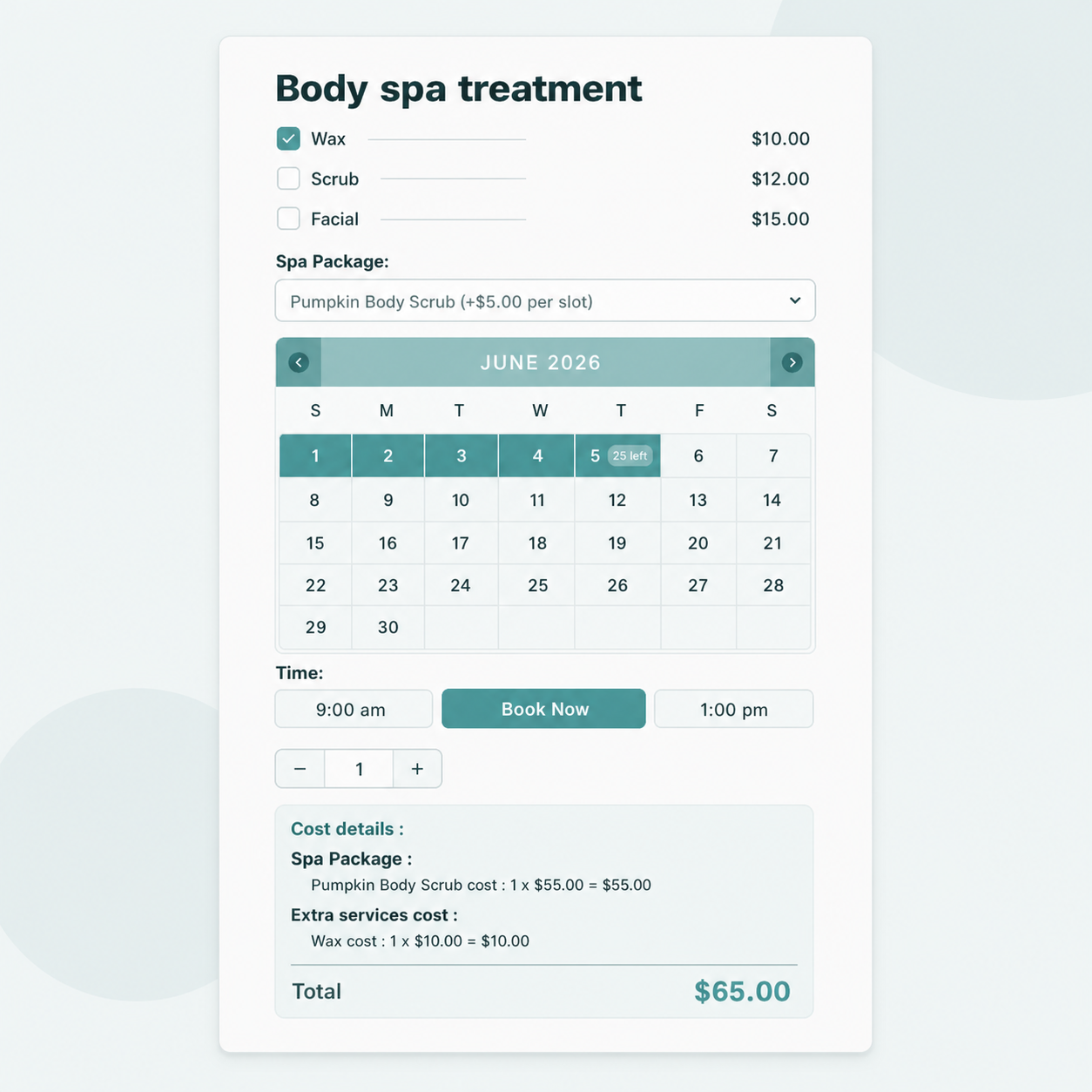
Pick a Slot, See the Price Update
Customers choose a date, then a time slot for appointment booking, while the price updates live.
- Show a live left-slots counter, like "25 left"
- Set customer-defined or fixed slot lengths
- Apply dynamic pricing rules like weekend surcharges
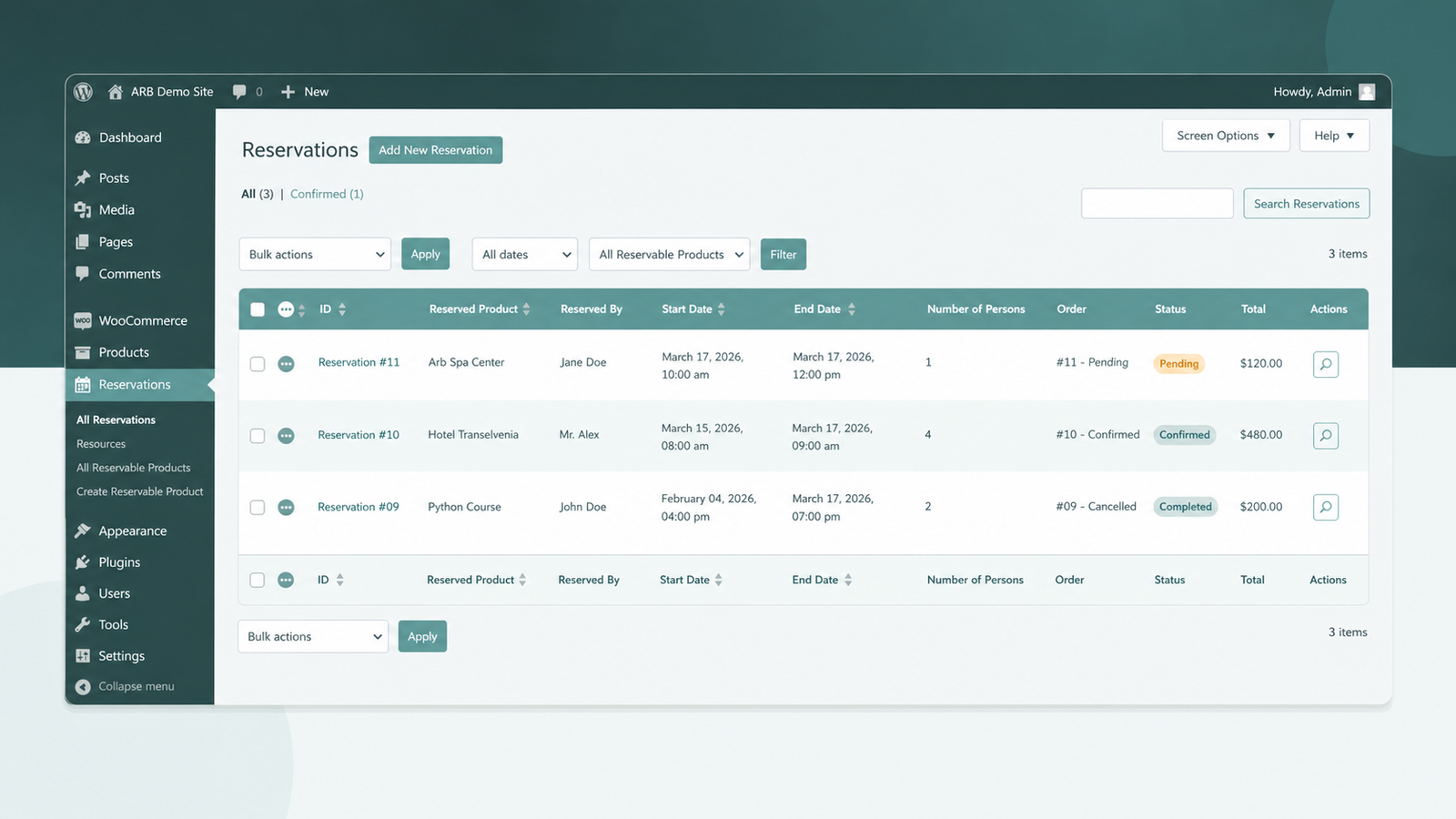
Manage Every Booking From One Place
The Reservations menu gives you a filterable calendar and list of every booking placed on your store.
- Filter, edit, confirm, reschedule, or cancel bookings
- Resend invoices and add private notes
- Review the Daily Agenda each morning
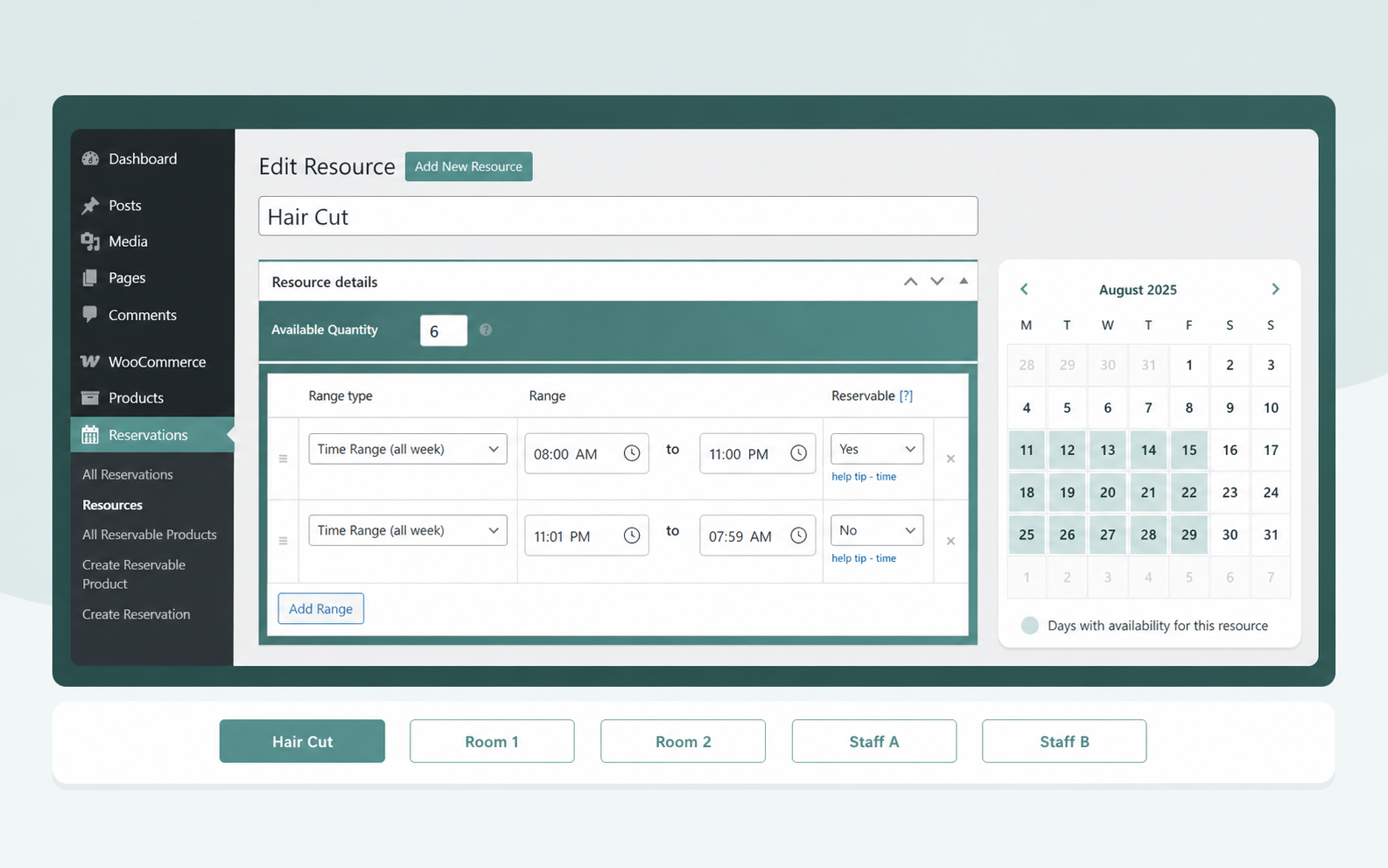
Give Every Room or Staff Member a Schedule
Per-resource availability gives each room, person, or asset its own calendar, ideal for group booking.
- Give each resource its own independent schedule
- Cap capacity with Max Reservations per Slot
- Add buffer time between back-to-back bookings
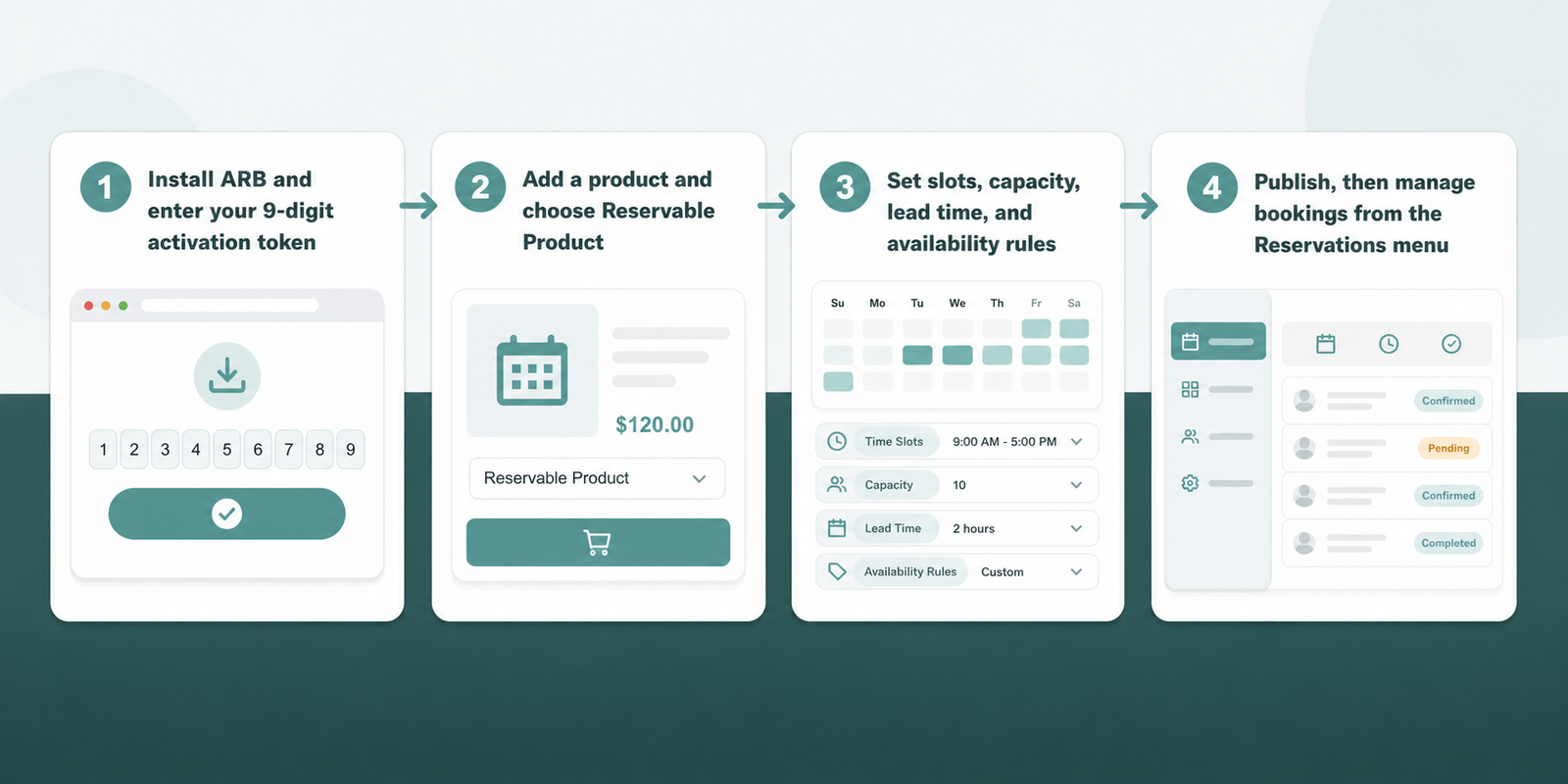
Set Up Your Booking Calendar in Four Steps
You can turn any product into a live booking calendar in minutes; here is how to create a reservable product.
- Install ARB and enter your 9-digit activation token.
- Add a product and choose Reservable Product.
- Set slots, capacity, lead time, and availability rules.
- Publish, then manage bookings from the Reservations menu.
ARB vs the WooCommerce Bookings Availability Add-On
WooCommerce's own front-end calendar is a paid add-on stacked on a paid extension, while ARB bundles it into one license.
| Feature | ARB core calendar | WooCommerce Bookings Availability |
|---|---|---|
| Front-end availability calendar | Included | $59/yr add-on |
| Required base plugin | None extra | $249/yr WooCommerce Bookings |
| Live price on the calendar | Real-time AJAX on every pick | Price shown on hover only |
| Left-slots counter | Included | Not offered |
| Pricing model | $55 one-time | $308/yr recurring |
Honest limits: ARB has no deposits, no free tier, and no dedicated staff logins. SMS is a $15 add-on, and Google Calendar sync is a one-way $19 add-on.
Start Taking Bookings on Your Own Store
Put a live calendar, real-time pricing, and admin management on every product for one flat price.
Open the live demo, see ARB pricing for the one-time license, or compare the best WooCommerce booking plugins before you decide.
Frequently asked questions
Straight answers to the questions that matter most
Does the booking calendar work with my existing WooCommerce checkout?
Yes. ARB bookings are standard WooCommerce orders, so your existing gateways, tax rules, and coupons apply without extra setup.
Can I show a monthly or weekly calendar?
Yes. ARB's availability ranges support monthly, weekly, daily, and hourly booking, so the calendar can display whichever unit fits your business.
How does the calendar prevent double-booking?
The calendar prevents double-booking through Max Reservations per Slot and per-resource availability, which together stop two customers from claiming the same slot or resource.
Can customers see how many slots are left?
Yes. Turning on the left-slots counter shows customers a live count, such as "25 left," for each date and time slot.
Can I block specific dates or add buffer time between bookings?
Yes. A Date Range With Time entry blacks out specific dates and times, and a vacant period adds buffer time between two bookings.
Does each staff member or resource get its own calendar?
Yes. Per-resource availability gives every resource, whether that is a room, a staff member, or a piece of equipment, its own independent schedule.
Can I sync bookings to Google Calendar?
Core ARB exports an iCalendar (.ics) file with every booking. Automated, one-way sync to Google Calendar requires the separate paid ARB Google Calendar add-on.
Can I hide the calendar?
Yes. The hide-calendar option removes the calendar display, but the product needs a resource or persons dropdown so the price still calculates through AJAX.
Is there a free version of ARB?
No. ARB has no WordPress.org free or lite tier, and it is a one-time $55 license evaluated through the live demo.