WHMCS, Blesta, and HostBill are the three billing and automation platforms most hosting businesses shortlist. They do the same core job, recurring billing, client management, and service provisioning, through very different licensing models. WHMCS runs on a tiered monthly subscription and owns the largest ecosystem. Blesta sells a flat license with unlimited clients. HostBill sells a one-time lifetime license built for usage-based cloud billing.
This guide compares all three on pricing, ecosystem, security, control panels, and payment support, then tells you which one fits your business.
What's the Difference Between WHMCS, Blesta, and HostBill?
The core difference is licensing. WHMCS charges a tiered monthly fee that scales with your active-client count, and it carries the widest third-party ecosystem. Blesta charges a flat rate, monthly or as an owned license, with unlimited clients on every tier. HostBill sells a one-time lifetime license by edition, and it is the only one of the three built for usage-based cloud and VPS billing.
| Platform | Pricing model | Ecosystem | Best for |
|---|---|---|---|
| WHMCS | Tiered monthly subscription that scales with active clients | Largest third-party market, 100+ registrars, 70+ gateways | Hosts wanting market-standard tooling and wide compatibility |
| Blesta | Flat monthly or owned license, unlimited clients on every tier | Leaner and developer-first, full REST API | Budget-conscious and developer-led hosts |
| HostBill | One-time lifetime license by edition | 500+ in-house integrations, weighted to cloud and VPS | Enterprise, cloud, and VPS providers billing by usage |
All three automate ordering, invoicing, provisioning, and support. Where they diverge is how you pay, how they scale, and how deep their integration libraries run.
What Is WHMCS?
WHMCS (Web Host Manager Complete Solution) is the hosting industry's most widely adopted billing and automation platform. It handles ordering, recurring invoicing, provisioning, and support from one dashboard, and it bills on a tiered monthly subscription. For a full primer on the software before comparing it, our guide on how does whmcs work covers the fundamentals.
Core Features, Ecosystem, and Security
WHMCS leads the category on ecosystem breadth. It integrates over 100 domain registrars and more than 70 payment gateways. It supports cPanel, Plesk, and DirectAdmin out of the box, and its vendor positions it as the "#1 choice in Web Hosting Automation". Premium first-party addons extend it further:
- Project Management for internal task tracking
- SSL Automation for certificate provisioning
- Software Licensing for selling licensed products
Its market lead cuts both ways on security. Being the most deployed platform makes WHMCS the biggest target. It has a documented history of SQL-injection vulnerabilities in older versions. The most serious was a critical October 2013 flaw that forced an emergency patch and exposed hashed passwords. Current releases are actively maintained and patched, so keeping the software updated matters.
How WHMCS Pricing Works
WHMCS runs two deployment paths, self-hosted or fully managed cloud, and both bill monthly. Self-hosted plans run from $34.95/mo (Plus, 250 active clients) to $84.95/mo (Business, 1,000 clients). The managed cloud tiers start lower, at $9.99/mo for 25 clients and rising to $75/mo for 300. An active client is any client with at least one active product, service, addon, or domain, per WHMCS's pricing page.
Best For
WHMCS fits hosts who want maximum plugin, theme, and module compatibility plus the market-standard toolset. If you plan to expand product lines, add integrations, and hire developers who already know the platform, its ecosystem is the safest bet.
Limitations of WHMCS
WHMCS's cost scales with your active-client count, so growth triggers upgrades. Passing 250 clients on the self-hosted Plus plan forces a jump to Professional, and the managed cloud tiers cap even lower. You never own the software outright either, because the subscription runs for as long as you use it.
What Is Blesta?
Blesta is a flat-rate billing platform for hosting providers that markets itself as developer-friendly. Every license tier includes unlimited clients and staff, which is its headline difference from WHMCS. Despite a claim that often surfaces in search results, Blesta is not open source. Its own site calls it "open, and developer friendly," meaning a documented API and plugin architecture, not license-free source code. It is proprietary, licensed software governed by an EULA.
Core Features and Security
Security is where Blesta makes its most concrete claims. Its published stack includes:
- Two-factor authentication (TOTP)
- Password hashing with bcrypt and HMAC SHA-256
- AES-256 and RSA encryption for sensitive data
- MaxMind fraud detection plus IP and email blacklisting
- Brute-force protection and account access logging
Beyond security, Blesta ships over 25 included plugins and more than 40 provisioning modules. It also exposes a full RESTful API with bidirectional webhooks for custom automation, per Blesta's features page.
How Blesta Pricing Works
Every Blesta tier is unlimited clients and staff, flat-rate, with no per-client scaling. You choose monthly or owned. Monthly licenses run $17.95 (Branded), $20.95 (Unbranded), or $23.95 (Flex) per month. Owned licenses are one-time at $350 (Branded), $425 (Unbranded), or $500 (Flex), each including one year of support and updates, with renewals at $62/year. Two lifetime options, $1,295 and $1,495 (Flex), add permanent updates and three years of support, per Blesta's pricing page.
Best For
Blesta fits budget-conscious hosts who want predictable, flat pricing and do not need the largest module catalog. It suits smaller shared-hosting operations and developer-led teams comfortable extending the platform through its API.
Limitations of Blesta
Blesta's ecosystem is the smallest of the three. With roughly 25 plugins and 40 modules against WHMCS's hundreds of integrations, some niche control-panel or payment-gateway support may require custom development. If you need a specific third-party module to exist already, check before you commit.
What Is HostBill?
HostBill is a one-time, lifetime-license platform aimed at professional and enterprise hosting providers. It is the only one of the three built for usage-based cloud and VPS billing, where you measure and bill for actual resource consumption. Its target market is data centers, cloud and VPS providers, MSPs, and larger operations with complex automation needs.
Core Features and Automation
HostBill's differentiator is metered billing. Its own features page describes the ability to measure and bill for resource consumption. It tracks resource metrics like traffic, disk I/O, and server time, so cloud and VPS providers can bill by actual usage. Neither WHMCS's nor Blesta's feature pages claim equivalent per-resource metering in this session's review. It counts over 500 in-house-built integrations spanning hosting panels, payment gateways, domain registrars, and apps, per HostBill's features page. Its automation covers client acquisition, billing, hosting and domain provisioning, and support in one system.
How HostBill Pricing Works
HostBill sells a one-time lifetime license, priced by edition rather than client count. The four editions are:
- Startup: $599 (10 support cases)
- Enterprise: $999 (15 support cases)
- Data Center: $1,599 (20 support cases)
- All-Inclusive: $5,999 (100 support cases, all 106+ integrations)
Support is the catch. Each edition includes one year of updates and a set number of support cases. After that, extra tickets cost $89 each, or $999 per 50-case bundle. Optional annual update access runs $125/year, per HostBill's pricing page.
Best For
HostBill fits enterprise hosting providers, cloud and VPS providers, data centers, and MSPs that need deep provisioning automation. If you bill for cloud resources by consumption, it is the natural choice.
Limitations of HostBill
HostBill has the highest entry cost of the three. Its $599 Startup edition sits well above Blesta's $350 owned license or WHMCS's $9.99/mo cloud tier. Support cases also run out, and replacements cost real money, so budget for them if your ticket volume is high.
WHMCS vs Blesta vs HostBill: Side-by-Side Comparison
Here is how the three platforms compare across the factors that drive most buying decisions.
| Factor | WHMCS | Blesta | HostBill |
|---|---|---|---|
| Licensing model | Tiered monthly subscription | Flat monthly or owned/lifetime license | One-time lifetime license by edition |
| Starting price | $9.99/mo (cloud, 25 clients) | $17.95/mo or $350 owned | $599 (Startup edition) |
| Client scaling | Priced per active-client tier | Unlimited clients on every tier | Unlimited clients; priced by edition |
| Ecosystem | 100+ registrars, 70+ gateways, largest third-party market | 25+ plugins, 40+ modules, full REST API | 500+ in-house integrations, 100+ gateways |
| Control panels | cPanel, Plesk, DirectAdmin | cPanel, Plesk, DirectAdmin, VPS and game panels | cPanel, OnApp, OpenStack, DirectAdmin, plus 50 more |
| Security | Documented CVE history, actively patched | Published 2FA, bcrypt, AES-256, fraud detection stack | Enterprise automation; no notable public CVE surfaced this session |
| Standout strength | Largest ecosystem and third-party themes | Flat unlimited-client pricing | Usage-based cloud and VPS metering |
| Best for | Hosts wanting market-standard tooling | Budget-conscious and developer-led hosts | Enterprise, cloud, and VPS providers |
Licensing model, client scaling, and ecosystem breadth are the primary factors driving this comparison.
Which Pricing Model Wins: Tiered Subscription, Flat License, or Lifetime?
No single pricing model wins outright, because the right one depends on your client count and cash-flow preference. WHMCS's tiered subscription has the lowest entry point at $9.99/mo, but its cost climbs as you cross active-client caps. Blesta's flat license removes that scaling penalty, with unlimited clients at $17.95/mo or a one-time owned license from $350. HostBill's lifetime license costs the most upfront, from $599, but you own it permanently.
The verdict is conditional. Under a few hundred clients and wanting the lowest start cost, WHMCS's cloud tier or Blesta's monthly license both start under $25/mo. Expecting to grow past several hundred clients, Blesta's flat unlimited pricing avoids WHMCS's upgrade curve. Over a multi-year horizon, an owned or lifetime license can undercut a subscription, because you pay once instead of monthly. Needing usage-based cloud billing, HostBill's one-time license is the only genuine fit.
Which Has the Widest Marketplace and API?
WHMCS and HostBill both claim the broadest integration libraries, but they lead in different places. WHMCS's edge is third-party depth, with hundreds of community plugins, themes, and modules, including the WordPress-side templating covered in the brand section below. HostBill counts over 500 in-house integrations weighted toward cloud and VPS provisioning. Blesta's 25-plus plugins and 40-plus modules are fewer, but its full RESTful API and bidirectional webhooks make it the most straightforward to extend yourself.
The verdict depends on your integration goal. For an existing third-party module or theme, WHMCS's marketplace is the safest bet. For cloud and VPS provisioning depth, HostBill leads. For building custom integrations in-house, Blesta's API-first design is the cleanest.
Which Control Panels and Payment Gateways Does Each Support?
All three cover the three most common hosting control panels, cPanel, Plesk, and DirectAdmin, so basic shared hosting is safe on any of them. The differences appear at the edges. Blesta adds VPS platforms (VirtFusion, SolusVM, Proxmox, Vultr) and game-server panels (Pterodactyl, Multicraft, TCAdmin). HostBill adds virtualization and cloud platforms (OnApp, OpenStack) plus 50 more panels. On payments, WHMCS supports over 70 gateways and HostBill over 100, while Blesta includes fewer by default and adds more through its marketplace.
The verdict is niche-dependent. For mainstream shared hosting, all three are equivalent. For VPS or game servers, Blesta calls out the most niches. For cloud, virtualization, or the widest gateway list, HostBill leads.
Which Should You Choose?
Your choice comes down to three questions: how you want to pay, how many clients you expect, and whether you bill for cloud resources. Match your situation to one of the profiles below.
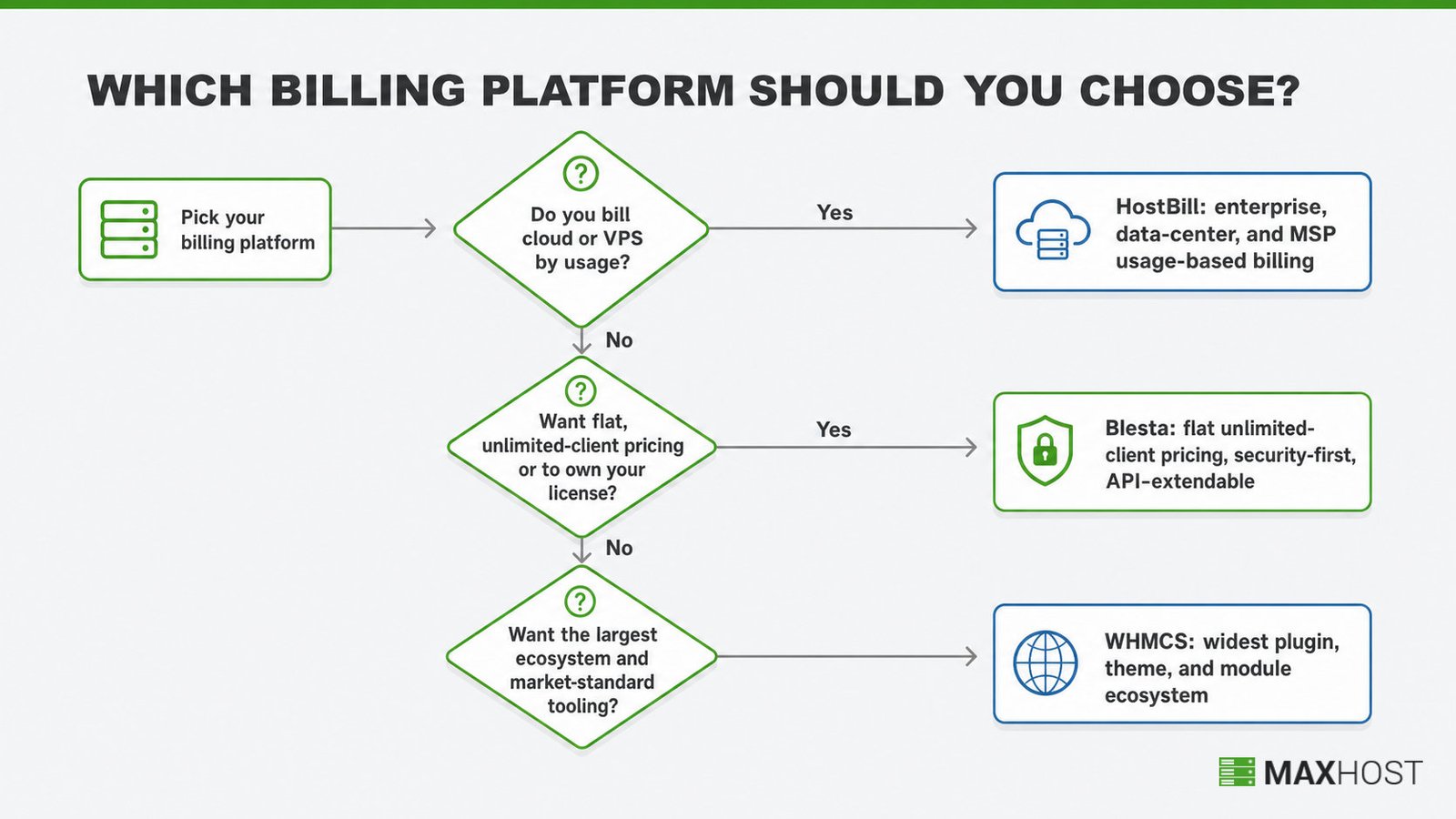
Choose WHMCS if any of these are true.
- You want the largest ecosystem of plugins, themes, and third-party modules
- You value market-standard tooling that developers and integrations already support
- You are comfortable with a monthly subscription that scales as you grow
Choose Blesta if any of these are true.
- You want flat, predictable pricing with unlimited clients on every tier
- You prefer to own your license outright instead of renting monthly
- You want a security-first core, with 2FA, bcrypt, AES-256, and fraud detection built in
- You have developers who will extend the platform through its API
Choose HostBill if any of these are true.
- You bill for cloud or VPS resources by consumption
- You run an enterprise, data-center, or MSP operation with complex automation
- You prefer a one-time lifetime license and can absorb the higher upfront cost
How MaxHost Supports Your WHMCS Setup
MaxHost's connection to this comparison is narrow and specific, because it supports WHMCS only, not Blesta or HostBill. MaxHost is a WordPress theme that ships bundled WHMCS client-area templates, so if you choose WHMCS, it can serve as your storefront. If you pick Blesta or HostBill instead, you will need a design built for that platform.
For the full mechanism, our wordpress theme with whmcs integration feature page explains how the templates install.
MaxHost's Bundled WHMCS Templates (No Bridge Plugin)
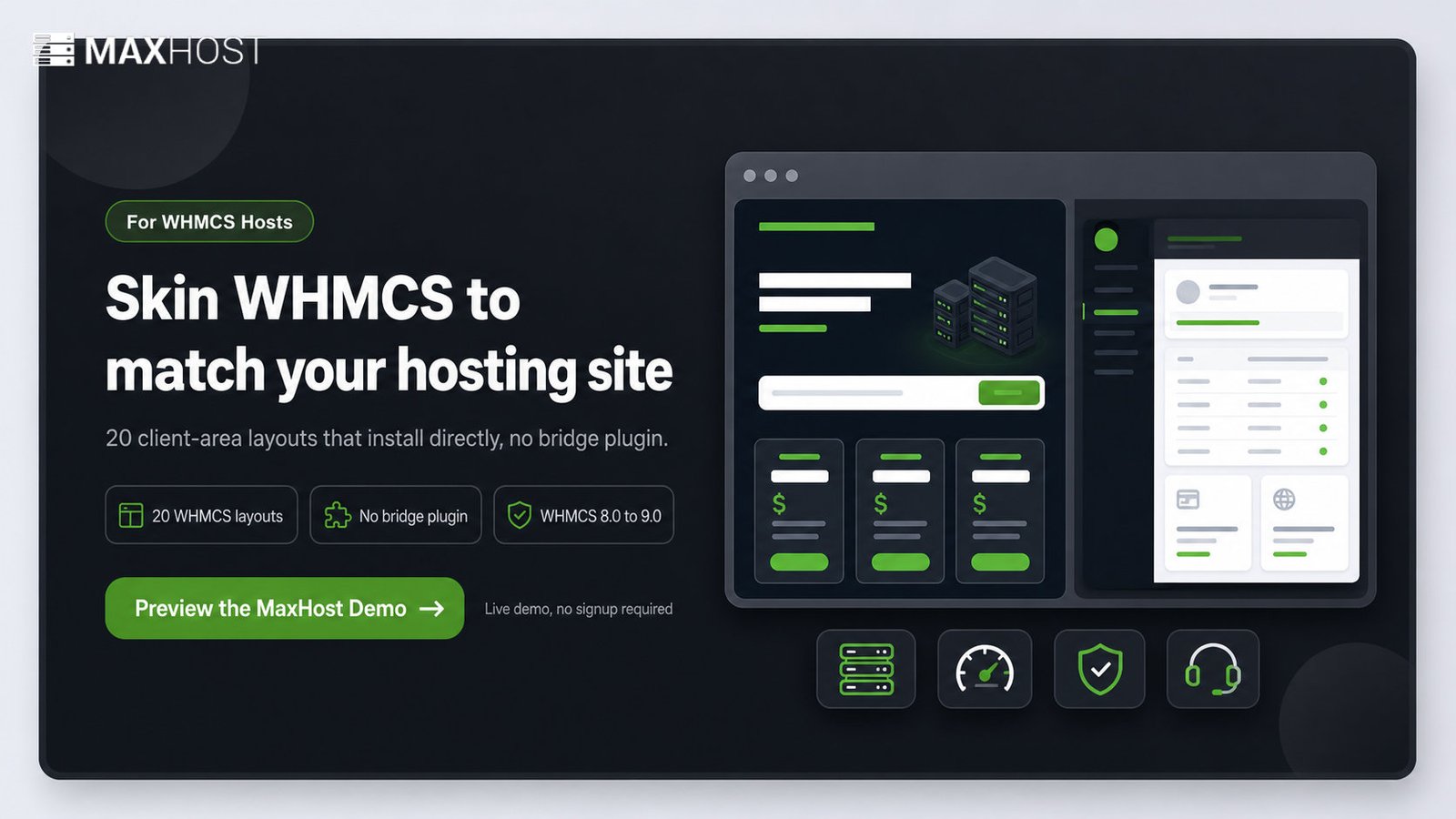
MaxHost bundles 20 WHMCS client-area layout demos that install directly into WHMCS, with no bridge plugin required. They are compatible with WHMCS 8.0.x to 9.0.x and keep your marketing site and billing area visually consistent. Because there is no bridge, you avoid the sync fragility of the how to integrate whmcs with wordpress plugin route.
If you want to weigh options first, our wordpress theme for web hosting company roundup compares the field. The maxhost pricing page covers licensing detail. You can preview every WHMCS layout on the MaxHost demo.
If You Choose Blesta or HostBill Instead
MaxHost's templates skin the WHMCS client area specifically, and they do not skin Blesta's or HostBill's. If you choose either platform, you need a client-portal design built for it, not a WHMCS template. MaxHost's no-bridge model is a deliberate contrast to the what is whmcs bridge plugin route, which applies to WHMCS only.
FAQs
Is WHMCS better than Blesta?
WHMCS is better if you need the largest ecosystem of plugins, themes, and integrations. Blesta is better if you want flat, unlimited-client pricing and a leaner, developer-friendly core. Neither wins universally; it comes down to ecosystem breadth versus predictable cost.
Is HostBill better than WHMCS?
HostBill is better if you bill for cloud or VPS resources by consumption, which WHMCS does not do natively. WHMCS is better for general shared and reseller hosting, where its larger ecosystem and lower entry price matter more.
Which is cheaper: WHMCS, Blesta, or HostBill?
WHMCS has the lowest entry price at $9.99/mo on its managed cloud Starter tier. Blesta starts at $17.95/mo or a $350 one-time license. HostBill is the most expensive to start, at $599 for its Startup edition.
Does Blesta support unlimited clients?
Yes. Every Blesta license tier, monthly or owned, includes unlimited clients and staff at a flat rate. Unlike WHMCS, Blesta never charges more as your client count grows.
Is Blesta open source?
No. Blesta is proprietary, licensed software governed by an EULA. Its site describes it as "open, and developer friendly," which refers to its documented API and plugin architecture, not open-source licensing.
What WordPress themes work with WHMCS?
WHMCS-ready WordPress themes bundle client-area templates that skin WHMCS to match your marketing site. MaxHost is one option and installs its templates directly, with no bridge plugin required. This keeps your site and billing area visually consistent.
Can I switch from WHMCS to Blesta or HostBill?
Yes, but it is a real migration project, not a same-day switch. You must export and re-import client, service, and billing data, then reconfigure provisioning modules. Our whmcs alternatives guide covers the wider field before you commit.