The Amelia WordPress booking plugin is one of the most polished appointment and event tools you can own on your own site. The 2026 verdict is conditional. Amelia leads on staff scheduling, ticketed events, and native calendar sync, yet it is not truly WooCommerce-native and the setup is steep.
This review scores Amelia on seven weighted dimensions. Then it walks through the features, live 2026 pricing, honest pros and cons, real user sentiment, and a verdict on who should skip it.
| Dimension | Score |
|---|---|
| Booking Rules and Pricing Flexibility | 4.5/5 |
| WooCommerce and Commerce Integration | 2.5/5 |
| Value and Licensing (Total Cost of Ownership) | 3.0/5 |
| Setup and Admin Experience | 3.5/5 |
| Notifications, Calendar Sync and Customer Management | 4.5/5 |
| Maintenance and Compatibility | 4.0/5 |
| Support and Documentation | 3.0/5 |
| Overall | 3.6/5 |
Verdict: Amelia is a polished, feature-deep WordPress booking plugin that leads on staff scheduling, events, and native calendar sync. A steep setup, tier-gating, a version 9 stability wobble, and its non-native WooCommerce flow hold it back.
How we score: We rate every booking plugin from 1 to 5 across seven weighted dimensions using only session-fresh evidence. That evidence is the live demo, documentation, pricing, and real buyer reviews on Trustpilot, WordPress.org, and Reddit. ARB is our own plugin, and we score it on the identical rubric, including where rivals beat it. See our full methodology.
Disclosure: This review comes from the ARB team. ARB is a WooCommerce booking plugin that competes with Amelia, and we scored Amelia on the same public rubric we apply to every plugin.
What Is Amelia?
Amelia is a standalone WordPress plugin for appointment and event booking. It installs its own booking engine, admin dashboard, and separate staff and customer panels onto a WordPress site. Amelia targets multi-staff service businesses like salons, clinics, and gyms, and it runs its own payment layer with WooCommerce as an optional add-on.
The plugin comes from the studio TMS-Plugins and reports more than 90,000 customers. It is a market leader in the WordPress booking category, and it is distinct from a WooCommerce extension.
Who Amelia Is For
Amelia is the right choice in four situations.
- Multi-employee, multi-location service businesses: salons, barbershops, spas, clinics, gyms, and studios that schedule staff.
- Event organizers who sell tickets and need QR check-in, waiting lists, and recurring events.
- Agencies and developers who want multi-domain licensing, a REST API, and WordPress hooks on the Elite tier.
- Owners who want a self-hosted tool with no monthly fee and a lifetime license option.
Who Amelia Is NOT For
Amelia is a poor fit in four cases.
- WooCommerce store owners who need bookings inside their existing cart and checkout, because Amelia is not native.
- One-time-budget buyers who do not want annual renewals or tier-gated features.
- Teams that need two staff on one simultaneous booking, such as a couples massage.
- Anyone who wants near-zero-config, plug-and-play setup.
What Are Amelia's Key Features?
Amelia's headline capabilities are staff and location scheduling, a full events module, native calendar and meeting sync, and its own payment layer with deposits. Each one runs deep, and several of the most useful pieces sit behind higher license tiers.
Appointment Scheduling and Booking Forms
Amelia's booking forms include a step-by-step wizard, a searchable catalog form, and a built-in popup. The scheduling engine handles group bookings, custom durations, recurring appointments, buffer times, service extras, and no-show tagging. The features catalog lists roughly 60 options across appointments and events.
One real limit stands out. Amelia cannot assign multiple employees to a single simultaneous booking, so a couples massage with two therapists at once is not supported.
Events, Tickets, and QR Check-In
Amelia's events module turns the same plugin into a ticketing system. It supports ticket types with individual pricing, capacity limits, recurring events, waiting lists, and an attendee database. Each attendee receives a unique QR e-ticket that staff scan on-site for check-in.
This depth separates Amelia from date-picker booking plugins that stop at a single reservation slot.
Employees, Locations, and Resources
Staff management is Amelia's strongest feature. Each employee gets a login, an individual schedule, per-service pricing, days off, and a personal Employee Panel. Amelia supports unlimited locations on paid tiers and four user roles: admin, manager, employee, and customer.
Resources, the shared rooms, equipment, or chairs that gate slot availability, require the Pro or Elite tier.
Payments, Deposits, and WooCommerce Integration
Amelia runs its own payment layer rather than relying on WooCommerce. It connects to Stripe, PayPal, Square, Mollie, RazorPay, and Barion, and it adds deposits, pay-by-link, taxes, invoices, and coupons. Stripe Connect and refunds require the Pro tier.
WooCommerce is an optional integration that starts on the Standard tier. When enabled, Amelia redirects the booking out to the WooCommerce checkout through an auto-created hidden bridge product. The admin must then hand-map Amelia booking statuses to WooCommerce order statuses. The WooCommerce documentation confirms this bridge setup.
Buyers report a real crack in this bridge flow: the webhooks for paid WooCommerce bookings do not fire consistently.
Calendar Sync, Notifications, and Customer Panel
Amelia's calendar sync is the broadest in the WordPress booking category. It offers native two-way sync with Google and Outlook calendars, Apple calendar sync, plus Zoom, Google Meet, and Microsoft Teams for online sessions. Notifications go out by email, SMS, and WhatsApp, though WhatsApp needs the Pro tier. A customer panel lets clients reschedule and manage their own bookings.
Reliability wobbled after the version 9 release in December 2025. After that update, an employee's day off did not reliably block their calendar, so clients could still book them.
How Easy Is Amelia to Set Up and Use?
Amelia is moderately hard to set up, not plug-and-play. Getting from install to a live booking form runs through roughly seven configuration stages with no demo data to start from. It is powerful once configured, but first-time users hit a real learning curve.
The core path mirrors Amelia's own quick-start documentation.
- Activate the plugin with your license key.
- Configure company settings: working hours, days off, currency, and time format.
- Create employees, then services grouped into categories, then locations.
- Place a booking form on a page through a shortcode, popup, or page-builder module.
- Connect payments and notifications, then manage bookings from the dashboard.
I could not place a single booking form until the employee, service, and location records existed, so the order matters. Events, payments, and notifications layer on after the core booking flow works.
The version 9 interface looks cleaner, but it did not feel faster to operate. On version 9 I clicked through four or five screens just to reach the setting I wanted to change. The documentation still lags the release.
Compatibility is the other setup risk. Buyers report Amelia clashing with some WordPress themes and security plugins, and one flagged the booking widget vanishing on mobile and tablet. Budget time to test the form across your theme and devices before launch.
The WooCommerce path adds its own friction. Taking a paid booking through WooCommerce means routing it out to the WooCommerce checkout through that hidden bridge product and aligning status rules by hand. By comparison, a WooCommerce-native booking plugin skips the bridge entirely. The booking is itself a WooCommerce product that flows straight through the store's own cart and checkout. For a standalone WordPress site that does not use WooCommerce, Amelia's own-gateway flow is actually the simpler route.
The setup is deep rather than confusing, and the documentation is clear, so patience rather than guesswork gets you live. You will be productive within a day or two if you have set up a booking tool before. First-time users should expect the steep ramp that agency consultants and salon owners describe repeatedly.
How Much Does Amelia Cost?
Amelia offers a free WordPress.org version. Paid annual licenses range from $49 to $679 a year, and one-time lifetime licenses run from roughly $269 to $1,799. The most popular tier is Pro, which unlocks resources, packages, and Stripe Connect.
Here is how the four paid tiers compare, verified on Amelia's pricing page on July 24, 2026.
| Tier | Annual (regular to first year) | Lifetime (regular to discounted) | Domains | Notable inclusions and gating |
|---|---|---|---|---|
| Starter | $49/yr | None | 1 | Individuals and small sites; no lifetime option |
| Standard | $99 to $89/yr | $339 to $269 | 1 | WooCommerce integration starts here |
| Pro (most popular) | $199 to $149/yr | $499 to $399 | 1 or 5 | Resources, Packages, Stripe Connect, Refund, WhatsApp |
| Elite | $419 to $249/yr | $1,189 to $599 | 20 or unlimited | REST API, WordPress and JavaScript hooks |
The free version is a limited WordPress.org edition, and there is no trial on the paid plans. Paid purchases carry a 15-day money-back guarantee and are billed through Paddle, which adds VAT or GST.
The pricing sits in the mid-market for recurring booking plugins, and the lifetime option is a genuine escape from renewals. The catch is tier-gating: calendar sync, events, resources, refunds, and WhatsApp all live above the Starter tier, and Starter has no lifetime option.
A single Pro site costs $149 in the first year, then $199 a year to renew. A store that wants WooCommerce support must start at Standard, roughly $269 for a lifetime license.
What Are the Pros of Amelia?
Amelia's strongest advantages are its staff and location scheduling, its full events module, and its native two-way calendar sync. These are the areas where it genuinely leads the WordPress booking category.
Five strengths stand out.
- Deep staff and location management: each employee gets a login, an individual schedule, and a personal panel that few WordPress booking plugins match.
- A full events module: ticket types, QR e-tickets, waiting lists, and recurring events let one plugin run classes, concerts, and conferences.
- Native two-way calendar sync: Google, Outlook, and Apple sync plus Zoom, Meet, and Teams are built in rather than sold as add-ons.
- A polished, SaaS-like interface: even rival reviewers rate it one of the most polished booking admins in the category.
- Self-hosted ownership: a free tier and a lifetime license option appeal to owners who resent recurring SaaS fees.
One Trustpilot reviewer called Amelia "by far the best class booking system I have come across" for a busy training business.
What Are the Cons of Amelia?
Amelia's biggest weaknesses are its lack of native WooCommerce support, version 9 stability regressions, and heavy tier-gating of essential features. Setup is steep, and the support reputation is genuinely mixed.
Five limitations matter most:
- Not WooCommerce-native: bookings route out to the WooCommerce checkout through a hidden bridge product and manual status rules. Buyers report the webhooks failing to fire.
- Version 9 stability regressions: the December 2025 release broke calendars and let clients book on days marked off, while some salons report SMS reminders that stopped firing.
- Steep, fragmented setup: seven configuration stages, an empty default state, and a version 9 interface that adds clicks make first-time setup slow.
- Tier-gating of essentials: calendar sync, events, resources, refunds, and WhatsApp sit above Starter, multi-site scaling is expensive, and Starter has no lifetime option.
- Polarized, slow support: some buyers praise reactive help, while others describe weeks of back-and-forth with no resolution.
One functional gap is worth naming. Amelia cannot put two staff on a single simultaneous booking, which rules out same-slot couples appointments.
What Do Real Users Say About Amelia?
User sentiment on Amelia is mixed-positive. Amelia holds 3.5 out of 5 on Trustpilot across 250 reviews and 4.6 out of 5 on WordPress.org across 779 reviews. Amelia's own pricing page cites a higher 4.9 out of 5 from Capterra across 182 reviews.
The gap matters. The on-site 4.9 out of 5 quotes only Capterra, while the broader Trustpilot and WordPress.org picture is more mixed.
A representative spread of recent reviews:
- "Extremely easy to use and effective, and the support is reactive and professional." (Trustpilot, 5 stars)
- "Setup isn't plug and play, but that's because the features are so robust." (Trustpilot, 5 stars)
- "Setting it up was the hardest part; there was a steep learning curve." (Trustpilot, 4 stars)
- "Webhooks for WooCommerce paid bookings simply don't fire consistently." (Trustpilot)
- "SMS reminders have not been working properly since installation; customers miss their appointments." (Trustpilot, 1 star)
| Platform | Rating | Reviews |
|---|---|---|
| Trustpilot | 3.5/5 | 250 |
| WordPress.org | 4.6/5 | 779 |
| Capterra (self-cited) | 4.9/5 | 182 |
Most-praised: booking depth, design polish, and value. Most-criticized: version 9 stability, setup complexity, and support responsiveness.
Is Amelia Worth It? Our Verdict
Amelia is worth it for a multi-staff service business on a standalone WordPress site that values events, calendar sync, and staff panels. It is not worth it for a WooCommerce store that needs native checkout. Our score is 3.6 out of 5.
Choose Amelia if:
- you run a multi-staff service business on WordPress without WooCommerce at its core.
- you sell tickets and want QR check-in, waiting lists, and recurring events.
- you value native two-way calendar sync and per-employee panels.
- you are ready to invest time in a steep but well-documented setup.
Look elsewhere if:
- you run a WooCommerce store and need bookings inside your real cart and checkout.
- you want a one-time price with no tier-gating or annual renewals.
- you need two staff on one simultaneous booking.
- you want plug-and-play setup with minimal configuration.
If those limits describe your situation, our roundup of Amelia alternatives covers the closest options. Amelia remains a category leader for staffed, self-hosted booking, and a poor fit the moment your bookings need to live inside WooCommerce.
Considering a WooCommerce-Native Alternative to Amelia?
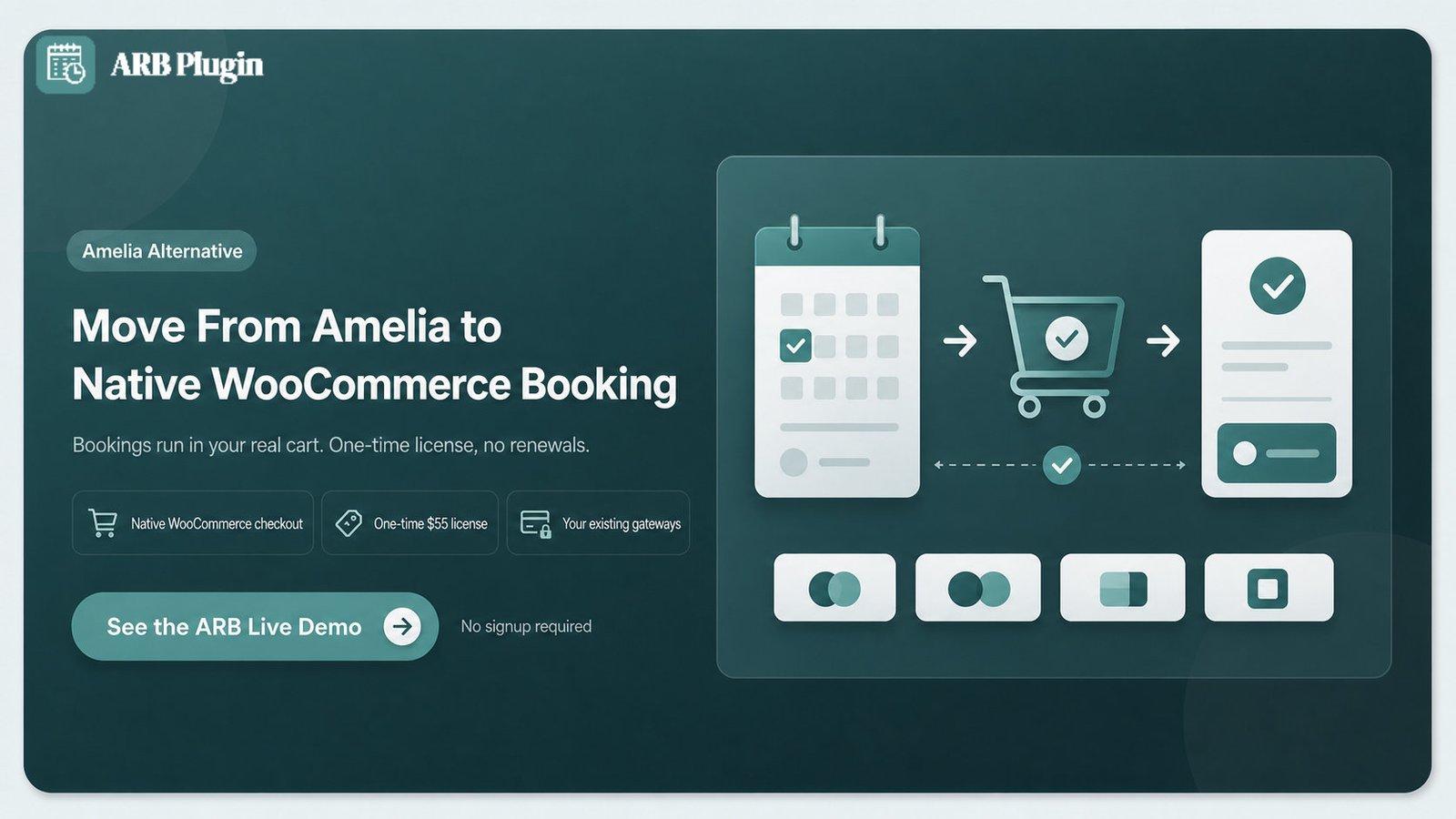
ARB solves the two Amelia limits that hurt WooCommerce stores most: the bridge-based checkout and the recurring tiers. ARB is a WooCommerce-native booking plugin, so bookings are real WooCommerce products, and the license is a one-time payment of about $55.
Three differences map to Amelia's cons above:
- Native WooCommerce flow: a booking is a reservable WooCommerce product that runs through the real cart, checkout, tax, coupons, and orders. There is no bridge product and no manual status mapping.
- One-time price: ARB's one-time license costs about $55 with all core booking features included, rather than recurring tiers that gate essentials.
- Inherited gateways: ARB uses every WooCommerce payment gateway your store already runs, so PayPal, Stripe, Square, and the rest work at the base price.
Amelia genuinely beats ARB in several areas, and it is fair to say so. Amelia offers per-employee staff panels, a full events module with QR tickets, and native two-way calendar sync. It also has a more polished interface and a free tier, and ARB does not match those today.
Read our ARB vs Amelia comparison for a side-by-side breakdown, or try the ARB live demo to see the native flow first.
FAQs
Is Amelia good for a WooCommerce store?
Amelia works with a WooCommerce store, but not natively. WooCommerce support starts on the Standard tier and routes bookings out to the WooCommerce checkout through a hidden bridge product with manual status rules. It handles basic cases, but deep WooCommerce needs hit friction.
Is Amelia better than ARB or WooCommerce Bookings?
Amelia and ARB win on different ground. Amelia leads on staff scheduling, events, calendar sync, and interface polish. ARB and WooCommerce Bookings win on native WooCommerce flow, where a booking runs through your real cart and checkout.
Does Amelia have a free plan?
Yes. Amelia offers a free, limited edition on WordPress.org with core booking but without paid-tier features like calendar sync, events, resources, and WooCommerce integration. For more no-cost options, see our roundup of the best free WordPress booking plugins.
Is Amelia good for beginners?
Amelia is powerful, but it is not beginner-friendly out of the box. Setup runs through roughly seven configuration stages with no demo data, and buyers consistently describe a steep learning curve. Budget setup time, and lean on the documentation.
Can Amelia assign two staff to one appointment?
No. Amelia cannot assign multiple employees to a single simultaneous booking, so services that need two staff at once, like a couples massage, are not supported.
What are the best alternatives to Amelia?
The strongest Amelia alternatives are ARB, WooCommerce Bookings, Bookly, LatePoint, and Booknetic. ARB and WooCommerce Bookings suit WooCommerce stores, while Bookly, LatePoint, and Booknetic compete on standalone scheduling. Compare them in our guides to the best WooCommerce booking plugins and the best WordPress booking plugins.