No-shows cost any booking business money: an empty slot, wasted staff time, and lost revenue. Seven tactics reliably cut the no-show rate for salons, clinics, rentals, tours, and any other appointment-based business. The tactics: reminders, confirmations, a clear cancellation policy, deposits, shorter lead times, waitlists, and follow-up with repeat offenders.
This guide covers what each tactic actually prevents and the one study-backed benchmark for a normal no-show rate. It also shows where a WooCommerce-native booking system can automate reminders and confirmations, plus the five mistakes that keep no-show rates high.
What Is a No-Show, and What Does It Cost You?
A no-show is a customer who books an appointment or reservation, then neither cancels nor arrives, leaving a paid-for or held slot empty. It differs from a late cancellation, where the customer notifies you before the appointment time.
Missed appointments are common and costly. A 2016 clinical study of 10 outpatient clinics found a mean no-show rate of 18.8%, at an average cost of $196 per missed slot.
The same math applies outside healthcare. A salon, rental company, or tour operator loses that same slot revenue every time a customer fails to show. For a fuller breakdown of what a no-show really costs, see the dedicated guide.
What You Need Before You Start
The prerequisite most people skip is knowing your current no-show rate. Without a baseline, you cannot tell whether any tactic below is actually working.
- Your current no-show rate, counted over the last 30 to 60 days of bookings.
- A booking system that can send automatic reminders and confirmations, any online scheduling or booking tool qualifies.
- A written cancellation and no-show policy, published where customers book.
- Captured contact details, email and phone, collected at the moment of booking.
- A payments integration, if you plan to collect deposits for high-value slots.
Setting up reminders and publishing a policy takes about an afternoon for most small operations. If you do not have a booking system yet, start by adding online booking to WordPress.
How to Reduce No-Shows: 7 Proven Tactics
The highest-effect tactics come first: automated reminders, instant confirmations, and deposits reduce no-shows more than any other lever.
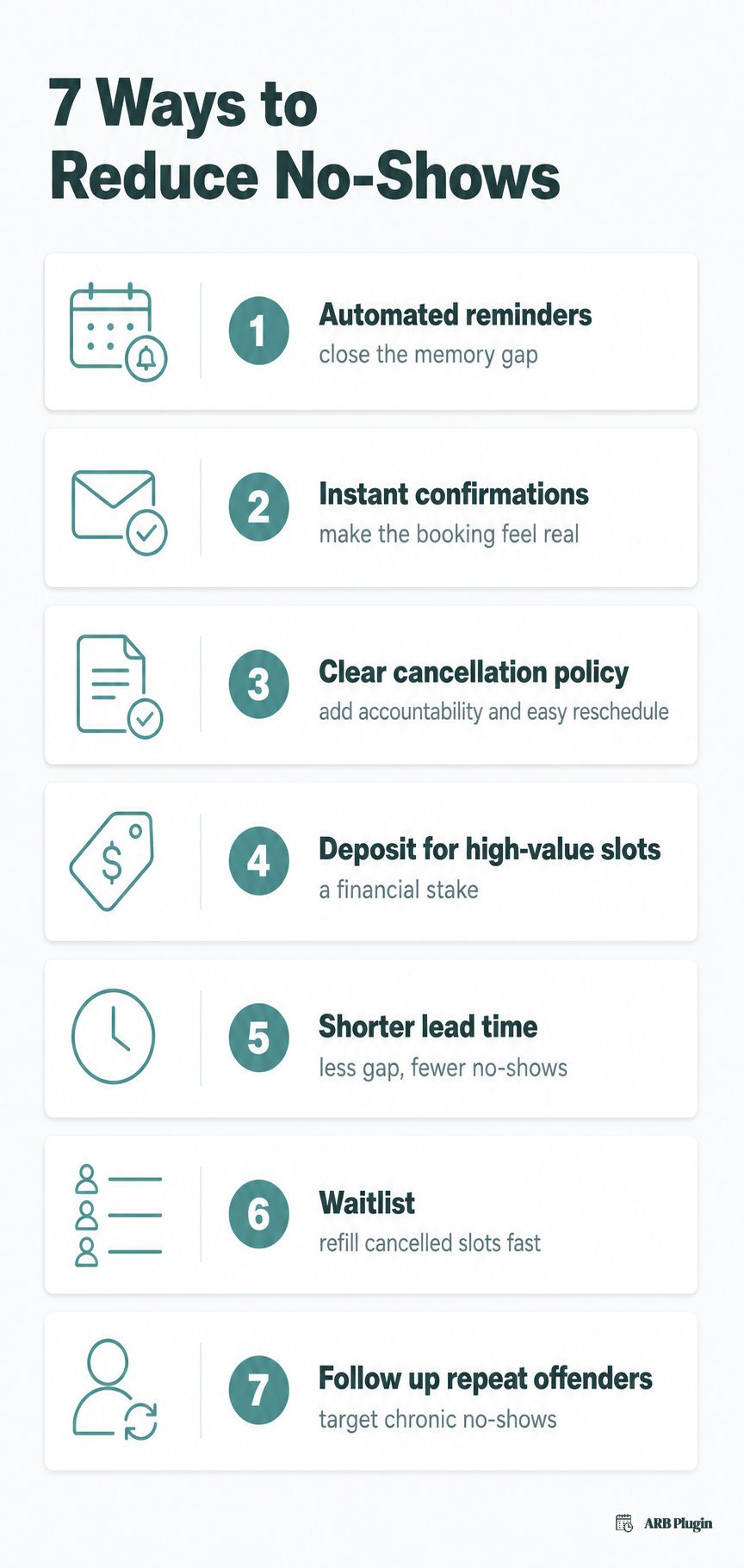
1. Send automated appointment reminders
Automated reminders close the gap between booking and the appointment, when a customer's memory of the booking has faded. They help significantly, but they do not eliminate no-shows on their own.
A dependable reminder cadence covers three touchpoints.
- Confirm the booking immediately when it is made.
- Send a reminder 24 hours before the appointment.
- Send a short nudge a few hours before, for high-value or high-risk slots.
The earlier 2016 clinical study found a phone reminder alone moved the no-show rate only from 16.3% to 15.8%, a modest reduction. Pair reminders with the other tactics below instead of relying on them alone. For cadence and message templates, see how appointment reminders cut no-shows.
���� Using ARB? ARB sends a customizable notification email automatically when a booking is made. Its reservation manager can also fire manual or bulk reminders to every customer with a future booking, personalized with dynamic tags like {customer_name}. See how to send appointment reminders automatically for the exact setup. SMS reminders need ARB's paid SMS add-on; email is the built-in channel.
2. Confirm every booking the moment it is made
An instant confirmation makes a booking feel real and gives customers the details they need to hold the date on their own calendar.
Two confirmation models cover most booking businesses.
- Confirm at booking: the system emails confirmation the moment payment clears.
- Approval-first: the slot holds until you review and confirm it, then the customer pays.
Confirm-at-booking suits low-risk, instant-booking businesses. Approval-first suits custom, high-value, or quote-first bookings where you want to review before charging.
���� Using ARB? ARB can auto-send a booking confirmation email the moment payment succeeds. Its confirmation-required workflow holds the slot until you approve it and hides payment methods at checkout until then.
3. Set a clear cancellation policy and make rescheduling easy
A stated cancellation policy gives customers accountability, and an easy reschedule path turns a would-be no-show into a kept future booking.
A cancellation policy works best when it states three things clearly.
- The notice window required to cancel or reschedule without penalty.
- Any no-show or late-cancellation fee, if you charge one.
- Where and how the customer cancels or reschedules.
Start from a cancellation policy template rather than writing one from scratch. Rescheduling that requires a phone call pushes customers toward silently no-showing instead. A one-click, self-service reschedule link removes that friction entirely.
���� Using ARB? ARB lets you set a per-product cancellation allowance and a pre-booking timeframe. Its reservation manager also lets you edit or reschedule any booking from the admin. Customers can also manage their own bookings from their account. See how to manage cancellations and rescheduling for the full workflow.
4. Take a deposit or prepayment for high-value slots
A deposit or full prepayment gives the customer a financial stake in the appointment. It is one of the strongest no-show deterrents for high-value services.
Deposits deter some bookers who balk at paying before service. That trade-off is real: a share of prospective customers will not book at all once a deposit is required.
Most businesses that use deposits apply them selectively, rather than on every booking.
- Long or high-value appointments, where a no-show costs the most.
- First-time or new clients with no booking history.
- Customers who have no-shown before.
If you want to add deposits to your booking flow, see how to take a deposit for bookings.
5. Shorten the lead time between booking and appointment
The longer the gap between booking and the appointment, the more likely a no-show becomes. Shortening that gap is one of the highest-effect levers you control.
Three moves shorten the effective lead time.
- Prioritize offering the nearest available slots first.
- Cap how far in advance customers can book.
- Add a short reminder sequence when a far-out booking cannot be avoided.
���� Using ARB? ARB's availability settings include a minimum lead time and a booking horizon. The "reservable till" setting caps how far ahead a customer can book. See how to set up your booking availability to configure both.
6. Use a waitlist to fill cancelled slots
A waitlist does not stop a no-show from happening. It recovers the lost revenue by filling the freed slot from a queue of ready customers.
Waitlists work best for high-demand businesses, where cancelled slots refill quickly. Popular salons, sought-after tours, and fully booked clinics all benefit the most.
If a waitlist fits your business, start with an appointment waitlist to see how one works.
7. Follow up with repeat no-show offenders
A small set of repeat offenders accounts for most chronic no-shows, so treating every customer identically wastes the fix.
Track no-shows by customer, not just by slot. Once a customer no-shows twice, switch their future bookings to one of three responses.
- Require a deposit before confirming their next booking.
- Require confirmation-only booking, holding the slot until you approve it.
- Follow up personally before their next appointment.
���� Using ARB? ARB's reservation manager lets you search, filter, and add a private note to any booking. Use it to flag a repeat no-show and switch that customer's future bookings to confirmation-required.
Common Mistakes That Keep No-Shows High
The most damaging mistake is sending one reminder too early and calling it done. Forgetfulness, long lead times, and cancellation friction cause most of the rest.
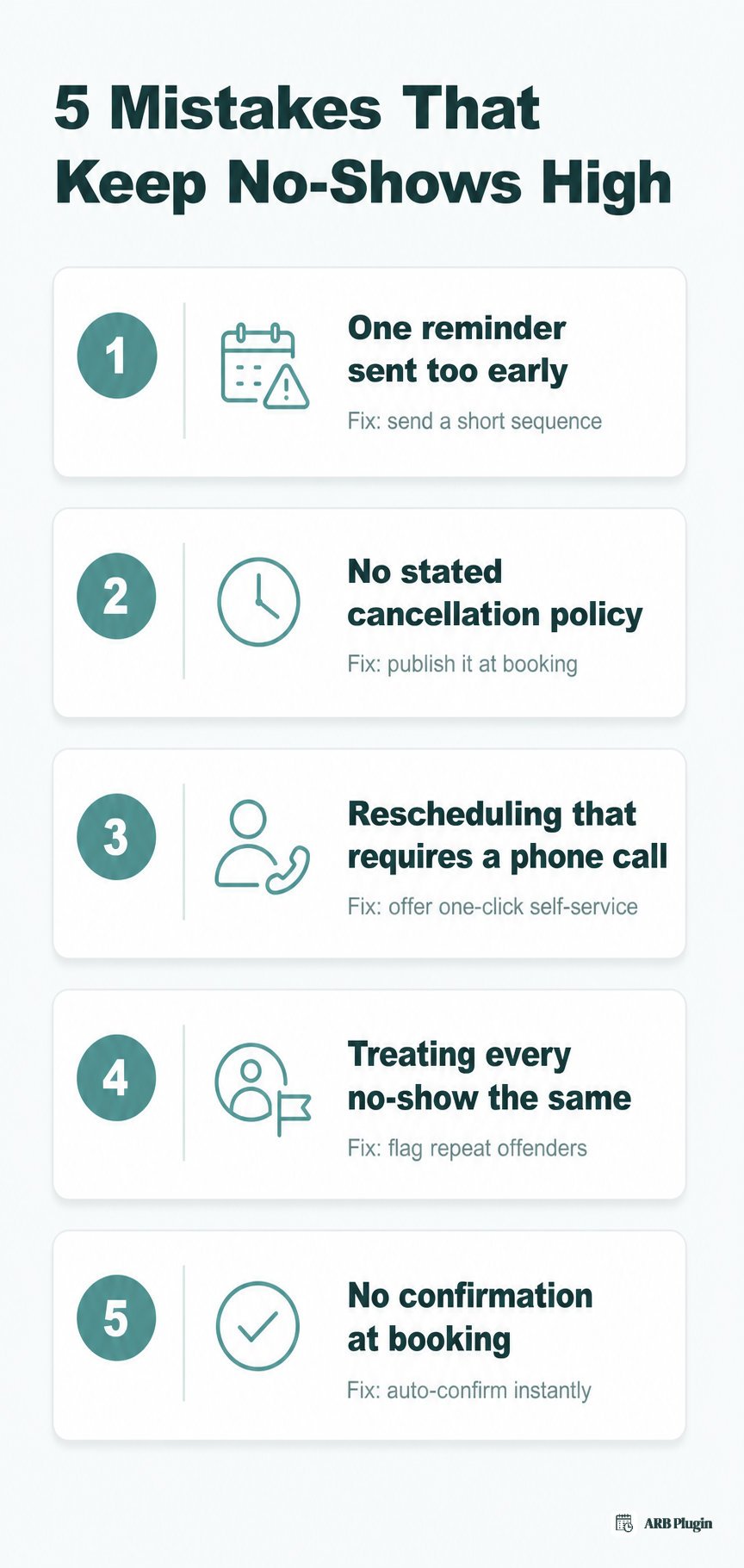
- One reminder, sent too early. A single reminder sent right after booking is forgotten by appointment day. Send a short sequence instead: at booking, 24 hours before, and a few hours before.
- No stated cancellation policy. Customers feel no accountability and skip the appointment freely. Publish a clear policy at booking, and repeat it in the confirmation email.
- Rescheduling that requires a phone call. Customers no-show rather than deal with a call during business hours. Offer a one-click, self-service reschedule or cancel option instead.
- Treating every no-show the same. Chronic offenders keep costing you slots at the same rate as first-time no-shows. Track repeat no-shows, and require a deposit or confirmation from them.
- No confirmation at booking. The customer is left unsure whether the booking actually registered. Send an automatic confirmation the moment the booking completes.
FAQs
What is a good no-show rate?
A good no-show rate sits below 10% for most appointment businesses. The one clinical benchmark available, from the 2016 study cited above, puts the average close to 18.8%, so a single-digit rate is strong performance.
Do appointment reminders actually reduce no-shows?
Yes, reminders reduce no-shows, but they do not eliminate them on their own. The clinical study cited above found a phone reminder alone moved the no-show rate only from 16.3% to 15.8%, a modest reduction. Reminders work best paired with confirmations and a clear cancellation policy.
How many reminders should I send, and when?
Send three: a confirmation at booking, a reminder 24 hours before the appointment, and a short nudge a few hours before for high-value slots. More than three reminders risks feeling like spam rather than a helpful nudge.
Should I charge a no-show fee?
Charging a no-show fee is worth it for high-value or frequently no-showed appointment types. Apply it selectively, to long appointments, new clients, or repeat offenders, rather than to every booking. A blanket fee on every customer can suppress bookings more than it prevents no-shows.
What should a no-show or cancellation policy include?
A no-show or cancellation policy should include the notice window required to cancel free of charge and any late-cancellation or no-show fee. It should also state exactly how a customer cancels or reschedules. State it at booking, and repeat it in the confirmation email.
How can I reduce no-shows without a booking system?
Without a booking system, send manual confirmation and reminder texts or emails by hand, and keep a written cancellation policy customers agree to at booking. The workload scales poorly past a handful of daily appointments, which is why most businesses eventually automate reminders with a booking system.
Do deposits really stop no-shows?
Deposits reduce no-shows for the customers who pay them, since money on the line raises commitment. They do not stop every no-show, and requiring one on every booking can also reduce how many people book at all.
How do I handle a customer who repeatedly no-shows?
Track no-shows by customer, and act after the second one. Switch that customer to confirmation-required booking, require a deposit before their next appointment, or follow up with them personally.
Most of these tactics come down to one thing: a booking system that reminds, confirms, and lets you set the rules. ARB adds automated reminder emails, instant booking confirmations, and per-product cancellation windows right inside your WooCommerce checkout. Reminders, confirmations, and rescheduling all live in one place, instead of three separate tools. Try the live ARB demo to see the booking flow before you commit.