Below are 8 free appointment reminder email templates and 5 matching SMS templates, organized by tone and industry. Copy any template on this page, swap the {{tokens}} for your own details, and send, free, no signup required.
After the templates: when to send them, how to personalize the tokens, and a Word, PDF, and Google Docs download.
What an appointment reminder should include
A complete appointment reminder covers 8 elements. Skipping the call to action is the most common gap, and it is the one that actually prevents a no-show.
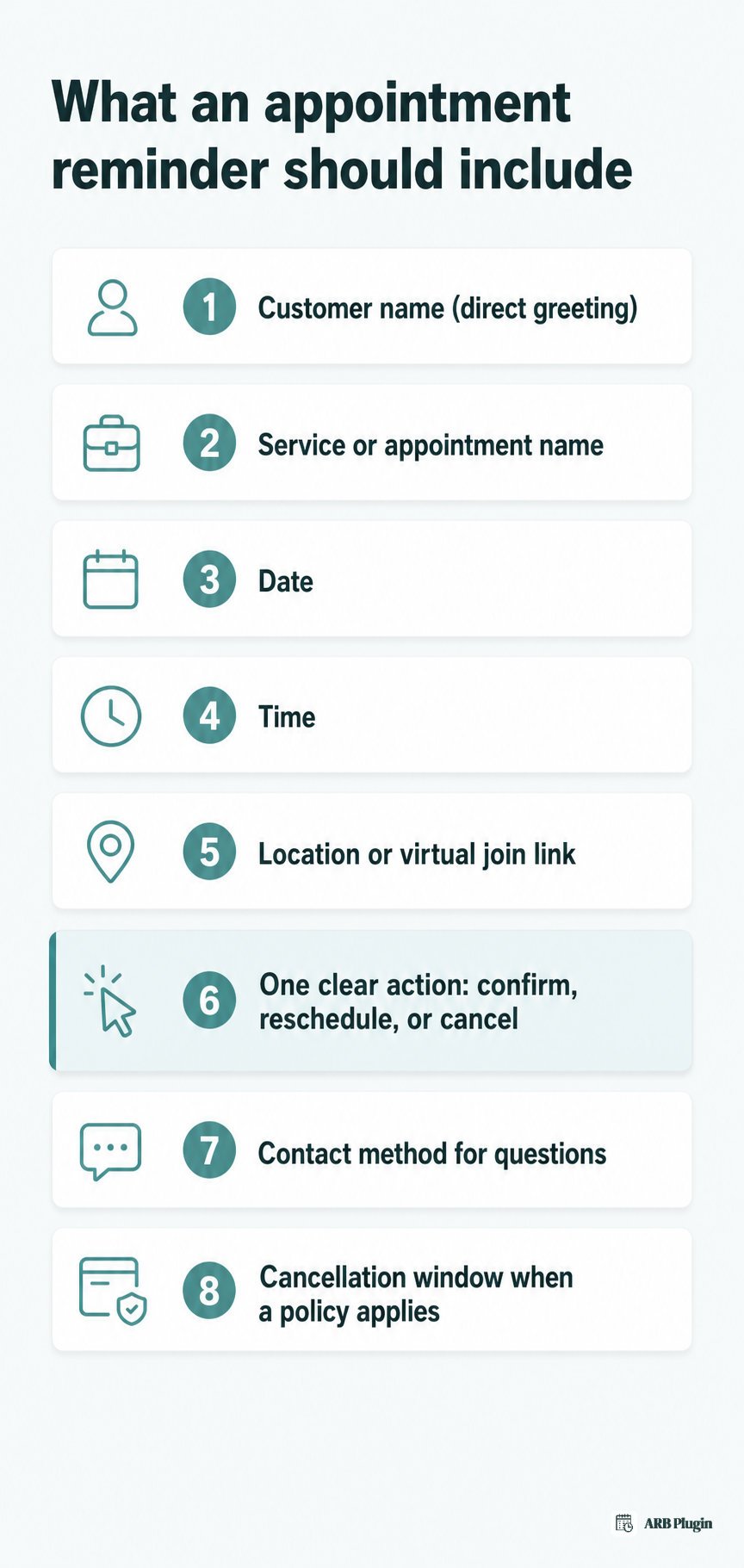
- The customer's name, in a direct greeting
- The service or appointment name
- The date
- The time
- The location, or a join link for virtual appointments
- One clear action: confirm, reschedule, or cancel
- A contact method for questions
- The cancellation window, when a cancellation policy applies
A reminder differs from a confirmation by adding this call to action before the appointment happens, not just repeating the booking details. Understanding why appointment reminders cut no-shows explains why that action line matters more than the rest of the message.
When to send appointment reminders (timing and cadence)
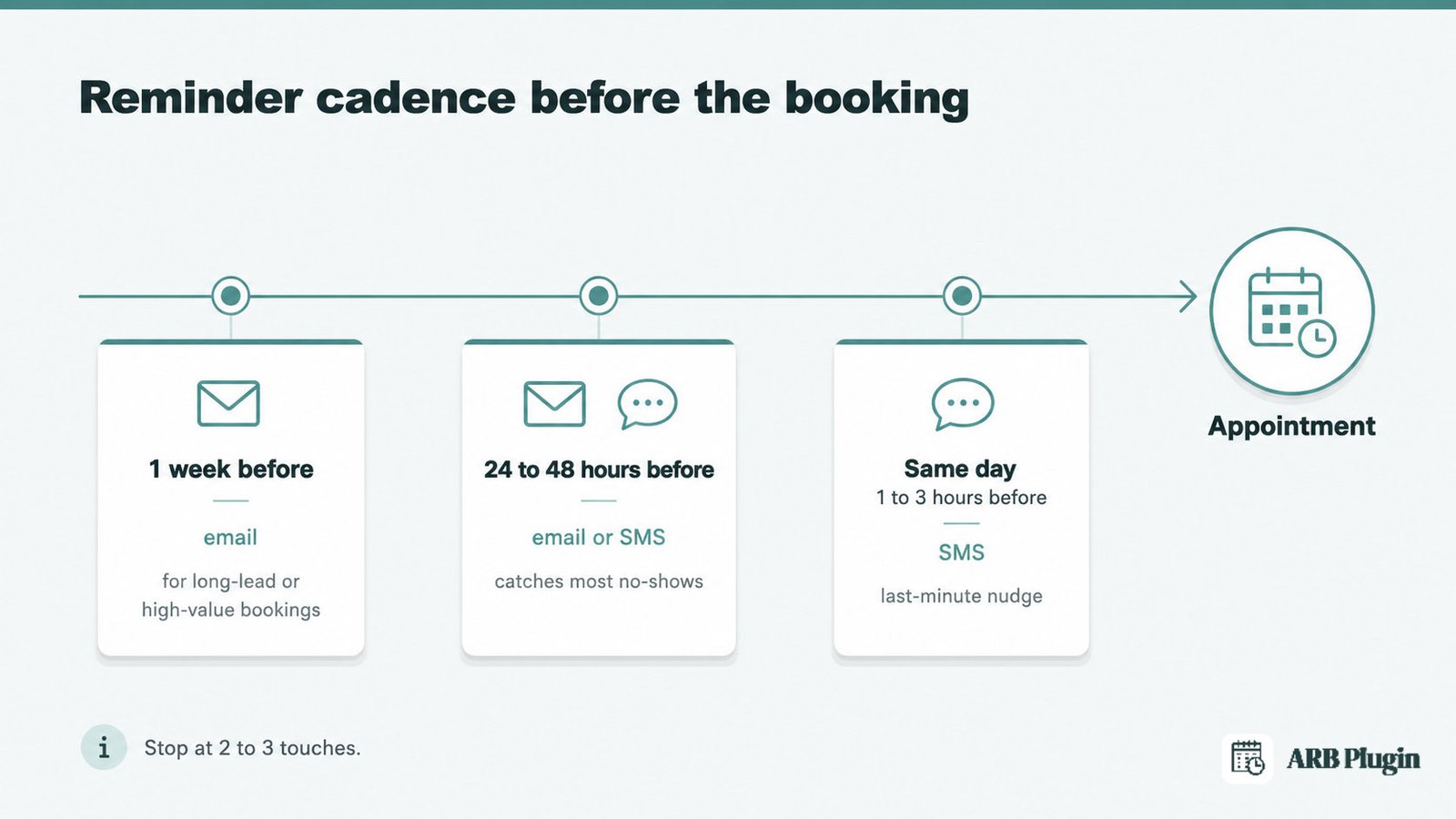
Appointment reminders work on a fixed cadence, timed to the appointment date, not to whatever is convenient to send.
| When to send | Why | Best channel |
|---|---|---|
| 1 week before | Gives long-lead or high-value bookings time to reschedule without losing the slot | |
| 24 to 48 hours before | Catches most no-shows before they happen | Email or SMS |
| Same day, 1 to 3 hours before | Reduces last-minute no-shows and forgotten appointments | SMS |
A three-arm randomized trial on the National Institutes of Health's PubMed database compared three reminder schedules. Researchers tested a single reminder sent 3 days before a primary care visit, one sent 1 day before, and both combined. The study, Steiner et al., 2018, compared missed-appointment rates across the three groups.
Stop at 2 to 3 touches. More reminders read as spam and raise the unsubscribe rate instead of the show-up rate. A reminder cadence like this is one of the best ways to reduce no-shows without adding staff time.
Appointment reminder email templates
Copy any template below and replace the {{tokens}} with your own booking details. Every template keeps the body under 90 words, since a reminder gets skimmed, not read.
Friendly, short appointment reminder email template
This is the default template for any service business that does not fit a more specific scenario below.
Subject: Reminder: your {{service}} appointment on {{date}}
Hi {{customer_name}}, Just a quick reminder: your {{service}} appointment is on {{date}} at {{time}}. Location: {{location}} Need to change your time? Reschedule here: {{reschedule_link}}. Cancel here: {{cancel_link}}. See you soon, {{business_name}}
Formal, professional appointment reminder email template
This template fits businesses that want a polite, complete tone and a clearly stated cancellation window.
Subject: Appointment reminder: {{business_name}}, {{date}} at {{time}}
Dear {{customer_name}}, This is a reminder that your appointment with {{business_name}} is scheduled for {{date}} at {{time}}. Location: {{location}} Our cancellation policy requires {{cancellation_window}} notice. To reschedule or cancel, use the links below, or call {{business_phone}}. Reschedule: {{reschedule_link}} �� Cancel: {{cancel_link}} {{business_name}}
Salon and spa appointment reminder email template
This template fits salons, spas, barbers, and nail or beauty studios, and names the stylist or therapist directly.
Subject: See you {{date}} for your {{service}} 💇
Hi {{customer_name}}, Excited to see you for {{service}} with {{staff_name}} on {{date}} at {{time}}. Please arrive 5 minutes early so we can start on time. Need to reschedule? {{reschedule_link}} See you then, {{business_name}}
Medical and dental clinic appointment reminder email template
This template fits clinics, doctors, dentists, and therapists, and keeps a neutral, reassuring tone with no health detail in the subject line.
Subject: Reminder: {{provider_name}} appointment, {{date}} {{time}}
Hi {{customer_name}}, This confirms your upcoming appointment with {{provider_name}} on {{date}} at {{time}}. Please bring your insurance card and photo ID, and arrive 10 minutes early. Need to confirm, reschedule, or cancel? {{reschedule_link}} �� {{cancel_link}} {{business_name}}
Consultation and professional services reminder email template
This template fits coaches, consultants, lawyers, and accountants, and supports a virtual join link for video calls.
Subject: Our {{service}} call is {{date}} at {{time}}
Hi {{customer_name}}, Just a reminder that our {{service}} call is on {{date}} at {{time}}. Join here: {{meeting_link}} We'll cover {{agenda_note}}. Need a different time? {{reschedule_link}} Talk soon, {{provider_name}}
Class, course, and workshop reminder email template
This template fits studios, course providers, and workshops, and gives another student a shot at the spot if the reader cancels.
Subject: {{class_name}} starts {{date}}, your spot is booked
Hi {{customer_name}}, {{class_name}} starts {{date}} at {{time}}. Your spot is booked. Bring: {{prep_note}} Location: {{location}} Can't make it? Let someone else take your spot: {{cancel_link}}. Reschedule: {{reschedule_link}} See you there, {{business_name}}
Rental and equipment reservation reminder email template
This template fits equipment, vehicle, and property rentals, and covers a pickup date instead of a single appointment slot.
Subject: Your {{item}} rental starts {{date}}
Hi {{customer_name}}, Your {{item}} rental starts {{date}} at {{time}}. Pickup location: {{location}} Bring a valid ID, and your remaining balance if one is due: {{amount_due}} Questions? Call {{business_phone}}. {{business_name}}
Final same-day "see you soon" reminder email template
This is the last touch in a multi-step cadence, sent hours before the appointment, not days.
Subject: Today: {{service}} at {{time}}
Hi {{customer_name}}, quick reminder: {{service}} today at {{time}}. Address: {{location}} ({{map_link}}) Call {{business_phone}} if you're running late. See you soon, {{business_name}}
Appointment reminder text message (SMS) templates
SMS reminders get read within minutes, so keep every text under 160 characters, one SMS segment.
Short friendly SMS reminder
This is the shortest reminder that still covers every essential detail.
Hi {{customer_name}}, reminder: {{service}} on {{date}} at {{time}} at {{business_name}}. See you then!
Reply-to-confirm SMS reminder
This is the category-standard confirm-or-reschedule pattern. It only works if your texting system reads and acts on the customer's reply.
{{business_name}}: your {{service}} is {{date}} {{time}}. Reply C to confirm or R to reschedule.
Salon, clinic, and class SMS reminders (by industry)
Each variant below front-loads the same essentials, name, date, time, and business, then swaps in the action that fits the industry.
- Salon (confirm):
Hi {{customer_name}}, your {{service}} with {{staff_name}} is {{date}} at {{time}}. Reply C to confirm. - Clinic (bring an item):
Reminder: your appointment with {{provider_name}} is {{date}} at {{time}}. Bring your ID and insurance card. - Class (arrival time):
{{class_name}} starts {{date}} at {{time}}. Arrive 10 minutes early. See you there!
Merge fields: how to personalize these reminder templates
Every token above follows the same {{field_name}} pattern, so you can find and replace consistently across every template on this page.
| Token | What it fills in | Example value |
|---|---|---|
{{customer_name}} | The customer's name | Maria Chen |
{{business_name}} | Your business or store name | Sunrise Wellness Spa |
{{business_phone}} | Your business contact number | (555) 010-2938 |
{{service}} | The booked service | Deep tissue massage |
{{staff_name}} / {{provider_name}} | The staff member or practitioner assigned | Dr. Patel |
{{class_name}} | The class or workshop name | Beginner Pilates |
{{item}} | The rented item or equipment | Canopy tent |
{{date}} | The appointment or pickup date | August 14 |
{{time}} | The appointment or pickup start time | 2:30 PM |
{{location}} | The physical address or meeting point | 118 Main St |
{{map_link}} | A map link to the physical location | maps.example.com/xyz |
{{meeting_link}} | The video call join link | zoom.example.com/xyz |
{{prep_note}} | A scenario-specific instruction | "Bring your yoga mat" |
{{cancellation_window}} | The notice period required to cancel | 24 hours |
{{amount_due}} | The deposit or balance still owed | $50 |
{{reschedule_link}} | A self-service link to move the appointment | reschedule link |
{{cancel_link}} | A self-service link to cancel the appointment | cancel link |
{{agenda_note}} | A one-line agenda for a call or consultation | "Contract review" |
Most booking systems expose these as dynamic tags already. Paste any template above into your tool's email or SMS editor and swap the {{tokens}} for that tool's own tags.
Download these reminder templates (Word, PDF, and Google Docs)
Every template above is free to copy directly from this page, right now, with no signup. The full set is also available as a downloadable pack.
- Word (.docx) document with all 8 email and 5 SMS templates formatted and ready to edit
- PDF version for printing or sharing with a team
- Google Docs copy you can duplicate into your own account
FAQs
How do you write an appointment reminder email?
To write one:
- Name the service, date, and time in the subject line
- Greet the customer by name
- State the one action needed: confirm, reschedule, or cancel
- Add a contact method
- Keep the body under 90 words
How do I write a formal reminder email?
Use the formal template above. It opens with "Dear," states the cancellation window plainly, and lists a phone number instead of a casual reply prompt.
How do I remind someone about an appointment?
Send an email, a text, or both. Follow the 1-week, 24-to-48-hour, and same-day cadence above, and always include a way to reschedule or cancel.
What is the difference between an appointment reminder and a confirmation email?
A confirmation email sends right after booking as a receipt. A reminder sends closer to the appointment to prompt action and cut no-shows. See the appointment confirmation email template for the receipt version.
When should you send an appointment reminder?
Send one 24 to 48 hours before the appointment, plus a same-day nudge 1 to 3 hours ahead. Add a 1-week touch for high-value or long-lead bookings.
What is a good subject line for an appointment reminder email?
Name the service and the date, and keep it under 45 characters. "Reminder: your {{service}} appointment on {{date}}" and "Today: {{service}} at {{time}}" both work well.
Can I send appointment reminders by text as well as email?
Yes. Texts get opened faster than email. Use the SMS templates above, and note that most booking tools need a separate texting service or add-on to send them.
Are these appointment reminder templates free to use?
Yes. Copy, edit, and send every template on this page free, with no signup and no attribution required.
How to automate appointment reminders in WordPress and WooCommerce
Copying and pasting these templates works until the list of upcoming bookings grows past what one person can track by hand.
Manual sending has three real limits. First, someone has to remember every reminder and time it correctly against each appointment date. Second, the {{tokens}} above do not fill themselves; a person has to type the real values every time. Third, there is no automatic same-day follow-up unless someone repeats the process for every booking, every day.
ARB, a WooCommerce-native booking plugin, handles this inside the WooCommerce store you already run. Manual and bulk reminders send automatically to every customer with a future reservation for a product, personalized with dynamic tags such as {customer_name}. Reminder scheduling, added in version 8.0.0, handles the send timing instead of a person watching the calendar.
Three honest limits apply before you switch.
- ARB is a one-time license around $55 on CodeCanyon, not a subscription, with no free tier.
- Sending these as SMS needs ARB's separate paid SMS add-on ($15 one-time), and that add-on sends messages out only. It does not read or act on a customer's reply, so the reply-to-confirm SMS template above does not work with ARB's SMS notifications.
- Every reminder email attaches an iCalendar (.ics) file. ARB does not sync two-way with any calendar app; its separate paid Google Calendar add-on ($19 one-time) syncs one way, from ARB to Google Calendar.
To send appointment reminders automatically once you are ready to stop copying and pasting, set the reminders up alongside your existing WooCommerce booking flow. See the automated reminder flow yourself in the live ARB demo.