Phox is a strong, frequently updated hosting theme that outsells and outrates most rivals, yet it carries a real setup catch. It earns a 3.8 out of 5: excellent maintenance and design, held back by mixed WHMCS Bridge messaging and reported install breakage.
Below covers Phox's features, live pricing, WHMCS integration, and real setup friction. It then weighs the genuine pros and cons, buyer sentiment, and a verdict on who should choose it and who should look elsewhere.
The Phox scorecard below rates seven weighted dimensions on real evidence.
| Dimension | Score |
|---|---|
| WHMCS Integration & Billing UX | 3.5/5 |
| Hosting Design & Conversion UX | 4/5 |
| Page Building & Customization | 4/5 |
| Performance & Core Web Vitals | 3/5 |
| Maintenance & Compatibility | 5/5 |
| Value & Licensing | 3.5/5 |
| Support & Documentation | 4/5 |
| Overall | 3.8/5 |
Verdict: a fast-updated, design-forward Elementor hosting theme that is genuinely strong for the right buyer, held back by inconsistent Bridge messaging and install friction.
How we score: we rate every hosting theme across seven weighted dimensions from its live demo, documentation, changelog, marketplace listing, and real buyer comments. Scores come from evidence, never guesswork.
What Is Phox?
Phox is a premium WordPress and WHMCS theme from WHMCSdes, built for hosting companies, domain resellers, and agencies. It ships 23 hosting demos, a matching WHMCS client-area template, and an Elementor widget library, sold once on ThemeForest.
The theme pairs a marketing front end with WHMCS billing. A new host can launch a professional site and a branded client area without custom development. You can preview every layout on the Phox demo hub before buying.
Disclosure: this review is written by the MaxHost team. MaxHost competes in the same WordPress hosting theme category as Phox. We researched Phox independently and scored it with the same methodology we apply to every review, explained in How We Review WordPress Hosting Themes.
Who Phox Is For
Phox fits several specific buyers well.
- Hosting and reseller founders who run WHMCS for billing and want a modern, frequently updated design.
- Freelancers and small agencies delivering a hosting client's site on one well-documented builder.
- Buyers comfortable with Elementor who want 23 ready demos to start from.
- Teams that value a proven sales and rating record over the lowest possible price.
Who Phox Is NOT For
Phox is a poor fit in a few clear cases.
- Teams building a general-purpose or multi-industry site, since Phox's layouts and widgets are heavily optimized for hosting and feel rigid outside that niche.
- Teams standardized on WPBakery, since Phox supports Elementor only.
- Buyers who want one unambiguous "no bridge, ever" message across marketing and support.
- Hosts on servers with tight PHP limits they cannot raise, given the documented white-screen risk.
What Are the Key Features of Phox?
Phox's top features are a Powerful Admin Panel, a WHMCS client-area template, a domain search widget, 23 demos, and an Elementor widget library. A set of AI-adjacent add-ons rounds out the 2026 feature list.
Powerful Admin Panel and WHMCS Menu Manager
The feature WHMCSdes markets first is the Powerful Admin Panel, named in the theme's own WHMCS Marketplace title. It centralizes the WHMCS client-area theme options in one settings screen, so you restyle billing pages without touching template code.
Paired with it is a Menu Manager for the client-area navigation. You build and reorder the WHMCS menus visually, then map them to WordPress pages or external links. This is Phox's clearest WHMCS-side differentiator, and it earns its top billing for a billing-heavy buyer.
WHMCS Client-Area Template and the Optional Bridge Plugin
Phox's core WHMCS asset is a client-area and order-form template that installs directly into WHMCS. The base template needs no bridge plugin, and the vendor confirms WHMCS can run on a fully separate domain from WordPress.
The nuance sits in the messaging. Three live-sync features still require the optional WHMCS Bridge plugin: the bridge domain redirect, the Site Bridge Cart widget, and the WHMCS Price Table auto-import. The ThemeForest listing still markets "WHMCS Bridge Supported," while the vendor's own support replies now call the bridge "not recommended" and unnecessary.
That gap creates genuine presale confusion, and three named buyers asked about it directly. If bridge-free billing is your priority, weigh Phox against the best WHMCS WordPress themes that commit to one consistent message.
Advanced Domain Search
The domain search widget checks gTLD and ccTLD availability from the WordPress front end. It offers three lookup providers: an internal WHMCS lookup, a GoDaddy API lookup, and a custom redirect.
You can toggle a WHOIS check and AI domain suggestions, and choose where a purchase click sends the buyer. Redirect targets include WHMCS, the bridge page, GoDaddy, or a custom URL.
23 Hosting Demos and the Elementor Widget Library
Phox ships 23 importable homepage demos, a broad, design-forward library for a hosting theme. Layouts range from shared-hosting and VPS marketing pages to SaaS and startup styles.
Page building runs on Elementor, with 19 documented Phox widgets on top of Elementor's own library. Useful hosting widgets include the WHMCS Price Table, a domain search block, pricing tiers, and timelines. There is no WPBakery option.
Phox also ships WooCommerce, WPML, and RTL support for stores and multilingual sites. Those are baseline theme expectations, not differentiators, so I weigh them lightly.
AI-Adjacent Add-Ons
Phox layered several AI-adjacent tools onto its existing tooling across 2025 and 2026. These include AI domain suggestions, an AI SEO demo, an AI video generator, and a Gemini provider for the domain widget. They are convenience additions, not a separate product.
How Easy Is Phox to Use?
Phox takes five steps to install the theme by FTP and ten more to sync the WHMCS template. It is not hard for a WHMCS-comfortable buyer, but the WHMCS side adds a separate addon module and an external license registration.
Installing the theme over FTP took me five steps:
- I connected to the server with an FTP client.
- I unzipped the nested phox.zip file twice to reach the theme folder.
- I uploaded that folder to wp-content/themes.
- I activated the theme from the WordPress dashboard.
- I installed the required plugins from the welcome screen.
Syncing the WHMCS client area is heavier. The ten-step WHMCS install guide breaks down into six actions I worked through:
- I uploaded the Phox template folder to the WHMCS templates directory.
- I uploaded the orderforms variant to the WHMCS orderforms directory.
- I uploaded the separate phox_templates addon module to the modules directory.
- I activated that addon module in WHMCS admin and set its group permissions.
- I set the two admin dropdowns for the template and the order form.
- I registered the license on the vendor's wdes.org platform.
That install is also where buyers report the most trouble. Four named ThemeForest buyers described a blank white page after installing or updating the WHMCS template. Phox's own requirements documentation explains the likely cause. PHP limits below its needs, such as a 180-second execution time and 256M of memory, trigger the white screen.
By comparison, some dual-builder hosting themes document a three-phase WHMCS setup with no separate addon module and no external registration. They trade that for a manual copy and paste of header and footer template code. Neither path is uniformly easier, so judge by which friction you would rather own.
If you have wired WHMCS to WordPress before, Phox will feel routine within an afternoon. If you have not, budget time for the addon module, the license registration, and the PHP-limit checks.
How Much Does Phox Cost?
Phox costs $59 for the regular license and $1,600 for the extended license, both one-time payments. Support runs six months, extendable to twelve for $17.63, and version updates are free for life.
| License | Price | What it covers |
|---|---|---|
| Regular License | $59 one-time | Use in one end product that end users are not charged for; all 23 demos, the WHMCS template, and every widget |
| Extended License | $1,600 one-time | Use in one charged end product, such as a paid theme resale or SaaS use |
There is no free tier or trial; evaluation runs through the public demo hub. The ThemeForest listing sets the $59 price, which sits slightly above the cheapest hosting themes but below premium tiers. The extended license, at $1,600, is notably cheaper than several rivals for agencies building charged client work.
For a single hosting business, the $59 regular license plus a stated 30-day money-back guarantee makes the entry risk low. Weigh the higher entry price against Phox's faster updates and larger demo count.
What Are the Pros of Phox?
Phox's strongest advantages are its fast update cadence, its proven marketplace record, and its broad demo library. Each one is evidenced, not assumed.
- Fast, consistent updates: a new release lands roughly every two to four weeks, and Phox tracked WHMCS 9.0.6, WordPress 7.0, and PHP 8.4 promptly through 2026.
- Proven market traction: 2,665 sales and a 4.74 out of 5 rating across 58 reviews, higher on both counts than most direct competitors.
- Broad, design-forward demos: 23 importable hosting layouts, more than most hosting themes ship.
- Genuinely bridge-free base billing: the client-area template installs without a bridge plugin, and WHMCS can run on a fully separate domain.
- Low buyer risk: a stated 30-day money-back guarantee plus roughly 50 documentation articles, including dedicated troubleshooting guides.
What Are the Cons of Phox?
Phox's real limitations are its inconsistent Bridge messaging, its reported install breakage, and its single-builder lock-in. None is a dealbreaker on its own, but together they shape who should buy.
- Blank white pages after install or WHMCS updates, reported by four named buyers and corroborated by Phox's own white-screen documentation.
- Inconsistent Bridge messaging: the listing still sells "WHMCS Bridge Supported," while support tells buyers the bridge is "not recommended" and unnecessary.
- A partial bridge dependency: three live-sync features still need the optional Bridge plugin even though the base template does not.
- Elementor only, with no WPBakery option for teams standardized on that builder.
- Support-access friction: buyers reported login errors and an expired-support lockout on the separate ticket portal, and the $59 entry price tops the cheapest rivals.
What Do Users Say About Phox?
Buyer sentiment is mostly positive on design and speed, with a recurring negative thread around WHMCS installs and support access. Phox holds a 4.74 out of 5 rating across 58 ThemeForest reviews, and no dedicated Reddit, G2, or Capterra presence exists for the theme.
One buyer praised the look and load: "the theme is absolutely beautiful, it loads quickly, looks so amazing" (rickster008, Envato Market).
Another highlighted fast deployment: "was able to install this theme and deploy a website very quickly" (adamdevs, Envato Market).
The sharpest complaints hit the WHMCS install, as in "my whole WHMCS is just a blank white page" (lochie, ThemeForest).
Support access also drew friction, with one buyer writing "it says my support has expired. How can you help me" (ced32, ThemeForest). You can read the full thread in the ThemeForest comments, and the theme also sells on the WHMCS Marketplace.
What's New in Phox in 2026?
Phox shipped steady 2026 updates on a roughly two-to-four-week cadence, tracked in its changelog.
- v2.6.1 (July 9, 2026): WHMCS 9.0.6 template support.
- v2.6.0 (May 29, 2026): WordPress 7.0 compatibility.
- v2.5.5 (January 31, 2026): PHP 8.4 support.
- v2.5.3 (January 16, 2026): a self-disclosed security patch for the phox-hosting plugin.
- Across 2025 to 2026: AI-adjacent additions, including AI domain suggestions and a Gemini provider for the domain widget.
Is Phox Worth It?
Phox is worth it for hosting founders who value fast updates, a large demo library, and a proven marketplace record. It suits buyers who can handle a WHMCS install with a few moving parts. Its 3.8 out of 5 reflects real strengths and a real setup catch.
Choose Phox in these cases.
- You want the fastest update cadence and current WHMCS, WordPress, and PHP support in this category.
- You prefer Elementor and want 23 ready hosting demos to start from.
- A proven sales and rating record matters more to you than the lowest entry price.
Look elsewhere in these cases.
- You want one consistent no-bridge message and dual-builder support, in which case scan a broader set of hosting-theme alternatives.
- Your host enforces tight PHP limits you cannot raise.
- Your team is standardized on WPBakery.
Considering an Alternative to Phox?
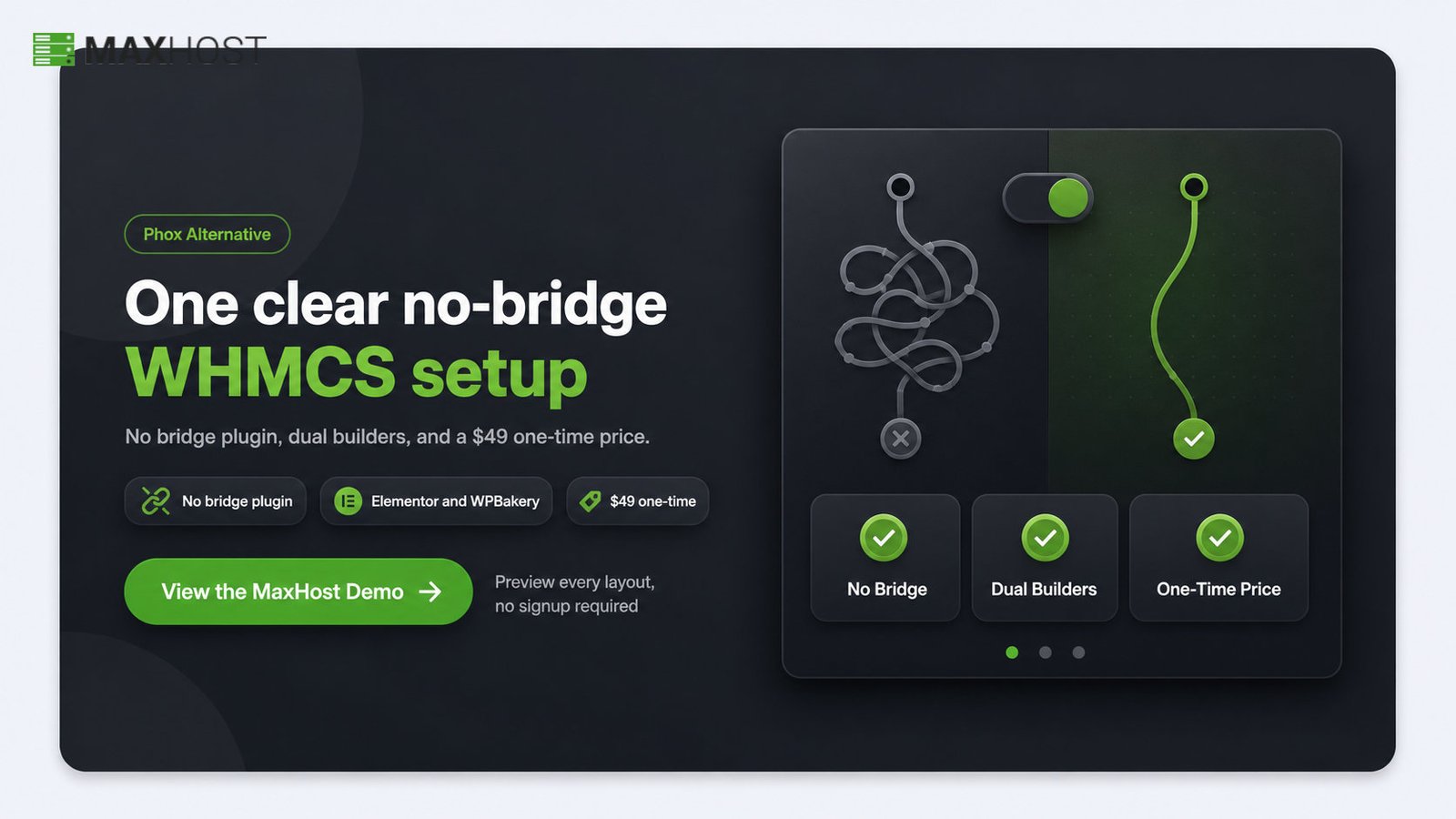
If Phox's mixed Bridge messaging, Elementor-only building, or $59 entry price gives you pause, MaxHost answers each directly. It runs one consistent no-bridge WHMCS message, supports both Elementor and WPBakery, and starts at $49 for its regular license.
MaxHost is a decade-old, actively maintained hosting theme with 20 WHMCS client-area layouts and no bridge plugin at all. That single, consistent message is the exact clarity Phox's marketing and support currently blur.
Phox still wins on raw momentum. It outsells MaxHost, holds a slightly higher rating, and ships updates on a faster cadence. Buyers chasing pure popularity have a real reason to stay.
See how the two compare against the category leader in how MaxHost compares to Hostiko, or check MaxHost's pricing for the full breakdown. To judge the design and WHMCS flow yourself, view the MaxHost demo.
FAQs
Is Phox good for a reseller hosting business?
Yes, Phox fits reseller businesses. It ships reseller-friendly demos, a domain search widget with GoDaddy API and WHMCS lookups, and GoDaddy Reseller Store compatibility. Resellers on tight PHP limits should confirm their host meets Phox's requirements first.
Is Phox better than MaxHost?
No, not overall: Phox scores 3.8 out of 5 against MaxHost's 4.2 on the same rubric, so MaxHost leads on the weighted score. Phox does outsell MaxHost, rate higher with buyers, and update faster, so it wins on raw momentum. The right pick depends on whether you weight consistency or popularity.
Does Phox require the WHMCS Bridge plugin?
No, the base WHMCS client-area template installs without the Bridge plugin. The vendor's support now calls the bridge unnecessary and not recommended. Three live-sync features still need it: the bridge domain redirect, the Site Bridge Cart widget, and the WHMCS Price Table auto-import.
Is Phox worth the price?
Yes, for most hosting founders. Phox costs $59 for the regular license, higher than the cheapest rivals but backed by a 30-day money-back guarantee. Frequent updates, 23 demos, and current WHMCS support justify the price for a working hosting business.
What are the best alternatives to Phox?
The strongest Phox alternatives are Hostinza, ZionHost, and other WHMCS hosting themes. Read our Hostinza review for its isometric design system, or our ZionHost review for a lower-cost no-bridge option. For the full ranked field, see the best WordPress hosting themes.