
In this important step, we will show you where and how to place widgets. You can place widgets either through the WordPress customizer Appearance => Customize => Widgets or in your WordPress dashboard if you go to Appearance => Widgets. Widgets can be placed simply via drag and drop, so just pull your favored widget to the widget area you like.
Here you can see the available widget areas of Pantograph Magazine & Blog Theme
Sidebar Widgets: Widget area (sidebar right) on single posts, pages and archives.
Footer Widgets: Widget area (In Footer) on all pages.
Footer Social Links: Widget area (In Footer) on all pages.
Note: Just follow the instructions from the following image.
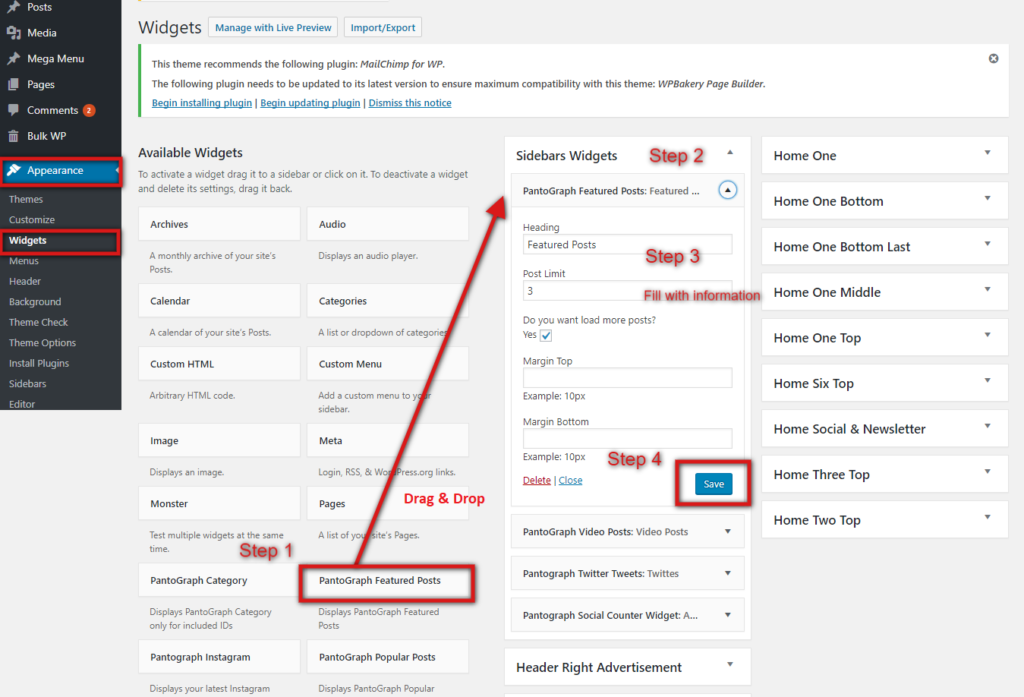
Others widgets
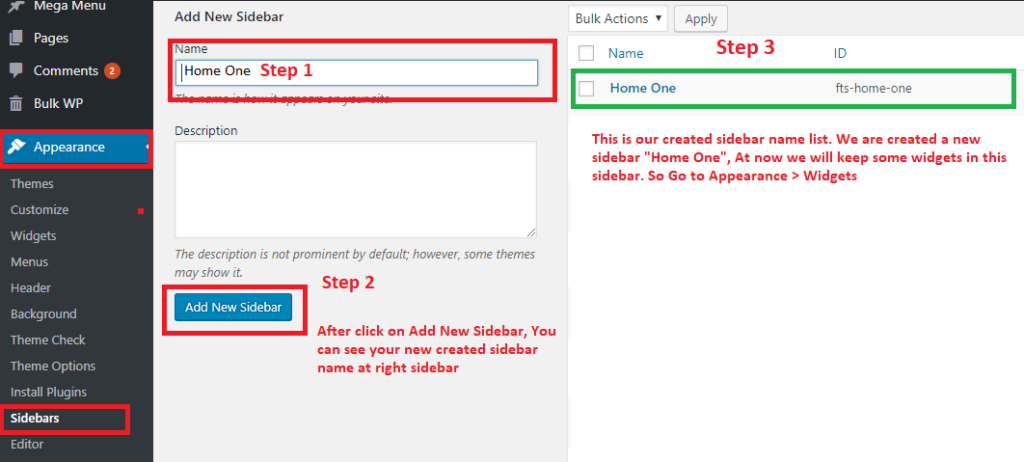
You can create ‘custom sidebar’, which is useful when you want to insert widgets in your homepage., Just take action from Appearance => Sideber, Enter a name and make a new sidebar.
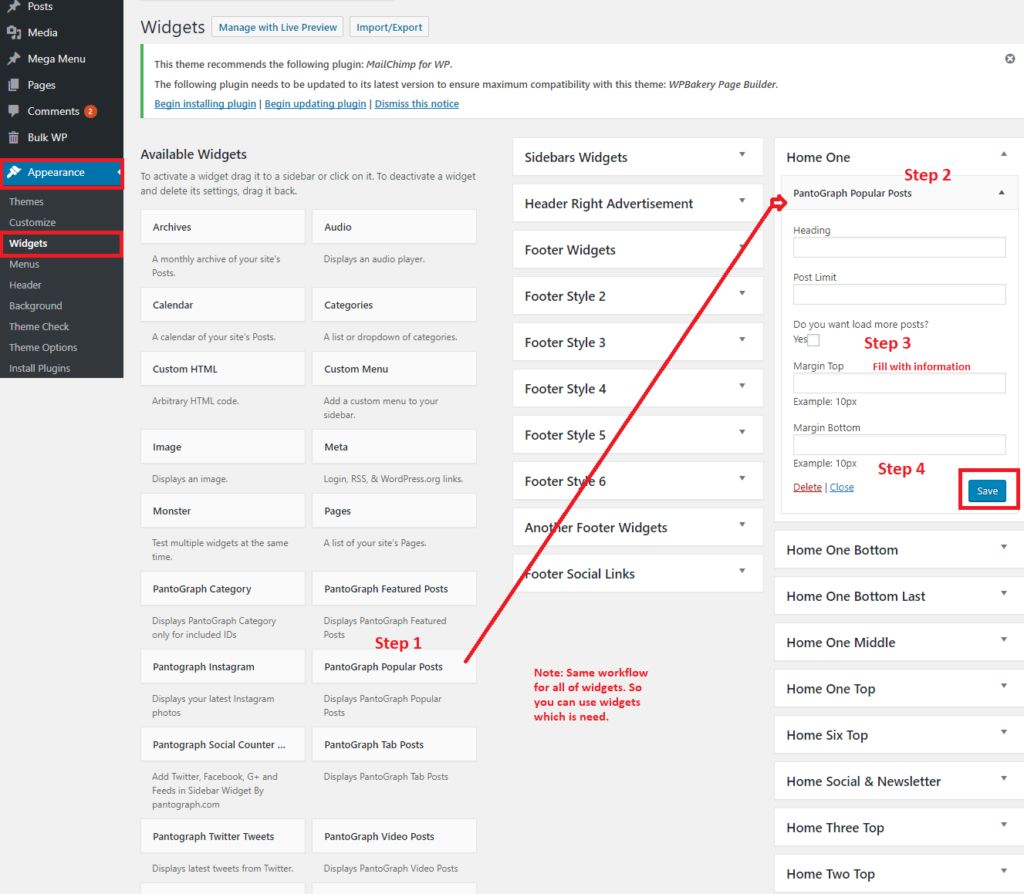
At now you can see it Appearance => Widgets. Now add some widget items in your created sidebar
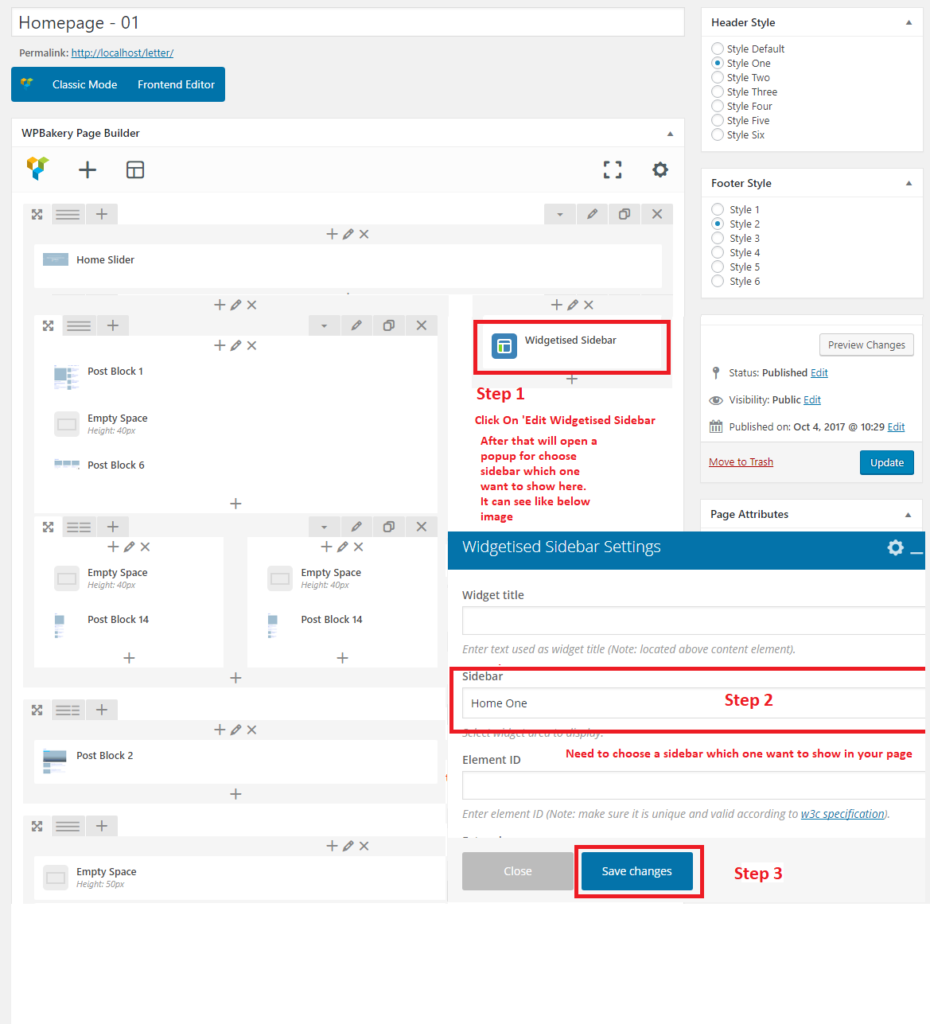
Now you can insert it in your Home Page (If you need)
Note: For the PantoGraph Featured Posts and PantoGraph Video Posts widgets need to use Featured Post “Yes” to make a post feature and it will show on this widget otherwise widget not show the feature posts. And same issue for the PantoGraph Video Posts, Need to choose video format post and give youtube url in the post content area. After that video will show on the widget.
