
By default, this theme shows a default category posts style, But if you want you can choose category post style for the all the categories Or Individual category.
For all category:
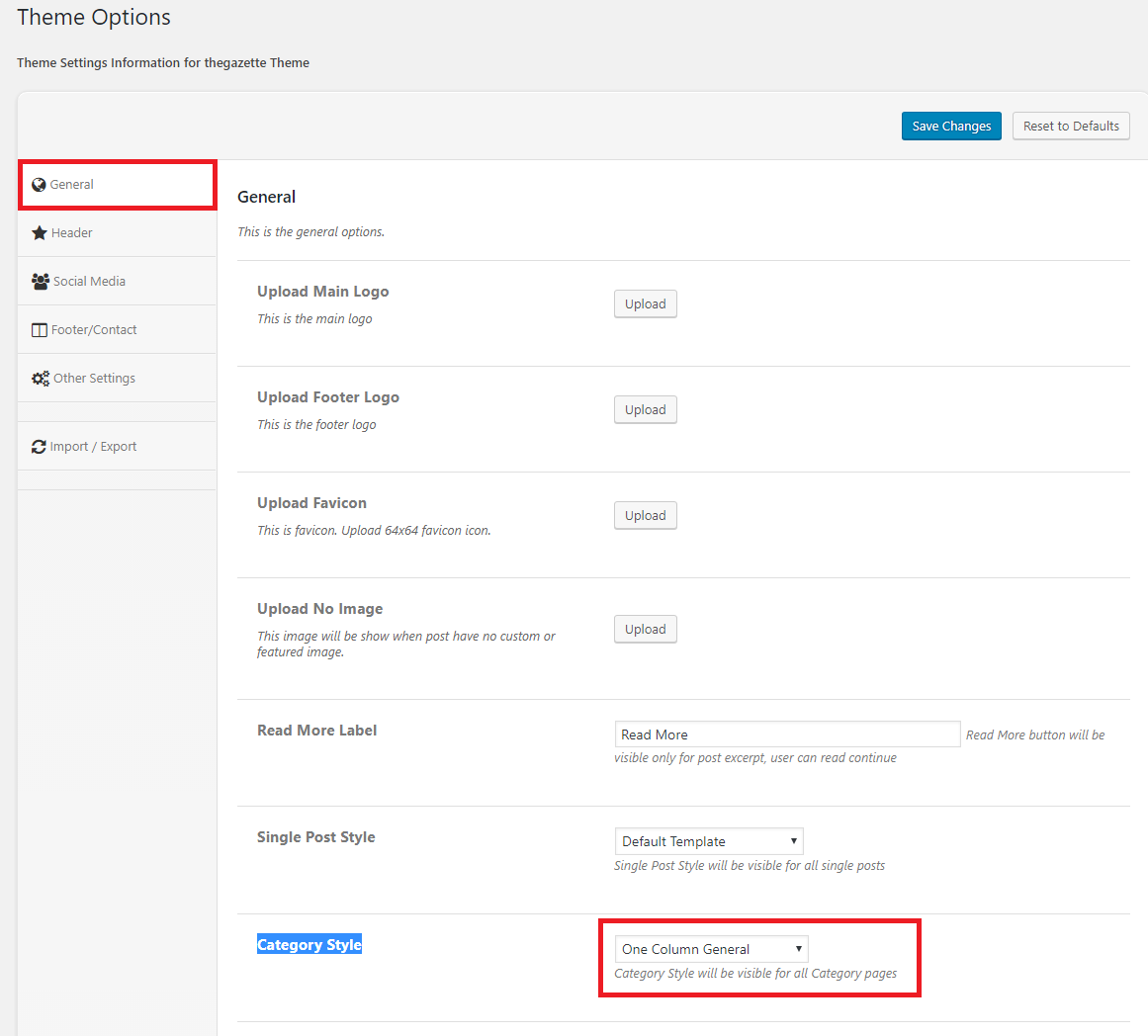
To choose a default design for your category pages visit Appearance > Theme Options Choose a Category Style from the General tab.
For Individual category:
Navigate to Posts > Categories . There you can make a certain category page design different than the default design. Option fields are there waiting for you to choose from.
Like Choose a Template (Which is category page style), Category Color (Background Color only for this category), Single Page Layout (Which is use for a single post view style), Category Title (If you want to give a custome category title), Number of Post to Show (How many post want to show per page for this category), Category Page Image (In the post you can provide featured image and custom image url, So which one want to show on the category page?) Show/Hide Category Title/Description/Breadcrumb ( You can Show/Hide Category Title/Description/Breadcrumb)
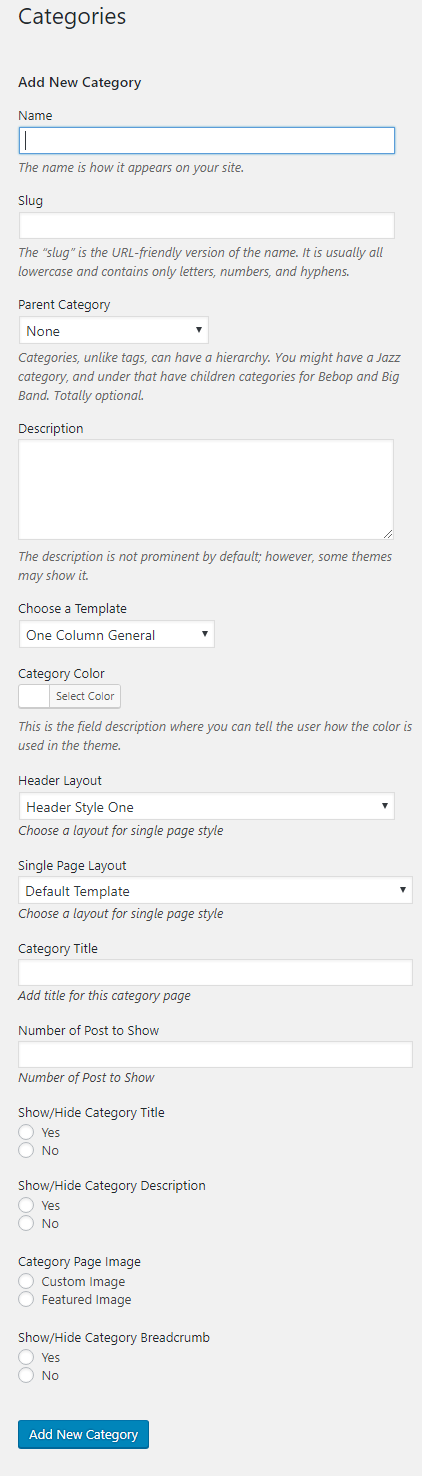
Same thing for edit any Category

