

1. How to make black background style for specific pages?
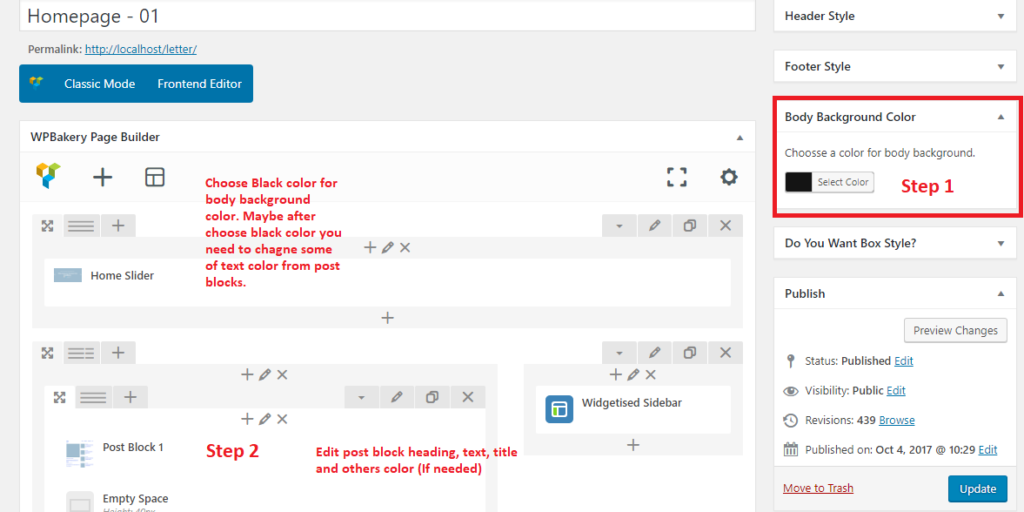
To make balck style for specific page, You need to change body background color under Body Background Color and Publish/Update the page. Now this page will convert within black background style. And now you may need to change addons color style according the design which you want to make. Obviously its only not for black style, you can choose any kind of background color
2. How to make black background style for full website?
Need to change body background for all pages? You have an option to change body background for whole website. Just choose a background color from Appearence > Theme Options > General “Website Global Body Background”
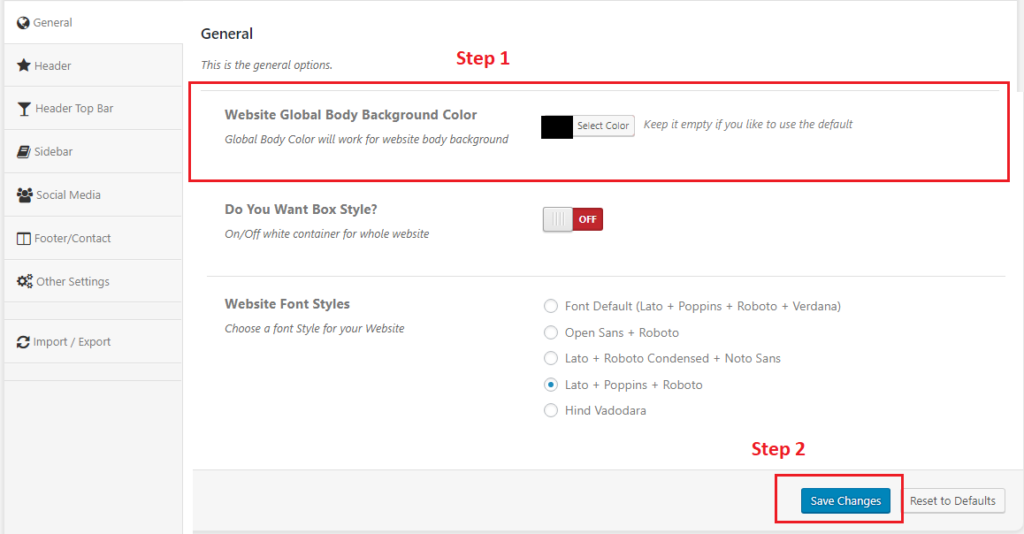
Note: For example, When choose a color from Appearence > Theme Options > General “Website Global Body Background”. It will work for all pages but if individually pages already choose different background color from Body Background Color. At now current page background color will show for this page from Body Background Color.
